
资源
Overview
简介
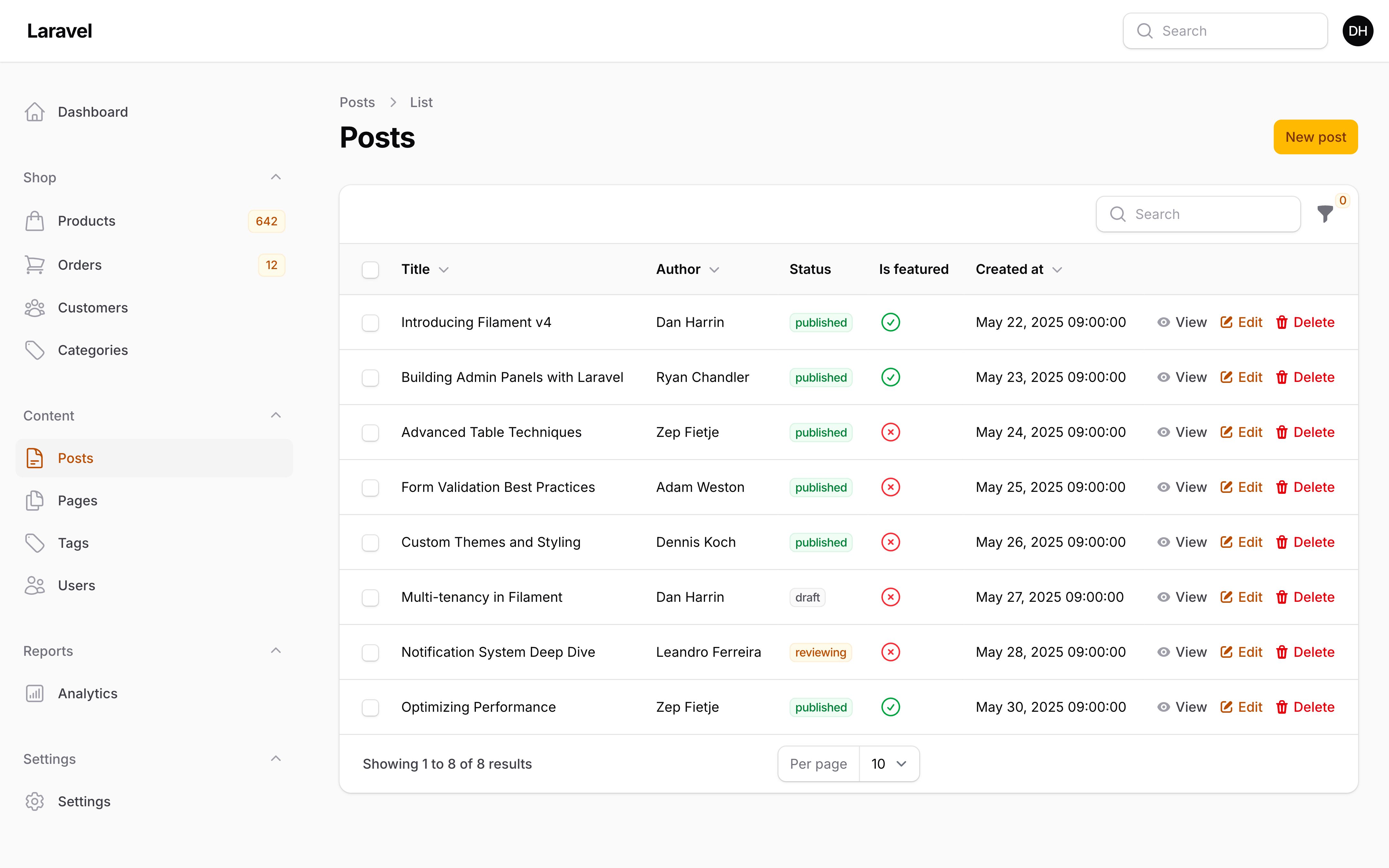
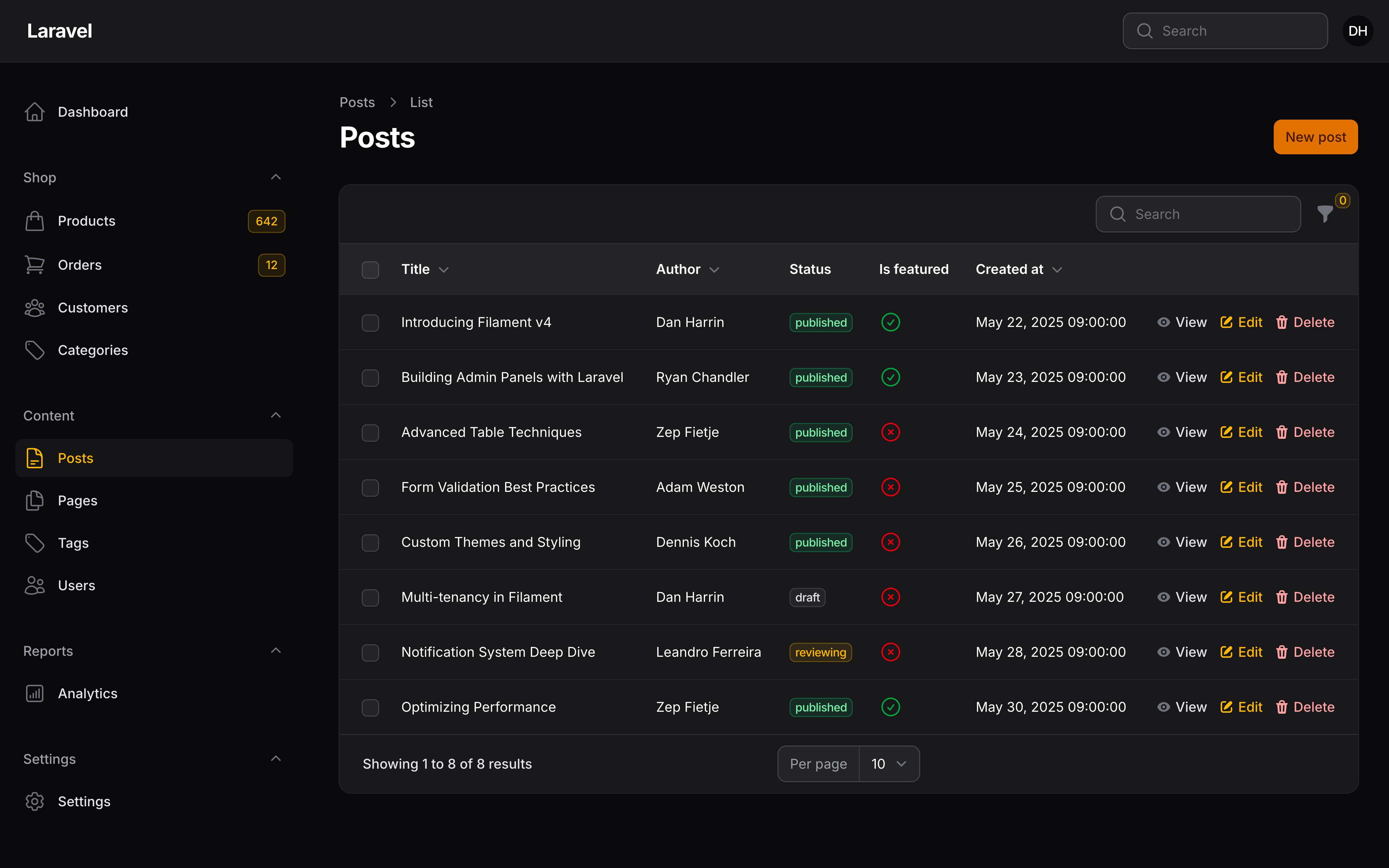
资源是用来为你的 Eloquent 模型创建 CRUD 接口的静态类。它们描述了管理员如何使用表格和表单与应用中的数据进行交互。
创建资源
要为 App\Models\Customer 模型创建资源:
php artisan make:filament-resource Customer
这将在 app/Filament/Resources 目录中创建多个文件:
.
+-- Customers
|   +-- CustomerResource.php
|   +-- Pages
|   |   +-- CreateCustomer.php
|   |   +-- EditCustomer.php
|   |   +-- ListCustomers.php
|   +-- Schemas
|   |   +-- CustomerForm.php
|   +-- Tables
|   |   +-- CustomersTable.php
你的新资源类为 CustomerResource.php。
Page 目录中的类用于自定义应用中与资源交互的页面。它们是全页 Livewire 组件,你可以以你希望的方式自定义这些页面。
Schemas 目录中的类用于定义资源的表单和信息列表内容。Tables 目录中的类用来为资源创建表格。
TIP
我创建了一个资源,但它并没有在导航菜单中显示?如果你有模型策略,请确保 viewAny() 方法返回 true。
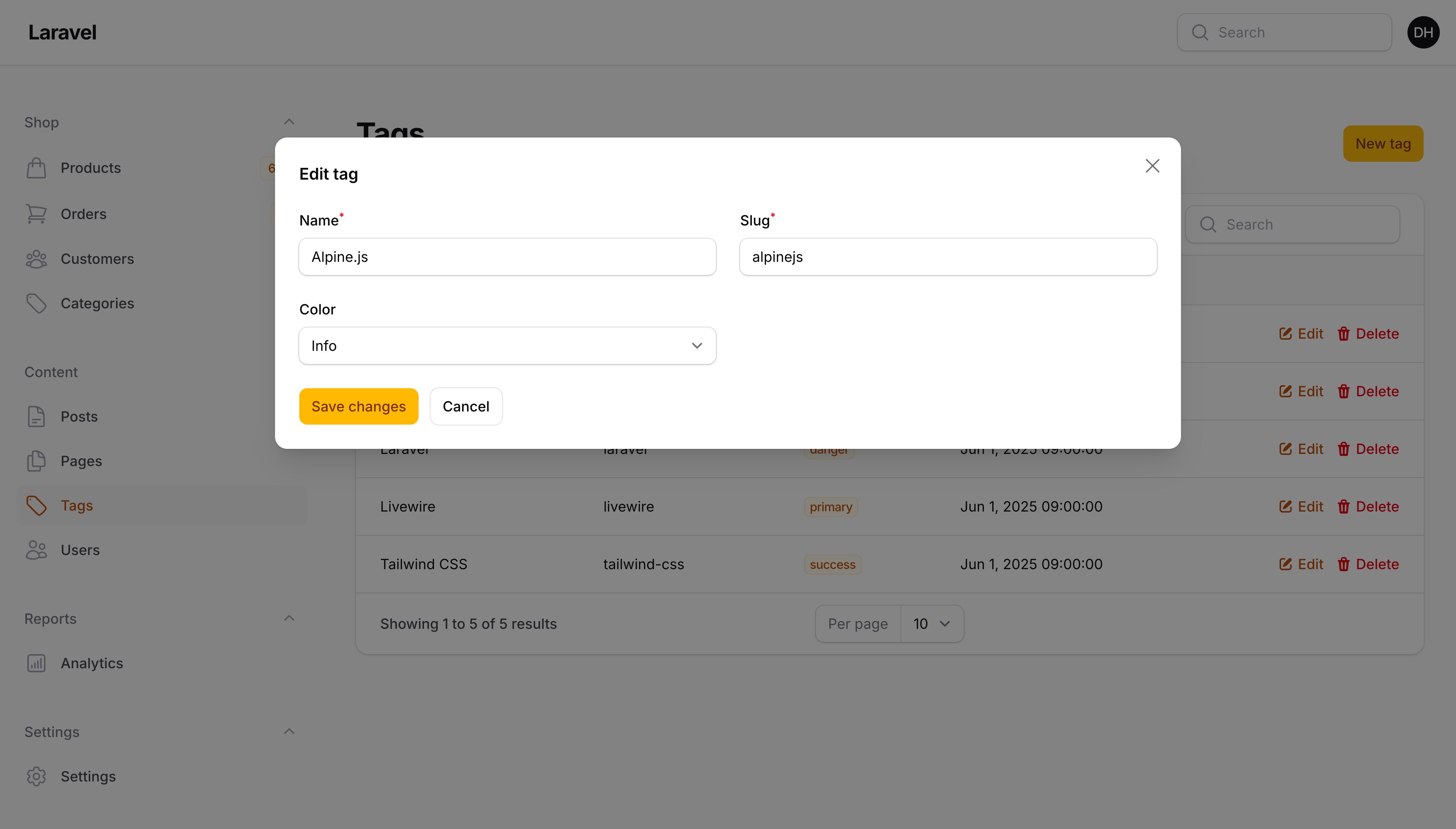
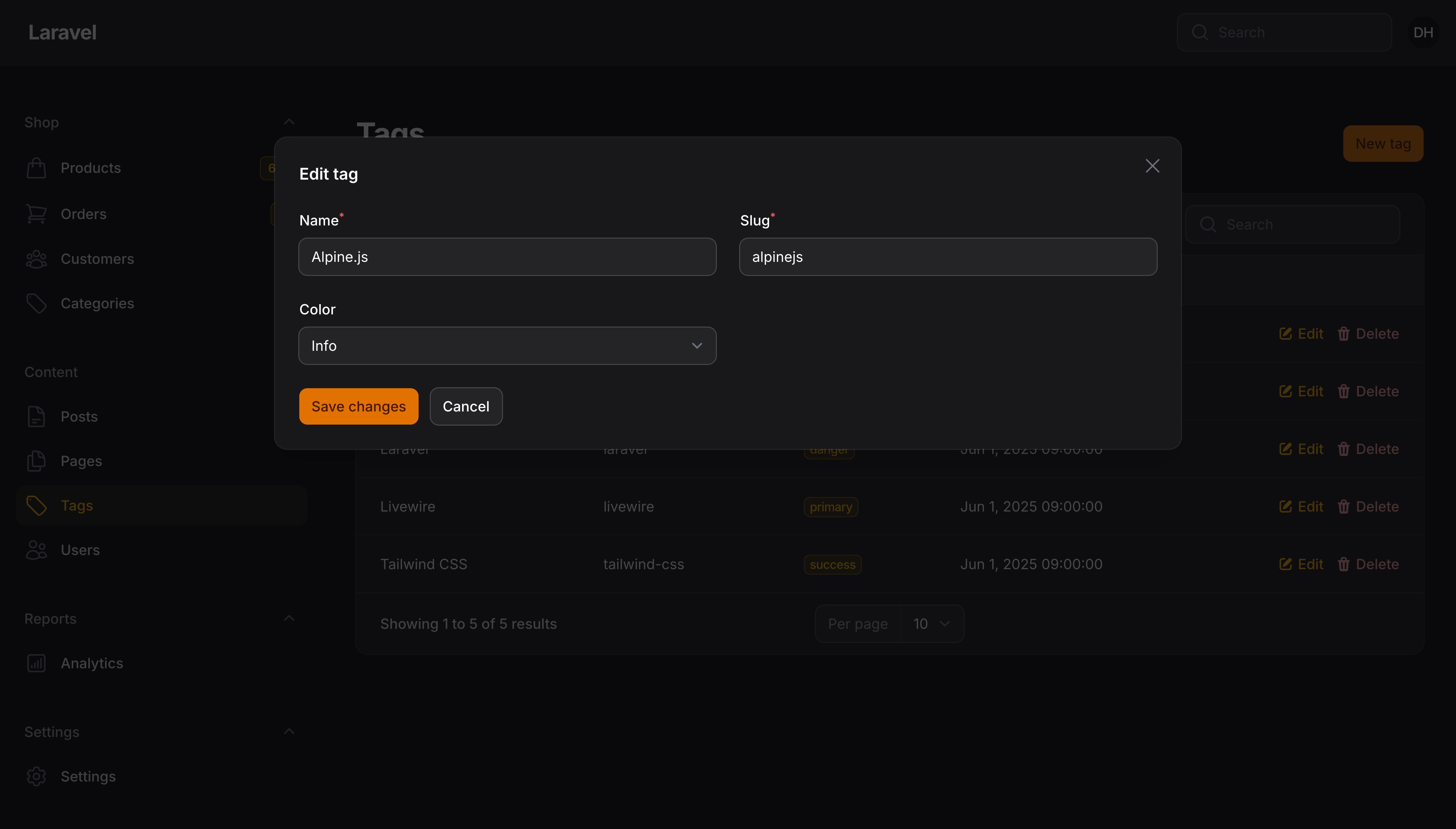
简单(模态框)资源
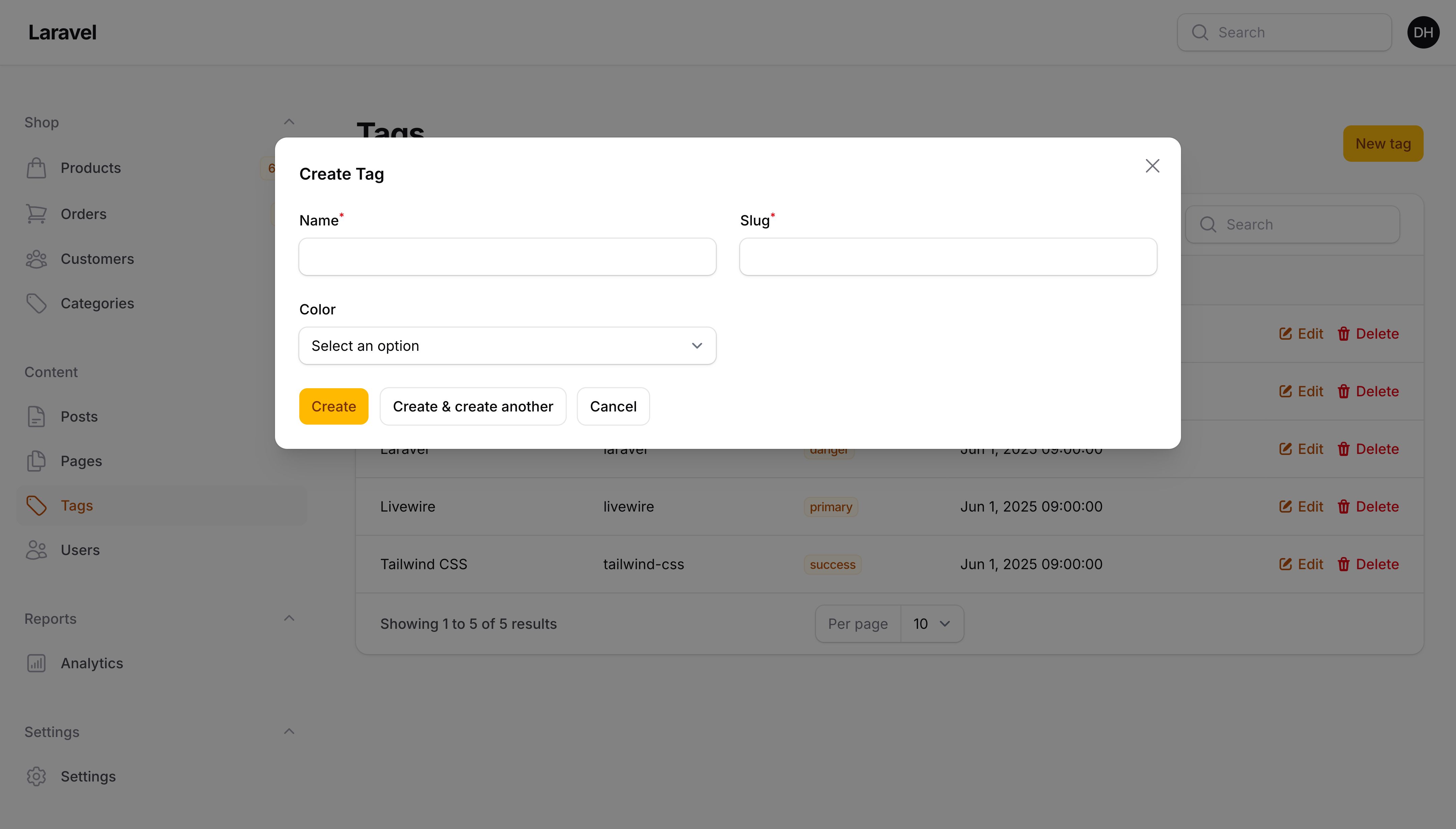
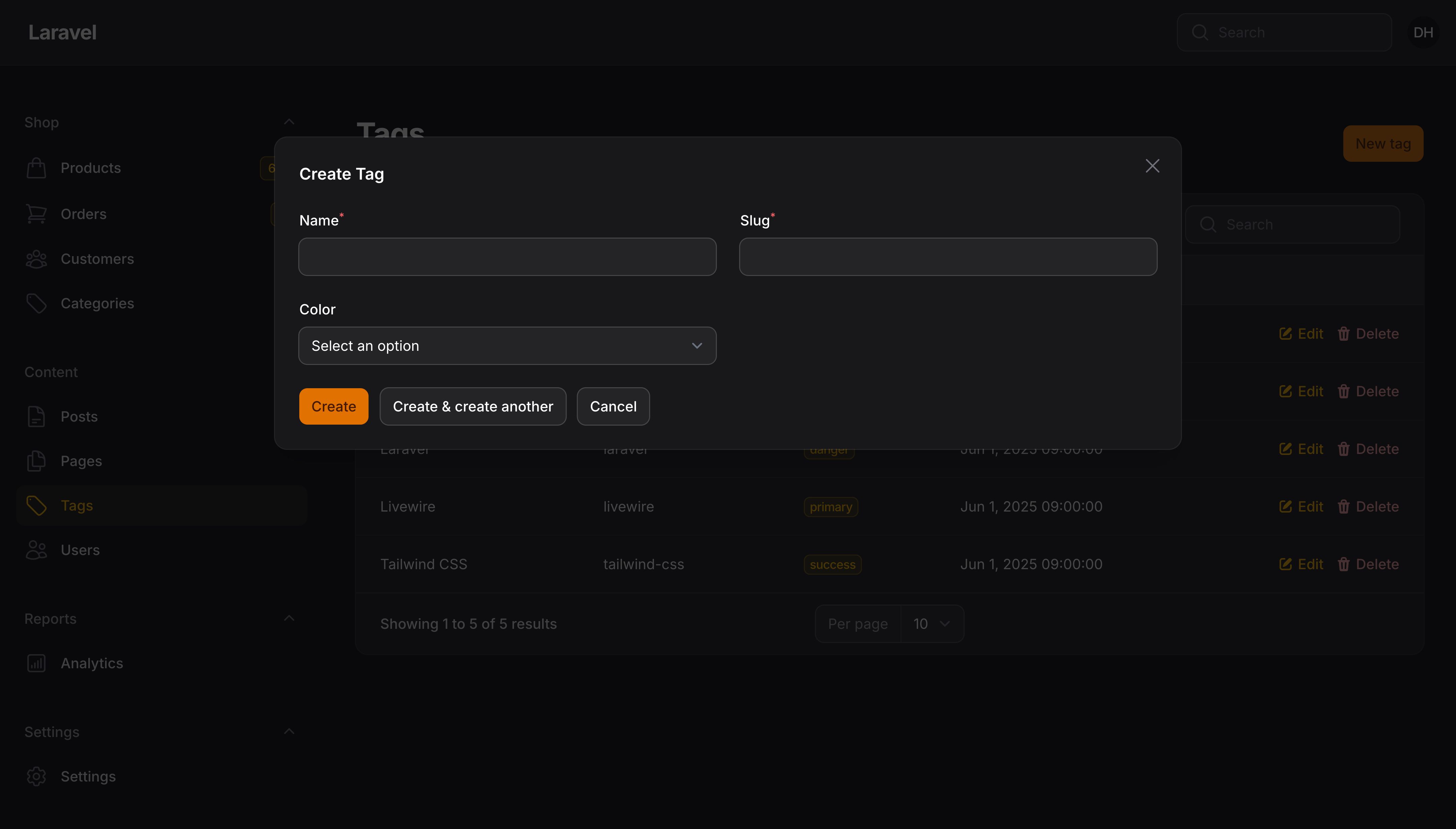
有时,你的模型非常简单,你只想在一个页面上管理记录,并使用模态窗口来创建、编辑和删除记录。要生成一个包含模态窗口的简单资源,请执行以下操作:
php artisan make:filament-resource Customer --simple
你的资源将会有一个“管理”页面,该页面是一个添加了模态窗口的列表页面。
此外,你的简单资源将没有 getRelations() 方法,因为关联管理器仅显示在编辑和查看页面上,而简单资源中不存在这些页面。其他所有内容均相同。
自动生成表单和表格
如果你想节省时间,使用 --generate,Filament 可以根据模型的数据库字段自动为你生成表单和表格:
php artisan make:filament-resource Customer --generate
处理软删除
默认情况下,你将无法在应用中与已删除的记录进行交互。如果你想在资源中添加恢复、强制删除和过滤已删除记录的功能,请在生成资源时使用 --soft-deletes 标志:
php artisan make:filament-resource Customer --soft-deletes
了解更多的关于软删除的信息,请查看此处的软删除文档。
生成查看页面
默认情况下,只会生成列表页、创建页和编辑页。如果你想要生成查看页,请使用 --view 标志:
php artisan make:filament-resource Customer --view
指定自定义模型命名空间
默认情况下,Filament 会假定你的模型位于 App\Models 目录中。你可以使用 --model-namespace 标志为模型传入不同的命名空间:
php artisan make:filament-resource Customer --model-namespace=Custom\\Path\\Models
本例中,模型应该位于 Custom\Path\Models\Customer。请注意命令中需要使用双斜杠 \\。
现在当生成资源时,Filament 将能够定位模型并读取其数据库 Schema。
同时生成模型、迁移及工程
如果你想在搭建资源时节省时间,Filament 还可以使用 --model、--migration 和 --factory 标志的任意组合同时为新资源生成模型、迁移和工厂:
php artisan make:filament-resource Customer --model --migration --factory
记录标题
可以为你的资源设置 $recordTitleAttribute,它是模型中的字段名,可用于区分其他其他字段。
例如,这可以是博客文章的标题 title 或客户的名称 name:
protected static ?string $recordTitleAttribute = 'name';
这需要启用像全局搜索这样的功能。
TIP
如果仅一列不足以识别记录,你可以指定 Eloquent 访问器的名称
资源表单
资源类中有一个 form() 方法,用于创建新建页和编辑页中的表单。
默认情况下,Filament 会为你创建一个表单 Schema 文件,该文件在 form() 方法中引用。这是为了让你的资源类保持整洁有序,否则它可能会变得非常大:
use App\Filament\Resources\Customers\Schemas\CustomerForm;
use Filament\Schemas\Schema;

public static function form(Schema $schema): Schema
{
    return CustomerForm::configure($schema);
}
在 CustomerForm 类中,你可以定义表单的字段和布局:
use Filament\Forms\Components\TextInput;
use Filament\Schemas\Schema;

public static function configure(Schema $schema): Schema
{
    return $schema
        ->components([
            TextInput::make('name')->required(),
            TextInput::make('email')->email()->required(),
            // ...
        ]);
}
components() 方法用来定义你表格的结构。它是字段和布局组件的数组,以这些组件在表单中的顺序展示。
查看表单文档以获取有关如何使用 Filament 构建表单的指南。
TIP
如果你希望直接在资源类中定义表单,你可以这样做并完全删除表单 Schema 类:
use Filament\Forms\Components\TextInput;
use Filament\Schemas\Schema;

public static function form(Schema $schema): Schema
{
    return $schema
        ->components([
            TextInput::make('name')->required(),
            TextInput::make('email')->email()->required(),
            // ...
        ]);
}
基于当前操作隐藏组件
组件的 hiddenOn() 方法允许你基于当前页面或者 Action 动态隐藏字段。
本例中,我们在 edit 页面中隐藏了 password 字段:
use Filament\Forms\Components\TextInput;
use Filament\Support\Enums\Operation;

TextInput::make('password')
    ->password()
    ->required()
    ->hiddenOn(Operation::Edit),
此外,还有一个 visibleOn() 快捷方法,用于仅在页面或 Action 显示一个字段:
use Filament\Forms\Components\TextInput;
use Filament\Support\Enums\Operation;

TextInput::make('password')
    ->password()
    ->required()
    ->visibleOn(Operation::Create),
资源表格
资源类包含一个 table() 方法,用于在列表页面上构建表格。
Filament 默认会为你创建一个表格文件,并在 table() 方法中引用该文件。这样做是为了保持资源类的整洁有序,否则它可能会变得非常庞大:
use App\Filament\Resources\Customers\Tables\CustomersTable;
use Filament\Tables\Table;

public static function table(Table $table): Table
{
    return CustomersTable::configure($table);
}
在 CustomerTable 类中,你可以定义表格列字段,过滤器和 Action:
use Filament\Actions\BulkActionGroup;
use Filament\Actions\DeleteBulkAction;
use Filament\Actions\EditAction;
use Filament\Tables\Columns\TextColumn;
use Filament\Tables\Filters\Filter;
use Filament\Tables\Table;
use Illuminate\Database\Eloquent\Builder;

public static function configure(Table $table): Table
{
    return $table
        ->columns([
            TextColumn::make('name'),
            TextColumn::make('email'),
            // ...
        ])
        ->filters([
            Filter::make('verified')
                ->query(fn (Builder $query): Builder => $query->whereNotNull('email_verified_at')),
            // ...
        ])
        ->recordActions([
            EditAction::make(),
        ])
        ->toolbarActions([
            BulkActionGroup::make([
                DeleteBulkAction::make(),
            ]),
        ]);
}
请查看表格文档以了解如何添加表格列、过滤器和 Action 等
TIP
如果你希望直接在资源类中定义表格,你可以这样做并完全删除表格类:
use Filament\Actions\BulkActionGroup;
use Filament\Actions\DeleteBulkAction;
use Filament\Actions\EditAction;
use Filament\Tables\Columns\TextColumn;
use Filament\Tables\Filters\Filter;
use Filament\Tables\Table;
use Illuminate\Database\Eloquent\Builder;

public static function table(Table $table): Table
{
    return $table
        ->columns([
            TextColumn::make('name'),
            TextColumn::make('email'),
            // ...
        ])
        ->filters([
            Filter::make('verified')
                ->query(fn (Builder $query): Builder => $query->whereNotNull('email_verified_at')),
            // ...
        ])
        ->recordActions([
            EditAction::make(),
        ])
        ->toolbarActions([
            BulkActionGroup::make([
                DeleteBulkAction::make(),
            ]),
        ]);
}
自定义模型标签
每个资源都有一个“模型标签”,该标签根据模型名称自动生成。例如,App\Models\Customer 模型将有一个 customer 标签。
该标签用于 UI 的多个部分,你可以使用 $modelLabel 属性自定义它:
protected static ?string $modelLabel = 'cliente';
此外,你可以使用 getModelLabel() 方法定义动态标签:
public static function getModelLabel(): string
{
    return __('filament/resources/customer.label');
}
自定义复数模型标签
资源还有一个“复数模型标签”,该标签由模型标签自动生成。例如,customer 标签将被复数化为 customers”`。
你可以使用 $pluralModelLabel 属性自定义标签的复数版本:
protected static ?string $pluralModelLabel = 'clientes';
此外,你可以使用 getPluralModelLabel() 方法设置动态复数标签:
public static function getPluralModelLabel(): string
{
    return __('filament/resources/customer.plural_label');
}
模型标签自动大写
默认情况下,Filament 会自动将模型标签中的每个单词大写,用于 UI 的某些部分。例如,在页面标题、导航菜单和面包屑导航中。
如果你想为某个资源禁用此行为,可以在该资源中设置 $hasTitleCaseModelLabel:
protected static bool $hasTitleCaseModelLabel = false;
资源导航项
Filament 将使用复数标签自动为你的资源生成导航菜单项。
如果你想自定义导航项标签,可以使用 $navigationLabel 属性:
protected static ?string $navigationLabel = 'Mis Clientes';
此外,你可以使用 getNavigationLabel()方法动态设置导航标签:
public static function getNavigationLabel(): string
{
    return __('filament/resources/customer.navigation_label');
}
设置资源导航图标
$navigationIcon 属性支持任何 Blade 组件的名称。默认情况下,Filament 中已安装了 Heroicons。不过,你可以根据需要创建自己的自定义图标组件或安装其他库。
use BackedEnum;

protected static string | BackedEnum | null $navigationIcon = 'heroicon-o-user-group';
此外,你可以在 getNavigationIcon() 方法中设置动态导航图标:
use BackedEnum;
use Illuminate\Contracts\Support\Htmlable;

public static function getNavigationIcon(): string | BackedEnum | Htmlable | null
{
    return 'heroicon-o-user-group';
}
资源导航项排序
$navigationSort 属性允许你指定导航项目的排序:
protected static ?int $navigationSort = 2;
此外,你可以在 getNavigationSort() 方法中设置动态导航项顺序:
public static function getNavigationSort(): ?int
{
    return 2;
}
资源导航项分组
通过设置 $navigationGroup 属性,你可以对导航项进行分组:
use UnitEnum;

protected static string | UnitEnum | null $navigationGroup = 'Shop';
此外,你可以使用 getNavigationGroup() 方法设置动态分组标签:
public static function getNavigationGroup(): ?string
{
    return __('filament/navigation.groups.shop');
}
将资源导航项目分组到其他项目下
You may group navigation items as children of other items by setting the $navigationParentItem property. You may reference the parent item either by its page or resource class, or by its label:
use App\Filament\Resources\Products\ProductsResource;
use UnitEnum;

protected static ?string $navigationParentItem = ProductsResource::class;

protected static string | UnitEnum | null $navigationGroup = 'Shop';
Alternatively, you may reference the parent by its label:
use UnitEnum;

protected static ?string $navigationParentItem = 'Products';

protected static string | UnitEnum | null $navigationGroup = 'Shop';
You may also use the getNavigationParentItem() method to determine the parent dynamically:
use App\Filament\Resources\Products\ProductsResource;

public static function getNavigationParentItem(): ?string
{
    return ProductsResource::class;
}
Alternatively, you may return the parent’s label:
public static function getNavigationParentItem(): ?string
{
    return __('filament/navigation.groups.shop.items.products');
}
The parent and child items must belong to the same navigation group. If the parent item has a navigation group, that group must also be defined on the child, otherwise the correct parent item cannot be identified. This applies whether you reference the parent by its class or by its label.
生成资源页面的 URL
Filament 在资源类中提供了一个 getUrl() 静态方法,用于生成指向资源及其特定页面的 URL。传统上,你需要手动构建 URL 或使用 Laravel 的 route() 辅助函数,但这些方法依赖于对资源的 slug 或路由命名约定的了解。
而 getUrl() 方法不带任何参数,将生成指向资源列表页面的 URL:
use App\Filament\Resources\Customers\CustomerResource;

CustomerResource::getUrl(); // /admin/customers
你也可以生成指向资源内特定页面的 URL。每个页面的名称是资源的 getPages() 数组的数据键。比如要生成新建页的 URL:
use App\Filament\Resources\Customers\CustomerResource;

CustomerResource::getUrl('create'); // /admin/customers/create
getPages() 方法中的一些页面使用了 URL 参数,如 record。要生成这些页面的 URL 并传入记录,应该使用第二个参数:
use App\Filament\Resources\Customers\CustomerResource;

CustomerResource::getUrl('edit', ['record' => $customer]); // /admin/customers/edit/1
本例中,$customer 可以是一个 Eloquent 模型对象,或者 ID。
生成资源模态框的 URL
如果只在一个页面上使用简单资源,这将特别有用。
要为资源表中的操作(Action)生成 URL,你应该将 tableAction 和 tableActionRecord 作为 URL 参数传递:
use App\Filament\Resources\Customers\CustomerResource;
use Filament\Actions\EditAction;

CustomerResource::getUrl(parameters: [
    'tableAction' => EditAction::getDefaultName(),
    'tableActionRecord' => $customer,
]); // /admin/customers?tableAction=edit&tableActionRecord=1
或者,如果你想为页面上的操作(Action)生成 URL(例如标题中的 CreateAction),你可以将其传递给 action 参数:
use App\Filament\Resources\Customers\CustomerResource;
use Filament\Actions\CreateAction;

CustomerResource::getUrl(parameters: [
    'action' => CreateAction::getDefaultName(),
]); // /admin/customers?action=create
生成其他面板中资源的 URL
如果你的应用中有多个面板,getUrl() 将在当前面板中生成一个 URL。你还可以通过将面板 ID 传递给 panel 参数来指示资源与哪个面板关联:
use App\Filament\Resources\Customers\CustomerResource;

CustomerResource::getUrl(panel: 'marketing');
自定义资源 Eloquent 查询
在 Filament 中,对资源模型的每个查询都将从 getEloquentQuery() 方法开始。
因此,你可以非常轻松地使用自己的查询约束或影响整个资源的模型范围:
public static function getEloquentQuery(): Builder
{
    return parent::getEloquentQuery()->where('is_active', true);
}
禁用全局查询范围
默认情况下,Filament 会观察所有注册到模型的全局查询范围。但是,如果你希望访问诸如软删除的记录之类的内容,这可能并不理想。
为了解决这个问题,你可以重写 Filament 使用的 getEloquentQuery() 方法:
public static function getEloquentQuery(): Builder
{
    return parent::getEloquentQuery()->withoutGlobalScopes();
}
此外,你可以删除特定的全局查询范围:
public static function getEloquentQuery(): Builder
{
    return parent::getEloquentQuery()->withoutGlobalScopes([ActiveScope::class]);
}
有关删除全局查询范围的更多信息,请参阅 Laravel 文档。
自定义资源 URL
默认情况下,Filament 会基于资源名称生成 URL。你可以通过设置资源的 $slug 属性来自定义 URL:
protected static ?string $slug = 'pending-orders';
资源子导航
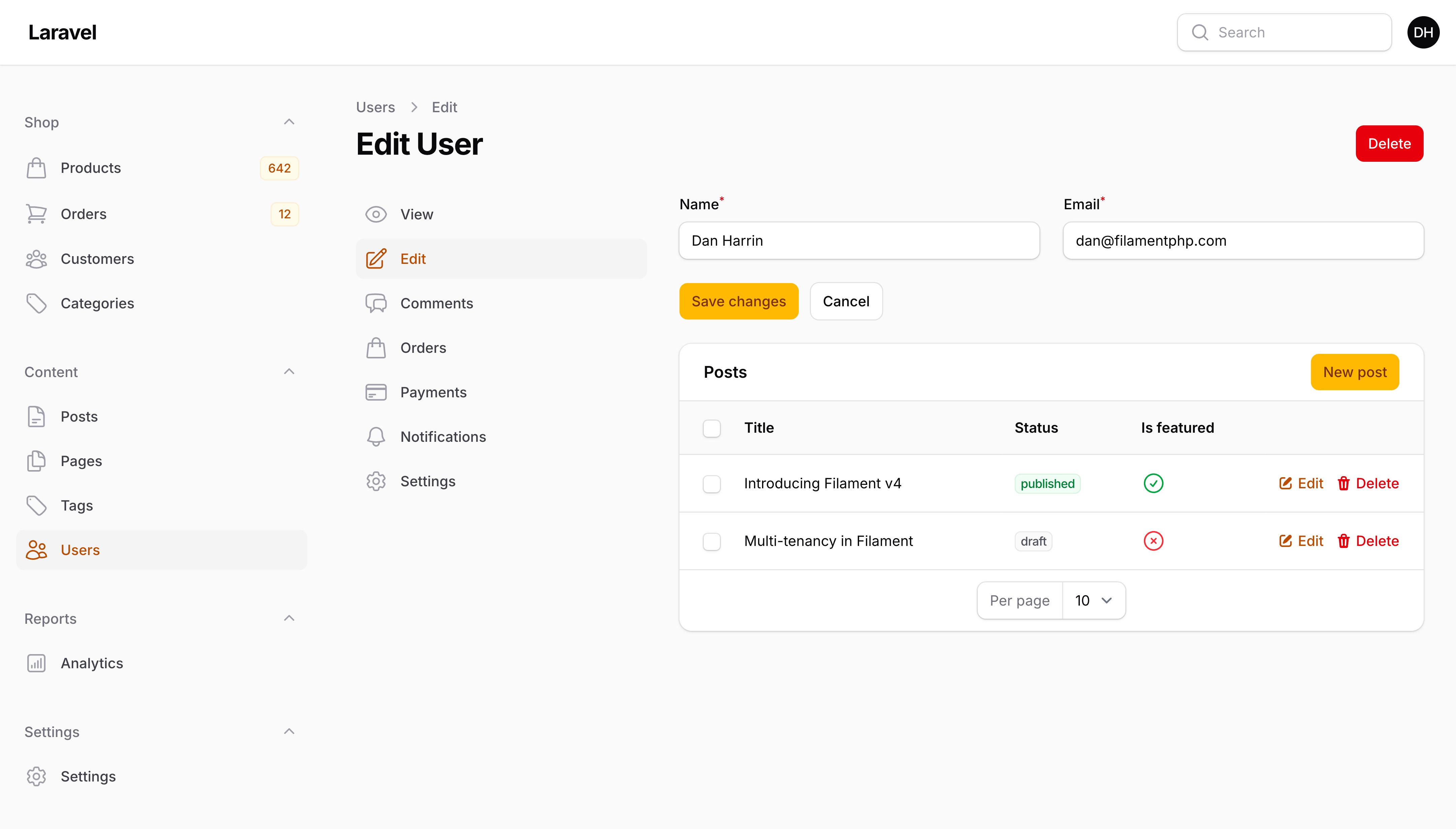
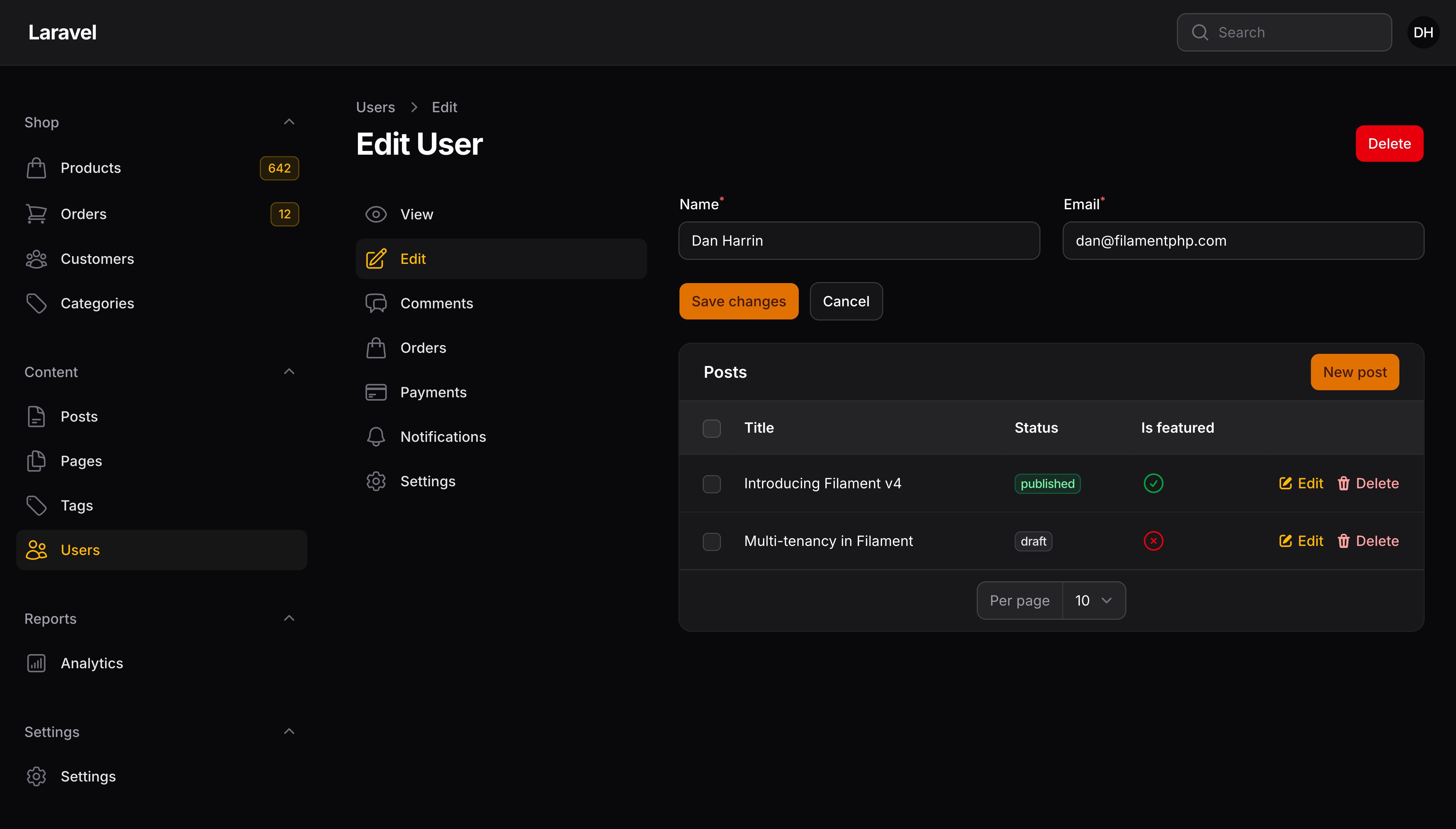
子导航允许用户在资源内的不同页面之间导航。通常,子导航中的所有页面都与资源中的同一条记录相关。例如,在客户(Customer)资源中,你可能有一个包含以下页面的子导航:
- 查看客户,一个
ViewRecord页面提供了客户详细信息的只读视图。 - 编辑客户,一个
EditRecord页面允许用户编辑客户的详情。、 - 编辑客户联系方式,一个
EditRecord页面允许用户编辑客户联系方式详情。学习如何创建多个编辑页面。 - 管理地址,一个
ManageRelatedRecords页面允许用户管理客户地址。 - 管理付款,一个
ManageRelatedRecords页面允许用户管理客户付款。
要向资源中的每个“单条记录”页面添加子导航,可以向资源类添加 getRecordSubNavigation() 方法:
use Filament\Resources\Pages\Page;

public static function getRecordSubNavigation(Page $page): array
{
    return $page->generateNavigationItems([
        ViewCustomer::class,
        EditCustomer::class,
        EditCustomerContact::class,
        ManageCustomerAddresses::class,
        ManageCustomerPayments::class,
    ]);
}
子导航中的每个项目都可以使用与普通页面相同的导航方法进行自定义。
TIP
如果你想添加子导航以在整个资源和自定义页面之间切换,你可能需要 Clusters,它们用于将这些页面分组在一起。getRecordSubNavigation() 方法旨在在与资源内部的特定记录相关的页面之间构建导航。
设置资源的子导航位置
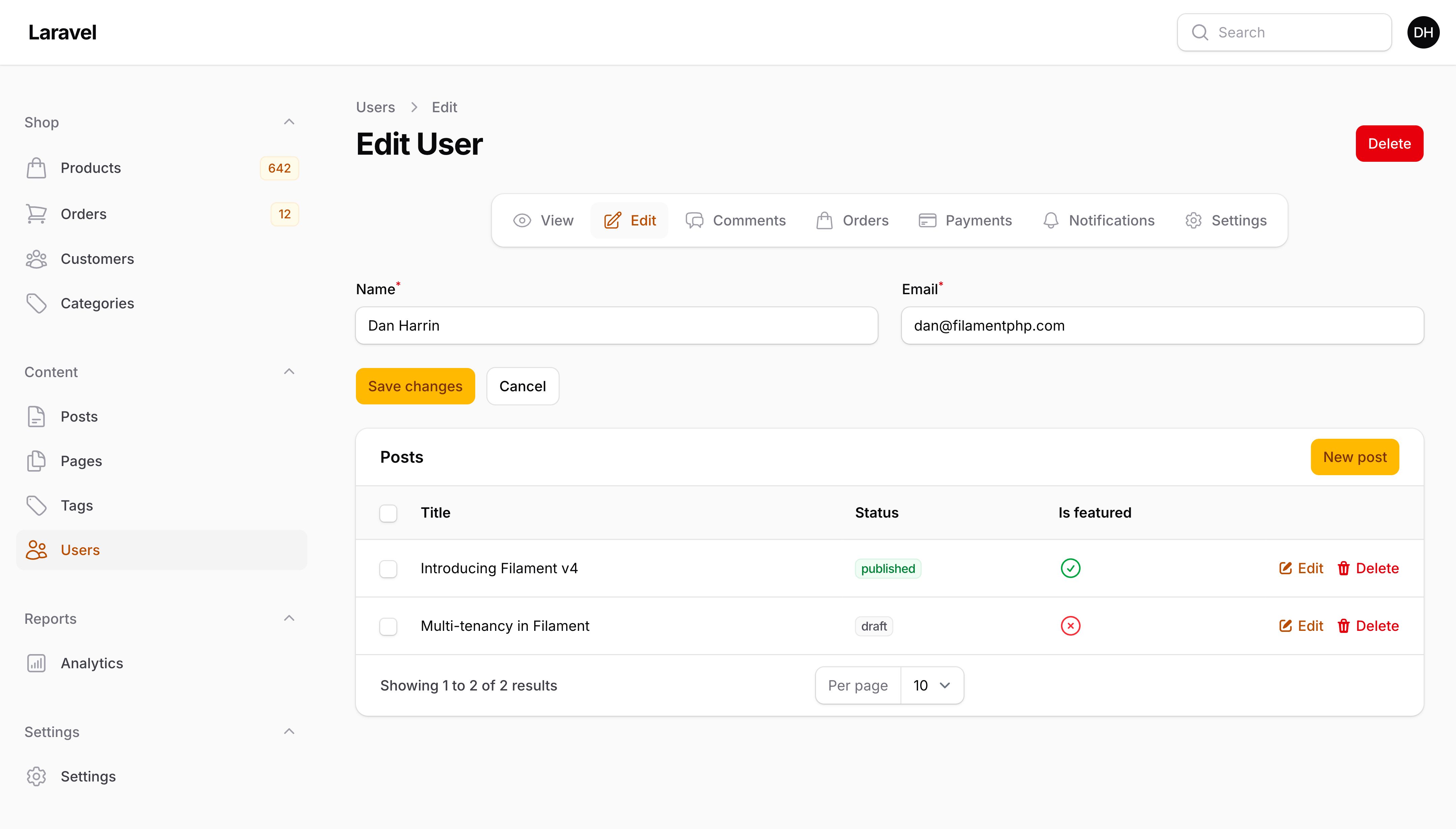
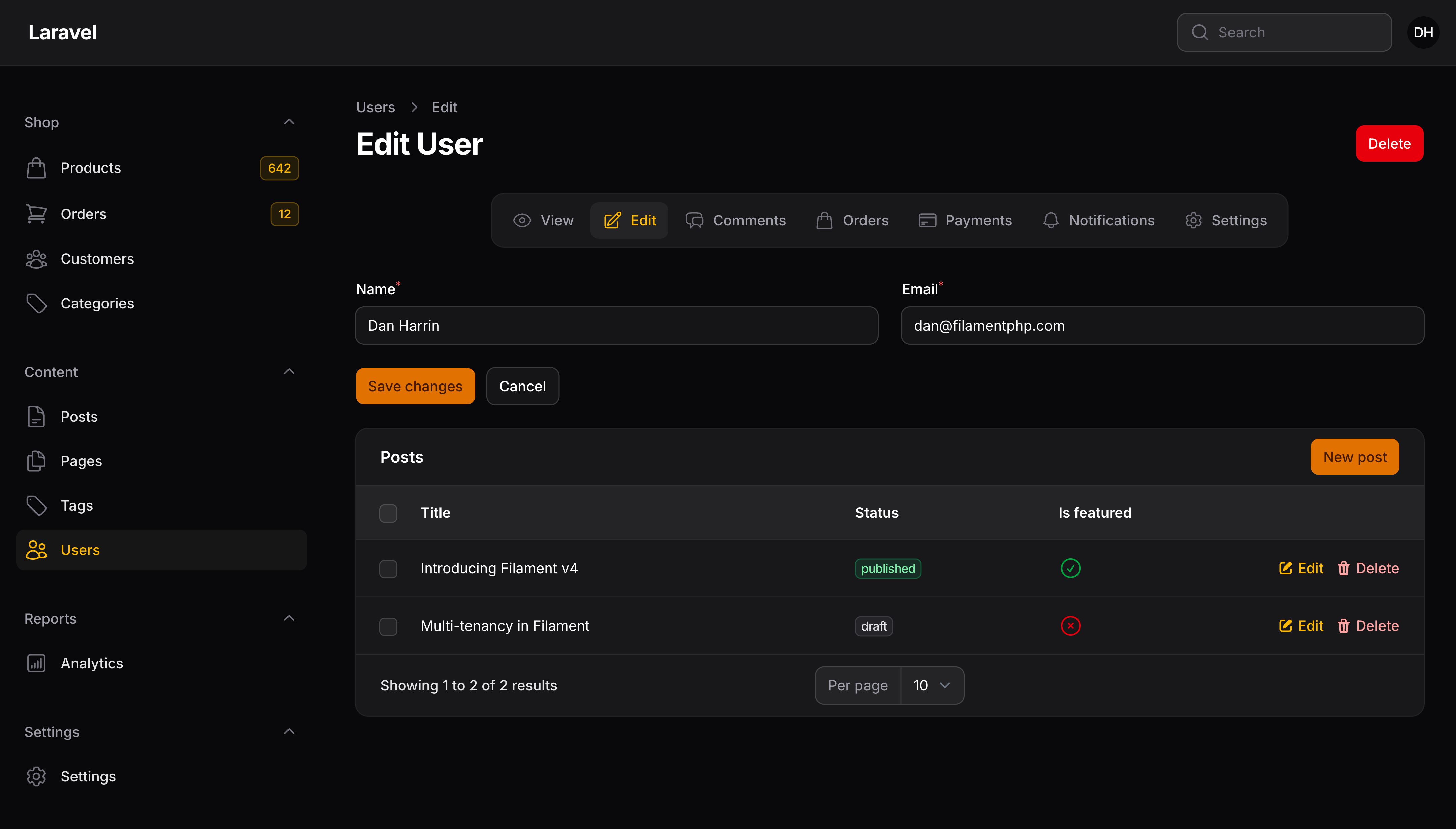
子导航默认在页面开始位置渲染。你可以通过设置资源的 $subNavigationPosition 属性来更改资源中所有页面的位置。该值可以是 SubNavigationPosition::Start、SubNavigationPosition::End 或 SubNavigationPosition::Top,以将子导航渲染为选项卡:
use Filament\Pages\Enums\SubNavigationPosition;

protected static ?SubNavigationPosition $subNavigationPosition = SubNavigationPosition::End;
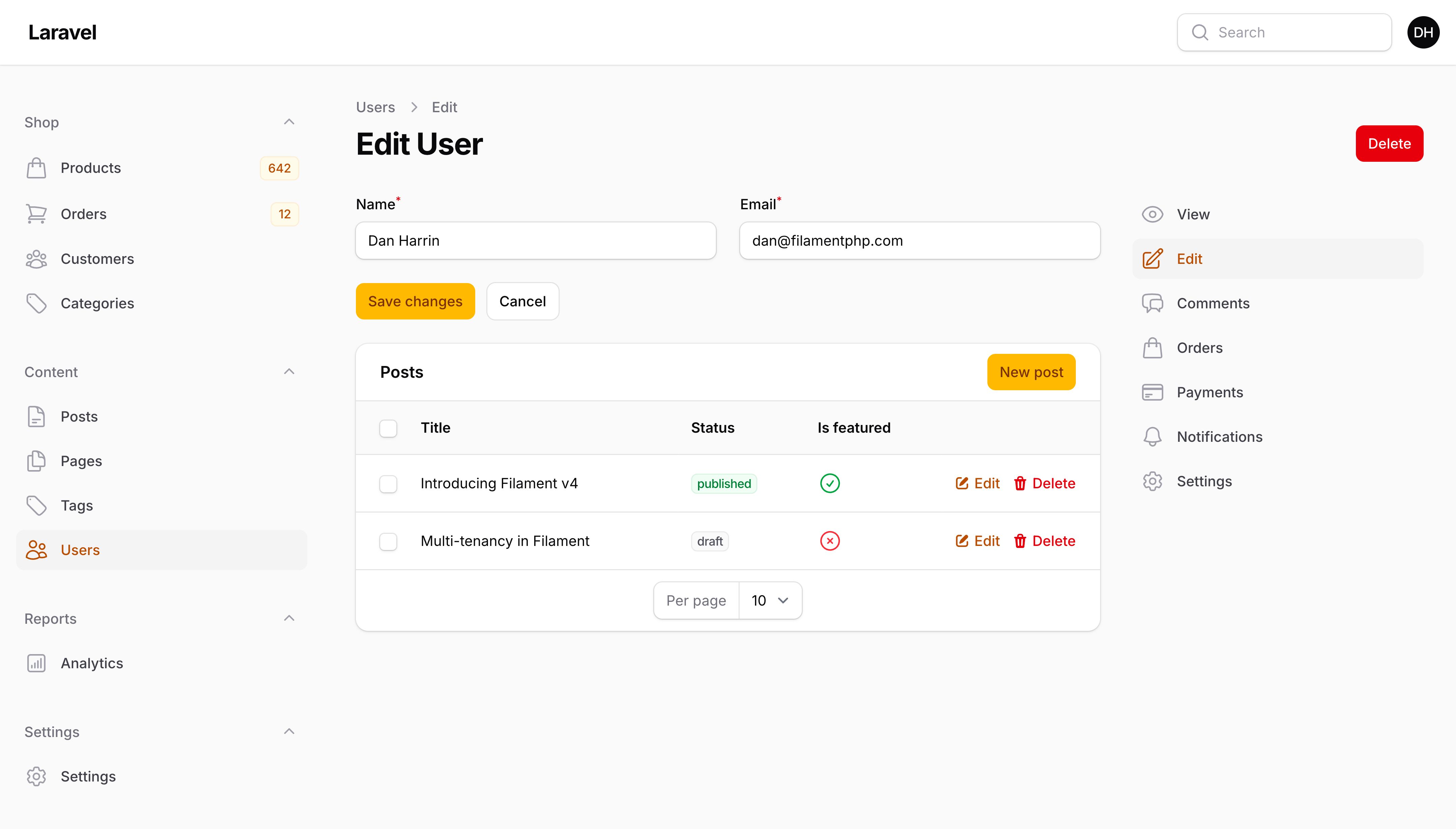
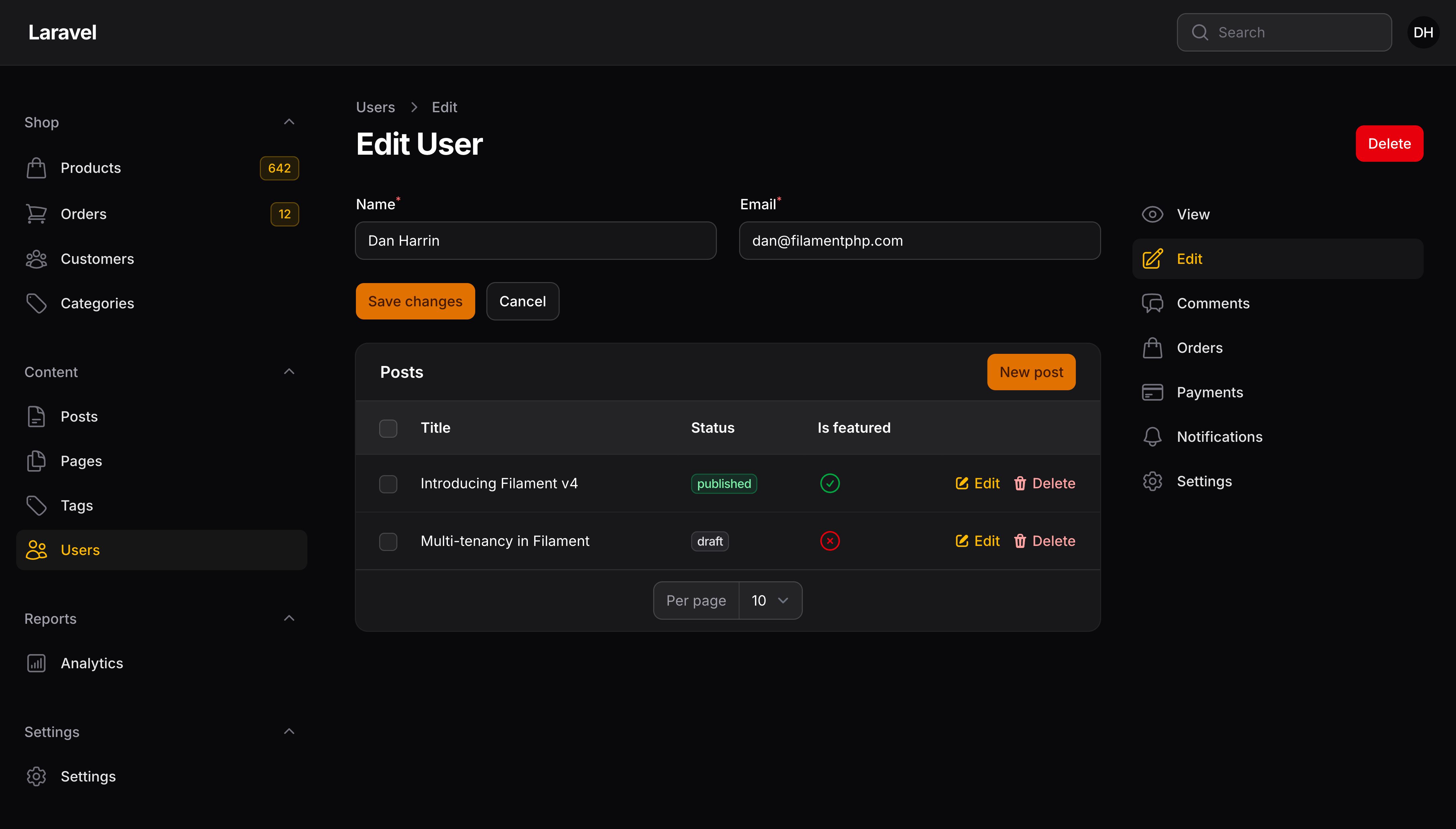
The SubNavigationPosition::Top option renders the sub-navigation as tabs above the page content:
删除资源页
如果你想从资源中删除某个页面,只需从资源的 Pages 目录中删除该页面文件,并在 getPages() 方法中删除其入口即可。
例如,你可能有一个资源其中的记录不是通过页面创建的。请删除 Create 页面文件,然后将其从 getPages() 方法中移除:
public static function getPages(): array
{
    return [
        'index' => ListCustomers::route('/'),
        'edit' => EditCustomer::route('/{record}/edit'),
    ];
}
删除页面并不会删除链接到该页面的任何操作(Action)。任何操作(Action)都会打开模态框,而不是将用户引导至不存在的页面。例如,列表页面上的CreateAction、表格或视图页面上的 EditAction 或表格或编辑页面上的 ViewAction。如果你想移除这些按钮,则必须同时删除相应的操作。
安全
授权
对于授权,Filament 将观察你应用中注册的模型策略。如下:
viewAny()用于完全隐藏导航菜单中的资源,并阻止用户访问任何页面。create()用于控制创建新记录。update()用于控制编辑记录。view()用于控制查看记录。delete()用于阻止删除单条记录。deleteAny()用于阻止批量删除记录。Filament 使用deleteAny()方法,因为遍历多条记录并检查delete()策略的性能不佳。使用DeleteBulkAction时,如果要为每条记录调用delete()方法,则应使用DeleteBulkAction::make()->authorizeIndividualRecords()方法。任何未通过授权检查的记录将不会被处理。forceDelete()用于防止单条软删除记录被强制删除。forceDeleteAny()用于防止记录被批量强制删除。Filament 使用forceDeleteAny()方法,因为遍历多条记录并检查forceDelete()策略的性能不佳。使用ForceDeleteBulkAction时,如果要为每条记录调用forceDelete()方法,则应使用ForceDeleteBulkAction::make()->authorizeIndividualRecords()方法。任何未通过授权检查的记录将不会被处理。restore()用于防止恢复单条软删除记录。restoreAny()用于防止记录被批量恢复。Filament 使用restoreAny()方法,因为遍历多条记录并检查restore()策略的性能不佳。使用RestoreBulkAction时,如果你想为每条记录调用restore()方法,则应使用RestoreBulkAction::make()->authorizeIndividualRecords()方法。任何未通过授权检查的记录将不会被处理。reorder()用于控制重新排序表中的记录。
跳过授权
如果你想跳过资源的授权,你可以将 $shouldSkipAuthorization 属性设置为 true:
protected static bool $shouldSkipAuthorization = true;
保护模型属性
Filament 会将所有模型属性暴露给 JavaScript,除非其在模型中设为 $hidden。这是 Livewire 的模型绑定行为。我们保留此功能是为了方便在初始加载后动态添加和删除表单字段,同时保留它们可能需要的数据。
NOTE
虽然属性可能在 JavaScript 中可见,但只有表单字段中的属性才真正可供用户编辑。批量赋值则不会出现这个问题。
要在“编辑”和“查看”页面上的 JavaScript 中删除某些属性,您可以重写 mutateFormDataBeforeFill() 方法:
protected function mutateFormDataBeforeFill(array $data): array
{
    unset($data['is_admin']);

    return $data;
}
本例中,我们从 JavaScript 中删除了 is_admin 属性,因为表单没有使用它。
NOTE
Adding a column to $hidden is required, not just recommended, when it contains binary data that is not valid UTF-8, such as a geometry, point, or blob column. Since Filament exposes model attributes to JavaScript, these values are sent to the browser as part of the Livewire request, but they cannot be serialized to JSON. This causes the page to fail to load, often with a blank screen and no error in the Laravel log.
Adding such columns to the $hidden array on your model excludes them from its array and JSON representations, resolving the issue:
protected $hidden = ['location'];
If you need to work with the value, expose it through an accessor instead of the raw column.
Still need help? Join our Discord community or open a GitHub discussion