
资源
记录列表
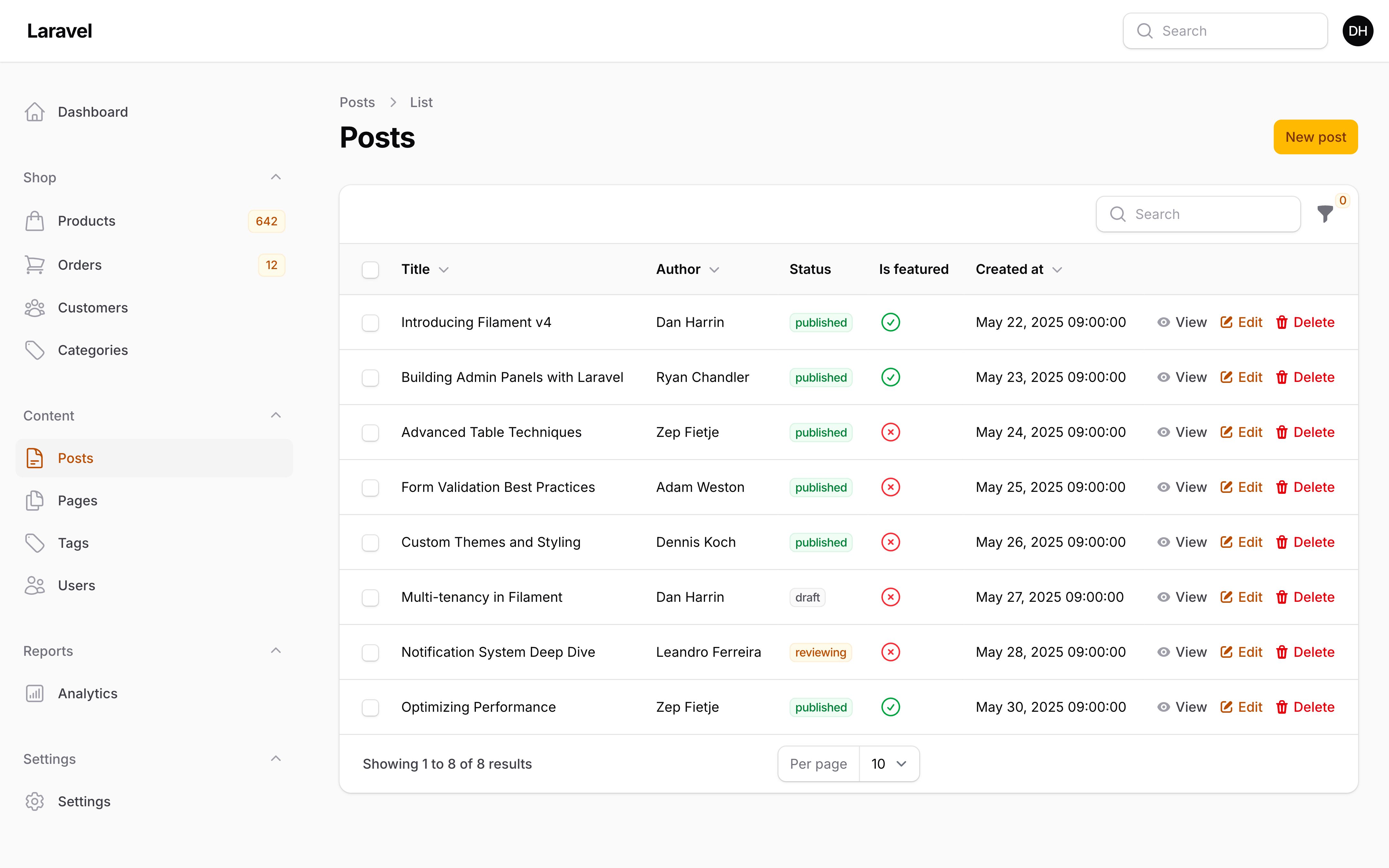
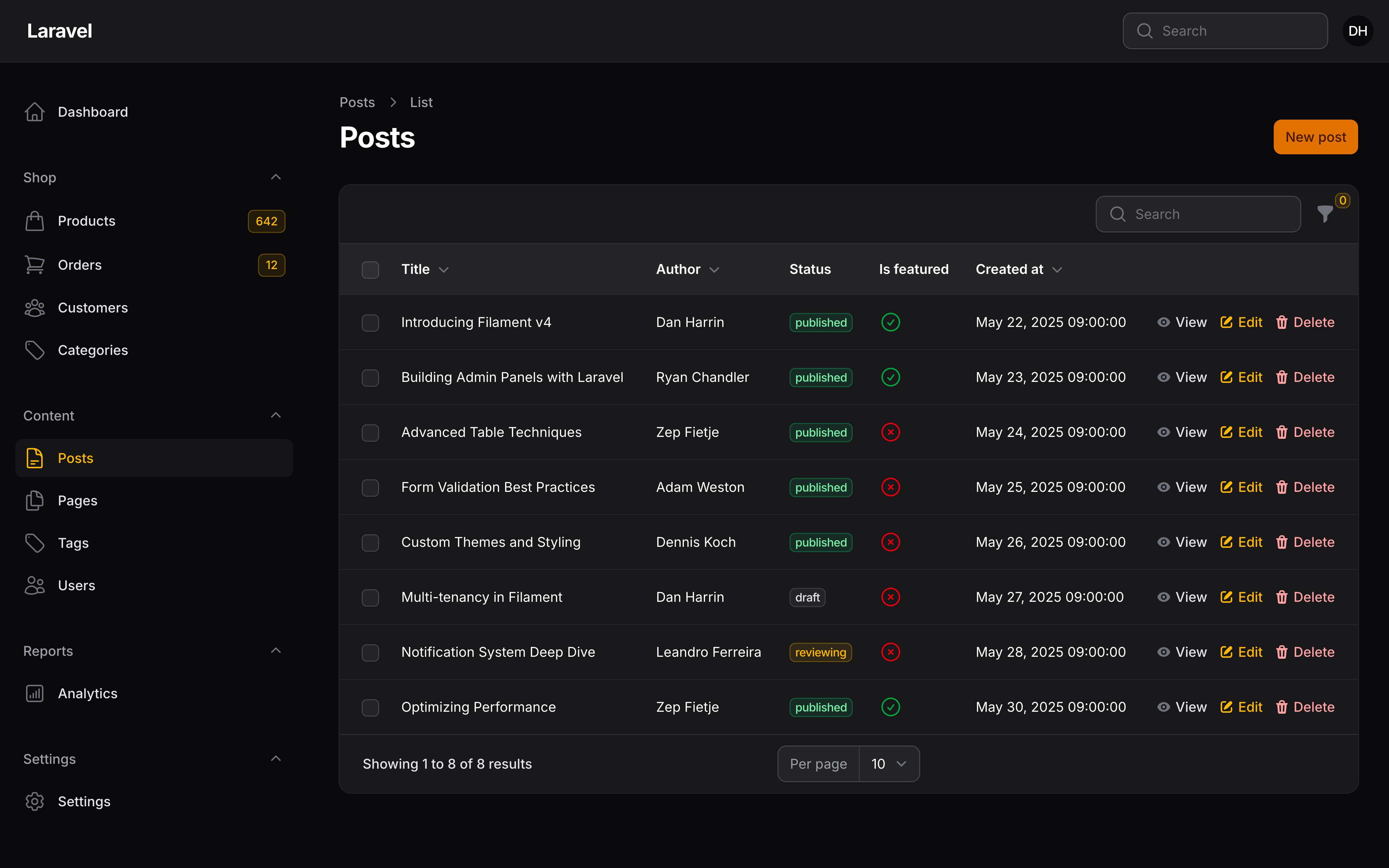
使用选项卡过滤记录
你可以在表格上方添加选项卡(Tabs),用于根据一些预定义条件筛选记录。每个标签页可以以不同的方式限定表格的 Eloquent 查询范围。要注册标签页,请向列表页面类添加 getTabs() 方法,并返回一个 Tab 对象数组:
use Filament\Schemas\Components\Tabs\Tab;
use Illuminate\Database\Eloquent\Builder;

public function getTabs(): array
{
    return [
        'all' => Tab::make(),
        'active' => Tab::make()
            ->modifyQueryUsing(fn (Builder $query) => $query->where('active', true)),
        'inactive' => Tab::make()
            ->modifyQueryUsing(fn (Builder $query) => $query->where('active', false)),
    ];
}
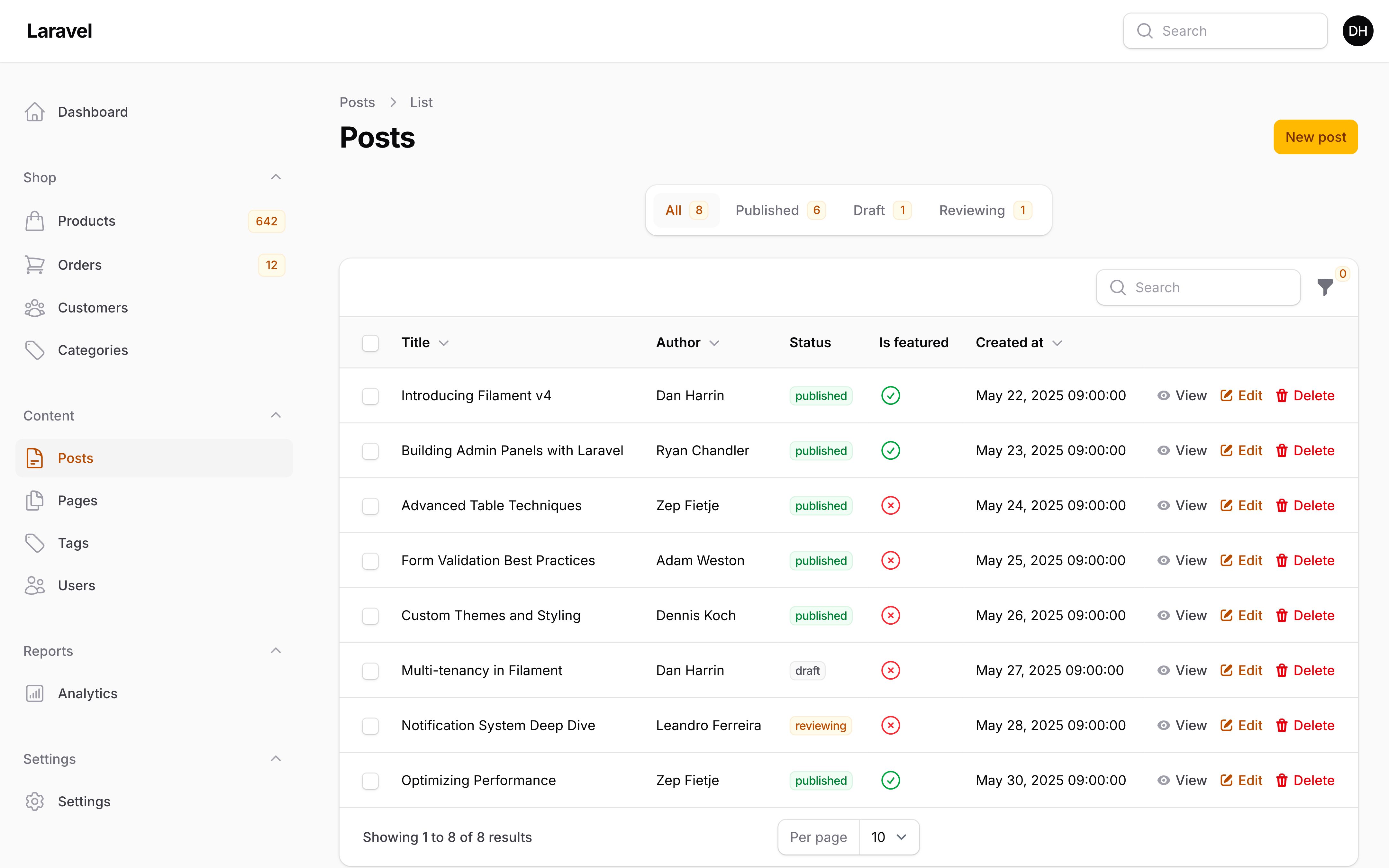
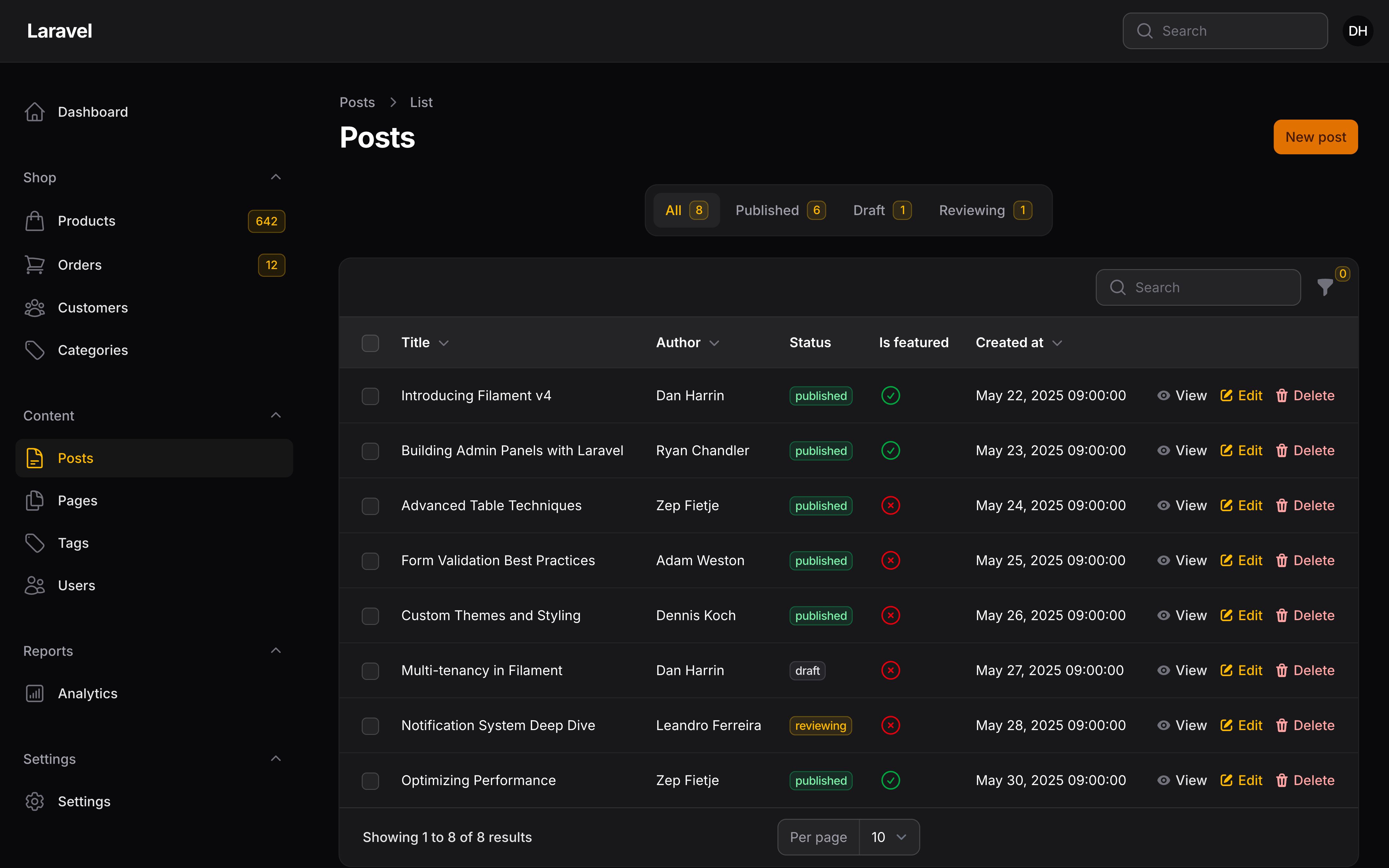
自定义过滤器选项卡标签
数组的键将用作选项卡的标识符,以便它们可以持久化到 URL 的查询字符串中。每个选项卡的标签也是根据键生成的,但你可以通过将标签传递给选项卡的 make() 方法来重写它:
use Filament\Schemas\Components\Tabs\Tab;
use Illuminate\Database\Eloquent\Builder;

public function getTabs(): array
{
    return [
        'all' => Tab::make('All customers'),
        'active' => Tab::make('Active customers')
            ->modifyQueryUsing(fn (Builder $query) => $query->where('active', true)),
        'inactive' => Tab::make('Inactive customers')
            ->modifyQueryUsing(fn (Builder $query) => $query->where('active', false)),
    ];
}
添加图标到过滤器选项卡
你可以通过将 icon 传入到选项卡的 icon() 方法来向选项卡添加图标:
use Filament\Schemas\Components\Tabs\Tab;

Tab::make()
    ->icon('heroicon-m-user-group')
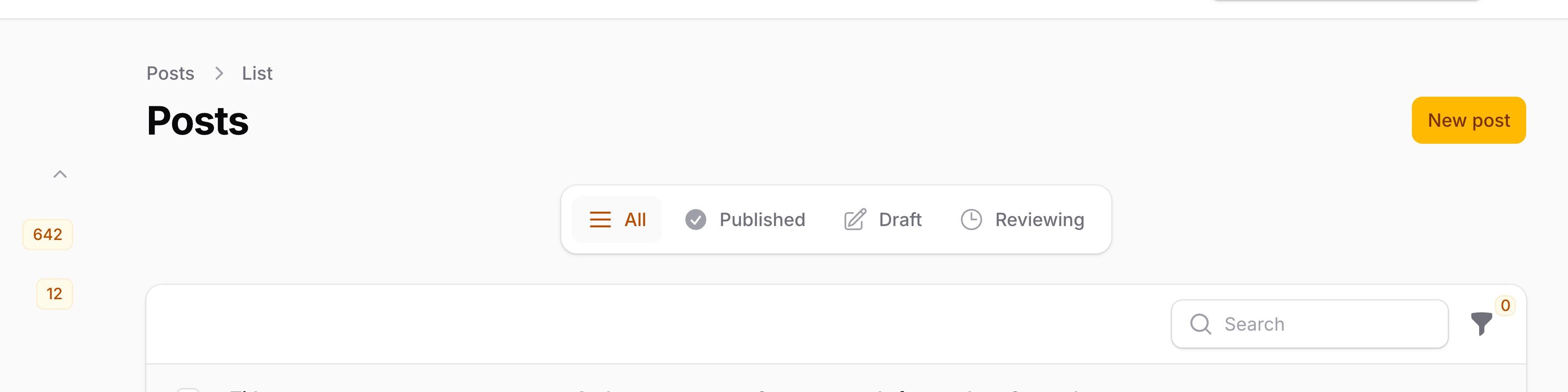

使用 iconPosition() 方法,你可以修改图标的位置,使之位于标签之后,而非标签之前:
use Filament\Support\Enums\IconPosition;

Tab::make()
    ->icon('heroicon-m-user-group')
    ->iconPosition(IconPosition::After)
添加徽章到过滤器选项卡
你可以通过将字符串传递到选项卡的 badge() 方法来向选项卡添加徽章:
use Filament\Schemas\Components\Tabs\Tab;

Tab::make()
    ->badge(Customer::query()->where('active', true)->count())
修改过滤器选项卡徽章的颜色
使用 badgeColor() 方法,可以修改徽章的颜色:
use Filament\Schemas\Components\Tabs\Tab;

Tab::make()
    ->badge(Customer::query()->where('active', true)->count())
    ->badgeColor('success')
As well as allowing a static value, the badgeColor() method also accepts a function to dynamically calculate it. You can inject various utilities into the function as parameters.
了解更多 utility 注入详情。 | Utility | 类型 | 参数 | 描述 |
|---|---|---|---|
| Badge | ?string | $badge | The evaluated value of the badge. |
| Component | Filament\Schemas\Components\Component | $component | The current component instance. |
| Get function | Filament\Schemas\Components\Utilities\Get | $get | A function for retrieving values from the current schema data. Validation is not run on form fields. |
| Livewire | Livewire\Component | $livewire | The Livewire component instance. |
| Eloquent model FQN | ?string<Illuminate\Database\Eloquent\Model> | $model | The Eloquent model FQN for the current schema. |
| Operation | string | $operation | The current operation being performed by the schema. Usually create, edit, or view. |
| Eloquent record | ?Illuminate\Database\Eloquent\Model | $record | The Eloquent record for the current schema. |
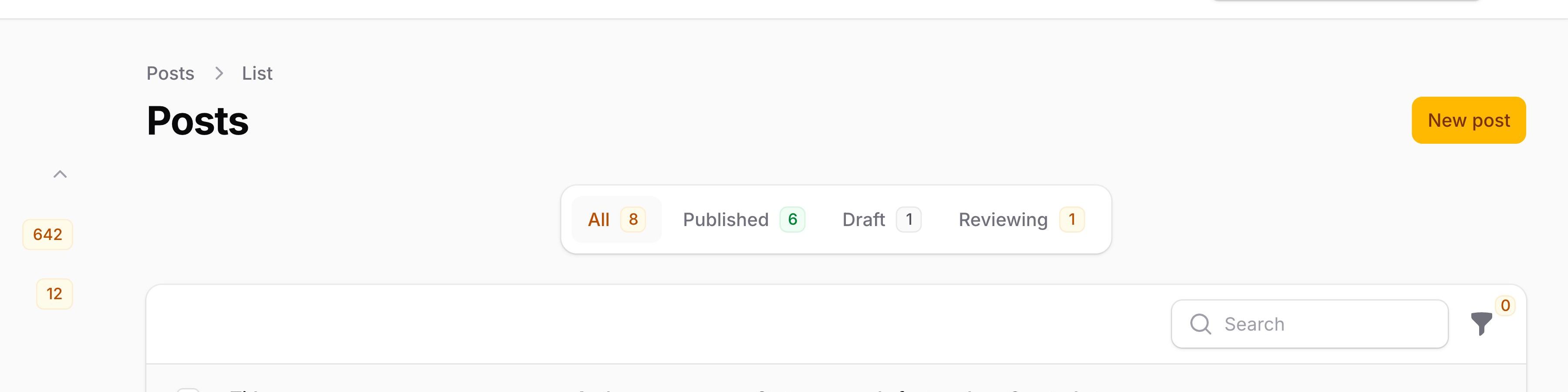

Deferring the loading of filter tab badges
If you have expensive queries powering your tab badges (such as counting large datasets), the initial page load may be slow. You can defer the loading of tab badges using the deferBadge() method, which will load the badge values asynchronously after the page has rendered:
use Filament\Schemas\Components\Tabs\Tab;

Tab::make()
    ->badge(static fn (): int => Customer::query()->where('active', true)->count())
    ->deferBadge()
NOTE
The badge() value must be returned from a function when using deferBadge(). If you pass a raw value like badge(Customer::query()->count()), the query runs immediately when the tab is built, defeating the purpose of deferral.
While the badges are loading, a small loading indicator will appear in place of each deferred badge. Once the data is fetched, the loading indicators will be replaced with the actual badge values.
向过滤器选项卡添加额外属性
你还可以使用 extraAttributes() 将额外的 HTML 属性传递给过滤器选项卡:
use Filament\Schemas\Components\Tabs\Tab;

Tab::make()
    ->extraAttributes(['data-cy' => 'statement-confirmed-tab'])
自定义默认标签页
要自定义页面加载时选择的默认选项卡,你可以从 getDefaultActiveTab() 方法返回选项卡的数组键:
use Filament\Schemas\Components\Tabs\Tab;

public function getTabs(): array
{
    return [
        'all' => Tab::make(),
        'active' => Tab::make(),
        'inactive' => Tab::make(),
    ];
}

public function getDefaultActiveTab(): string | int | null
{
    return 'active';
}
Excluding the tab query when resolving records
When a user interacts with a table record (e.g., clicking an action button), Filament resolves that record from the database. By default, the active tab’s query is applied, ensuring users cannot access records outside the current tab’s scope.
However, when a record’s state changes after the user saw it in the table, you may still want the user to interact with it. For example, if you have an “Active” tab and an action sets a record to inactive, subsequent actions in the same modal would fail to resolve that record.
You may mark a tab to be excluded when resolving records using the excludeQueryWhenResolvingRecord() method:
use Filament\Schemas\Components\Tabs\Tab;
use Illuminate\Database\Eloquent\Builder;

public function getTabs(): array
{
    return [
        'active' => Tab::make()
            ->modifyQueryUsing(fn (Builder $query) => $query->where('active', true))
            ->excludeQueryWhenResolvingRecord(),
        'inactive' => Tab::make()
            ->modifyQueryUsing(fn (Builder $query) => $query->where('active', false))
            ->excludeQueryWhenResolvingRecord(),
    ];
}
NOTE
Do not use excludeQueryWhenResolvingRecord() on tabs that enforce authorization rules. For example, if you have a tab that restricts records by tenant or user ownership, those tabs should remain enforced to prevent unauthorized access.
授权
对于授权,Filament 将遵守应用中注册的模型策略。
如果模型策略的 viewAny() 方法返回 true,则用户可以访问列表页面。
reorder() 方法用于控制对记录进行重新排序。
自定义表格的 Eloquent 查询
虽然你可以为整个资源自定义 Eloquent 查询,同时也可以针对 List 页面的表格进行特定的修改。为此,请在资源的 table() 方法中使用 modifyQueryUsing() 方法:
use Filament\Tables\Table;
use Illuminate\Database\Eloquent\Builder;

public static function table(Table $table): Table
{
    return $table
        ->modifyQueryUsing(fn (Builder $query) => $query->withoutGlobalScopes());
}
自定义内容
Filament 中的每个页面都有自己的 Schema,它定义了页面的整体结构和内容。你可以通过定义 content() 方法来重写页面的 Schema。列表页面的 content() 方法默认包含以下组件:
use Filament\Schemas\Components\EmbeddedTable;
use Filament\Schemas\Components\RenderHook;
use Filament\Schemas\Schema;

public function content(Schema $schema): Schema
{
    return $schema
        ->components([
            $this->getTabsContentComponent(), // This method returns a component to display the tabs above a table
            RenderHook::make(PanelsRenderHook::RESOURCE_PAGES_LIST_RECORDS_TABLE_BEFORE),
            EmbeddedTable::make(), // This is the component that renders the table that is defined in this resource
            RenderHook::make(PanelsRenderHook::RESOURCE_PAGES_LIST_RECORDS_TABLE_AFTER),
        ]);
}
在 components() 数组中,你可以插入任何 Schema 组件。你可以通过修改数组的排序或者移除不需要的组件来对组件进行重写排序。
使用自定义 Blade 视图
要进一步自定义,你可以在页面类中重写静态的 $view 属性,以自定义应用中的视图:
protected string $view = 'filament.resources.users.pages.list-users';
这假定你已经创建了一个视图 resources/views/filament/resources/users/pages/list-users.blade.php:
<x-filament-panels::page>
    {{ $this->content }} {{-- 这将渲染在 `content()` 方法中定义的页面内容,如果你想从头开始,可以删除该方法。 --}}
</x-filament-panels::page>
Still need help? Join our Discord community or open a GitHub discussion