
资源
Viewing records
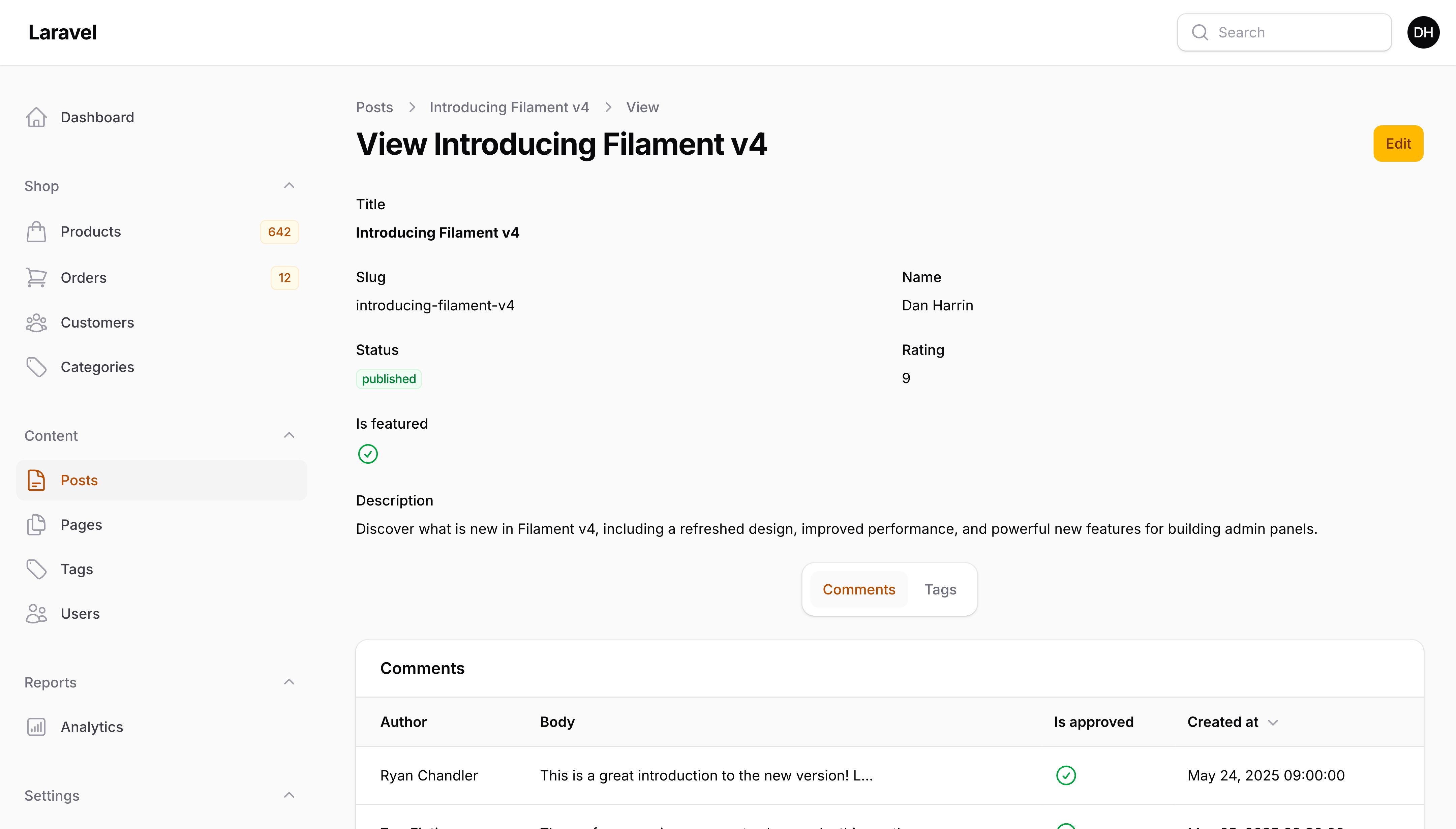
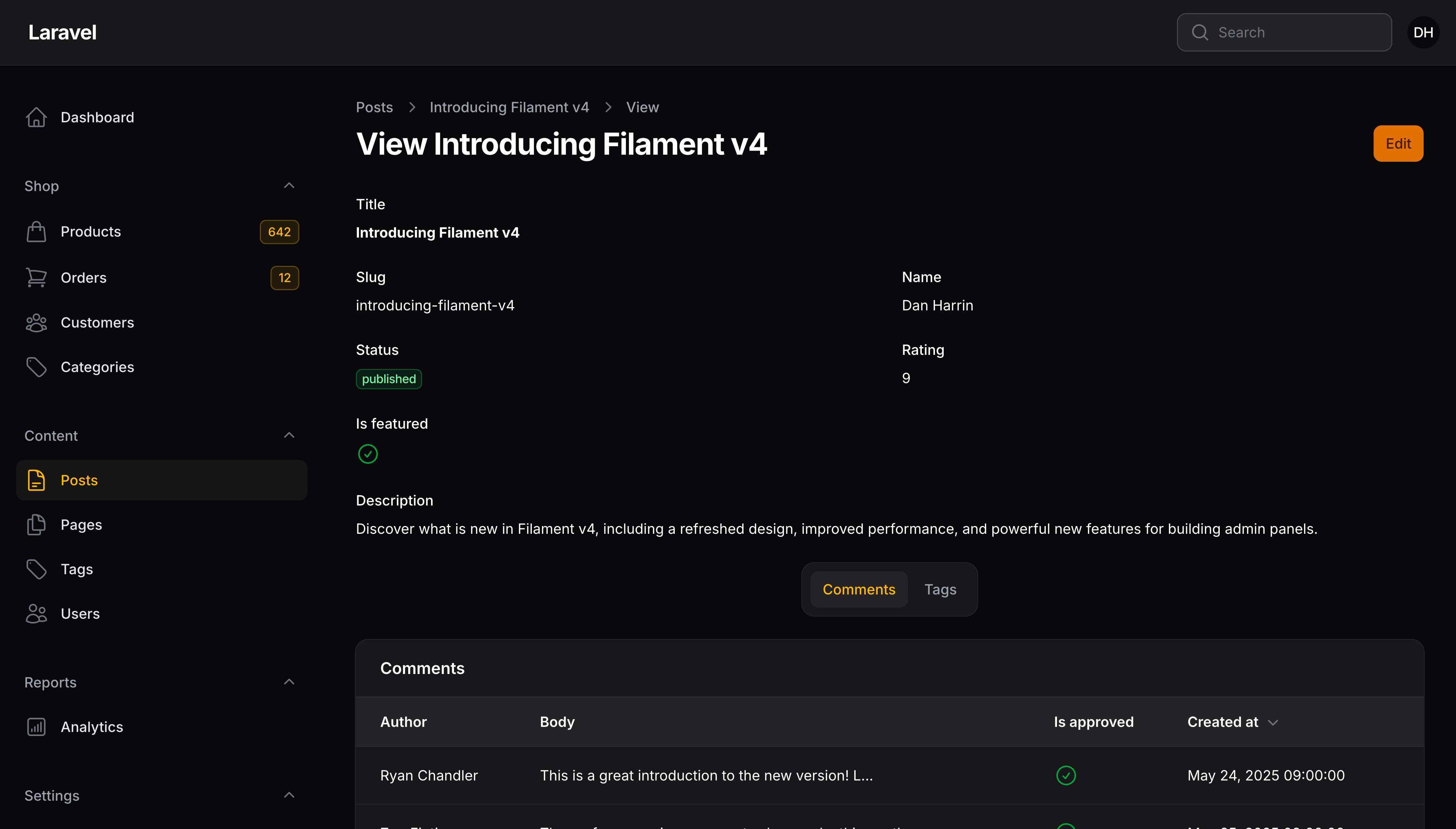
创建带有查看页面的资源
要创建带有查看页面的新资源,你可以使用 --view 标志:
php artisan make:filament-resource User --view
使用信息列表代替禁用表单
默认情况下,查看页面将显示一个包含记录数据的被禁用的表单。如果你希望在“信息列表”中显示记录数据,你可以在资源类中定义一个 infolist() 方法:
use Filament\Infolists;
use Filament\Schemas\Schema;

public static function infolist(Schema $schema): Schema
{
    return $schema
        ->components([
            Infolists\Components\TextEntry::make('name'),
            Infolists\Components\TextEntry::make('email'),
            Infolists\Components\TextEntry::make('notes')
                ->columnSpanFull(),
        ]);
}
components() 方法用于定义信息列表的结构。它是一个由 条目(Entry) 和 布局组件 组成的数组,这些条目和组件按照它们在信息列表中的显示顺序排列。
查看信息列表文档,了解如何使用 Filament 构建信息列表的 指南。
向现有资源添加查看页面
如果你想向现有资源添加查看页面,请在资源的 Pages 目录中创建一个新页面:
php artisan make:filament-page ViewUser --resource=UserResource --type=ViewRecord
你必须在资源的 getPages() 方法中注册这个新页面:
public static function getPages(): array
{
    return [
        'index' => Pages\ListUsers::route('/'),
        'create' => Pages\CreateUser::route('/create'),
        'view' => Pages\ViewUser::route('/{record}'),
        'edit' => Pages\EditUser::route('/{record}/edit'),
    ];
}
在模态框中查看记录
如果你的资源比较简单,你可能希望在模态框中查看记录,而不是在查看页面中查看。在这种情况下,你可以直接删除查看页面。
如果你的资源不包含 ViewAction,你可以将其添加到 $table->recordActions() 数组中:
use Filament\Actions\ViewAction;
use Filament\Tables\Table;

public static function table(Table $table): Table
{
    return $table
        ->columns([
            // ...
        ])
        ->recordActions([
            ViewAction::make(),
            // ...
        ]);
}
填入表单前自定义数据
你可能希望在记录填入到表单之前修改数据。为此,你可以在查看页面类中定义一个 mutateFormDataBeforeFill() 方法来修改 $data 数组,并在填写到表单之前返回修改后的版本:
protected function mutateFormDataBeforeFill(array $data): array
{
    $data['user_id'] = auth()->id();

    return $data;
}
或者,如果你在模态操作中查看记录,请查看 Actions 文档。
生命周期钩子
钩子可用于在页面生命周期的各个阶段执行代码,例如在填写表单之前。要设置钩子,请在查看页面类中使用钩子的名称创建一个 protected 方法:
use Filament\Resources\Pages\ViewRecord;

class ViewUser extends ViewRecord
{
    // ...

    protected function beforeFill(): void
    {
        // Runs before the disabled form fields are populated from the database. Not run on pages using an infolist.
    }

    protected function afterFill(): void
    {
        // Runs after the disabled form fields are populated from the database. Not run on pages using an infolist.
    }
}
在 Trait 中定义生命周期钩子
若要在 Trait 中定义生命周期钩子,需在钩子名称后加上该 Trait 的名称作为后缀。这种做法遵循了 Eloquent 的 boot{TraitName}() 和 Livewire 的 mount{TraitName}() 约定,使得可复用的 Trait 能够挂载到页面生命周期中,同时又不会与页面自身定义的钩子发生冲突:
use Filament\Resources\Pages\ViewRecord;

trait LoadsAuditData
{
    protected function afterFillLoadsAuditData(): void
    {
        // Runs after the form fields are populated from the database, in
        // addition to the hook on the page.
    }
}

class ViewUser extends ViewRecord
{
    use LoadsAuditData;

    protected function afterFill(): void
    {
        // Both lifecycle hooks are called.
    }
}
首先调用页面自身的钩子,随后依次调用各个 Trait 的钩子。由其他 Trait 所使用的 Trait 中的钩子也会被调用。由于 Trait 钩子是自动调用的,因此不应在页面自身的钩子中再次调用它们。
授权
对于授权,Filament 将遵循你应用中注册的任何模型策略。
如果模型策略的 view() 方法返回 true,用户就可以访问查看页面。
创建另一个查看页面
一个查看页面可能不足以让用户浏览大量信息。你可以根据需要为一个资源创建任意数量的查看页面。如果你使用资源子导航,这将特别有用,因为你可以轻松地在不同的查看页面之间切换。
要创建查看页面,你可用使用 make:filament-page 命令:
php artisan make:filament-page ViewCustomerContact --resource=CustomerResource --type=ViewRecord
你必须在资源的 getPages() 方法中注册这个新页面:
public static function getPages(): array
{
    return [
        'index' => Pages\ListCustomers::route('/'),
        'create' => Pages\CreateCustomer::route('/create'),
        'view' => Pages\ViewCustomer::route('/{record}'),
        'view-contact' => Pages\ViewCustomerContact::route('/{record}/contact'),
        'edit' => Pages\EditCustomer::route('/{record}/edit'),
    ];
}
现在,你可以为此页面定义 infolist() 或 form(),其中可以包含主查看页面上不存在的其他组件:
use Filament\Schemas\Schema;

public function infolist(Schema $schema): Schema
{
    return $schema
        ->components([
            // ...
        ]);
}
为特定查看页面自定义关联管理器
你可以通过定义 getAllRelationManagers() 方法来指定哪些关联管理器应显示在查看页面上:
protected function getAllRelationManagers(): array
{
    return [
        CustomerAddressesRelationManager::class,
        CustomerContactsRelationManager::class,
    ];
}
当你有多个查看页面并且需要在每个页面上使用不同的关联管理器时,这很有用:
// ViewCustomer.php
protected function getAllRelationManagers(): array
{
    return [
        RelationManagers\OrdersRelationManager::class,
        RelationManagers\SubscriptionsRelationManager::class,
    ];
}

// ViewCustomerContact.php
protected function getAllRelationManagers(): array
{
    return [
        RelationManagers\ContactsRelationManager::class,
        RelationManagers\AddressesRelationManager::class,
    ];
}
如果 getAllRelationManagers() 未定义,那么将资源中定义的所有关联管理器都将被使用。
将查看页面添加到资源子导航
如果你正在使用资源子导航,则可以像往常一样在资源的 getRecordSubNavigation() 中注册此页面:
use App\Filament\Resources\Customers\Pages;
use Filament\Resources\Pages\Page;

public static function getRecordSubNavigation(Page $page): array
{
    return $page->generateNavigationItems([
        // ...
        Pages\ViewCustomerContact::class,
    ]);
}
自定义页面内容
Filament 中的每个页面都有自己的 schema,它定义了页面的整体结构和内容。你可以通过在页面上定义 content() 方法来重写页面的 schema。查看页面的 content() 方法默认包含以下组件:
use Filament\Schemas\Schema;

public function content(Schema $schema): Schema
{
    return $schema
        ->components([
            $this->hasInfolist() // This method returns `true` if the page has an infolist defined
                ? $this->getInfolistContentComponent() // This method returns a component to display the infolist that is defined in this resource
                : $this->getFormContentComponent(), // This method returns a component to display the form that is defined in this resource
            $this->getRelationManagersContentComponent(), // This method returns a component to display the relation managers that are defined in this resource
        ]);
}
在 components() 数组中,你可以插入任何 Schema 组件。你可以通过更改数组的顺序来重新排列组件,或者删除任何不需要的组件。
使用自定义 Blade 视图
为了进一步实现自定义功能,你可以将页面类中的静态 $view 属性重写为自定义视图:
protected string $view = 'filament.resources.users.pages.view-user';
假设你已经在 `resources/views/filament/resources/users/pages/view-user.blade.php· 创建了一个视图:
<x-filament-panels::page>
    {{-- `$this->getRecord()` 将返回此页面的当前 Eloquent 记录 --}}

    {{ $this->content }} {{-- 这将渲染在 `content()` 方法中定义的页面内容,如果你想从头开始,可以将其删除 --}}
</x-filament-panels::page>
Still need help? Join our Discord community or open a GitHub discussion