
表格 - Column
Overview
简介
Column 类位于 Filament\Tables\Columns 命名空间中,并在 $table->columns() 方法内定义。Filament 内含多个内置列字段:
可编辑的列字段允许用户在不离开当前表格的情况下,更新数据库中的数据:
你也可以创建自定义列,以你希望的方式显示数据。
你可以使用静态 make() 方法并传入唯一名称来创建列。通常,列名对应于 Eloquent 模型中的属性名。你可以使用“点语法”来访问关联模型中的属性:
use Filament\Tables\Columns\TextColumn;

TextColumn::make('title')

TextColumn::make('author.name')
字段内容 (state)
“列”(Column)初看起来可能有些“魔法”般的特性,但它们的设计初衷是简单易用,并针对显示 Eloquent 记录中的数据进行了优化。尽管如此,它们依然非常灵活,不仅限于显示 Eloquent 记录的属性,还可以展示来自任何来源的数据。
列所显示的数据被称为其“状态”(state)。在使用面板资源时,表格能够感知其正在显示的记录。这意味着列的状态是根据记录中相应属性的值来设定的。例如,如果该列用于 PostResource 的表格中,它就会显示当前文章的 title 属性值。
use Filament\Tables\Columns\TextColumn;

TextColumn::make('title')
如果你想访问存储在关联中的值,你可以使用“点语法”。首先是你要访问数据的关联名,随后紧跟着点号,然后是属性名:
use Filament\Tables\Columns\TextColumn;

TextColumn::make('author.name')
你也可以使用“点语法”访问 Eloquent 模型中的 JSON/数组字段的值。首先是属性名,紧随着点号,最后是你想要读取的 JSON 对象的键名:
use Filament\Tables\Columns\TextColumn;

TextColumn::make('meta.title')
设置列的状态值
使用 state() 方法,你可以传递自定义状态到列中:
use Filament\Tables\Columns\TextColumn;

TextColumn::make('title')
    ->state('Hello, world!')
state() 方法也可以接受函数作为参数来动态计算其值。你可以将多个 utility 作为参数注入到函数中。
了解更多 utility 注入详情。 | Utility | 类型 | 参数 | 描述 |
|---|---|---|---|
| Column | Filament\Tables\Columns\Column | $column | The current column instance. |
| Livewire | Livewire\Component | $livewire | The Livewire component instance. |
| Eloquent record | ?Illuminate\Database\Eloquent\Model | $record | The Eloquent record for the current table row. |
| Row loop | stdClass | $rowLoop | The row loop object for the current table row. |
| State | mixed | $state | The current value of the column, based on the current table row. |
| Table | Filament\Tables\Table | $table | The current table instance. |
设置列的默认状态
当某列为空(状态为 null)时,你可以使用 default() 方法来定义一个替代状态。该方法会将默认状态视为实际值进行处理,因此像 image 或 color 这样的列将会显示默认的图片或颜色。
use Filament\Tables\Columns\TextColumn;

TextColumn::make('title')
    ->default('Untitled')
当列为空时添加占位符文本
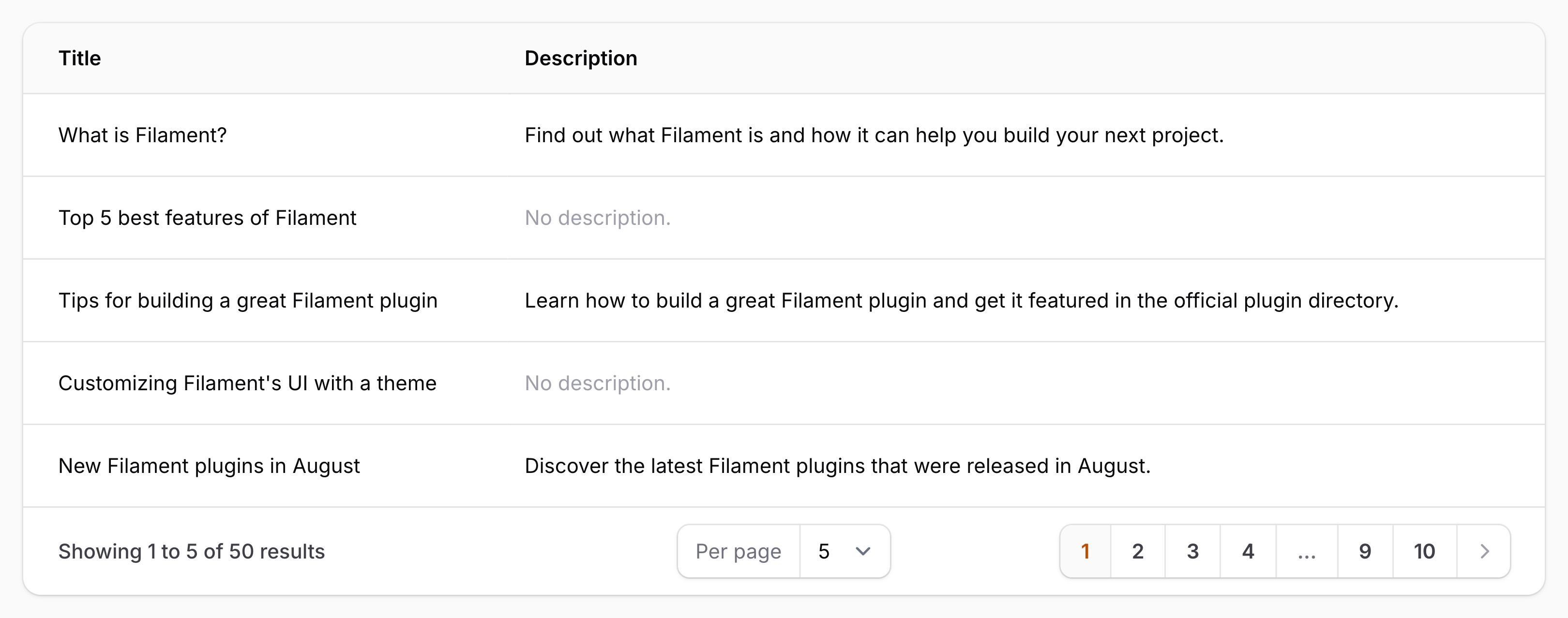
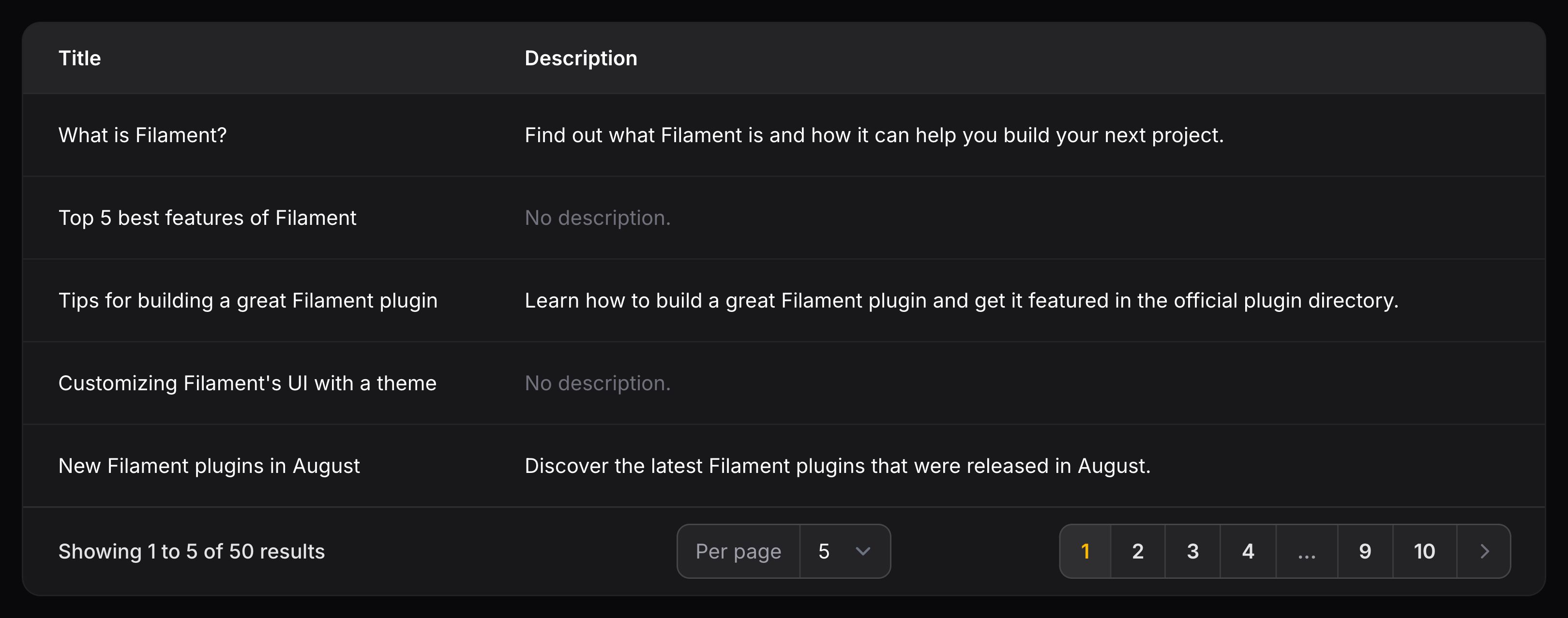
有时,你可能希望为状态为空的列显示占位符文本,该列的样式为浅灰色文本。这与默认值不同,因为占位符始终是文本,而不会被视为实际的数据状态。
use Filament\Tables\Columns\TextColumn;

TextColumn::make('title')
    ->placeholder('Untitled')
Displaying data from relationships
You may use “dot notation” to access columns within relationships. The name of the relationship comes first, followed by a period, followed by the name of the column to display:
use Filament\Tables\Columns\TextColumn;

TextColumn::make('author.name')
Counting relationships
If you wish to count the number of related records in a column, you may use the counts() method:
use Filament\Tables\Columns\TextColumn;

TextColumn::make('users_count')->counts('users')
In this example, users is the name of the relationship to count from. The name of the column must be users_count, as this is the convention that Laravel uses for storing the result.
If you’d like to scope the relationship before counting, you can pass an array to the method, where the key is the relationship name and the value is the function to scope the Eloquent query with:
use Filament\Tables\Columns\TextColumn;
use Illuminate\Database\Eloquent\Builder;

TextColumn::make('users_count')->counts([
    'users' => fn (Builder $query) => $query->where('is_active', true),
])
Determining relationship existence
If you simply wish to indicate whether related records exist in a column, you may use the exists() method:
use Filament\Tables\Columns\TextColumn;

TextColumn::make('users_exists')->exists('users')
In this example, users is the name of the relationship to check for existence. The name of the column must be users_exists, as this is the convention that Laravel uses for storing the result.
If you’d like to scope the relationship before checking existence, you can pass an array to the method, where the key is the relationship name and the value is the function to scope the Eloquent query with:
use Filament\Tables\Columns\TextColumn;
use Illuminate\Database\Eloquent\Builder;

TextColumn::make('users_exists')->exists([
    'users' => fn (Builder $query) => $query->where('is_active', true),
])
Aggregating relationships
Filament provides several methods for aggregating a relationship field, including avg(), max(), min() and sum(). For instance, if you wish to show the average of a field on all related records in a column, you may use the avg() method:
use Filament\Tables\Columns\TextColumn;

TextColumn::make('users_avg_age')->avg('users', 'age')
In this example, users is the name of the relationship, while age is the field that is being averaged. The name of the column must be users_avg_age, as this is the convention that Laravel uses for storing the result.
If you’d like to scope the relationship before aggregating, you can pass an array to the method, where the key is the relationship name and the value is the function to scope the Eloquent query with:
use Filament\Tables\Columns\TextColumn;
use Illuminate\Database\Eloquent\Builder;

TextColumn::make('users_avg_age')->avg([
    'users' => fn (Builder $query) => $query->where('is_active', true),
], 'age')
Setting a column’s label
By default, the label of the column, which is displayed in the header of the table, is generated from the name of the column. You may customize this using the label() method:
use Filament\Tables\Columns\TextColumn;

TextColumn::make('name')
    ->label('Full name')
As well as allowing a static value, the label() method also accepts a function to dynamically calculate it. You can inject various utilities into the function as parameters.
了解更多 utility 注入详情。 | Utility | 类型 | 参数 | 描述 |
|---|---|---|---|
| Column | Filament\Tables\Columns\Column | $column | The current column instance. |
| Livewire | Livewire\Component | $livewire | The Livewire component instance. |
| Eloquent record | ?Illuminate\Database\Eloquent\Model | $record | The Eloquent record for the current table row. |
| Row loop | stdClass | $rowLoop | The row loop object for the current table row. |
| State | mixed | $state | The current value of the column, based on the current table row. |
| Table | Filament\Tables\Table | $table | The current table instance. |
Customizing the label in this way is useful if you wish to use a translation string for localization:
use Filament\Tables\Columns\TextColumn;

TextColumn::make('name')
    ->label(__('columns.name'))
Sorting
Columns may be sortable, by clicking on the column label. To make a column sortable, you must use the sortable() method:
use Filament\Tables\Columns\TextColumn;

TextColumn::make('name')
    ->sortable()
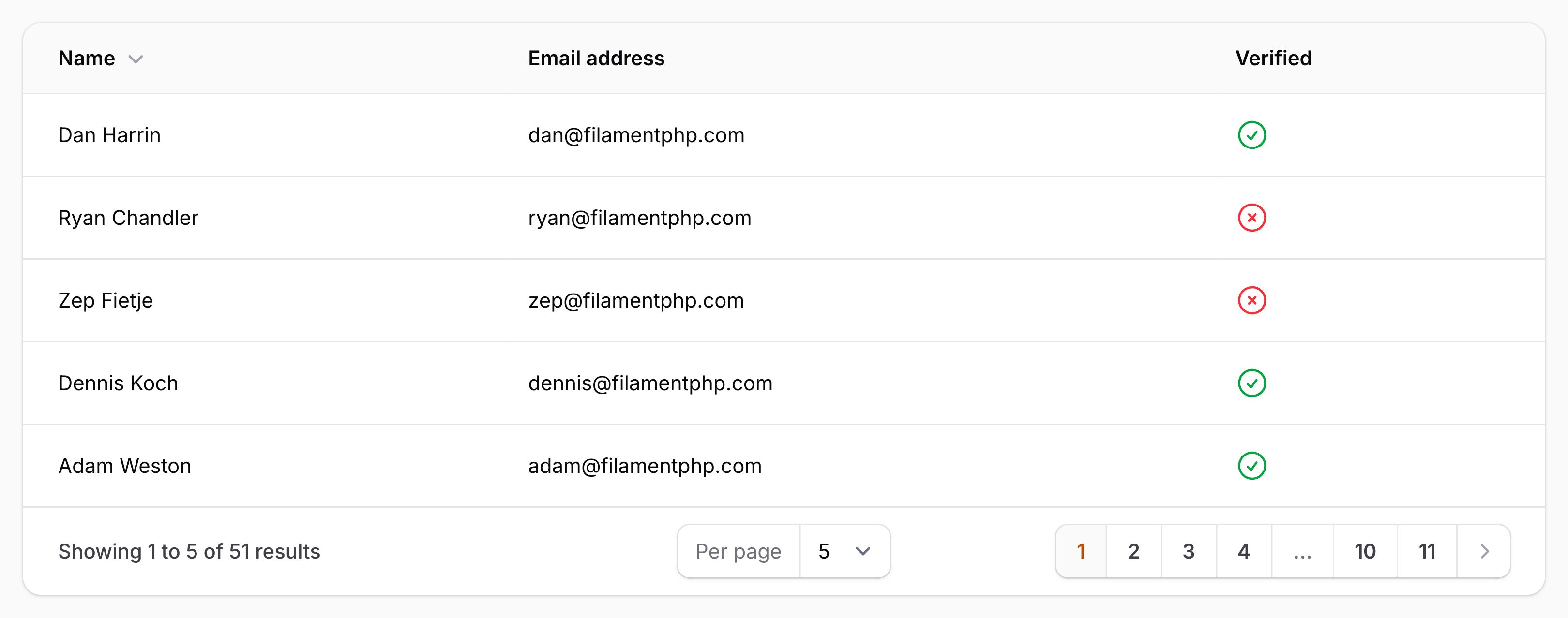
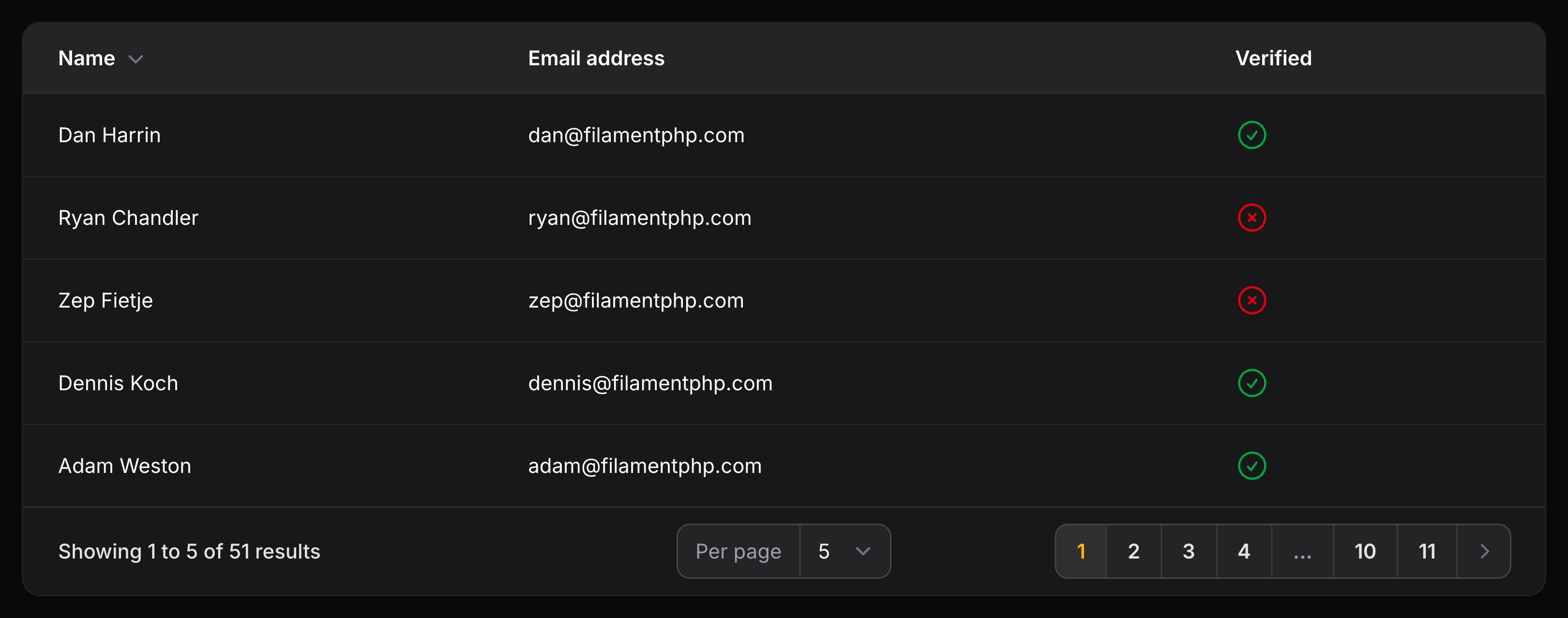
Using the name of the column, Filament will apply an orderBy() clause to the Eloquent query. This is useful for simple cases where the column name matches the database column name. It can also handle relationships.
However, many columns are not as simple. The state of the column might be customized, or using an Eloquent accessor. In this case, you may need to customize the sorting behavior.
You can pass an array of real database columns in the table to sort the column with:
use Filament\Tables\Columns\TextColumn;

TextColumn::make('full_name')
    ->sortable(['first_name', 'last_name'])
In this instance, the full_name column is not a real column in the database, but the first_name and last_name columns are. When the full_name column is sorted, Filament will sort the table by the first_name and last_name columns. The reason why two columns are passed is that if two records have the same first_name, the last_name will be used to sort them. If your use case doesn’t require this, you can pass only one column in the array if you wish.
You may also directly interact with the Eloquent query to customize how sorting is applied for that column:
use Filament\Tables\Columns\TextColumn;
use Illuminate\Database\Eloquent\Builder;

TextColumn::make('full_name')
    ->sortable(query: function (Builder $query, string $direction): Builder {
        return $query
            ->orderBy('last_name', $direction)
            ->orderBy('first_name', $direction);
    })
The query parameter’s function can inject various utilities as parameters.
了解更多 utility 注入详情。 | Utility | 类型 | 参数 | 描述 |
|---|---|---|---|
| Column | Filament\Tables\Columns\Column | $column | The current column instance. |
| Direction | string | $direction | The direction that the column is currently being sorted on, either 'asc' or 'desc'. |
| Livewire | Livewire\Component | $livewire | The Livewire component instance. |
| Eloquent query builder | Illuminate\Database\Eloquent\Builder | $query | The query builder to modify. |
| Eloquent record | ?Illuminate\Database\Eloquent\Model | $record | The Eloquent record for the current table row. |
| Row loop | stdClass | $rowLoop | The row loop object for the current table row. |
| State | mixed | $state | The current value of the column, based on the current table row. |
| Table | Filament\Tables\Table | $table | The current table instance. |
Sorting by default
You may choose to sort a table by default if no other sort is applied. You can use the defaultSort() method for this:
use Filament\Tables\Table;

public function table(Table $table): Table
{
    return $table
        ->columns([
            // ...
        ])
        ->defaultSort('stock', direction: 'desc');
}
The second parameter is optional and defaults to 'asc'.
If you pass the name of a table column as the first parameter, Filament will use that column’s sorting behavior (custom sorting columns or query function). However, if you need to sort by a column that doesn’t exist in the table or in the database, you should pass a query function instead:
use Filament\Tables\Table;
use Illuminate\Database\Eloquent\Builder;

public function table(Table $table): Table
{
    return $table
        ->columns([
            // ...
        ])
        ->defaultSort(function (Builder $query): Builder {
            return $query->orderBy('stock');
        });
}
Persisting the sort in the user’s session
To persist the sorting in the user’s session, use the persistSortInSession() method:
use Filament\Tables\Table;

public function table(Table $table): Table
{
    return $table
        ->columns([
            // ...
        ])
        ->persistSortInSession();
}
Setting a default sort option label
To set a default sort option label, use the defaultSortOptionLabel() method:
use Filament\Tables\Table;

public function table(Table $table): Table
{
    return $table
        ->columns([
            // ...
        ])
        ->defaultSortOptionLabel('Date');
}
Disabling default primary key sorting
By default, Filament will automatically add a primary key sort to the table query to ensure that the order of records is consistent. The primary key will be sorted in the same direction as the other sort column. If your table doesn’t have a primary key, or you wish to disable this behavior, you can use the defaultKeySort(false) method:
use Filament\Tables\Table;

public function table(Table $table): Table
{
    return $table
        ->columns([
            // ...
        ])
        ->defaultKeySort(false);
}
Searching
Columns may be searchable by using the text input field in the top right of the table. To make a column searchable, you must use the searchable() method:
use Filament\Tables\Columns\TextColumn;

TextColumn::make('name')
    ->searchable()
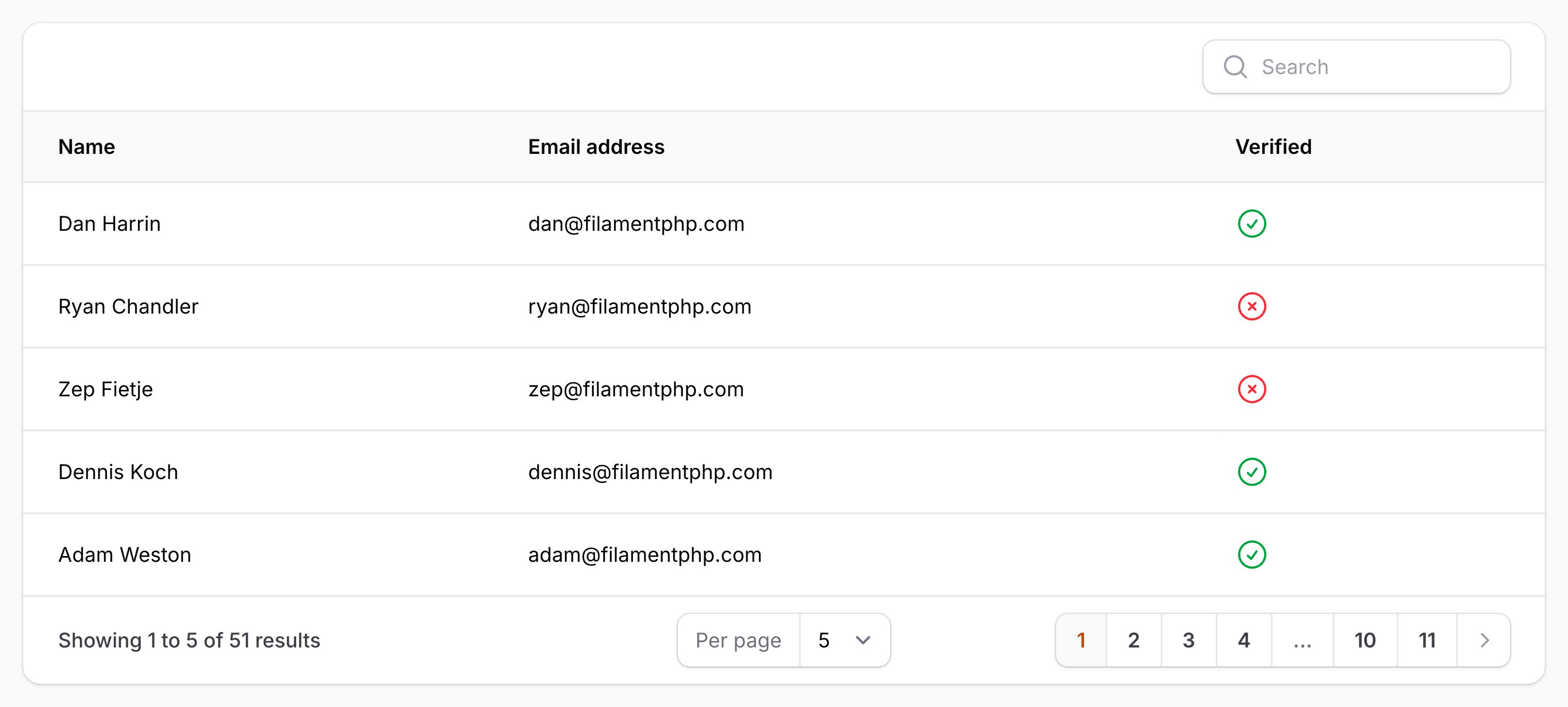
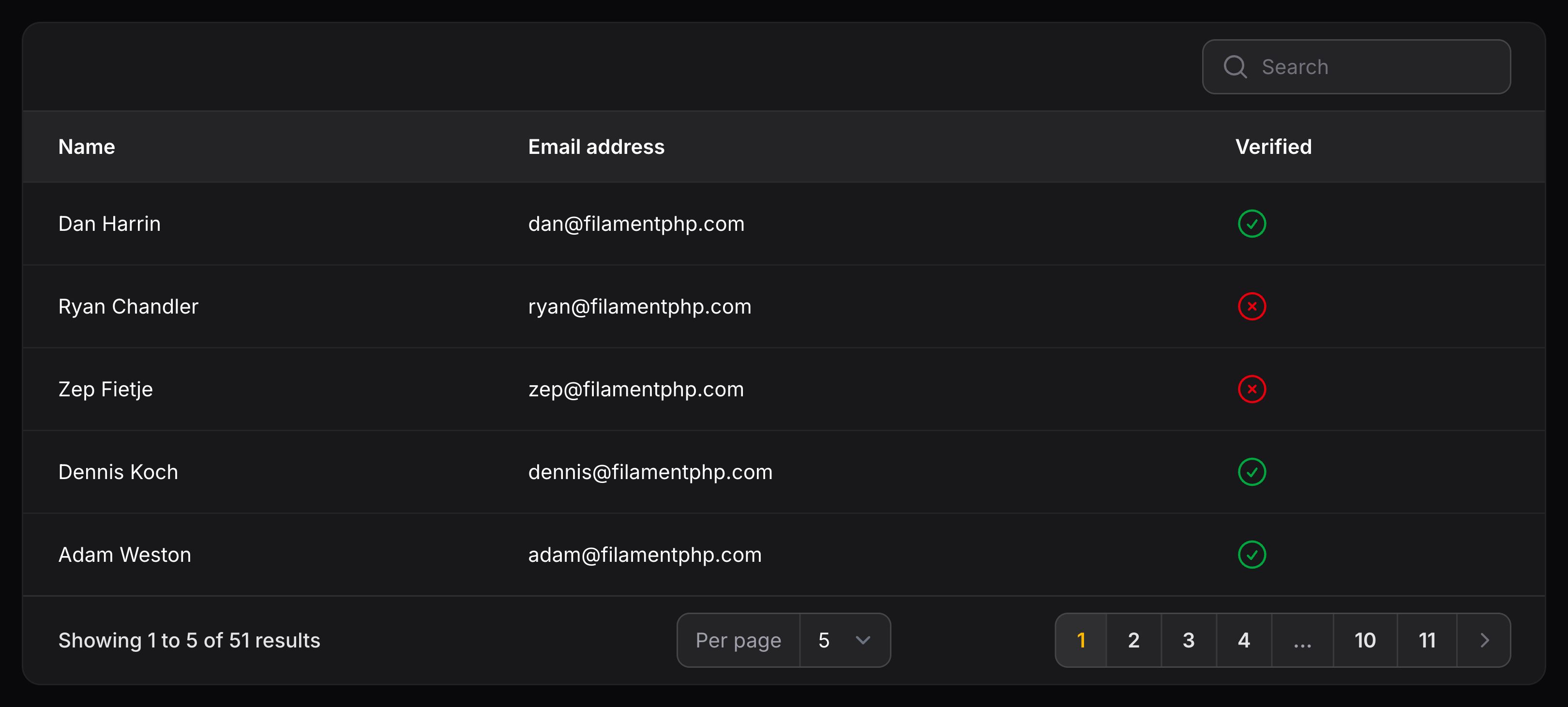
By default, Filament will apply a where clause to the Eloquent query, searching for the column name. This is useful for simple cases where the column name matches the database column name. It can also handle relationships.
However, many columns are not as simple. The state of the column might be customized, or using an Eloquent accessor. In this case, you may need to customize the search behavior.
You can pass an array of real database columns in the table to search the column with:
use Filament\Tables\Columns\TextColumn;

TextColumn::make('full_name')
    ->searchable(['first_name', 'last_name'])
In this instance, the full_name column is not a real column in the database, but the first_name and last_name columns are. When the full_name column is searched, Filament will search the table by the first_name and last_name columns.
You may also directly interact with the Eloquent query to customize how searching is applied for that column:
use Filament\Tables\Columns\TextColumn;
use Illuminate\Database\Eloquent\Builder;

TextColumn::make('full_name')
    ->searchable(query: function (Builder $query, string $search): Builder {
        return $query
            ->where('first_name', 'like', "%{$search}%")
            ->orWhere('last_name', 'like', "%{$search}%");
    })
The query parameter’s function can inject various utilities as parameters.
了解更多 utility 注入详情。 | Utility | 类型 | 参数 | 描述 |
|---|---|---|---|
| Column | Filament\Tables\Columns\Column | $column | The current column instance. |
| Livewire | Livewire\Component | $livewire | The Livewire component instance. |
| Eloquent query builder | Illuminate\Database\Eloquent\Builder | $query | The query builder to modify. |
| Eloquent record | ?Illuminate\Database\Eloquent\Model | $record | The Eloquent record for the current table row. |
| Row loop | stdClass | $rowLoop | The row loop object for the current table row. |
| Search | string | $search | The current search input value. |
| State | mixed | $state | The current value of the column, based on the current table row. |
| Table | Filament\Tables\Table | $table | The current table instance. |
Adding extra searchable columns to the table
You may allow the table to search with extra columns that aren’t present in the table by passing an array of column names to the searchable() method:
use Filament\Tables\Table;

public function table(Table $table): Table
{
    return $table
        ->columns([
            // ...
        ])
        ->searchable(['id']);
}
You may use dot notation to search within relationships:
use Filament\Tables\Table;

public function table(Table $table): Table
{
    return $table
        ->columns([
            // ...
        ])
        ->searchable(['id', 'author.id']);
}
You may also pass custom functions to search using:
use Filament\Tables\Table;

public function table(Table $table): Table
{
    return $table
        ->columns([
            // ...
        ])
        ->searchable([
            'id',
            'author.id',
            function (Builder $query, string $search): Builder {
                if (! is_numeric($search)) {
                    return $query;
                }

                return $query->whereYear('published_at', $search);
            },
        ]);
}
Customizing the table search field placeholder
You may customize the placeholder in the search field using the searchPlaceholder() method on the $table:
use Filament\Tables\Table;

public static function table(Table $table): Table
{
    return $table
        ->columns([
            // ...
        ])
        ->searchPlaceholder('Search (ID, Name)');
}
Searching individually
You can choose to enable a per-column search input field using the isIndividual parameter:
use Filament\Tables\Columns\TextColumn;

TextColumn::make('name')
    ->searchable(isIndividual: true)
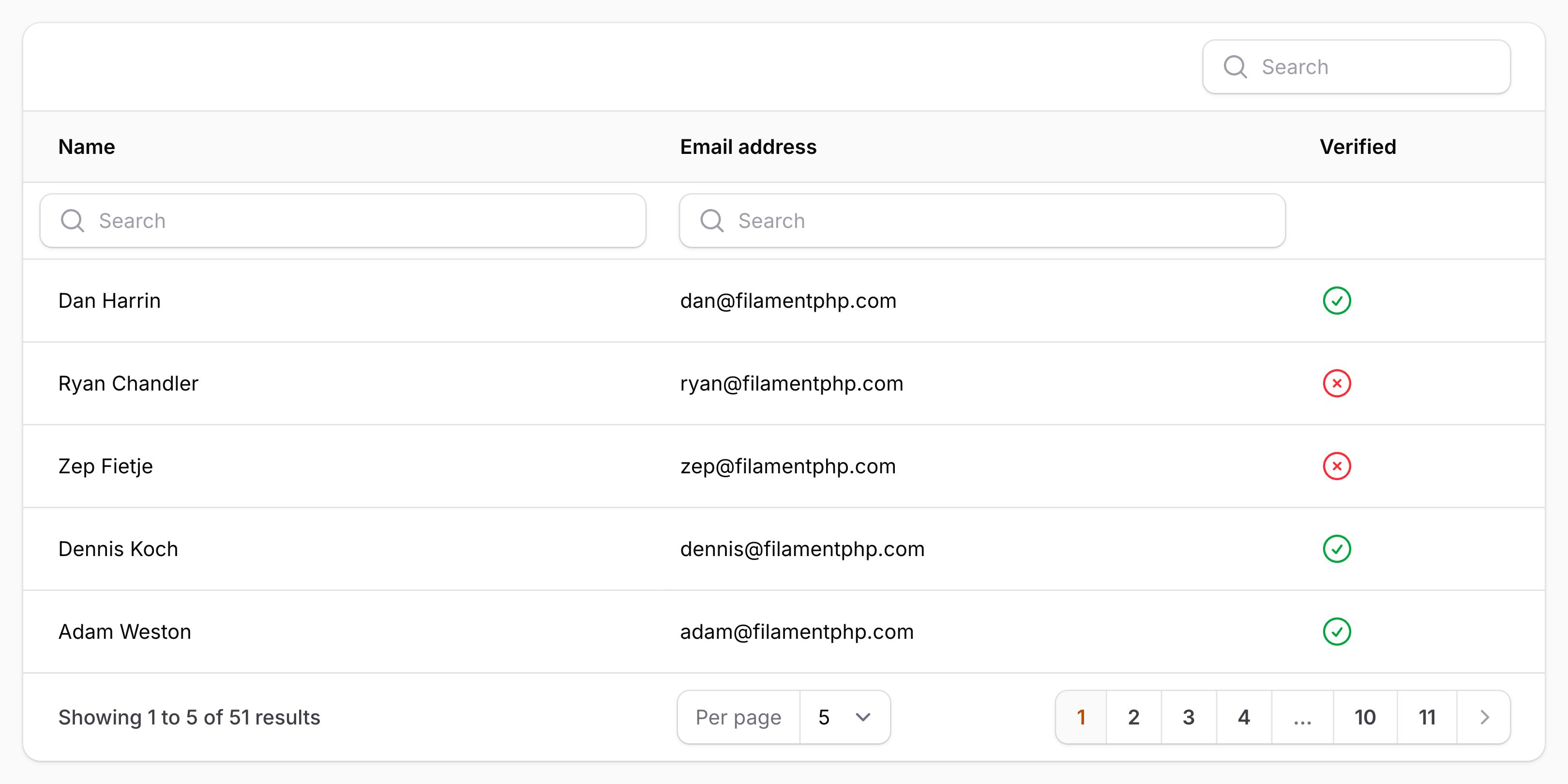
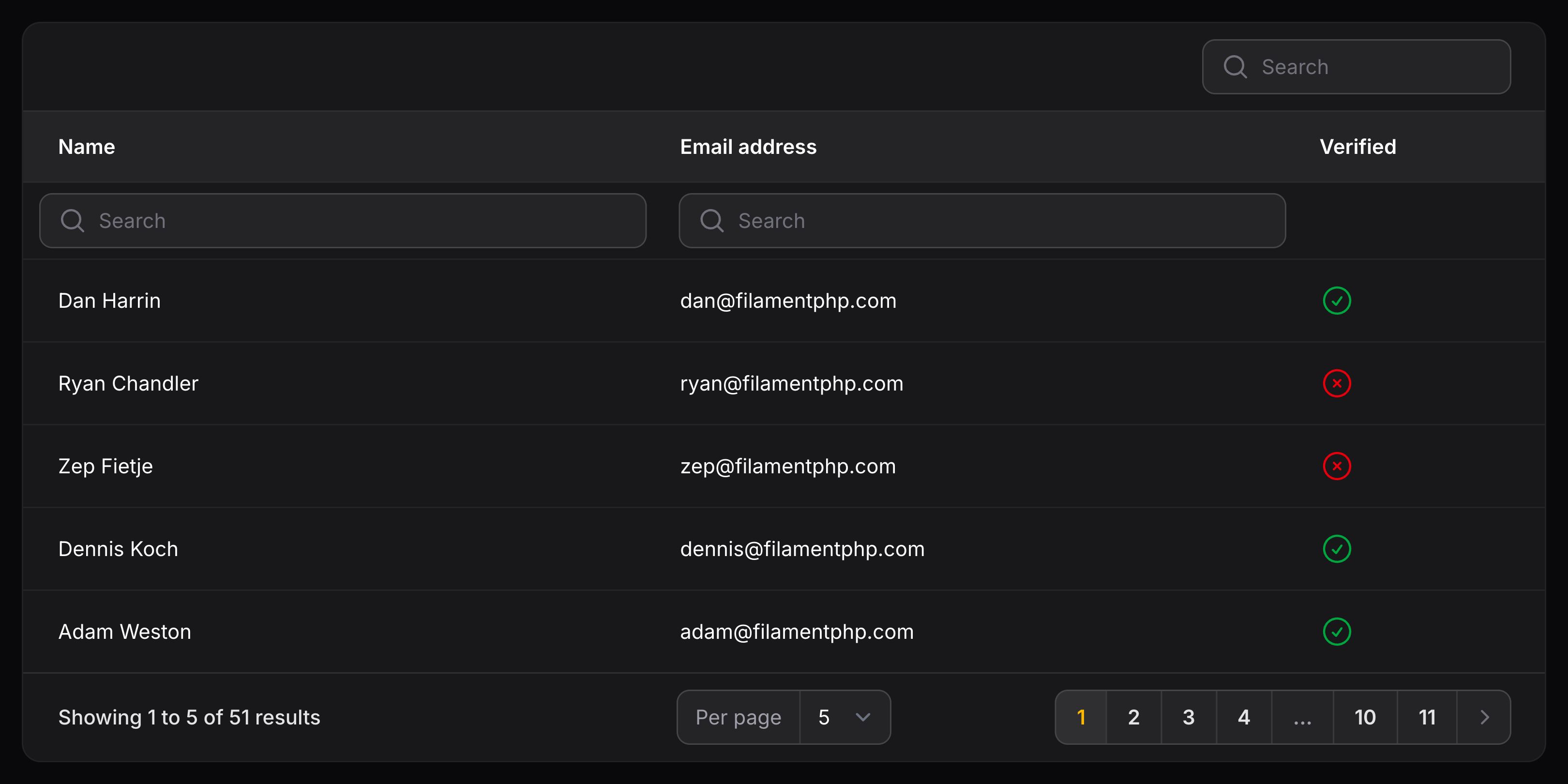
If you use the isIndividual parameter, you may still search that column using the main “global” search input field for the entire table.
To disable that functionality while still preserving the individual search functionality, you need the isGlobal parameter:
use Filament\Tables\Columns\TextColumn;

TextColumn::make('title')
    ->searchable(isIndividual: true, isGlobal: false)
Customizing the table search debounce
You may customize the debounce time in all table search fields using the searchDebounce() method on the $table. By default, it is set to 500ms:
use Filament\Tables\Table;

public static function table(Table $table): Table
{
    return $table
        ->columns([
            // ...
        ])
        ->searchDebounce('750ms');
}
Searching when the input is blurred
Instead of automatically reloading the table contents while the user is typing their search, which is affected by the debounce of the search field, you may change the behavior so that the table is only searched when the user blurs the input (tabs or clicks out of it), using the searchOnBlur() method:
use Filament\Tables\Table;

public static function table(Table $table): Table
{
    return $table
        ->columns([
            // ...
        ])
        ->searchOnBlur();
}
Persisting the search in the user’s session
To persist the table or individual column search in the user’s session, use the persistSearchInSession() or persistColumnSearchInSession() method:
use Filament\Tables\Table;

public function table(Table $table): Table
{
    return $table
        ->columns([
            // ...
        ])
        ->persistSearchInSession()
        ->persistColumnSearchesInSession();
}
Disabling search term splitting
By default, the table search will split the search term into individual words and search for each word separately. This allows for more flexible search queries. However, it can have a negative impact on performance when large datasets are involved. You can disable this behavior using the splitSearchTerms(false) method on the table:
use Filament\Tables\Table;

public function table(Table $table): Table
{
    return $table
        ->columns([
            // ...
        ])
        ->splitSearchTerms(false);
}
You can also use the splitIndividualSearchTerms() method on a column to override the table’s setting for that column’s individual search:
use Filament\Tables\Columns\TextColumn;

TextColumn::make('title')
    ->searchable(isIndividual: true)
    ->splitIndividualSearchTerms(false)
NOTE
This method only affects the column’s individual search. Search term splitting for the table’s global search is controlled by the table’s splitSearchTerms() method.
Clickable cell content
When a cell is clicked, you may open a URL or trigger an “action”.
Opening URLs
To open a URL, you may use the url() method:
use Filament\Tables\Columns\TextColumn;

TextColumn::make('title')
    ->url(fn (Post $record): string => route('posts.edit', ['post' => $record]))
The url() method also accepts a function to dynamically calculate the value. You can inject various utilities into the function as parameters.
了解更多 utility 注入详情。 | Utility | 类型 | 参数 | 描述 |
|---|---|---|---|
| Column | Filament\Tables\Columns\Column | $column | The current column instance. |
| Livewire | Livewire\Component | $livewire | The Livewire component instance. |
| Eloquent record | ?Illuminate\Database\Eloquent\Model | $record | The Eloquent record for the current table row. |
| Row loop | stdClass | $rowLoop | The row loop object for the current table row. |
| State | mixed | $state | The current value of the column, based on the current table row. |
| Table | Filament\Tables\Table | $table | The current table instance. |
TIP
You can also pick a URL for the entire row to open, not just a singular column. Please see the Record URLs section.
When using a record URL and a column URL, the column URL will override the record URL for those cells only.
You may also choose to open the URL in a new tab:
use Filament\Tables\Columns\TextColumn;

TextColumn::make('title')
    ->url(fn (Post $record): string => route('posts.edit', ['post' => $record]))
    ->openUrlInNewTab()
NOTE
If you are passing user-controlled data to the url() method, you should validate that the URL does not use a dangerous scheme such as javascript: or data:. Failing to do so could expose your application to XSS attacks. The simplest way to guard against this is to wrap the value in Filament’s Str::sanitizeUrl() helper, which returns null for any URL that does not use http/https (or a relative path).
Triggering actions
To run a function when a cell is clicked, you may use the action() method. Each method accepts a $record parameter which you may use to customize the behavior of the action:
use Filament\Tables\Columns\TextColumn;

TextColumn::make('title')
    ->action(function (Post $record): void {
        $this->dispatch('open-post-edit-modal', post: $record->getKey());
    })
Action modals
You may open action modals by passing in an Action object to the action() method:
use Filament\Actions\Action;
use Filament\Tables\Columns\TextColumn;

TextColumn::make('title')
    ->action(
        Action::make('select')
            ->requiresConfirmation()
            ->action(function (Post $record): void {
                $this->dispatch('select-post', post: $record->getKey());
            }),
    )
Action objects passed into the action() method must have a unique name to distinguish it from other actions within the table.
Preventing cells from being clicked
You may prevent a cell from being clicked by using the disabledClick() method:
use Filament\Tables\Columns\TextColumn;

TextColumn::make('title')
    ->disabledClick()
If row URLs are enabled, the cell will not be clickable.
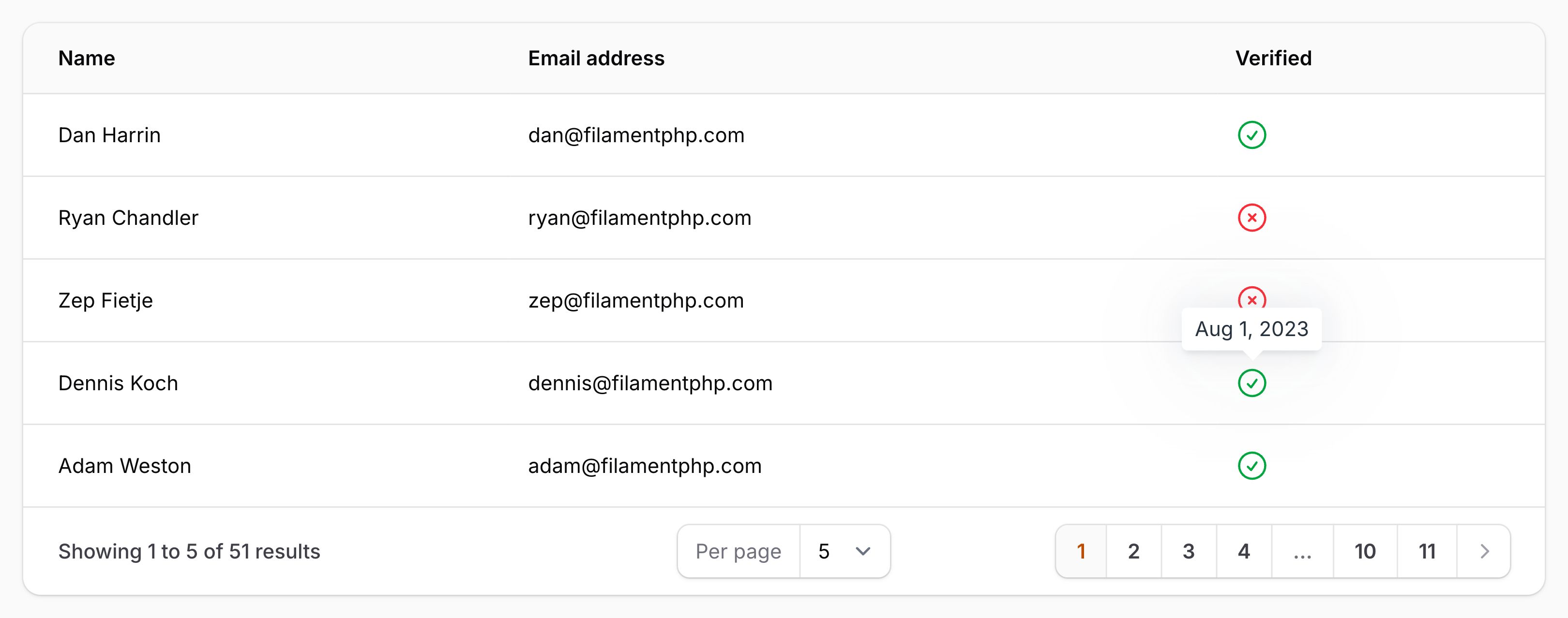
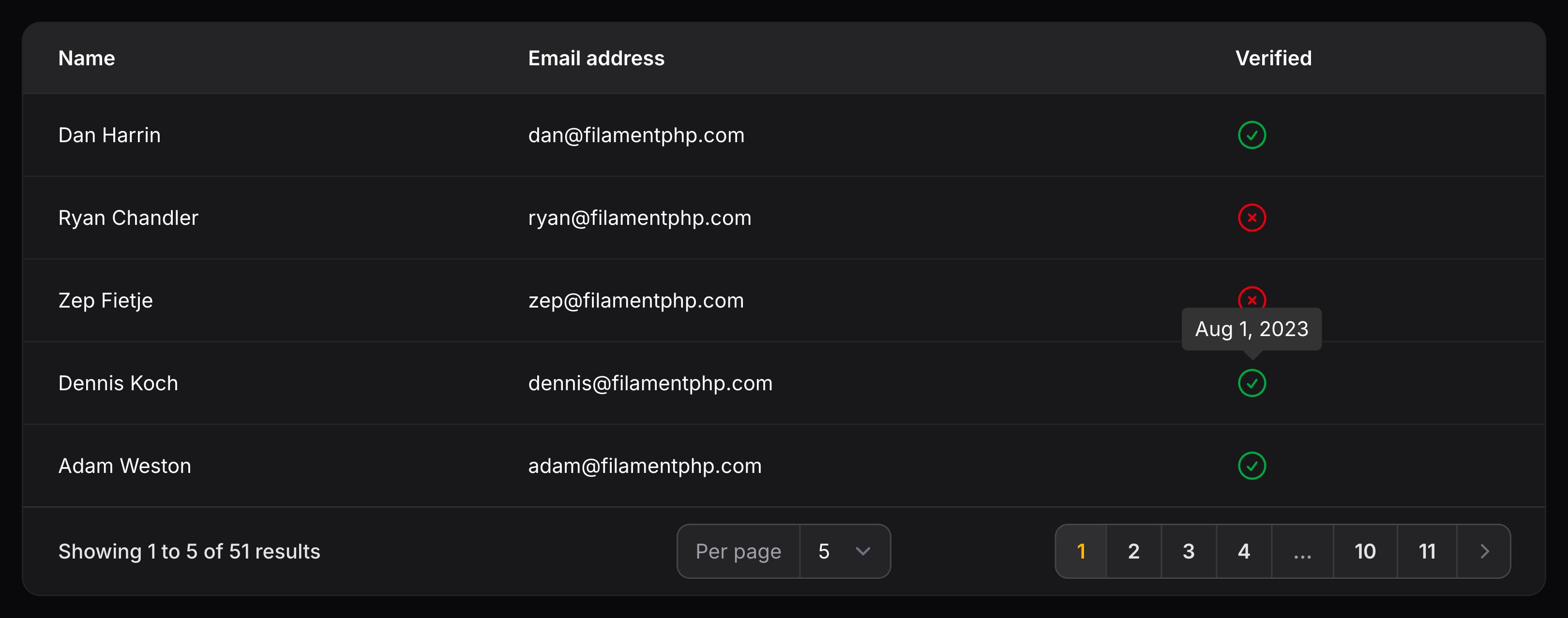
Adding a tooltip to a column
You may specify a tooltip to display when you hover over a cell:
use Filament\Tables\Columns\TextColumn;

TextColumn::make('title')
    ->tooltip('Title')
As well as allowing a static value, the tooltip() method also accepts a function to dynamically calculate it. You can inject various utilities into the function as parameters.
了解更多 utility 注入详情。 | Utility | 类型 | 参数 | 描述 |
|---|---|---|---|
| Column | Filament\Tables\Columns\Column | $column | The current column instance. |
| Livewire | Livewire\Component | $livewire | The Livewire component instance. |
| Eloquent record | ?Illuminate\Database\Eloquent\Model | $record | The Eloquent record for the current table row. |
| Row loop | stdClass | $rowLoop | The row loop object for the current table row. |
| State | mixed | $state | The current value of the column, based on the current table row. |
| Table | Filament\Tables\Table | $table | The current table instance. |
Adding a header tooltip to a column
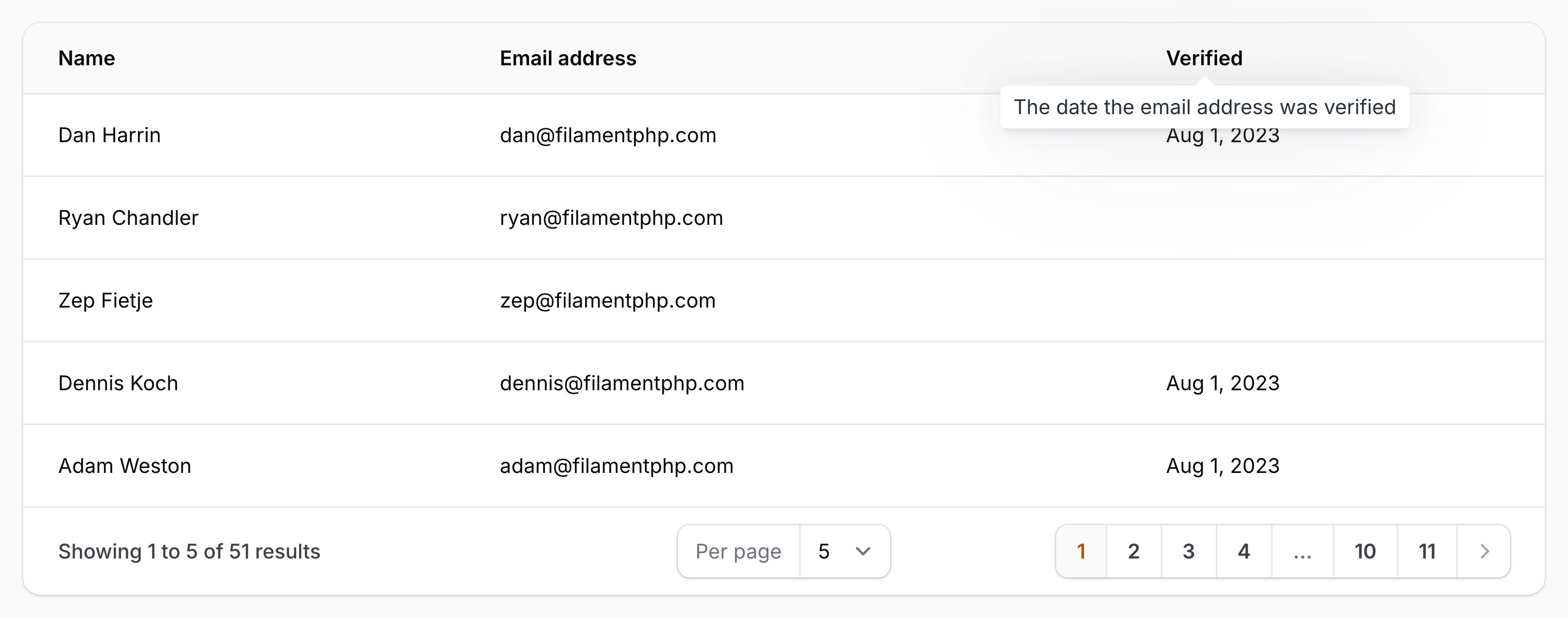
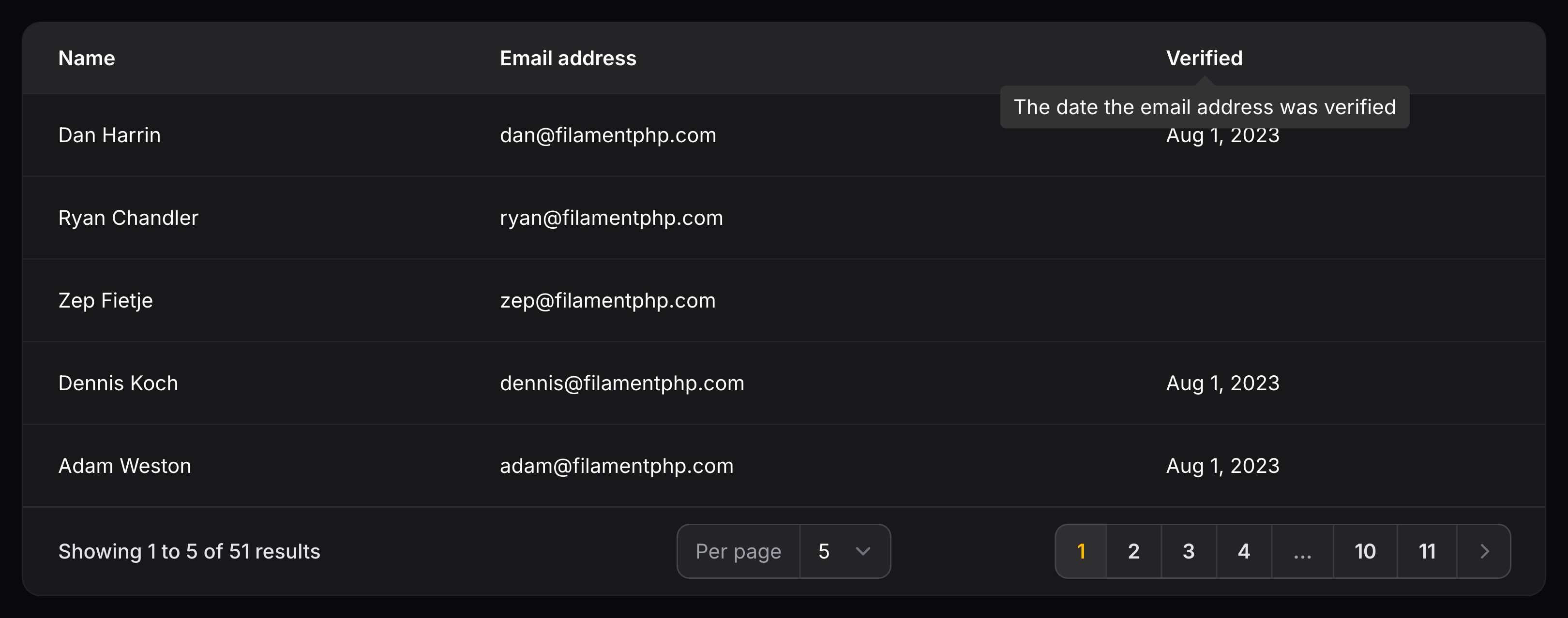
You may specify a tooltip to display when you hover over the column header:
use Filament\Tables\Columns\TextColumn;

TextColumn::make('sku')
    ->headerTooltip('Stock Keeping Unit')
As well as allowing a static value, the headerTooltip() method also accepts a function to dynamically calculate it. You can inject various utilities into the function as parameters.
了解更多 utility 注入详情。 | Utility | 类型 | 参数 | 描述 |
|---|---|---|---|
| Column | Filament\Tables\Columns\Column | $column | The current column instance. |
| Livewire | Livewire\Component | $livewire | The Livewire component instance. |
| Eloquent record | ?Illuminate\Database\Eloquent\Model | $record | The Eloquent record for the current table row. |
| Row loop | stdClass | $rowLoop | The row loop object for the current table row. |
| State | mixed | $state | The current value of the column, based on the current table row. |
| Table | Filament\Tables\Table | $table | The current table instance. |
Aligning column content
Horizontally aligning column content
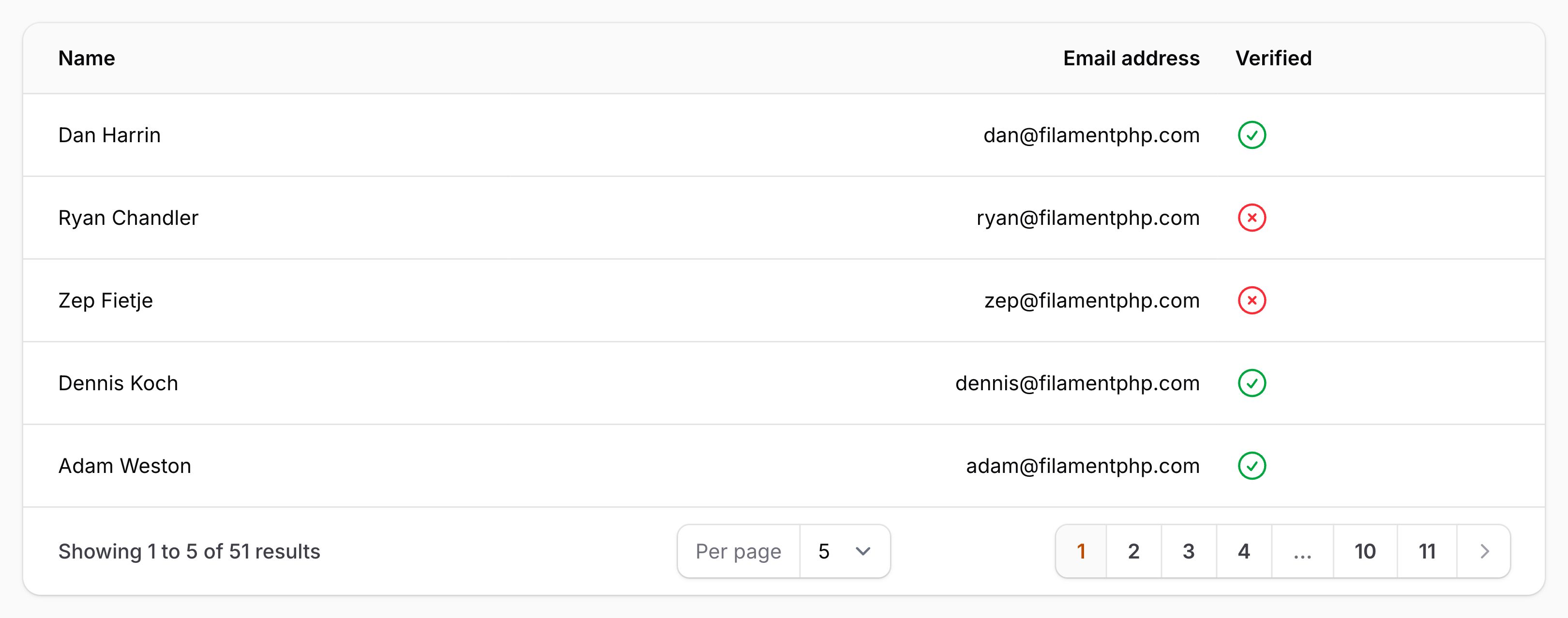
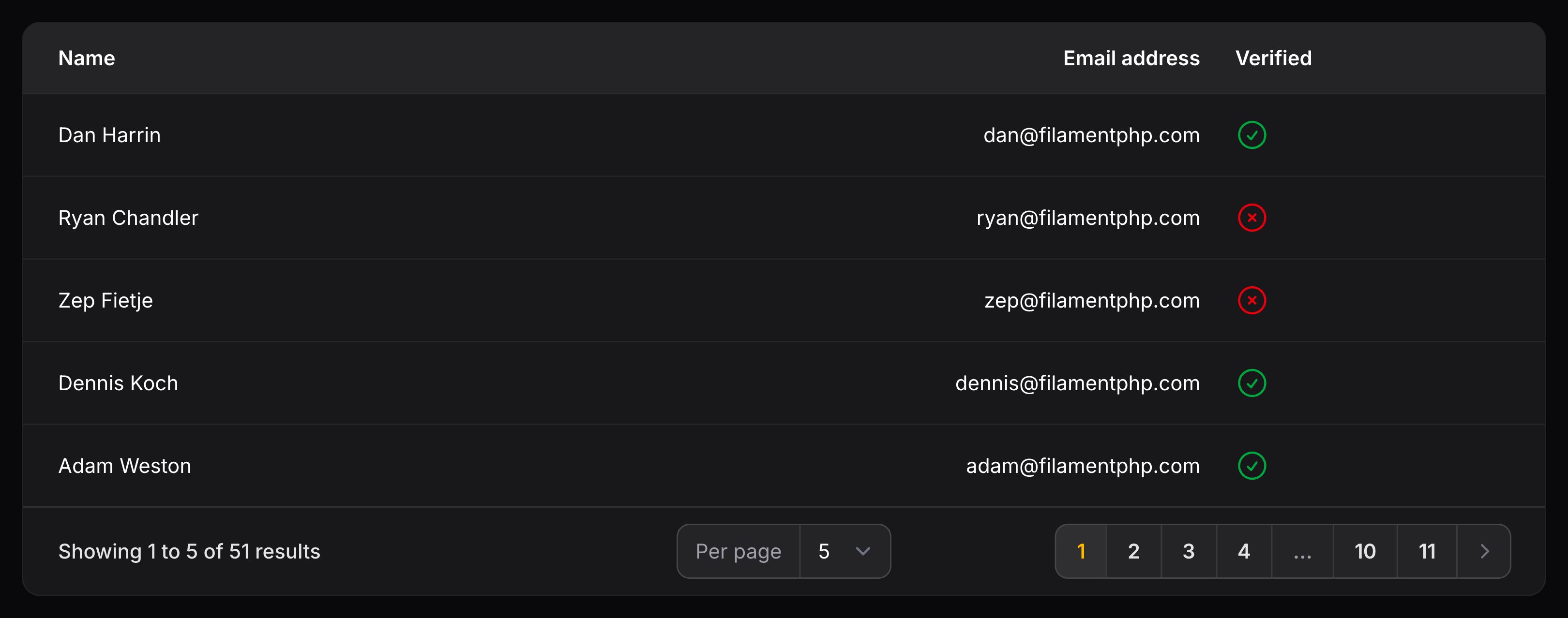
You may align the content of an column to the start (left in left-to-right interfaces, right in right-to-left interfaces), center, or end (right in left-to-right interfaces, left in right-to-left interfaces) using the alignStart(), alignCenter() or alignEnd() methods:
use Filament\Tables\Columns\TextColumn;

TextColumn::make('email')
    ->alignStart() // This is the default alignment.

TextColumn::make('email')
    ->alignCenter()

TextColumn::make('email')
    ->alignEnd()
Alternatively, you may pass an Alignment enum to the alignment() method:
use Filament\Support\Enums\Alignment;
use Filament\Tables\Columns\TextColumn;

TextColumn::make('email')
    ->label('Email address')
    ->alignment(Alignment::End)
As well as allowing a static value, the alignment() method also accepts a function to dynamically calculate it. You can inject various utilities into the function as parameters.
了解更多 utility 注入详情。 | Utility | 类型 | 参数 | 描述 |
|---|---|---|---|
| Column | Filament\Tables\Columns\Column | $column | The current column instance. |
| Livewire | Livewire\Component | $livewire | The Livewire component instance. |
| Eloquent record | ?Illuminate\Database\Eloquent\Model | $record | The Eloquent record for the current table row. |
| Row loop | stdClass | $rowLoop | The row loop object for the current table row. |
| State | mixed | $state | The current value of the column, based on the current table row. |
| Table | Filament\Tables\Table | $table | The current table instance. |
Vertically aligning column content
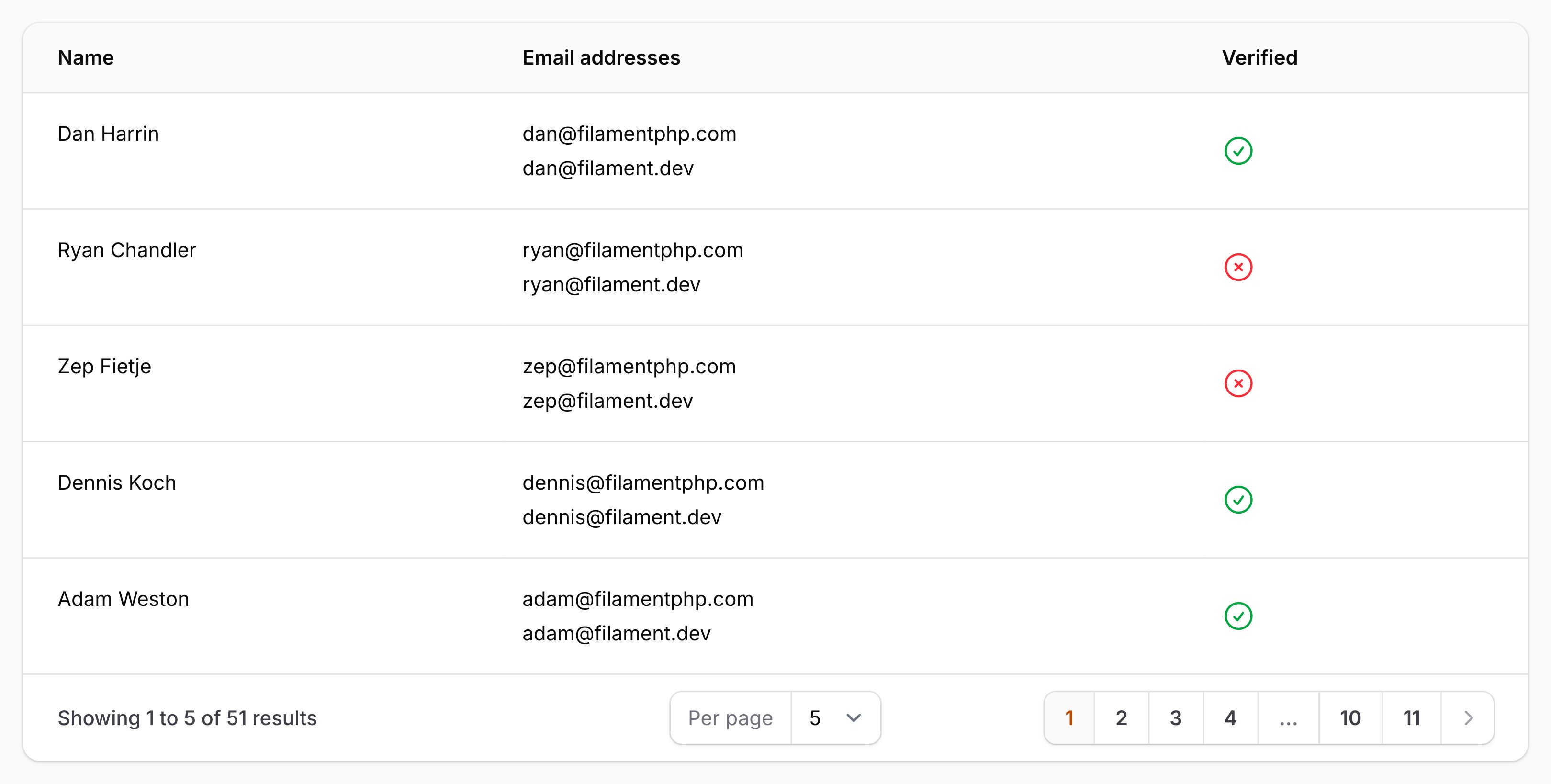
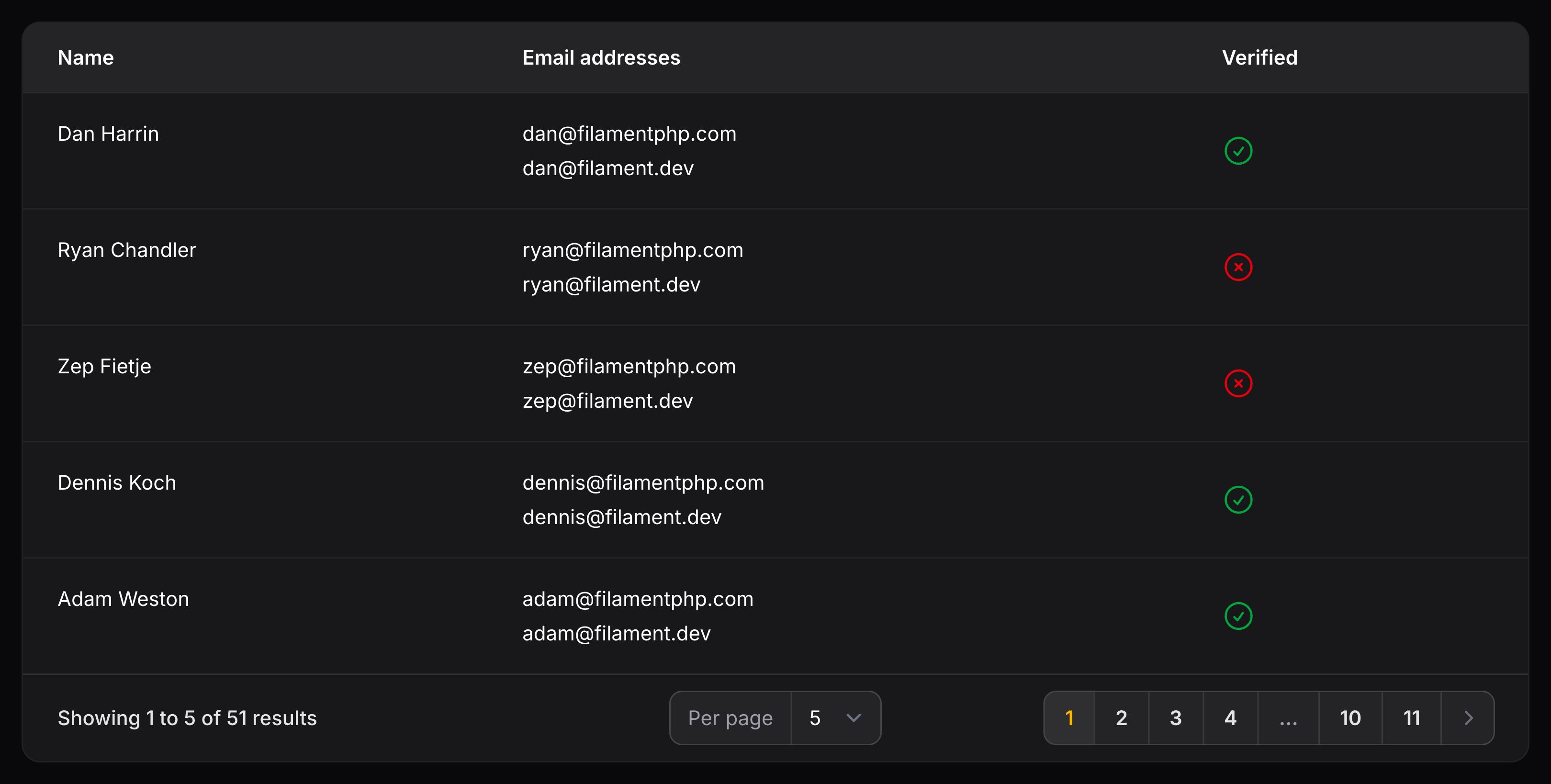
You may align the content of a column to the start, center, or end using the verticallyAlignStart(), verticallyAlignCenter() or verticallyAlignEnd() methods:
use Filament\Tables\Columns\TextColumn;

TextColumn::make('name')
    ->verticallyAlignStart()

TextColumn::make('name')
    ->verticallyAlignCenter() // This is the default alignment.

TextColumn::make('name')
    ->verticallyAlignEnd()
Alternatively, you may pass a VerticalAlignment enum to the verticalAlignment() method:
use Filament\Support\Enums\VerticalAlignment;
use Filament\Tables\Columns\TextColumn;

TextColumn::make('name')
    ->verticalAlignment(VerticalAlignment::Start)
As well as allowing a static value, the verticalAlignment() method also accepts a function to dynamically calculate it. You can inject various utilities into the function as parameters.
了解更多 utility 注入详情。 | Utility | 类型 | 参数 | 描述 |
|---|---|---|---|
| Column | Filament\Tables\Columns\Column | $column | The current column instance. |
| Livewire | Livewire\Component | $livewire | The Livewire component instance. |
| Eloquent record | ?Illuminate\Database\Eloquent\Model | $record | The Eloquent record for the current table row. |
| Row loop | stdClass | $rowLoop | The row loop object for the current table row. |
| State | mixed | $state | The current value of the column, based on the current table row. |
| Table | Filament\Tables\Table | $table | The current table instance. |
Allowing column headers to wrap
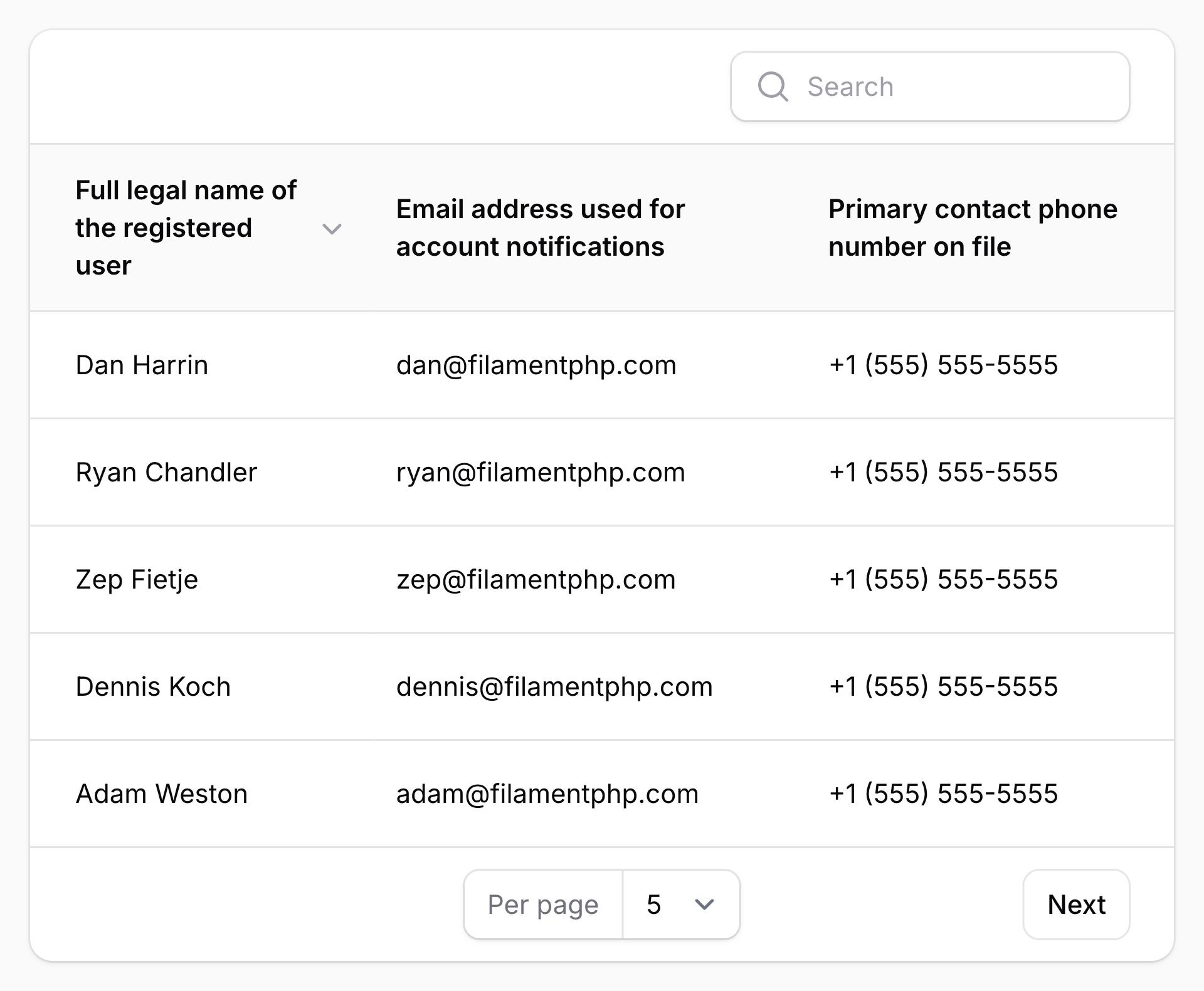
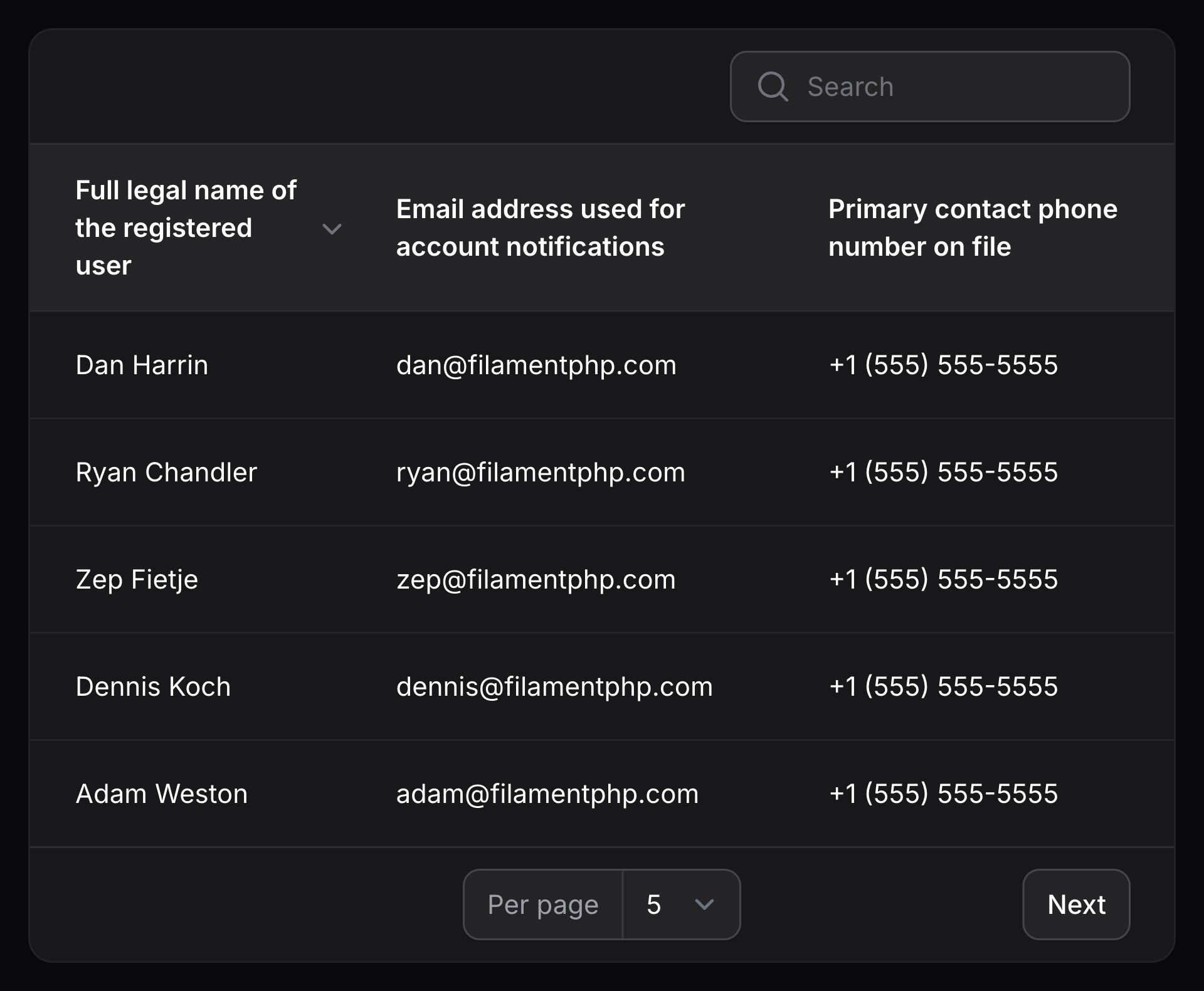
By default, column headers will not wrap onto multiple lines if they need more space. You may allow them to wrap using the wrapHeader() method:
use Filament\Tables\Columns\TextColumn;

TextColumn::make('name')
    ->wrapHeader()
Optionally, you may pass a boolean value to control if the header should wrap:
use Filament\Tables\Columns\TextColumn;

TextColumn::make('name')
    ->wrapHeader(FeatureFlag::active())
The wrapHeader() method also accepts a function to dynamically calculate the value. You can inject various utilities into the function as parameters.
了解更多 utility 注入详情。 | Utility | 类型 | 参数 | 描述 |
|---|---|---|---|
| Column | Filament\Tables\Columns\Column | $column | The current column instance. |
| Livewire | Livewire\Component | $livewire | The Livewire component instance. |
| Eloquent record | ?Illuminate\Database\Eloquent\Model | $record | The Eloquent record for the current table row. |
| Row loop | stdClass | $rowLoop | The row loop object for the current table row. |
| State | mixed | $state | The current value of the column, based on the current table row. |
| Table | Filament\Tables\Table | $table | The current table instance. |
Controlling the width of columns
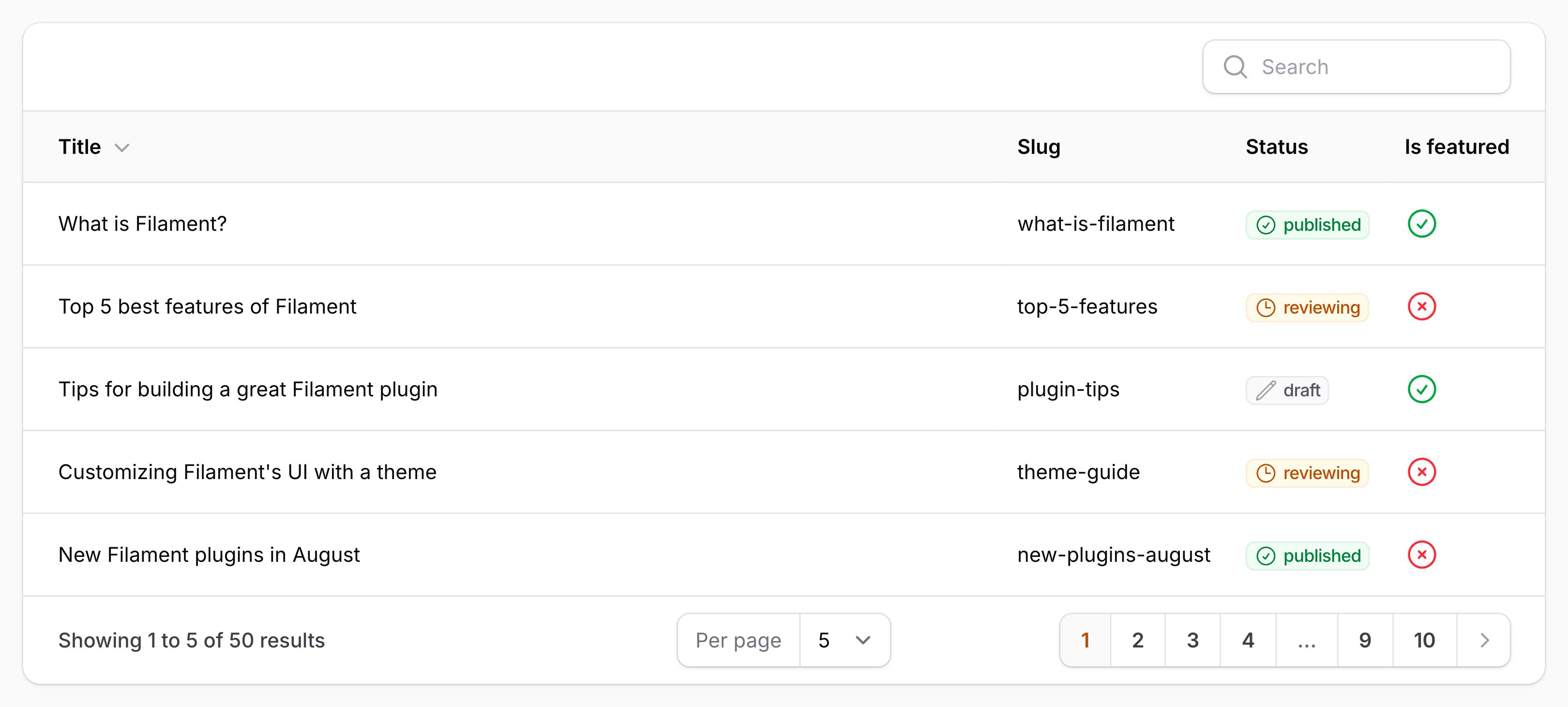
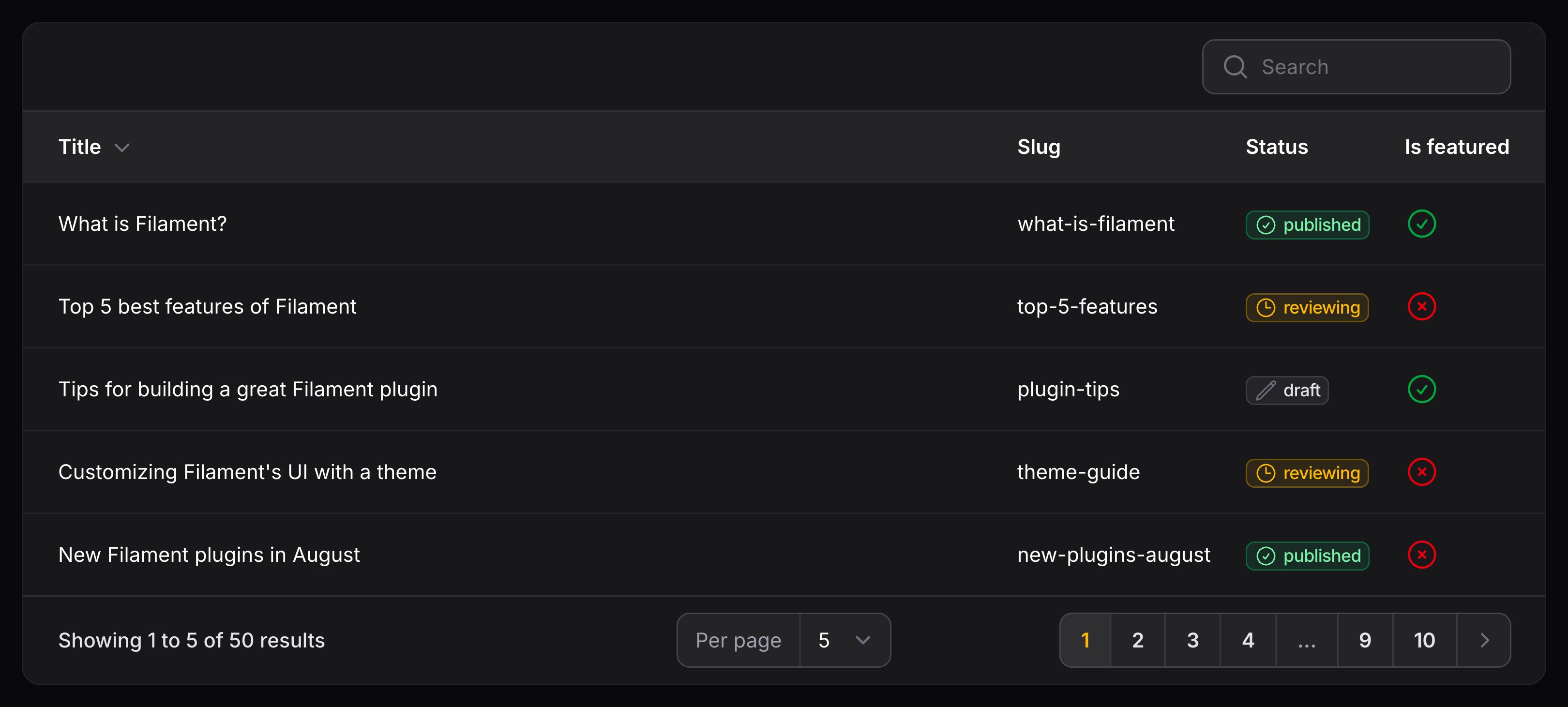
By default, columns will take up as much space as they need. You may allow some columns to consume more space than others by using the grow() method:
use Filament\Tables\Columns\TextColumn;

TextColumn::make('name')
    ->grow()
Alternatively, you can define a width for the column, which is passed to the header cell using the style attribute, so you can use any valid CSS value:
use Filament\Tables\Columns\IconColumn;

IconColumn::make('is_paid')
    ->label('Paid')
    ->boolean()
    ->width('1%')
The width() method also accepts a function to dynamically calculate the value. You can inject various utilities into the function as parameters.
了解更多 utility 注入详情。 | Utility | 类型 | 参数 | 描述 |
|---|---|---|---|
| Column | Filament\Tables\Columns\Column | $column | The current column instance. |
| Livewire | Livewire\Component | $livewire | The Livewire component instance. |
| Eloquent record | ?Illuminate\Database\Eloquent\Model | $record | The Eloquent record for the current table row. |
| Row loop | stdClass | $rowLoop | The row loop object for the current table row. |
| State | mixed | $state | The current value of the column, based on the current table row. |
| Table | Filament\Tables\Table | $table | The current table instance. |
Grouping columns
You group multiple columns together underneath a single heading using a ColumnGroup object:
use Filament\Tables\Columns\ColumnGroup;
use Filament\Tables\Columns\IconColumn;
use Filament\Tables\Columns\TextColumn;
use Filament\Tables\Table;

public function table(Table $table): Table
{
    return $table
        ->columns([
            TextColumn::make('title'),
            TextColumn::make('slug'),
            ColumnGroup::make('Visibility', [
                TextColumn::make('status'),
                IconColumn::make('is_featured'),
            ]),
            TextColumn::make('author.name'),
        ]);
}
The first argument is the label of the group, and the second is an array of column objects that belong to that group.
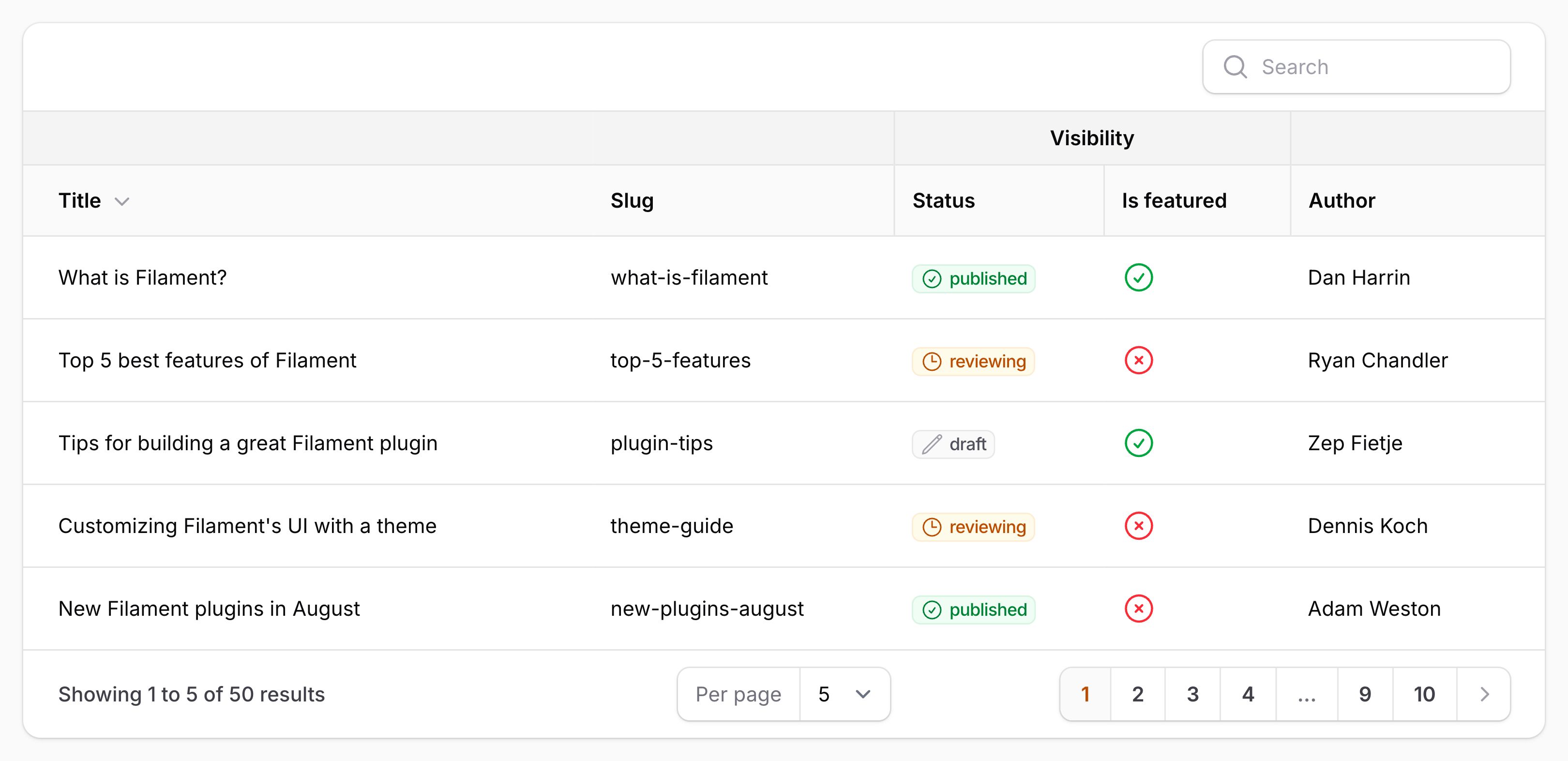
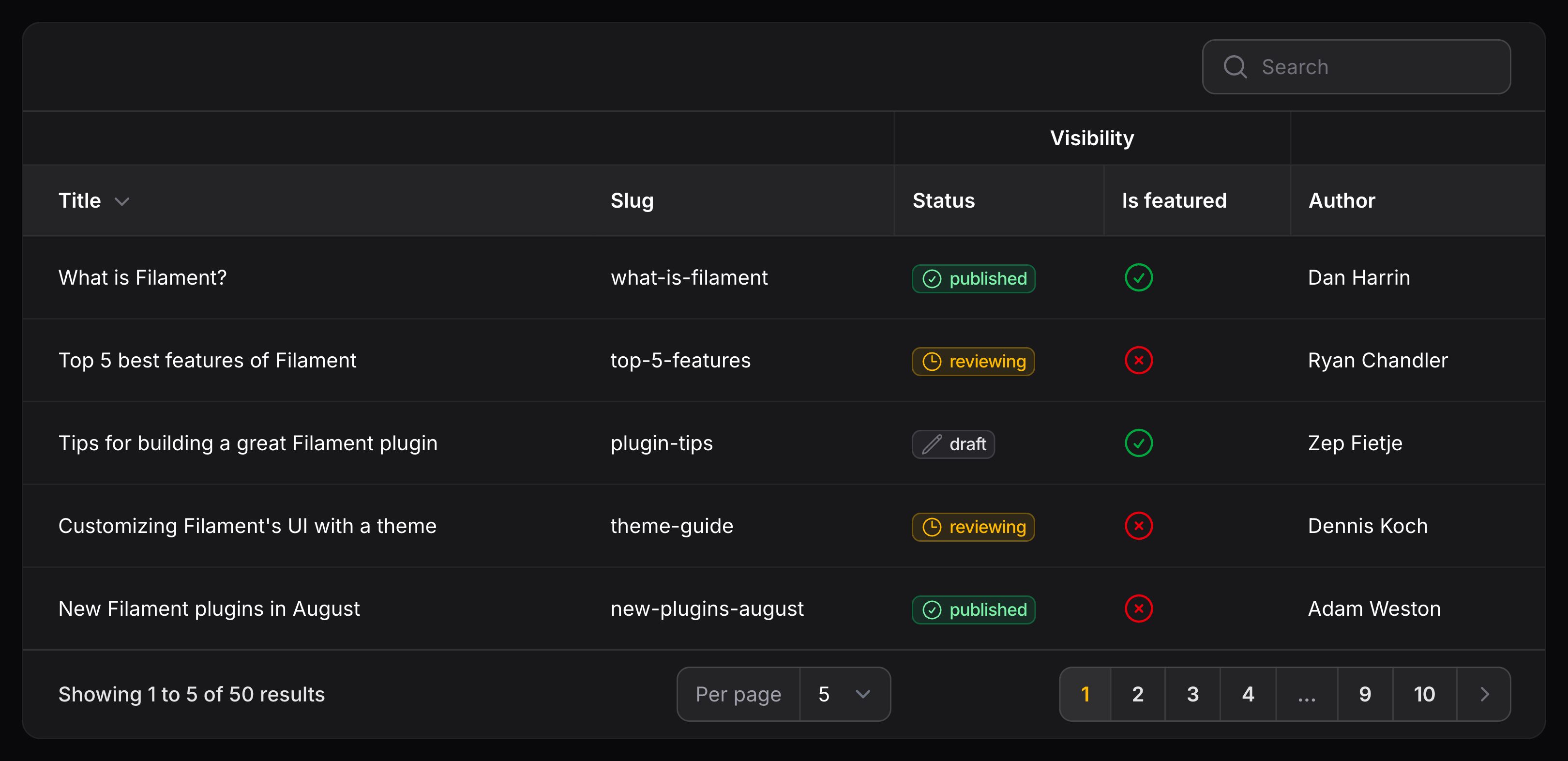
You can also control the group header alignment and wrapping on the ColumnGroup object. To improve the multi-line fluency of the API, you can chain the columns() onto the object instead of passing it as the second argument:
use Filament\Support\Enums\Alignment;
use Filament\Tables\Columns\ColumnGroup;

ColumnGroup::make('Website visibility')
    ->columns([
        // ...
    ])
    ->alignCenter()
    ->wrapHeader()
Hiding columns
You may hide a column by using the hidden() or visible() method:
use Filament\Tables\Columns\TextColumn;

TextColumn::make('email')
    ->hidden()

TextColumn::make('email')
    ->visible()
To hide a column conditionally, you may pass a boolean value to either method:
use Filament\Tables\Columns\TextColumn;

TextColumn::make('role')
    ->hidden(FeatureFlag::active())

TextColumn::make('role')
    ->visible(FeatureFlag::active())
Allowing users to manage columns
Toggling column visibility
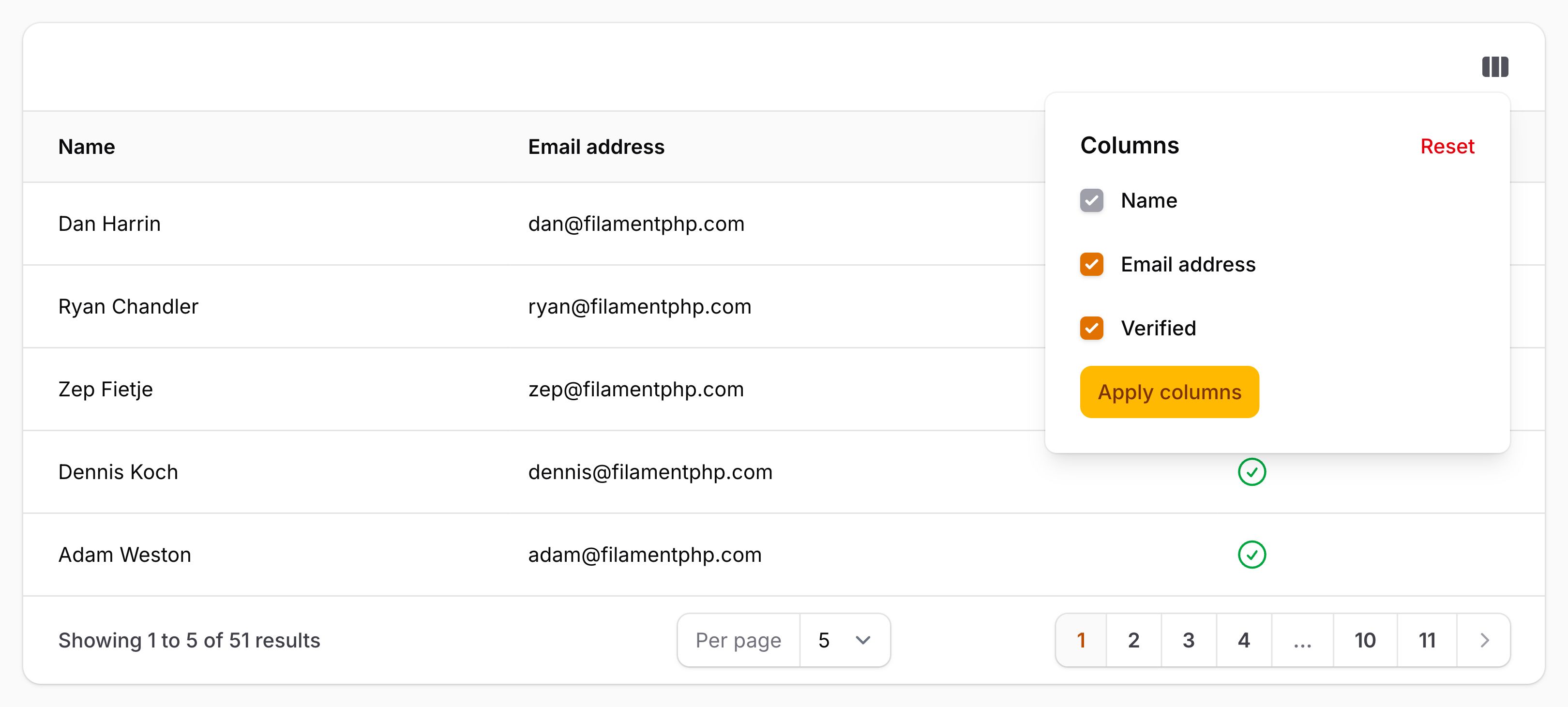
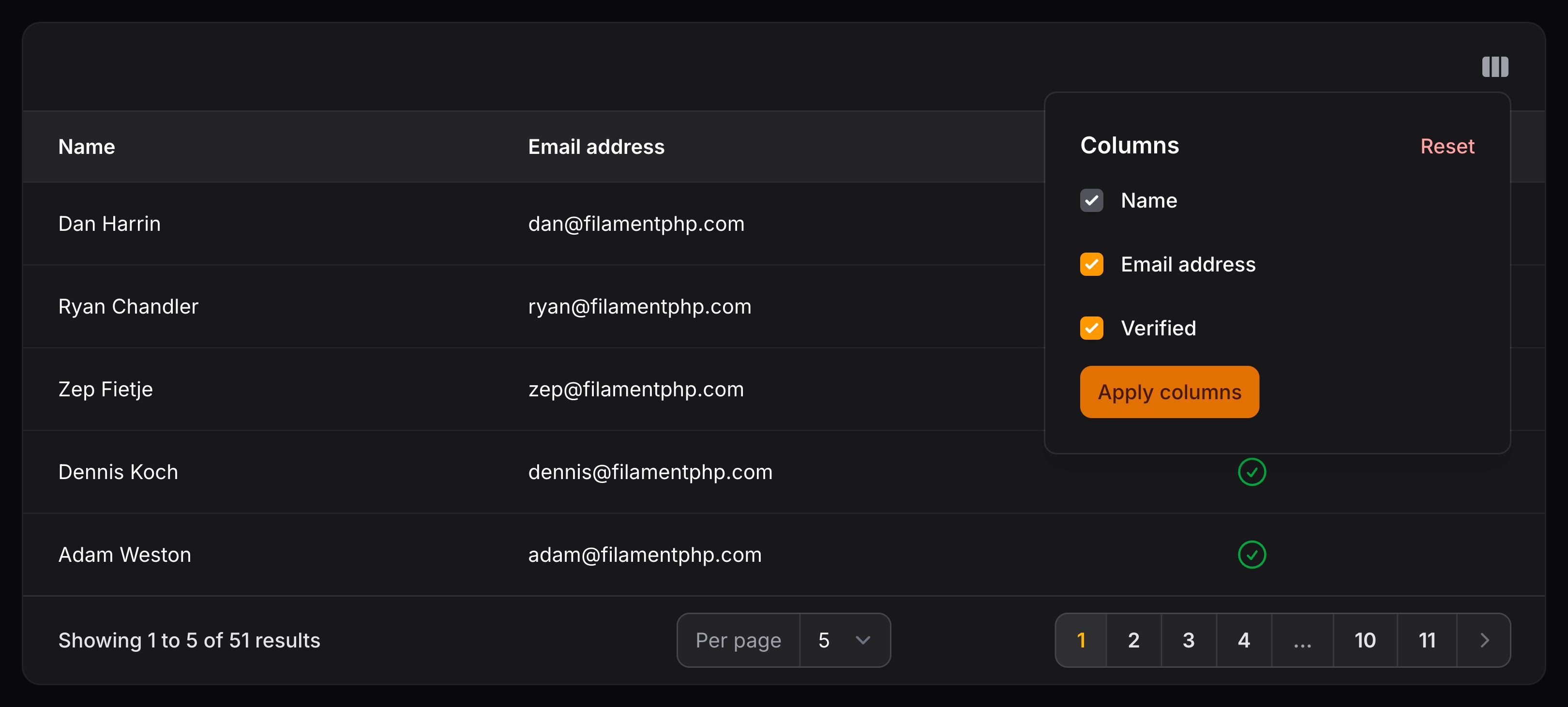
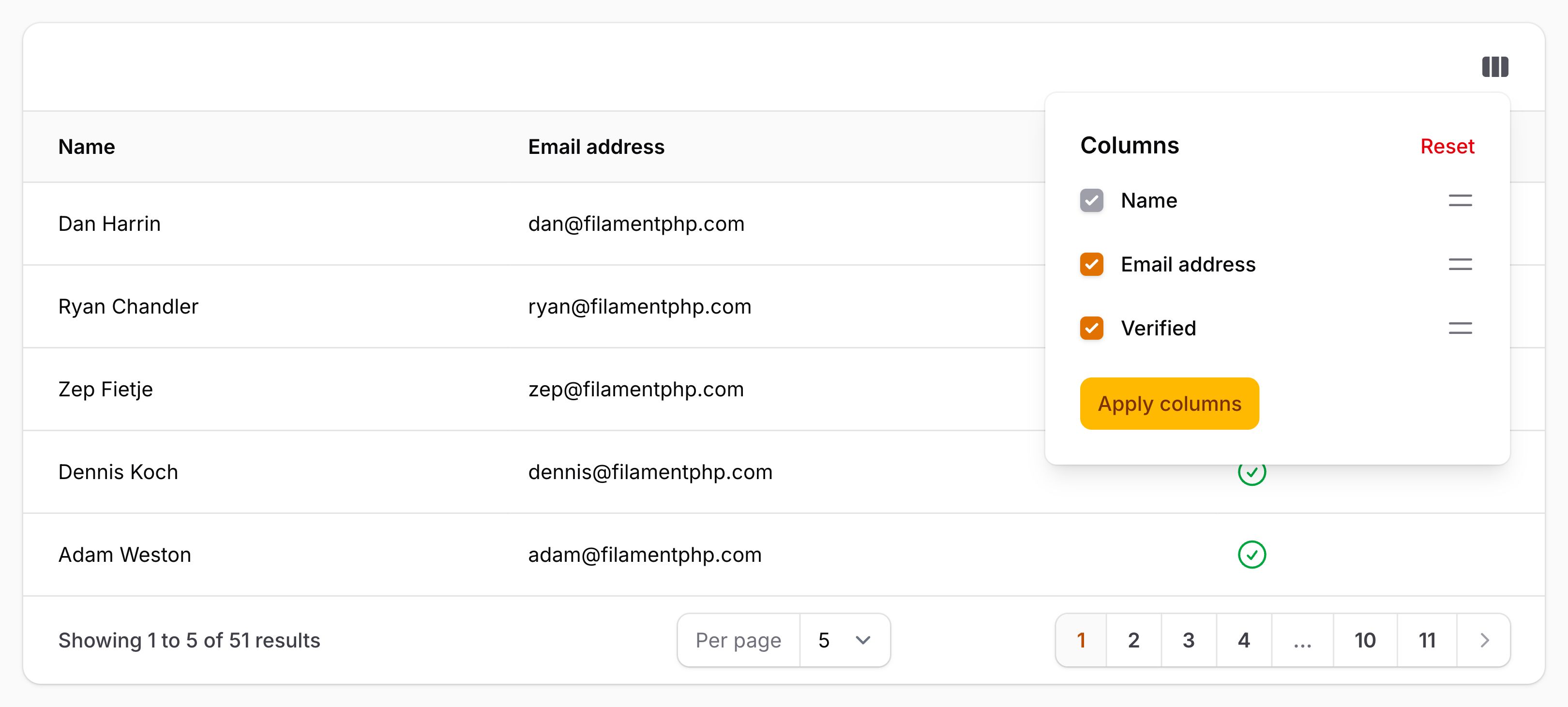
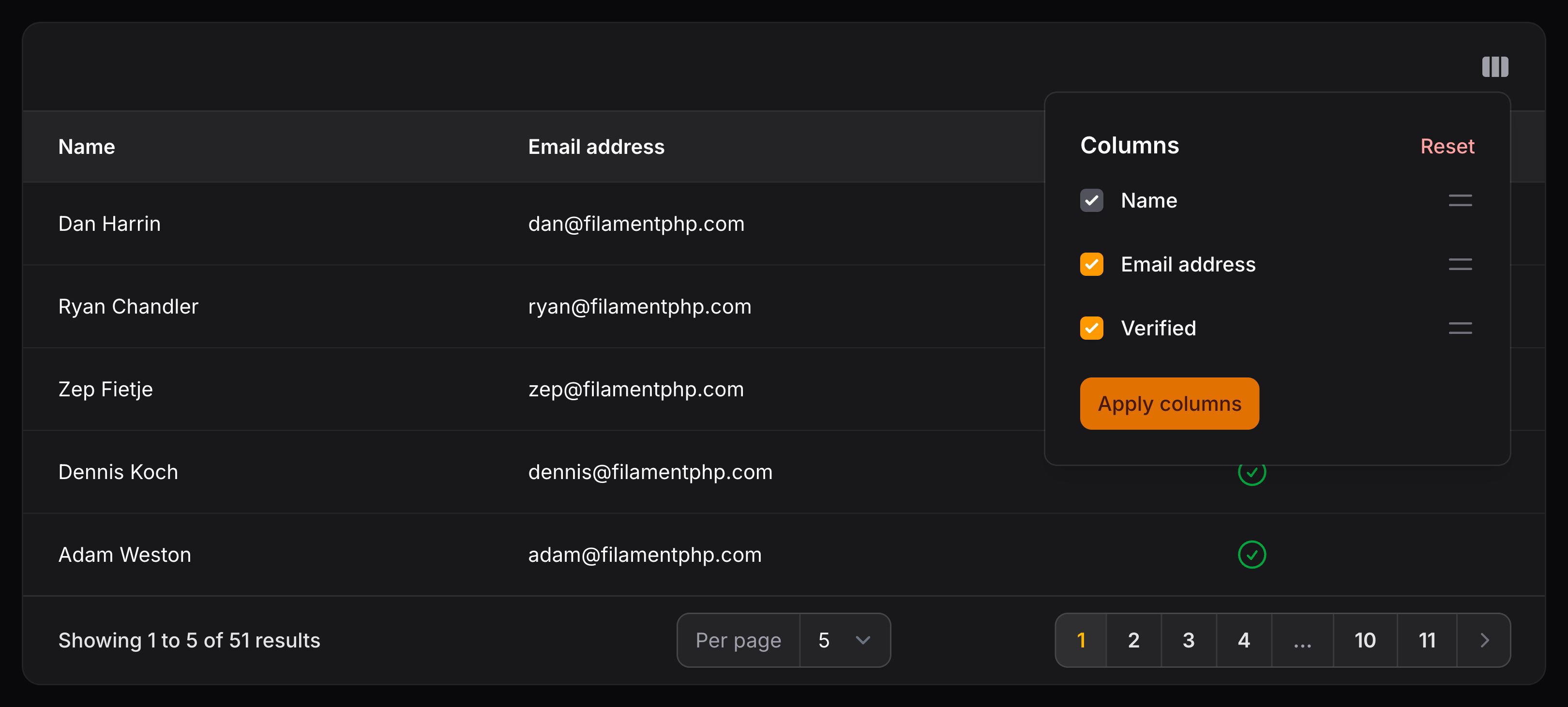
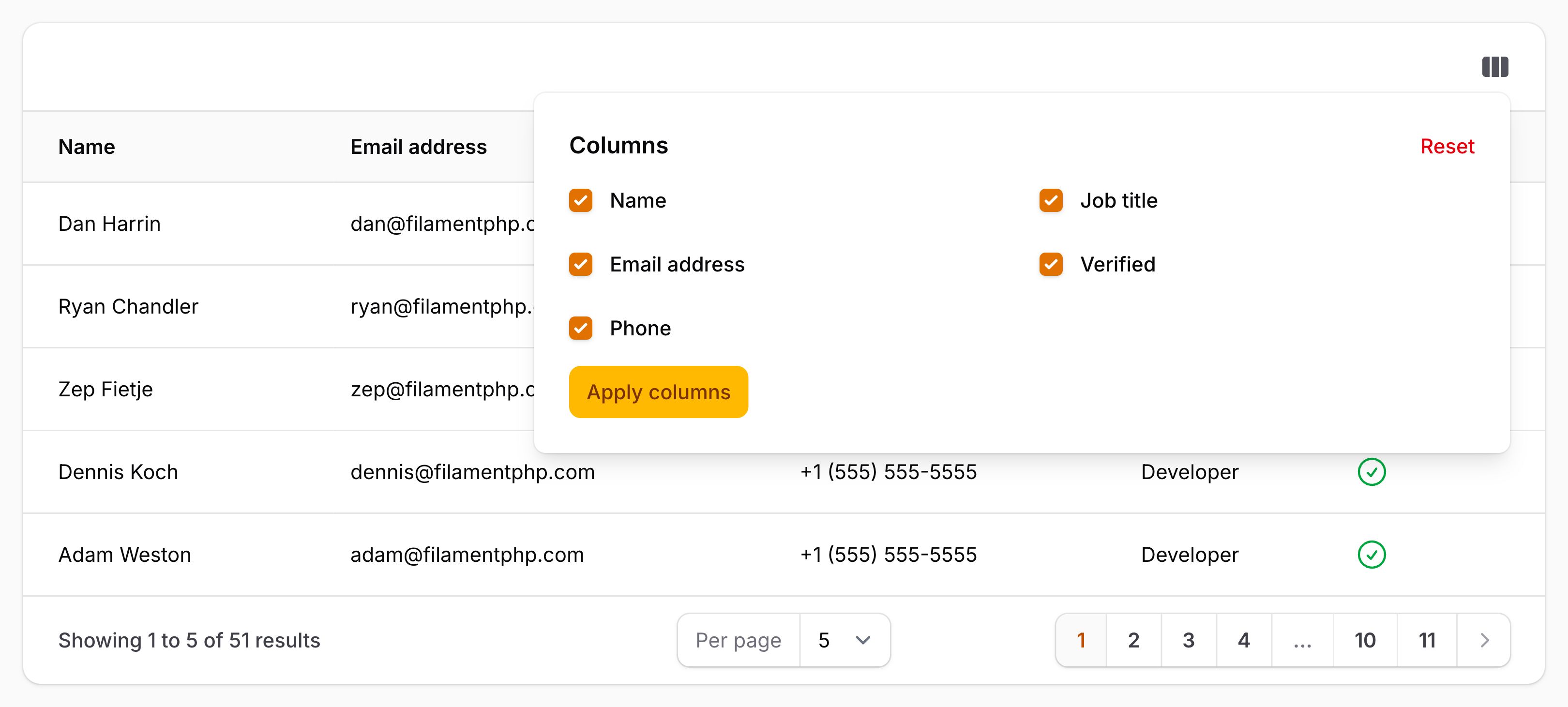
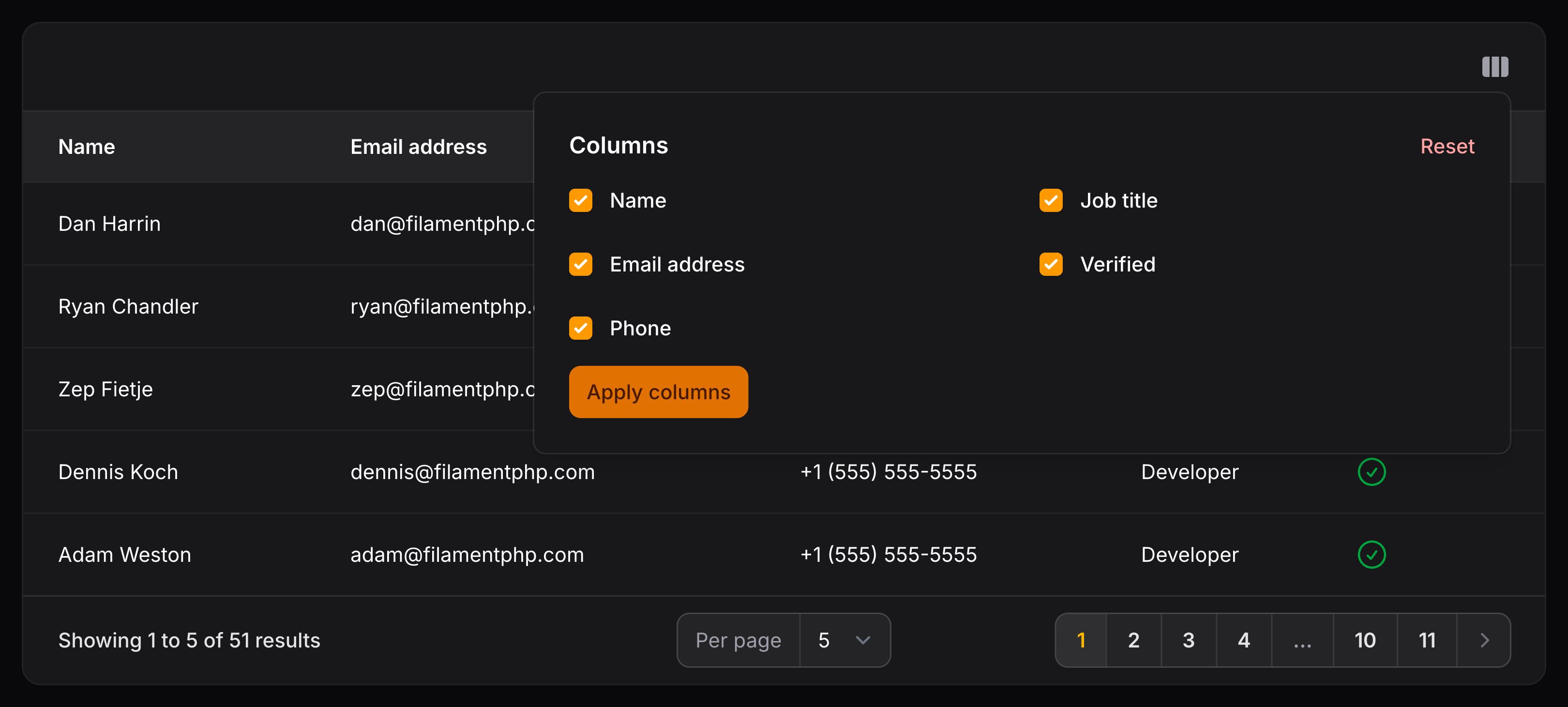
Users may hide or show columns themselves in the table. To make a column toggleable, use the toggleable() method:
use Filament\Tables\Columns\TextColumn;

TextColumn::make('email')
    ->toggleable()
Making toggleable columns hidden by default
By default, toggleable columns are visible. To make them hidden instead:
use Filament\Tables\Columns\TextColumn;

TextColumn::make('id')
    ->toggleable(isToggledHiddenByDefault: true)
Reordering columns
You may allow columns to be reordered in the table using the reorderableColumns() method:
use Filament\Tables\Table;

public function table(Table $table): Table
{
    return $table
        ->columns([
            // ...
        ])
        ->reorderableColumns();
}
Live column manager
By default, column manager changes (toggling and reordering columns) are deferred and do not affect the table, until the user clicks an “Apply” button. To disable this and make the filters “live” instead, use the deferColumnManager(false) method:
use Filament\Tables\Table;

public function table(Table $table): Table
{
    return $table
        ->columns([
            // ...
        ])
        ->reorderableColumns()
        ->deferColumnManager(false);
}
Displaying the column manager in a modal
To render the column manager in a modal instead of in a dropdown, you may use the columnManagerLayout() method:
use Filament\Tables\Enums\ColumnManagerLayout;
use Filament\Tables\Table;

public function table(Table $table): Table
{
    return $table
        ->columns([
            // ...
        ])
        ->columnManagerLayout(ColumnManagerLayout::Modal);
}
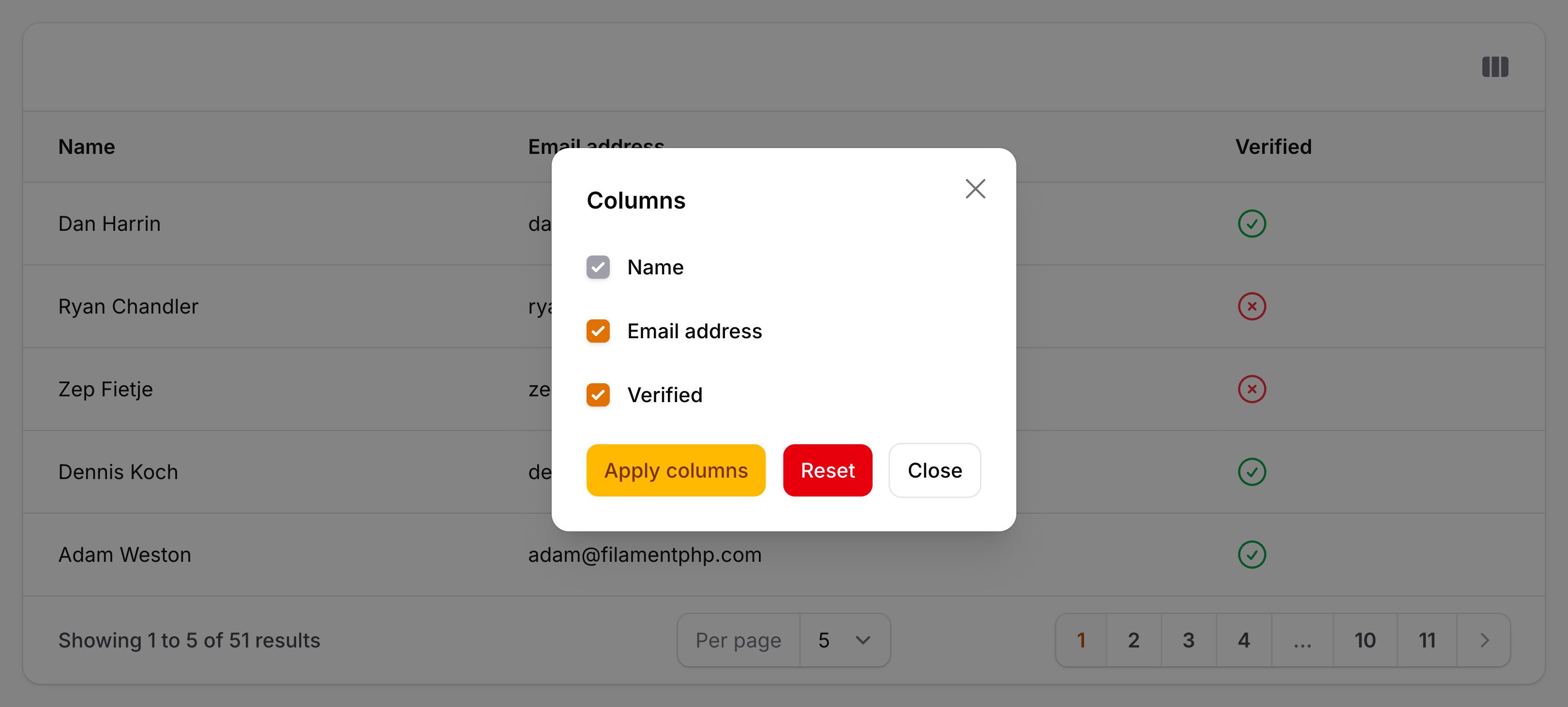
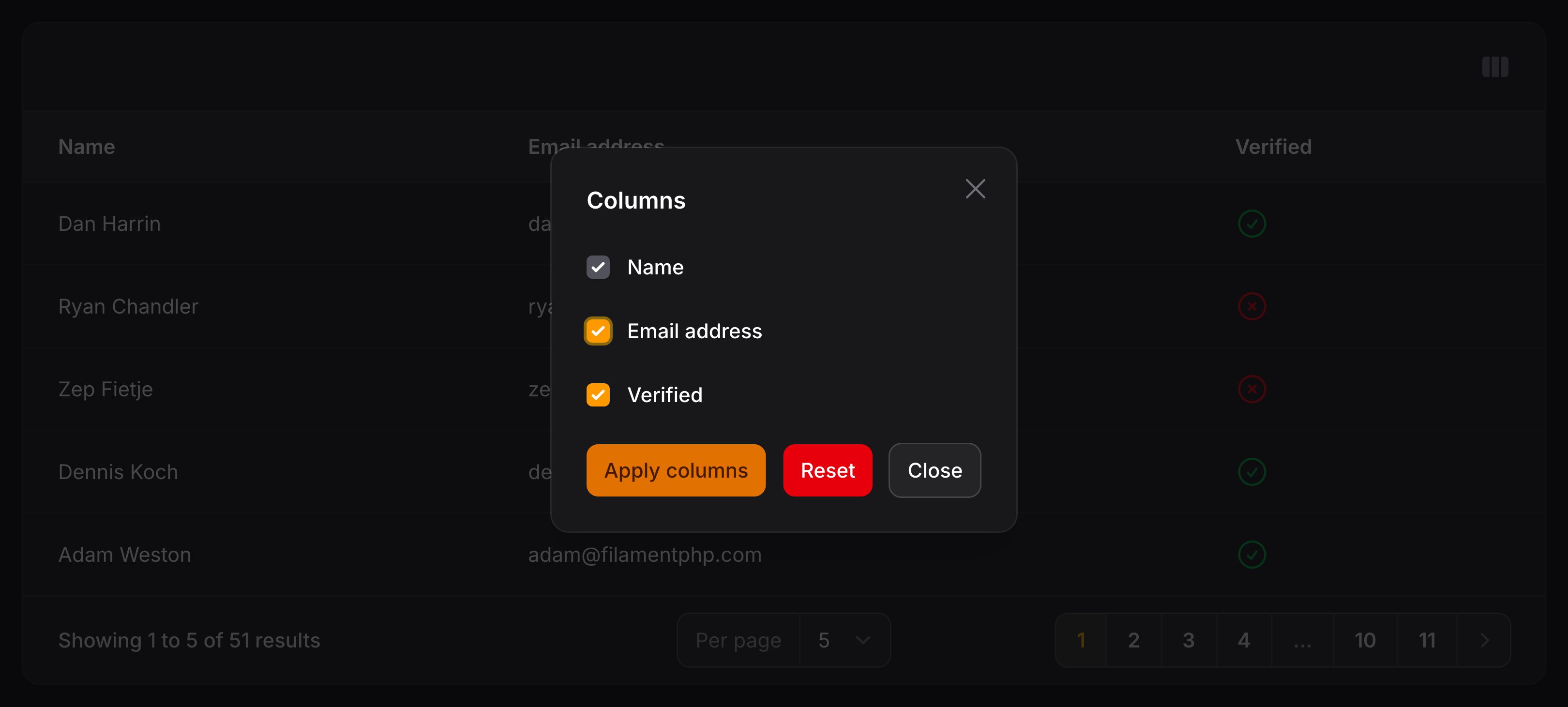
You may use the trigger action API to customize the modal, including using a slideOver().
Customizing the column manager trigger action
To customize the column manager trigger button, you may use the columnManagerTriggerAction() method, passing a closure that returns an action. All methods that are available to customize action trigger buttons can be used:
use Filament\Actions\Action;
use Filament\Tables\Table;

public function table(Table $table): Table
{
    return $table
        ->columns([
            // ...
        ])
        ->columnManagerTriggerAction(
            fn (Action $action) => $action
                ->button()
                ->label('Column Manager'),
        );
}
Displaying the reset action in the footer
By default, the reset action appears in the header of the column manager. You may move it to the footer, next to the apply action, using the columnManagerResetActionPosition() method:
use Filament\Tables\Enums\ColumnManagerResetActionPosition;
use Filament\Tables\Table;

public function table(Table $table): Table
{
    return $table
        ->columns([
            // ...
        ])
        ->columnManagerResetActionPosition(ColumnManagerResetActionPosition::Footer);
}
Disabling column persistence in the user’s session
By default, Filament persists the table’s columns by storing them in the user’s session. To prevent persisting the columns in the user’s session, use the persistColumnsInSession(false) method:
use Filament\Tables\Table;

public function table(Table $table): Table
{
    return $table
        ->columns([
            // ...
        ])
        ->persistColumnsInSession(false);
}
Changing the number of display columns in the column manager
By default, the column manager displays its options in a single column. You can increase this to multiple columns using the columnManagerColumns() method:
use Filament\Tables\Table;

public function table(Table $table): Table
{
    return $table
        ->columns([
            // ...
        ])
        ->columnManagerColumns(2);
}
Adding extra HTML attributes to a column content
You can pass extra HTML attributes to the column content via the extraAttributes() method, which will be merged onto its outer HTML element. The attributes should be represented by an array, where the key is the attribute name and the value is the attribute value:
use Filament\Tables\Columns\TextColumn;

TextColumn::make('slug')
    ->extraAttributes(['class' => 'slug-column'])
As well as allowing a static value, the extraAttributes() method also accepts a function to dynamically calculate it. You can inject various utilities into the function as parameters.
了解更多 utility 注入详情。 | Utility | 类型 | 参数 | 描述 |
|---|---|---|---|
| Column | Filament\Tables\Columns\Column | $column | The current column instance. |
| Livewire | Livewire\Component | $livewire | The Livewire component instance. |
| Eloquent record | ?Illuminate\Database\Eloquent\Model | $record | The Eloquent record for the current table row. |
| Row loop | stdClass | $rowLoop | The row loop object for the current table row. |
| State | mixed | $state | The current value of the column, based on the current table row. |
| Table | Filament\Tables\Table | $table | The current table instance. |
By default, calling extraAttributes() multiple times will overwrite the previous attributes. If you wish to merge the attributes instead, you can pass merge: true to the method.
Adding extra HTML attributes to the cell
You can also pass extra HTML attributes to the table cell which surrounds the content of the column:
use Filament\Tables\Columns\TextColumn;

TextColumn::make('slug')
    ->extraCellAttributes(['class' => 'slug-cell'])
As well as allowing a static value, the extraCellAttributes() method also accepts a function to dynamically calculate it. You can inject various utilities into the function as parameters.
了解更多 utility 注入详情。 | Utility | 类型 | 参数 | 描述 |
|---|---|---|---|
| Column | Filament\Tables\Columns\Column | $column | The current column instance. |
| Livewire | Livewire\Component | $livewire | The Livewire component instance. |
| Eloquent record | ?Illuminate\Database\Eloquent\Model | $record | The Eloquent record for the current table row. |
| Row loop | stdClass | $rowLoop | The row loop object for the current table row. |
| State | mixed | $state | The current value of the column, based on the current table row. |
| Table | Filament\Tables\Table | $table | The current table instance. |
By default, calling extraCellAttributes() multiple times will overwrite the previous attributes. If you wish to merge the attributes instead, you can pass merge: true to the method.
Adding extra attributes to the header cell
You can pass extra HTML attributes to the table header cell which surrounds the content of the column:
use Filament\Tables\Columns\TextColumn;

TextColumn::make('slug')
    ->extraHeaderAttributes(['class' => 'slug-header-cell'])
As well as allowing a static value, the extraHeaderAttributes() method also accepts a function to dynamically calculate it. You can inject various utilities into the function as parameters.
了解更多 utility 注入详情。 | Utility | 类型 | 参数 | 描述 |
|---|---|---|---|
| Column | Filament\Tables\Columns\Column | $column | The current column instance. |
| Livewire | Livewire\Component | $livewire | The Livewire component instance. |
| Eloquent record | ?Illuminate\Database\Eloquent\Model | $record | The Eloquent record for the current table row. |
| Row loop | stdClass | $rowLoop | The row loop object for the current table row. |
| State | mixed | $state | The current value of the column, based on the current table row. |
| Table | Filament\Tables\Table | $table | The current table instance. |
By default, calling extraHeaderAttributes() multiple times will overwrite the previous attributes. If you wish to merge the attributes instead, you can pass merge: true to the method.
Column utility injection
The vast majority of methods used to configure columns accept functions as parameters instead of hardcoded values:
use App\Models\User;
use Filament\Tables\Columns\TextColumn;

TextColumn::make('email')
    ->placeholder(fn (User $record): string => "No email for {$record->name}")

TextColumn::make('role')
    ->badge(fn (User $record): bool => $record->role === 'admin')

TextColumn::make('name')
    ->extraAttributes(fn (User $record): array => ['class' => "{$record->getKey()}-name-column"])
This alone unlocks many customization possibilities.
The package is also able to inject many utilities to use inside these functions, as parameters. All customization methods that accept functions as arguments can inject utilities.
These injected utilities require specific parameter names to be used. Otherwise, Filament doesn’t know what to inject.
Injecting the current state of the column
If you wish to access the current value (state) of the column, define a $state parameter:
function ($state) {
    // ...
}
Injecting the current Eloquent record
You may retrieve the Eloquent record for the current schema using a $record parameter:
use Illuminate\Database\Eloquent\Model;

function (?Model $record) {
    // ...
}
Injecting the row loop
To access the row loop object for the current table row, define a $rowLoop parameter:
function (stdClass $rowLoop) {
    // ...
}
Injecting the current Livewire component instance
If you wish to access the current Livewire component instance, define a $livewire parameter:
use Livewire\Component;

function (Component $livewire) {
    // ...
}
Injecting the current column instance
If you wish to access the current component instance, define a $component parameter:
use Filament\Tables\Columns\Column;

function (Column $component) {
    // ...
}
Injecting the current table instance
If you wish to access the current table instance, define a $table parameter:
use Filament\Tables\Table;

function (Table $table) {
    // ...
}
Injecting multiple utilities
The parameters are injected dynamically using reflection, so you’re able to combine multiple parameters in any order:
use App\Models\User;
use Livewire\Component as Livewire;

function (Livewire $livewire, mixed $state, User $record) {
    // ...
}
Injecting dependencies from Laravel’s container
You may inject anything from Laravel’s container like normal, alongside utilities:
use App\Models\User;
use Illuminate\Http\Request;

function (Request $request, User $record) {
    // ...
}
Global settings
If you wish to change the default behavior of all columns globally, then you can call the static configureUsing() method inside a service provider’s boot() method, to which you pass a Closure to modify the columns using. For example, if you wish to make all TextColumn columns toggleable(), you can do it like so:
use Filament\Tables\Columns\TextColumn;

TextColumn::configureUsing(function (TextColumn $column): void {
    $column->toggleable();
});
Of course, you’re still able to overwrite this on each column individually:
use Filament\Tables\Columns\TextColumn;

TextColumn::make('name')
    ->toggleable(false)
Still need help? Join our Discord community or open a GitHub discussion