
Schema
布局
简介
Filament 的网格系统允许你使用布局组件创建响应式、多列布局。Filament 提供了一套内置布局组件:
你页可以创建自定义布局组件,使之按照你的意图展示组件。
网格系统
所有布局组件都有一个 columns() 方法,你可以通过多种不同方式使用:
- 你可以传入整数,比如
columns(2)。该整数为列数,用在lg及其之上的断点。比此更小的设备将只会有 1 列。 - 你也可以传入一个数组,其中键名是断点,值为列数。比如,
columns(['md' => 2, 'xl' => 4])将会在中等(medium)设备中创建 2 列布局,在超大(extra large)设备中创建 4 列布局。小型设备的默认断点使用 1 列布局,除非你数组中使用了default键。
断点(sm, md, lg, xl, 2xl)是 Tailwind 定义的,你可以在 Tailwind 文档中查看。
除了允许静态值之外,columns() 方法还接受一个函数来动态计算该值。你可以将各种实用工具(utilities)作为参数注入到该函数中。
了解更多 utility 注入详情。 | Utility | 类型 | 参数 | 描述 |
|---|---|---|---|
| Component | Filament\Schemas\Components\Component | $component | The current component instance. |
| Get function | Filament\Schemas\Components\Utilities\Get | $get | A function for retrieving values from the current schema data. Validation is not run on form fields. |
| Livewire | Livewire\Component | $livewire | The Livewire component instance. |
| Eloquent model FQN | ?string<Illuminate\Database\Eloquent\Model> | $model | The Eloquent model FQN for the current schema. |
| Operation | string | $operation | The current operation being performed by the schema. Usually create, edit, or view. |
| Eloquent record | ?Illuminate\Database\Eloquent\Model | $record | The Eloquent record for the current schema. |
网格列宽
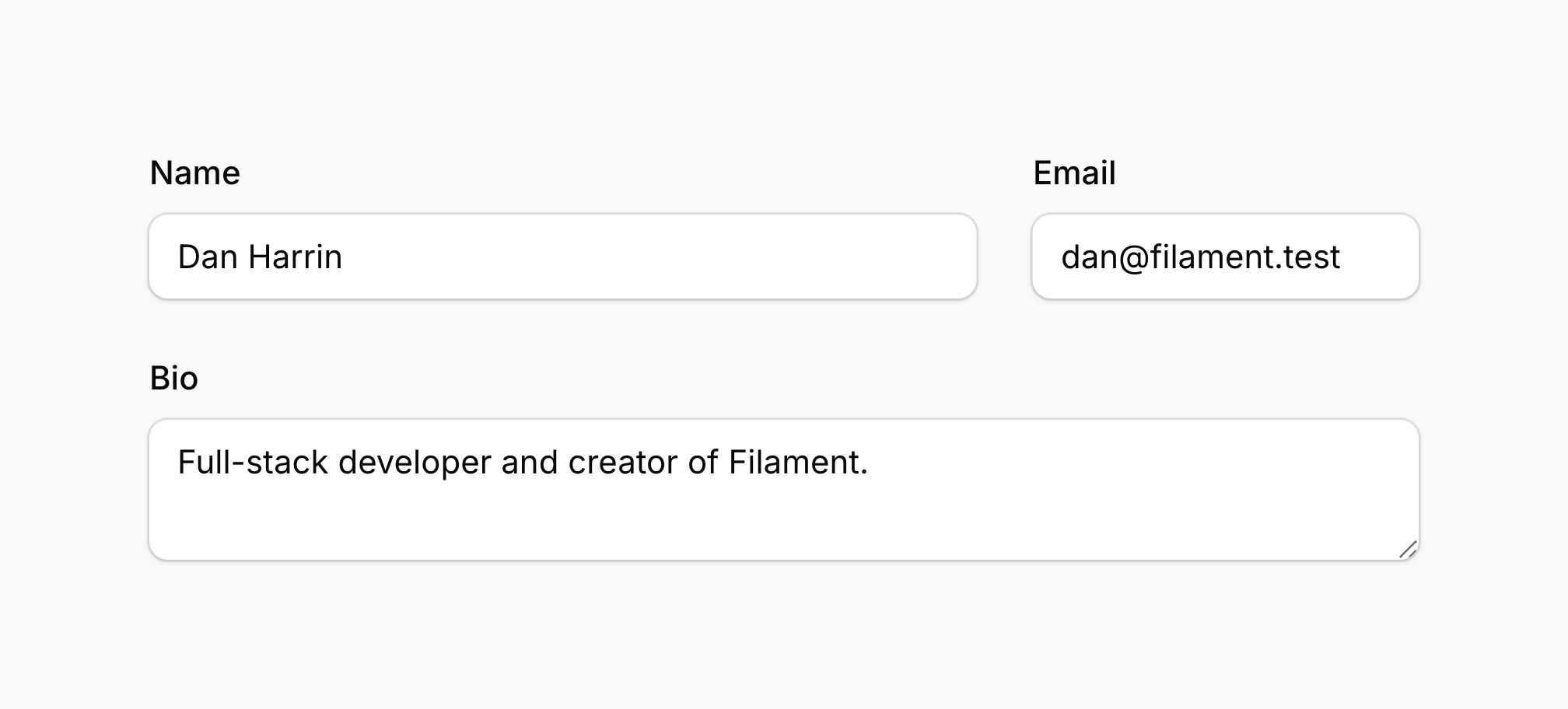
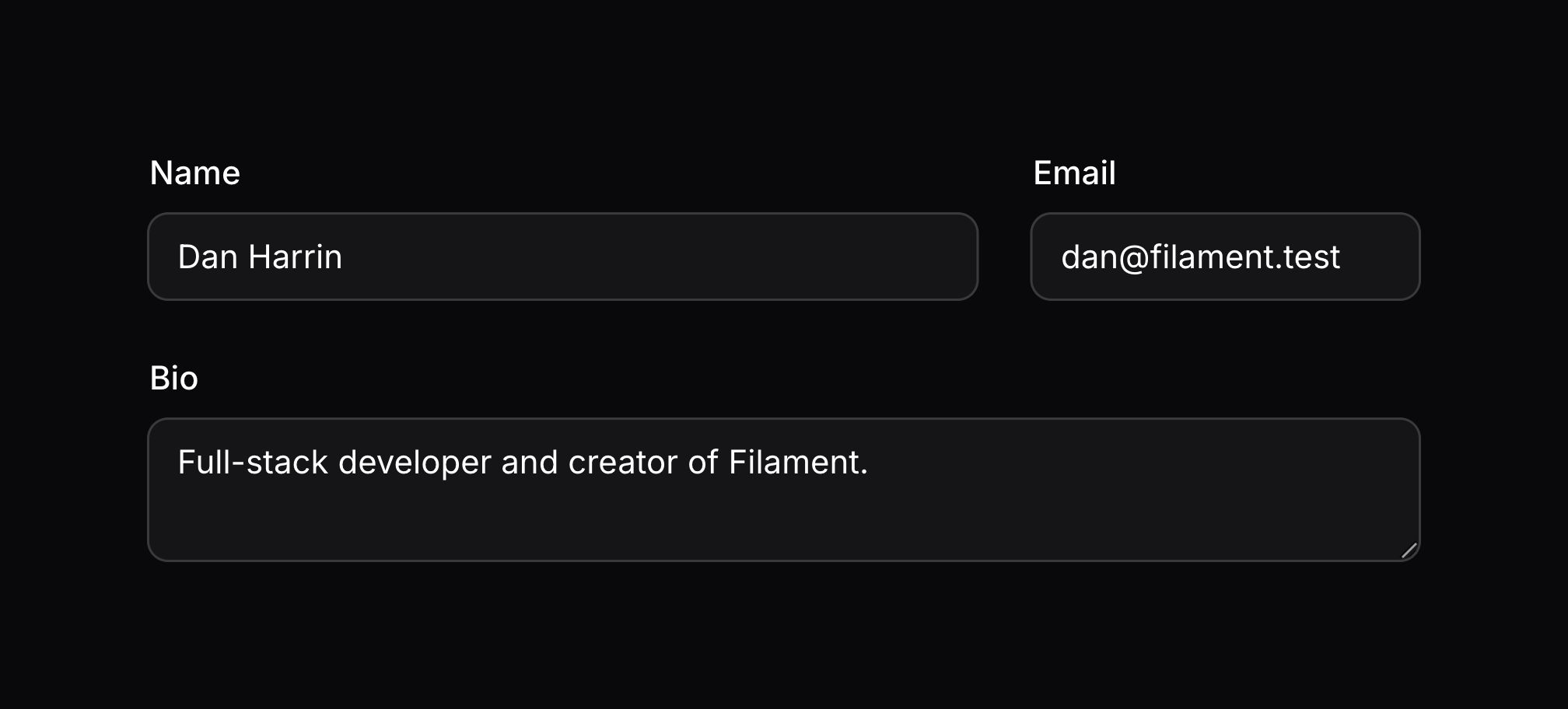
除了指定布局组件应包含的列数之外,你也可以使用 columnSpan() 方法指定组件在父网格中应填充的列数。此方法接受一个整数或一个包含断点和列跨度的数组:
- You can pass an integer like
columnSpan(2). This integer is the number of columns that are consumed on thelgbreakpoint and higher. All smaller devices span just 1 column. columnSpan(['md' => 2, 'xl' => 4])将使组件在中型设备上填充最多 2 列,在超大型设备上填充最多 4 列。小型设备的默认断点使用 1 列,除非你使用default数组键。columnSpan('full')、columnSpanFull()或columnSpan(['default' => 'full'])将使组件填充父网格的整个宽度,无论其有多少列。columnSpanFull()will make the component fill the full width of the parent grid on all devices, regardless of how many columns it has.
除了允许静态值之外,columnSpan() 方法也可以接受函数来动态计算其值。你可以将各种 utility 作为参数注入到函数中。
了解更多 utility 注入详情。 | Utility | 类型 | 参数 | 描述 |
|---|---|---|---|
| Component | Filament\Schemas\Components\Component | $component | The current component instance. |
| Get function | Filament\Schemas\Components\Utilities\Get | $get | A function for retrieving values from the current schema data. Validation is not run on form fields. |
| Livewire | Livewire\Component | $livewire | The Livewire component instance. |
| Eloquent model FQN | ?string<Illuminate\Database\Eloquent\Model> | $model | The Eloquent model FQN for the current schema. |
| Operation | string | $operation | The current operation being performed by the schema. Usually create, edit, or view. |
| Eloquent record | ?Illuminate\Database\Eloquent\Model | $record | The Eloquent record for the current schema. |
网格列起始位置
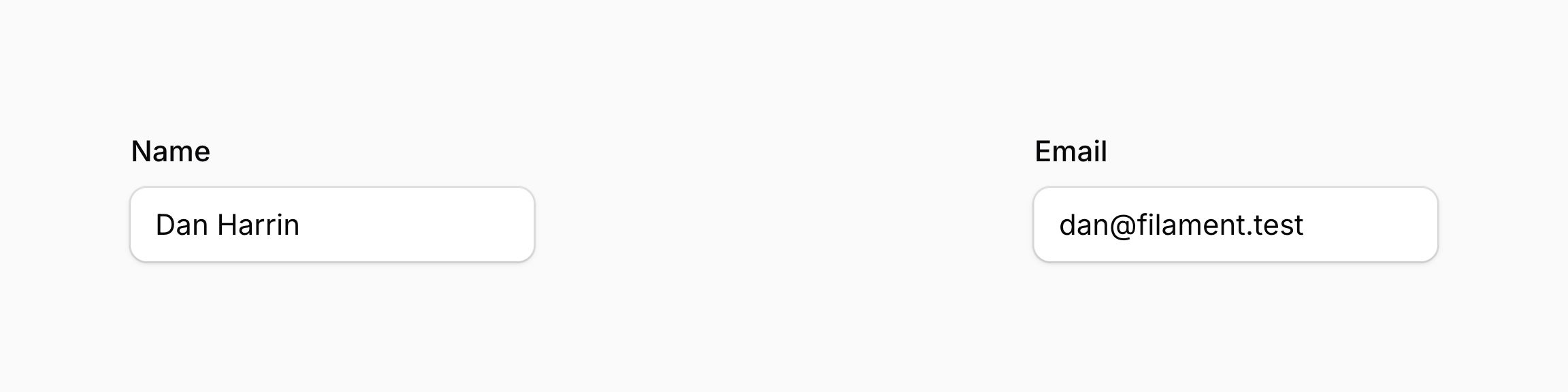
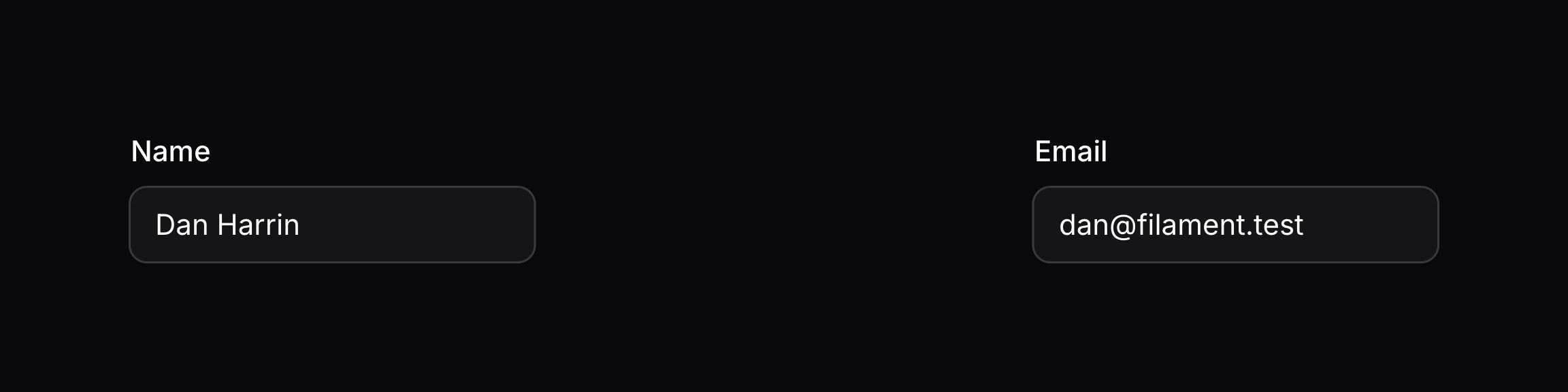
如果你想让组件在网格中的特定列开始显示,可以使用 columnStart() 方法。该方法接受一个整数或一个包含断点和组件起始列的数组:
- You can pass an integer like
columnStart(2). This integer is column that the component will start on for thelgbreakpoint and higher. All smaller devices start the component on the first column. columnStart(['md' => 2, 'xl' => 4])将使组件在中型设备上从第 2 列开始显示,在超大型设备上从第 4 列开始显示。小型设备的默认断点使用 1 列,除非你使用default数组键。
use Filament\Forms\Components\TextInput;
use Filament\Schemas\Components\Grid;

Grid::make()
    ->columns([
        'sm' => 3,
        'xl' => 6,
        '2xl' => 8,
    ])
    ->schema([
        TextInput::make('name')
            ->columnStart([
                'sm' => 2,
                'xl' => 3,
                '2xl' => 4,
            ]),
        // ...
    ])
本例中,网格在小型设备上有 3 列,在超大型设备上有 6 列,在超超大型设备上有 8 列。文本输入在小型设备上从第 2 列开始,在超大型设备上从第 3 列开始,在超超大型设备上从第 4 列开始。这实际上产生了一种布局,无论网格有多少列,文本输入始终从网格的中间位置开始。
As well as allowing a static value, the columnStart() method also accepts a function to dynamically calculate it. You can inject various utilities into the function as parameters.
了解更多 utility 注入详情。 | Utility | 类型 | 参数 | 描述 |
|---|---|---|---|
| Component | Filament\Schemas\Components\Component | $component | The current component instance. |
| Get function | Filament\Schemas\Components\Utilities\Get | $get | A function for retrieving values from the current schema data. Validation is not run on form fields. |
| Livewire | Livewire\Component | $livewire | The Livewire component instance. |
| Eloquent model FQN | ?string<Illuminate\Database\Eloquent\Model> | $model | The Eloquent model FQN for the current schema. |
| Operation | string | $operation | The current operation being performed by the schema. Usually create, edit, or view. |
| Eloquent record | ?Illuminate\Database\Eloquent\Model | $record | The Eloquent record for the current schema. |
网格列排序
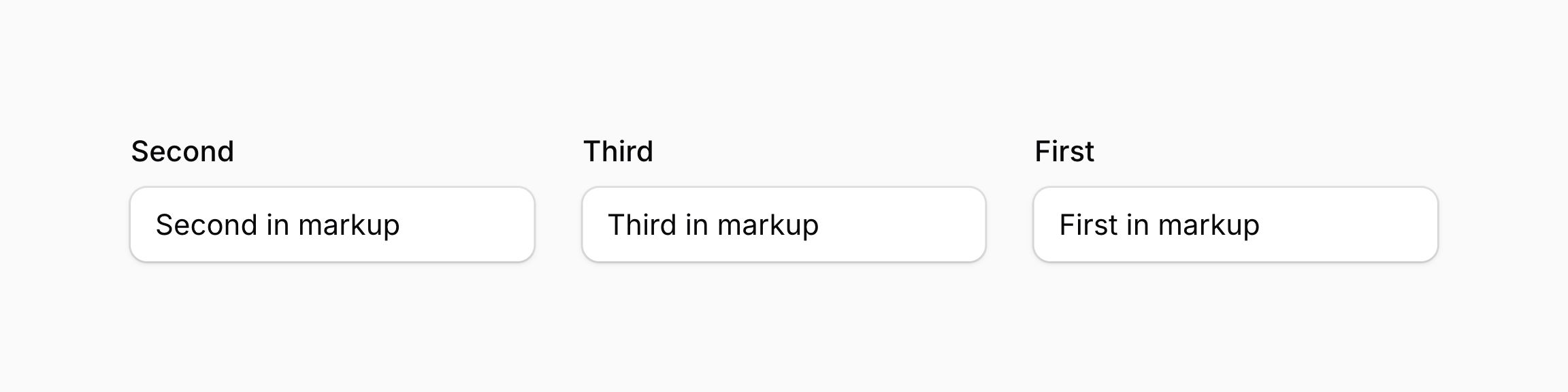
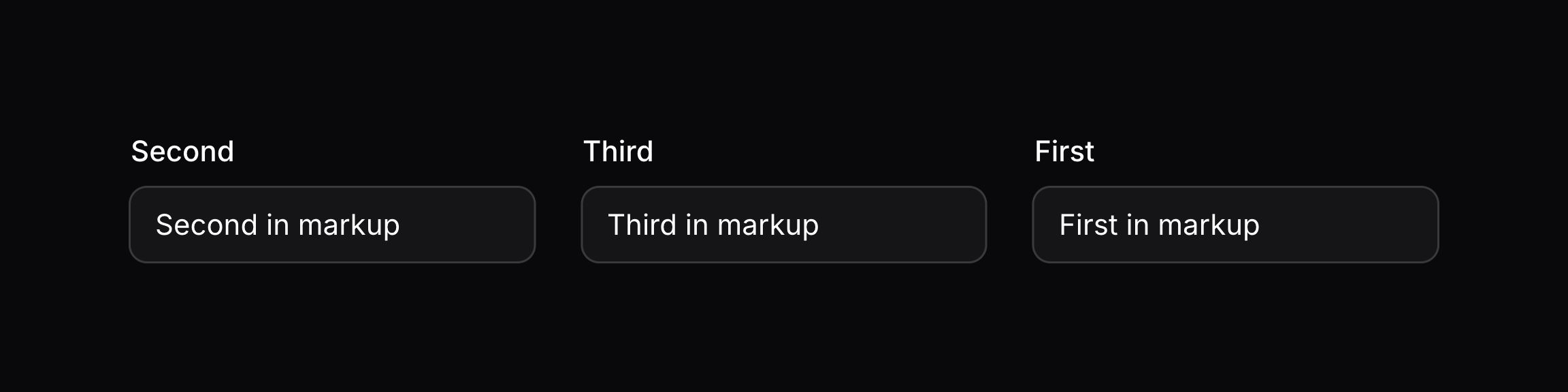
如果你想在网格中控制组件的可视化顺序,而不改变标记中的位置,你可以使用 columnOrder() 方法。该方法接受一个整数,闭包或者临界点(breakpoint)和排序值组成的数组。
- You can pass an integer like
columnOrder(2). This integer is the order that the component will appear in for thelgbreakpoint and higher. All smaller devices use the default order, unless you use adefaultarray key. columnOrder(['md' => 2, 'xl' => 4])将会在中等设备中将组件的排序设置为 2,在超大设备中设置为 4。更小的设置使用默认排序,除非使用了default作为数组键。columnOrder(fn () => 1)将会使用闭包动态计算排序。
use Filament\Forms\Components\TextInput;
use Filament\Schemas\Components\Grid;

Grid::make()
    ->columns(3)
    ->schema([
        TextInput::make('first')
            ->columnOrder(3), // This will appear last
        TextInput::make('second')
            ->columnOrder(1), // This will appear first
        TextInput::make('third')
            ->columnOrder(2), // This will appear second
    ])
你也可以基于屏幕尺寸使用响应式排序修改组件的可视化顺序:
use Filament\Forms\Components\TextInput;
use Filament\Schemas\Components\Grid;

Grid::make()
    ->columns([
        'sm' => 2,
        'lg' => 3,
    ])
    ->schema([
        TextInput::make('title')
            ->columnOrder([
                'default' => 1,
                'lg' => 3,
            ]),
        TextInput::make('description')
            ->columnOrder([
                'default' => 2,
                'lg' => 1,
            ]),
        TextInput::make('category')
            ->columnOrder([
                'default' => 3,
                'lg' => 2,
            ]),
    ])
本例中,在小屏幕中,排序依次为:title, description, category。在大的屏幕中,排序依次为:description, category, title。
除了允许静态值之外,columnStart() 方法也可以接受函数来动态计算其值。你可以将各种 utility 作为参数注入到函数中。
了解更多 utility 注入详情。 | Utility | 类型 | 参数 | 描述 |
|---|---|---|---|
| Component | Filament\Schemas\Components\Component | $component | The current component instance. |
| Get function | Filament\Schemas\Components\Utilities\Get | $get | A function for retrieving values from the current schema data. Validation is not run on form fields. |
| Livewire | Livewire\Component | $livewire | The Livewire component instance. |
| Eloquent model FQN | ?string<Illuminate\Database\Eloquent\Model> | $model | The Eloquent model FQN for the current schema. |
| Operation | string | $operation | The current operation being performed by the schema. Usually create, edit, or view. |
| Eloquent record | ?Illuminate\Database\Eloquent\Model | $record | The Eloquent record for the current schema. |
响应式网格布局示例
此例中,我们有一个包含 Section 布局组件的 Schema。由于所有布局组件都支持 columns() 方法,因此我们可以使用它在 Section 本身内创建响应式网格布局。
我们将一个数组传递给 columns(),因为我们想为不同的断点指定不同的列数。在小于 sm Tailwind 断点 的设备上,我们希望有 1 列,这是默认值。在大于 sm 断点的设备上,我们希望有 3 列。在大于 xl 断点的设备上,我们希望有 6 列。在大于 2xl 断点的设备上,我们希望有 8 列。
在 Section 内部,我们有一个文本输入框。由于文本输入框是表单字段,并且所有组件都具有 columnSpan() 方法,我们可以使用它来指定文本输入框应填充多少列。在小于 sm 断点的设备上,我们希望文本输入框填充 1 列,这是默认值。在大于 sm 断点的设备上,我们希望文本输入框填充 2 列。在大于 xl 断点的设备上,我们希望文本输入框填充 3 列。在大于 2xl 断点的设备上,我们希望文本输入框填充 4 列。
Additionally, we’re using the columnOrder() method to control the visual order of components in the grid based on screen size. This allows us to change the display order without altering the markup structure.
use Filament\Forms\Components\TextInput;
use Filament\Schemas\Components\Section;

Section::make()
    ->columns([
        'sm' => 3,
        'xl' => 6,
        '2xl' => 8,
    ])
    ->schema([
        TextInput::make('name')
            ->columnSpan([
                'default' => 1,
                'sm' => 2,
                'xl' => 3,
                '2xl' => 4,
            ])
            ->columnOrder([
                'default' => 2,
                'xl' => 1,
            ]),
        TextInput::make('email')
            ->columnSpan([
                'default' => 1,
                'xl' => 2,
            ])
            ->columnOrder([
                'default' => 1,
                'xl' => 2,
            ]),
        // ...
    ])
In this example, on screens smaller than the xl breakpoint, the email field will appear first followed by the name field. On screens larger than the xl breakpoint, the order is reversed with the name field appearing first followed by the email field.
基础布局组件
Grid 组件
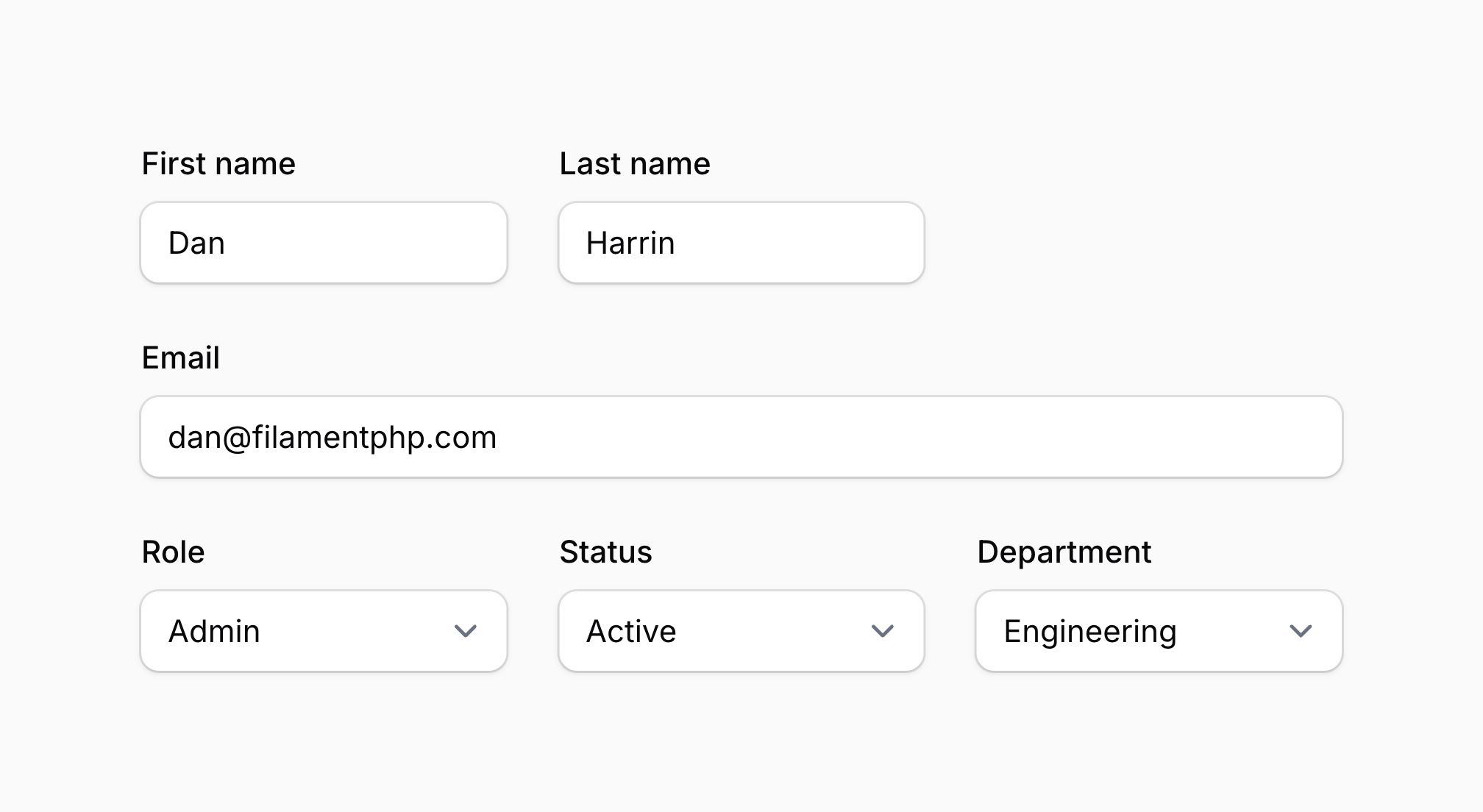
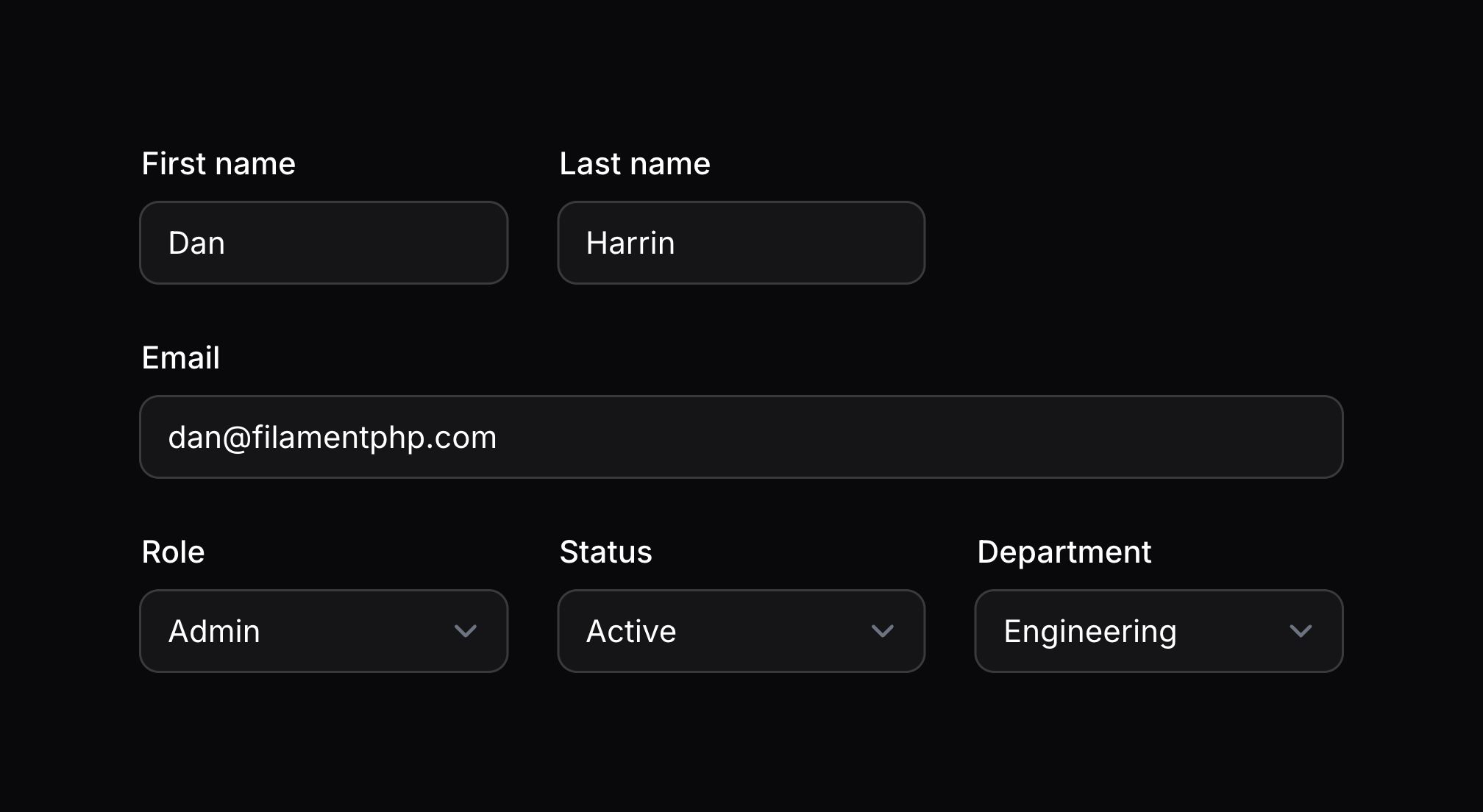
所有布局组件都支持 columns() 方法,但你也可以使用额外的 Grid 组件。如果你觉得你的 Schema 需要明确的网格语法且无需额外的样式,那么它可能对你有用。除了使用 columns() 方法外,你还可以将列配置直接传递给 Grid::make():
use Filament\Schemas\Components\Grid;

Grid::make([
    'default' => 1,
    'sm' => 2,
    'md' => 3,
    'lg' => 4,
    'xl' => 6,
    '2xl' => 8,
])
    ->schema([
        // ...
    ])
Flex 组件
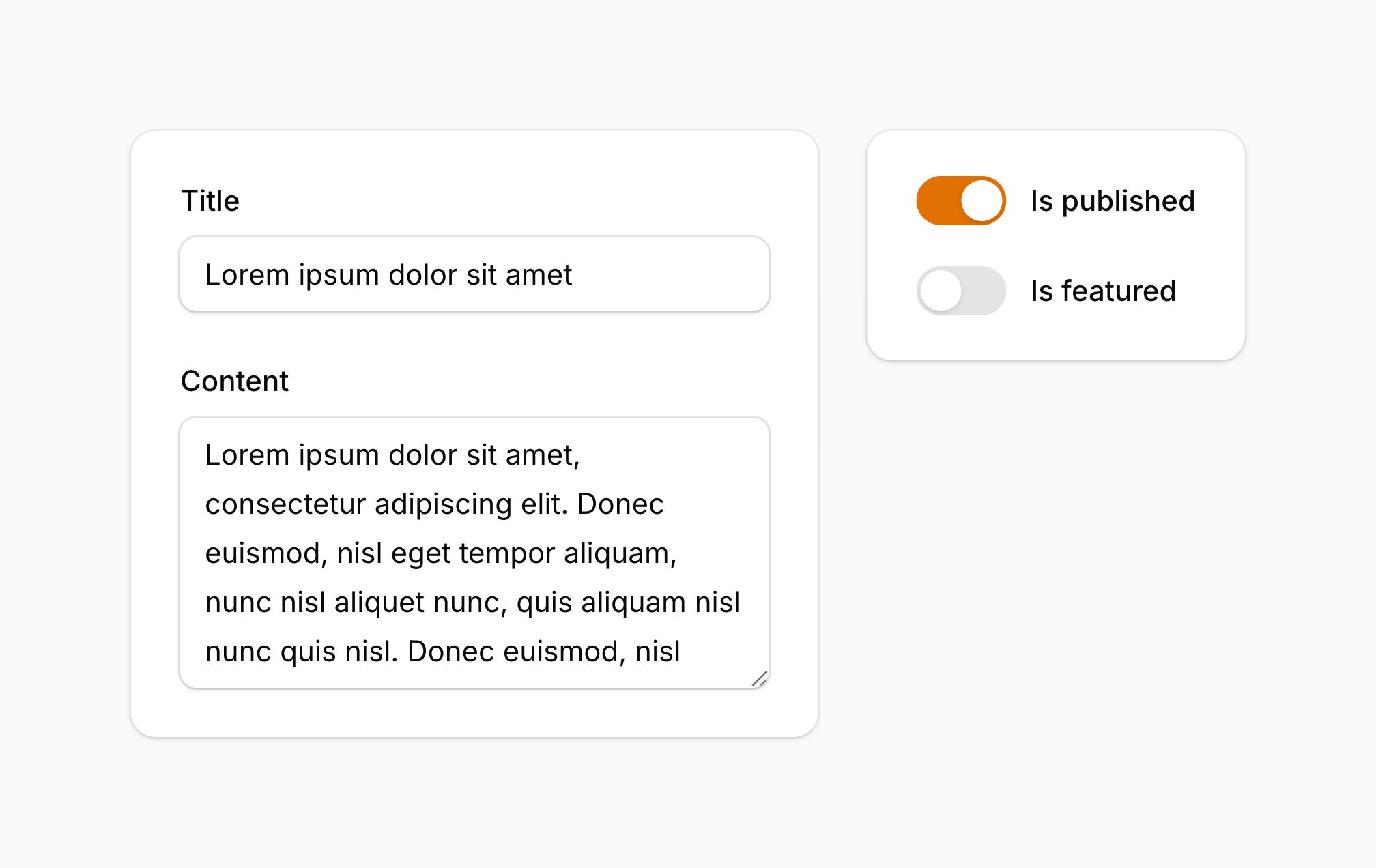
Flex 组件允许你使用 flexbox 定义具有灵活宽度的布局。此组件不使用 Filament 的网格系统。
use Filament\Forms\Components\Textarea;
use Filament\Forms\Components\TextInput;
use Filament\Forms\Components\Toggle;
use Filament\Schemas\Components\Section;
use Filament\Schemas\Components\Flex;

Flex::make([
    Section::make([
        TextInput::make('title'),
        Textarea::make('content'),
    ]),
    Section::make([
        Toggle::make('is_published'),
        Toggle::make('is_featured'),
    ])->grow(false),
])->from('md')
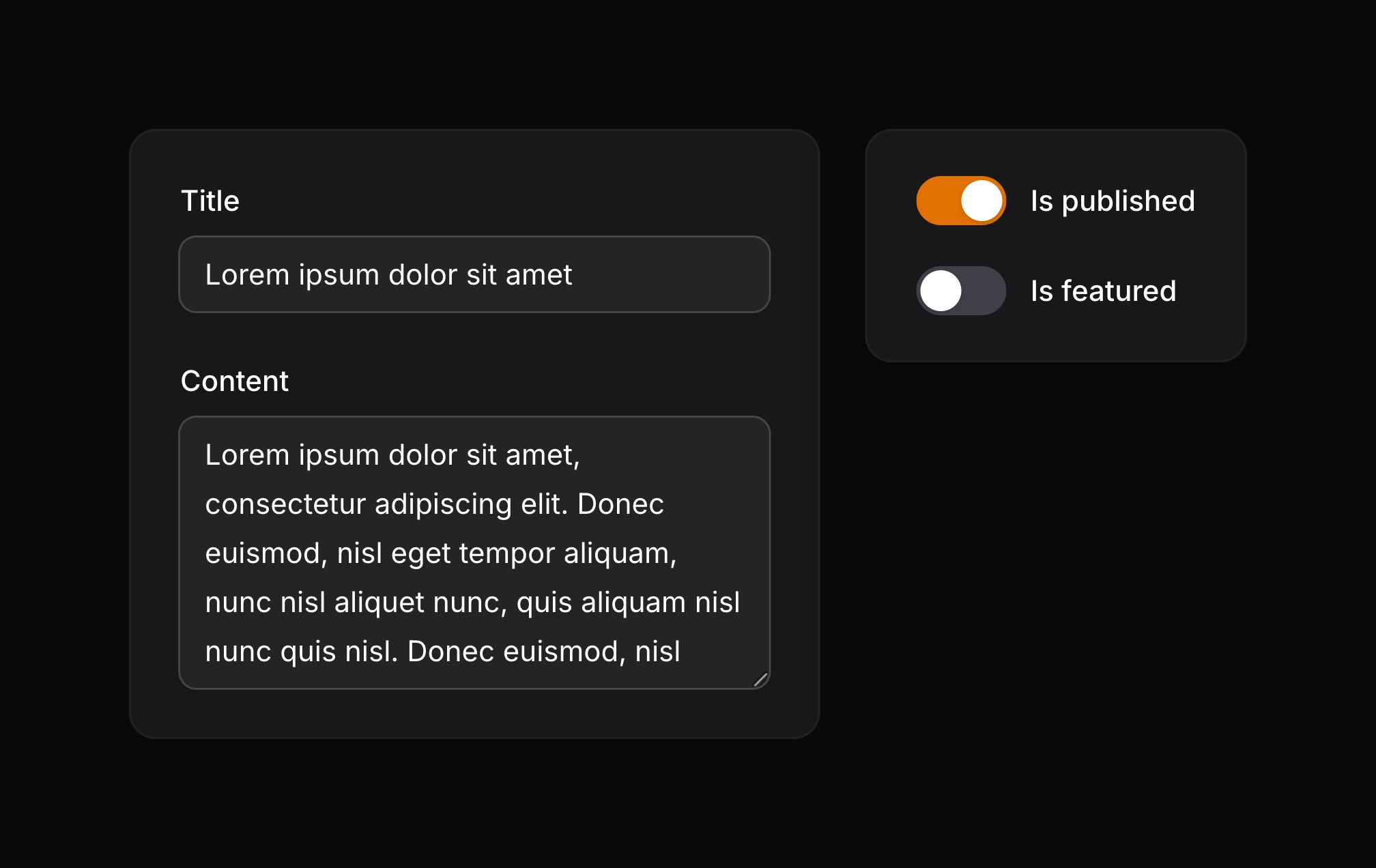
在此示例中,第一个 Section 将使用 grow() 来占用可用的水平空间,而不会影响渲染第二个 Section 所需的空间。这将创建一个宽度灵活的侧边栏效果。
from() 方法用于控制应使用水平分割布局的 Tailwind 断点(sm、md、lg、xl、2xl)。在此示例中,水平分割布局将在中型及以上设备上使用。在较小的设备上,各个部分将堆叠在一起。
除了允许静态值之外,grow() and from() 方法也可以接受函数来动态计算它们的值。你可以将各种 utility 作为参数注入到函数中。
了解更多 utility 注入详情。 | Utility | 类型 | 参数 | 描述 |
|---|---|---|---|
| Component | Filament\Schemas\Components\Component | $component | The current component instance. |
| Get function | Filament\Schemas\Components\Utilities\Get | $get | A function for retrieving values from the current schema data. Validation is not run on form fields. |
| Livewire | Livewire\Component | $livewire | The Livewire component instance. |
| Eloquent model FQN | ?string<Illuminate\Database\Eloquent\Model> | $model | The Eloquent model FQN for the current schema. |
| Operation | string | $operation | The current operation being performed by the schema. Usually create, edit, or view. |
| Eloquent record | ?Illuminate\Database\Eloquent\Model | $record | The Eloquent record for the current schema. |
Fieldset 组件
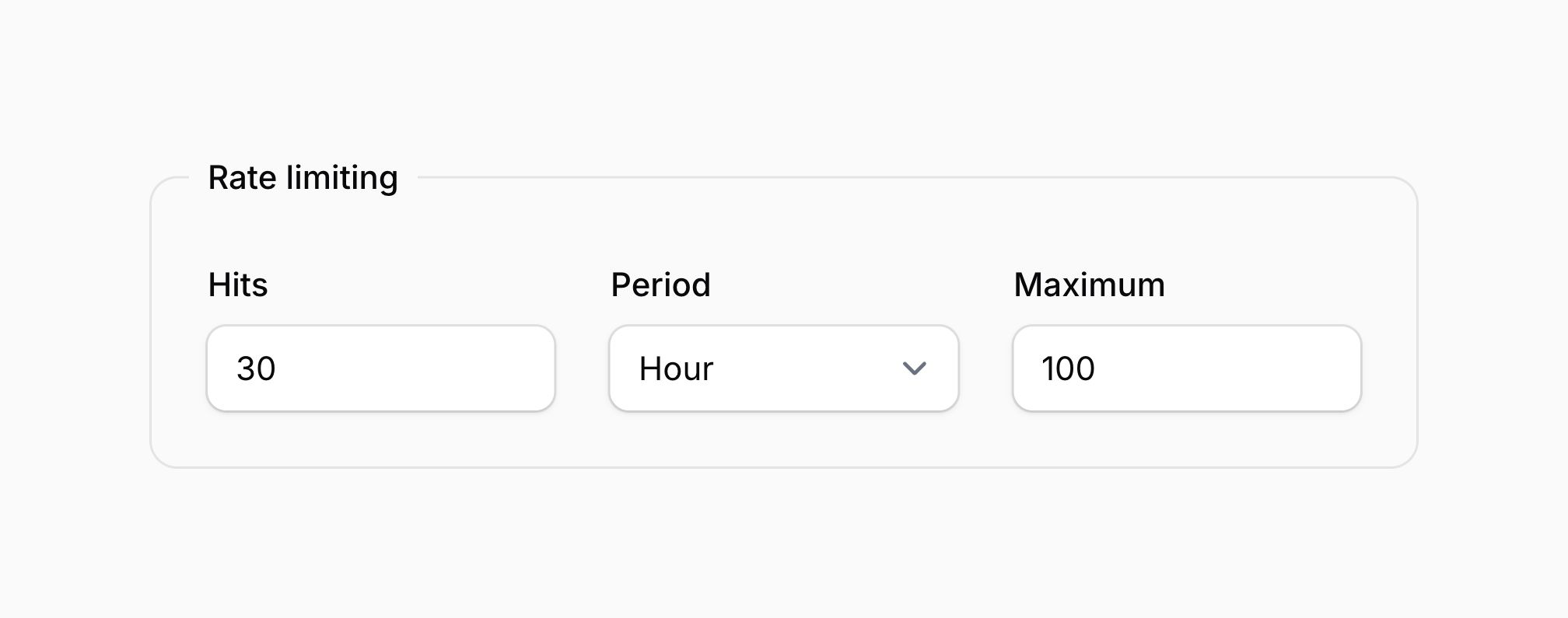
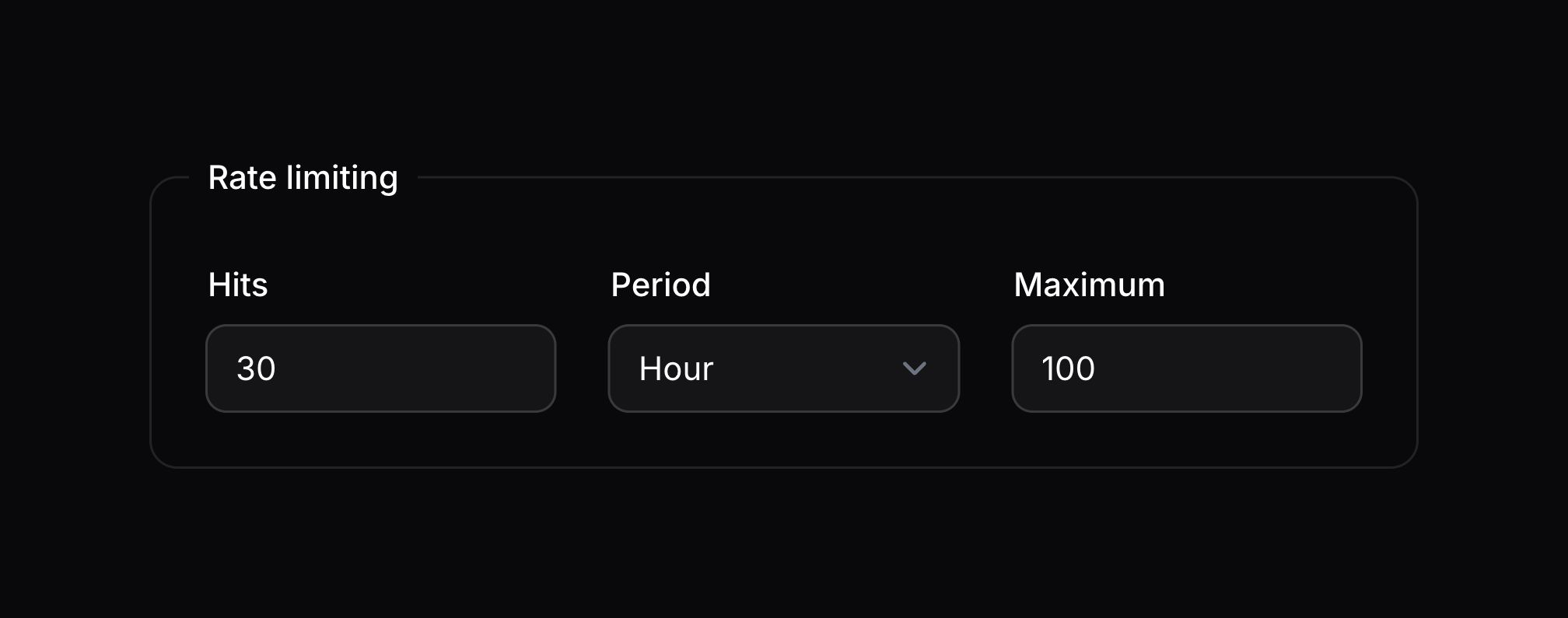
你可能想将字段分组到一个字段集(Fieldset)中。每个字段集默认都有一个标签、一个边框和一个两列网格:
use Filament\Schemas\Components\Fieldset;

Fieldset::make('Label')
    ->columns([
        'default' => 1,
        'md' => 2,
        'xl' => 3,
    ])
    ->schema([
        // ...
    ])
除了允许静态值之外,make() 方法也可以接受函数来动态计算其值。你可以将各种 utility 作为参数注入到函数中。
了解更多 utility 注入详情。 | Utility | 类型 | 参数 | 描述 |
|---|---|---|---|
| Component | Filament\Schemas\Components\Component | $component | The current component instance. |
| Get function | Filament\Schemas\Components\Utilities\Get | $get | A function for retrieving values from the current schema data. Validation is not run on form fields. |
| Livewire | Livewire\Component | $livewire | The Livewire component instance. |
| Eloquent model FQN | ?string<Illuminate\Database\Eloquent\Model> | $model | The Eloquent model FQN for the current schema. |
| Operation | string | $operation | The current operation being performed by the schema. Usually create, edit, or view. |
| Eloquent record | ?Illuminate\Database\Eloquent\Model | $record | The Eloquent record for the current schema. |
移除字段集的边框
你可以使用 contained(false) 方法移除字段集的容器边框:
use Filament\Schemas\Components\Fieldset;

Fieldset::make('Label')
    ->contained(false)
    ->schema([
        // ...
    ])
除了允许静态值之外,contained() 方法也可以接受函数来动态计算其值。你可以将各种 utility 作为参数注入到函数中。
了解更多 utility 注入详情。 | Utility | 类型 | 参数 | 描述 |
|---|---|---|---|
| Component | Filament\Schemas\Components\Component | $component | The current component instance. |
| Get function | Filament\Schemas\Components\Utilities\Get | $get | A function for retrieving values from the current schema data. Validation is not run on form fields. |
| Livewire | Livewire\Component | $livewire | The Livewire component instance. |
| Eloquent model FQN | ?string<Illuminate\Database\Eloquent\Model> | $model | The Eloquent model FQN for the current schema. |
| Operation | string | $operation | The current operation being performed by the schema. Usually create, edit, or view. |
| Eloquent record | ?Illuminate\Database\Eloquent\Model | $record | The Eloquent record for the current schema. |
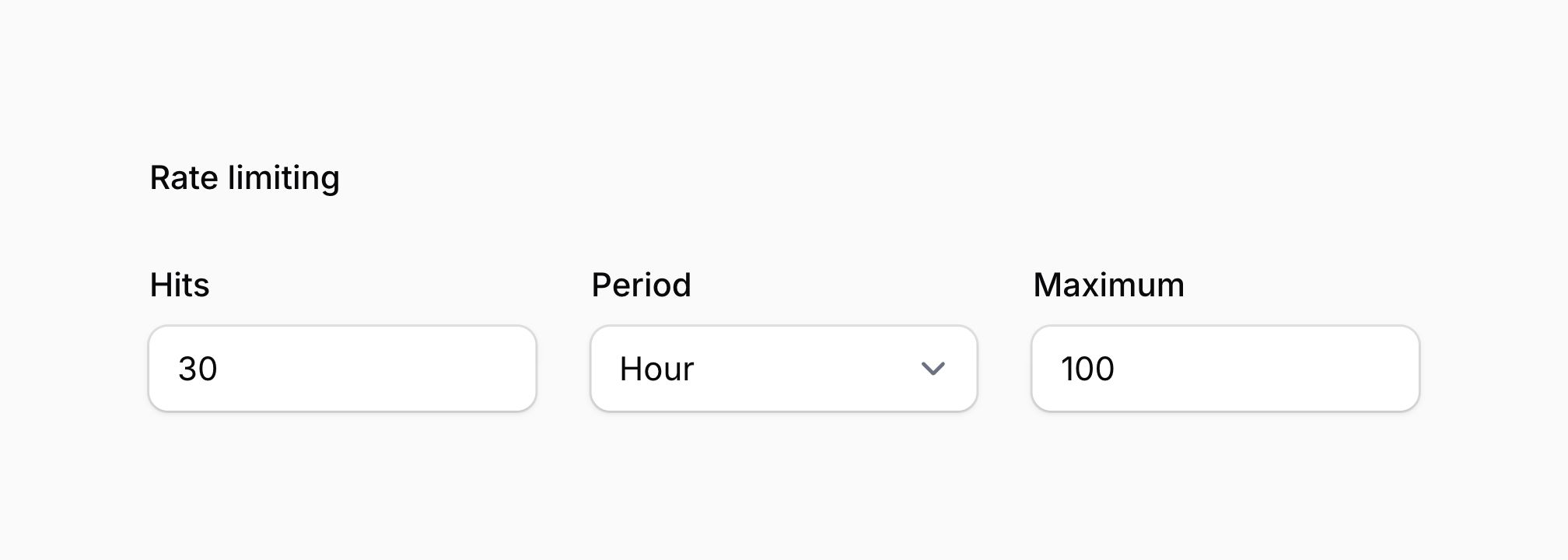
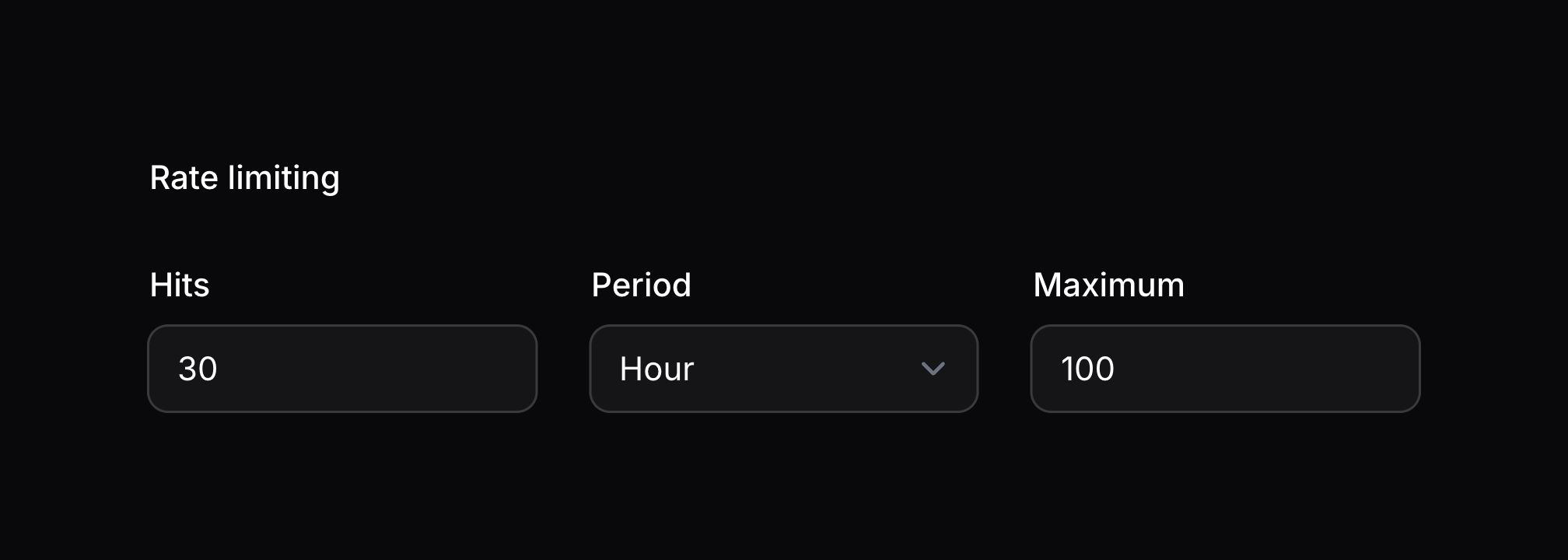
Controlling spacing between components
Reducing space between components
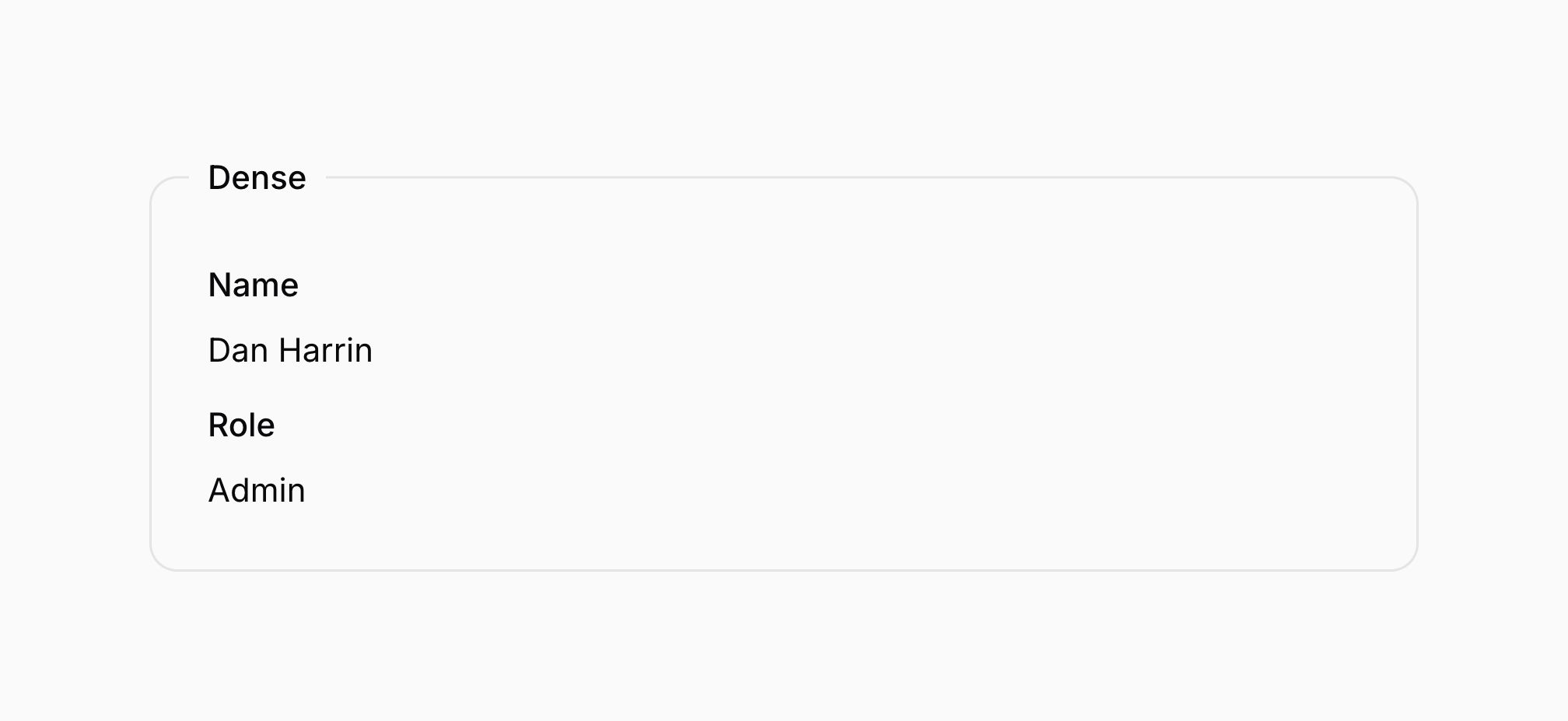
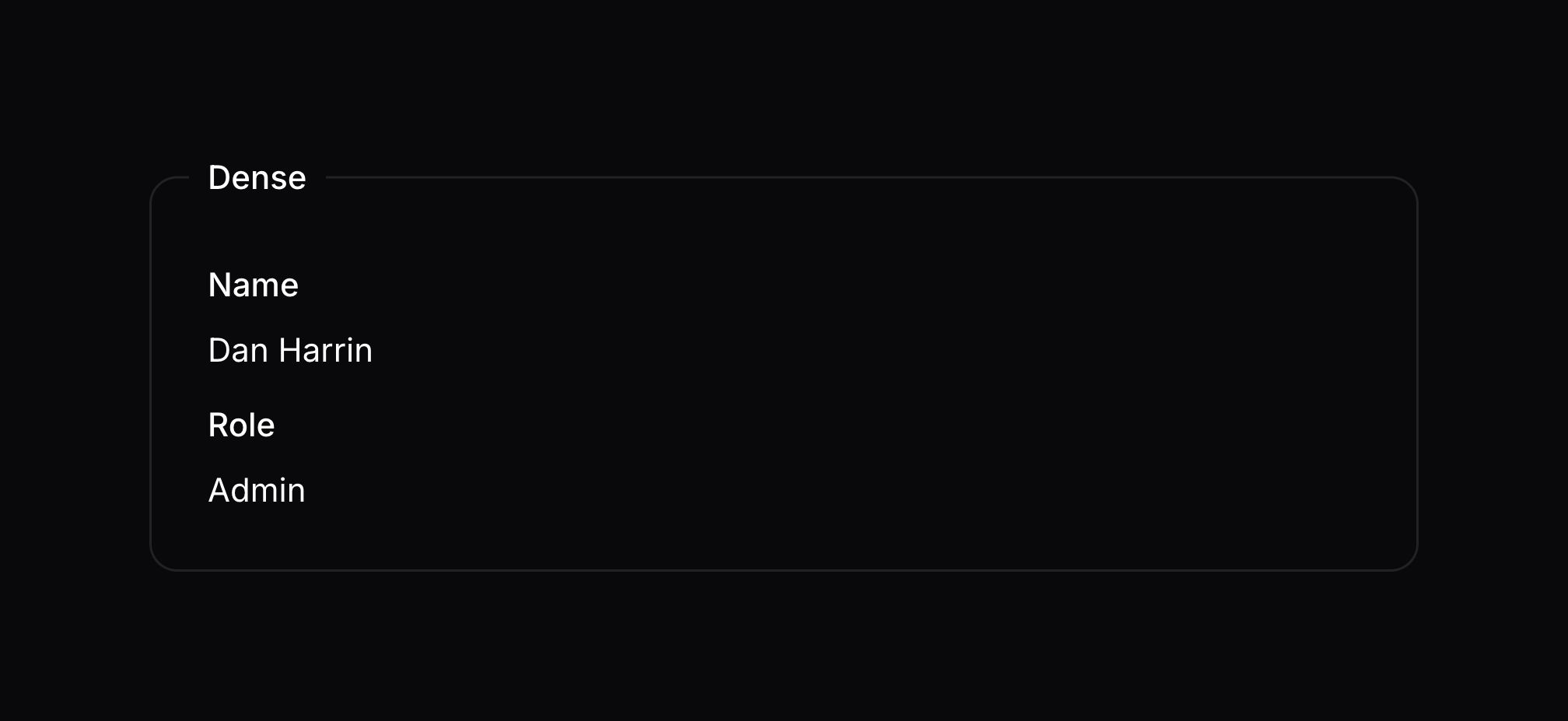
The dense() method creates a more compact layout by reducing the spacing between components by 50%:
use Filament\Schemas\Components\Fieldset;

Fieldset::make('Dense')
    ->dense()
    ->schema([
        // ...
    ])
Removing space between components
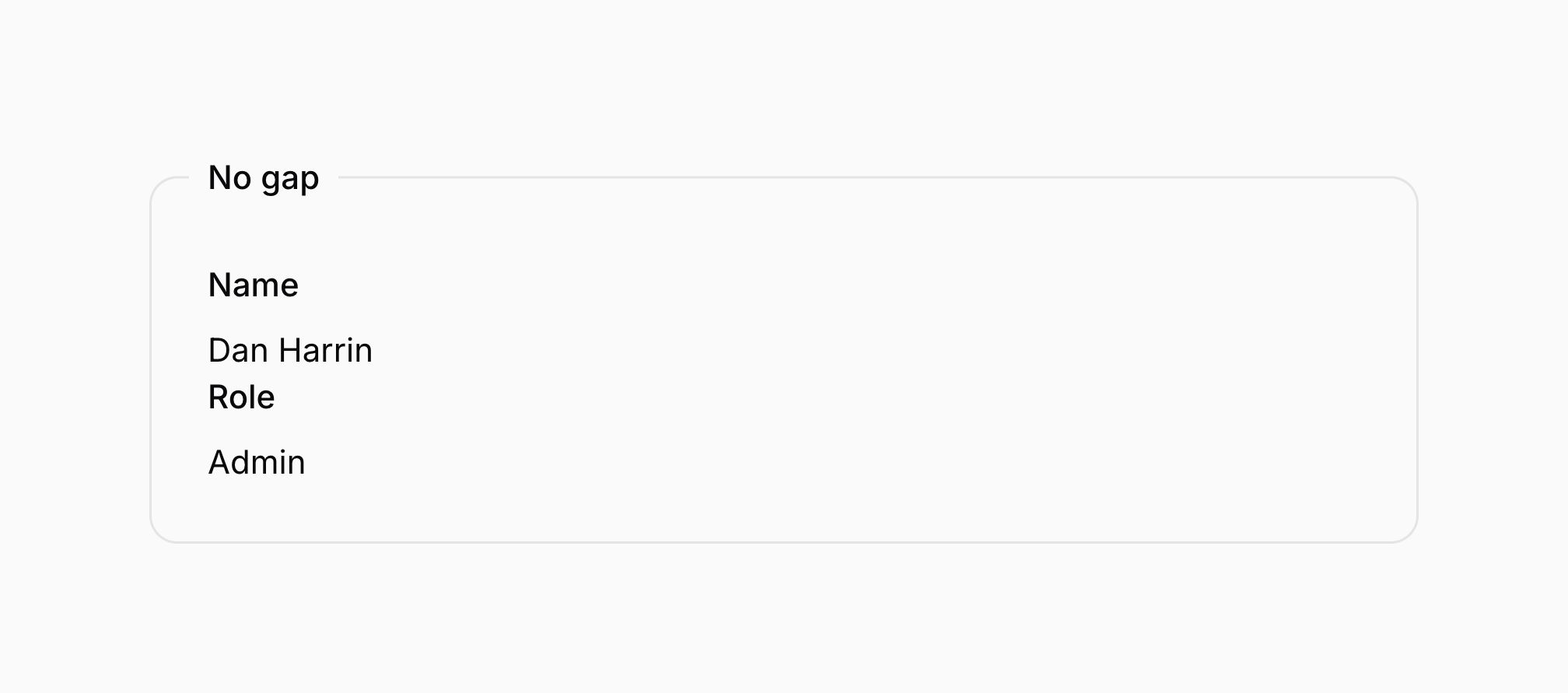
The gap(false) method removes space between components:
use Filament\Schemas\Components\Fieldset;

Fieldset::make('No gap')
    ->gap(false)
    ->schema([
        // ...
    ])

使用容器查询
除了基于视口大小的传统断点之外,你还可以使用容器查询根据父容器的大小创建响应式布局。当父容器的大小与视口大小没有直接关联时,这尤其有用。例如,在内容旁边使用可折叠侧边栏时,内容区域会根据侧边栏的折叠状态动态调整其大小。
容器查询的基础是容器本身。容器是其宽度决定布局的元素。要将元素指定为容器,请对其使用 gridContainer() 方法。例如,如果你想根据宽度定义 Grid 组件 中的网格列数:
use Filament\Schemas\Components\Grid;

Grid::make()
    ->gridContainer()
    ->columns([
        // ...
    ])
    ->schema([
        // ...
    ])
一旦将元素指定为 Grid 容器,该元素或其任何子元素就可以使用容器断点,而不是标准断点。例如,当容器宽度至少为 448px 时,可以使用 @md 定义网格列数;当容器宽度至少为 576px 时,可以使用 @xl 定义网格列数。
use Filament\Schemas\Components\Grid;

Grid::make()
    ->gridContainer()
    ->columns([
        '@md' => 3,
        '@xl' => 4,
    ])
    ->schema([
        // ...
    ])
你也可以在 columnSpan()、columnStart() 和 columnOrder() 方法中使用容器断点:
use Filament\Forms\Components\TextInput;
use Filament\Schemas\Components\Grid;

Grid::make()
    ->gridContainer()
    ->columns([
        '@md' => 3,
        '@xl' => 4,
    ])
    ->schema([
        TextInput::make('name')
            ->columnSpan([
                '@md' => 2,
                '@xl' => 3,
            ])
            ->columnOrder([
                'default' => 2,
                '@xl' => 1,
            ]),
        TextInput::make('email')
            ->columnSpan([
                'default' => 1,
                '@xl' => 1,
            ])
            ->columnOrder([
                'default' => 1,
                '@xl' => 2,
            ]),
        // ...
    ])
In this example, when the container width is smaller than the @xl breakpoint (576px), the email field will appear first followed by the name field. When the container width is at least 576px, the order is reversed with the name field appearing first followed by the email field.
在旧版浏览器上支持容器查询
与传统断点相比,容器查询尚未得到广泛浏览器支持。为了支持旧版浏览器,你可以在容器断点旁边定义一个额外的断点层。通过在传统断点前添加 !@ 前缀,你可以指定在浏览器不支持容器查询时使用回退断点。
例如,如果你想对网格列使用 @md 容器断点,同时支持旧版浏览器,你可以定义 !@md 回退断点,该断点将在容器查询不可用时应用:
use Filament\Schemas\Components\Grid;

Grid::make()
    ->gridContainer()
    ->columns([
        '@md' => 3,
        '@xl' => 4,
        '!@md' => 2,
        '!@xl' => 3,
    ])
    ->schema([
        // ...
    ])
你还可以在 columnSpan() 和 columnStart() 方法中使用 !@ 后备断点。
use Filament\Forms\Components\TextInput;
use Filament\Schemas\Components\Grid;

Grid::make()
    ->gridContainer()
    ->columns([
        '@md' => 3,
        '@xl' => 4,
        '!@md' => 2,
        '!@xl' => 3,
    ])
    ->schema([
        TextInput::make('name')
            ->columnSpan([
                '@md' => 2,
                '@xl' => 3,
                '!@md' => 2,
                '!@xl' => 2,
            ])
            ->columnOrder([
                'default' => 2,
                '@xl' => 1,
                '!@xl' => 1,
            ]),
        TextInput::make('email')
            ->columnOrder([
                'default' => 1,
                '@xl' => 2,
                '!@xl' => 2,
            ]),
        // ...
    ])
In this example, the fallback breakpoints ensure that even in browsers that don’t support container queries, the layout will still respond to viewport size changes, with the name field appearing first and the email field second on larger screens.
Deferring the loading of a layout’s child schema
If a layout contains components that are expensive to render, you can pass a Schema object to its schema() method and use deferLoading(). The child schema will initially render a loading indicator and will be loaded when it enters the viewport:
use Filament\Forms\Components\TextInput;
use Filament\Schemas\Components\Group;
use Filament\Schemas\Schema;

Group::make()
    ->key('customerDetails')
    ->schema(
        Schema::make()
            ->components([
                TextInput::make('name'),
                TextInput::make('email')
                    ->email(),
            ])
            ->deferLoading(),
    )
In this example, a Group is used because it has no visual styling of its own. You can use the same approach with other layout components that accept a child schema. Every deferred schema must have a unique key, which it can inherit from a keyed parent component as in this example. You can learn more in the schema overview.
向布局组件添加额外的 HTML 属性
你可以通过 extraAttributes() 方法向组件传递额外的 HTML 属性,这些属性将被合并到其外层 HTML 元素中。这些属性应由一个数组表示,其中键是属性名称,值是属性值:
use Filament\Schemas\Components\Section;

Section::make()
    ->extraAttributes(['class' => 'custom-section-style'])
除了允许静态值之外,extraAttributes() 方法也可以接受函数来动态计算其值。你可以将各种 utility 作为参数注入到函数中。
了解更多 utility 注入详情。 | Utility | 类型 | 参数 | 描述 |
|---|---|---|---|
| Component | Filament\Schemas\Components\Component | $component | The current component instance. |
| Get function | Filament\Schemas\Components\Utilities\Get | $get | A function for retrieving values from the current schema data. Validation is not run on form fields. |
| Livewire | Livewire\Component | $livewire | The Livewire component instance. |
| Eloquent model FQN | ?string<Illuminate\Database\Eloquent\Model> | $model | The Eloquent model FQN for the current schema. |
| Operation | string | $operation | The current operation being performed by the schema. Usually create, edit, or view. |
| Eloquent record | ?Illuminate\Database\Eloquent\Model | $record | The Eloquent record for the current schema. |
默认情况下,多次调用 extraAttributes() 将覆盖之前的属性。如果你希望合并属性,可以向该方法传递 merge: true。
Still need help? Join our Discord community or open a GitHub discussion