
表格
Actions
简介
Filament 表格可以使用 Action。Action 是添加到表格行末或表格头部或者 toolbar 上的按钮。比如,如果你想在表格头部添加”新建”记录的 Action,在每行中添加”编辑”和”删除” Action。批量 Action可以在记录选中时执行代码。另外,Action 也可以添加到表格列,这样该列中的每个单元格都是 action 的触发器。
强烈建议阅读自定义 Action 触发按钮 和 Action 模态框文档,去了解 Action 的全部功能。
记录 Action
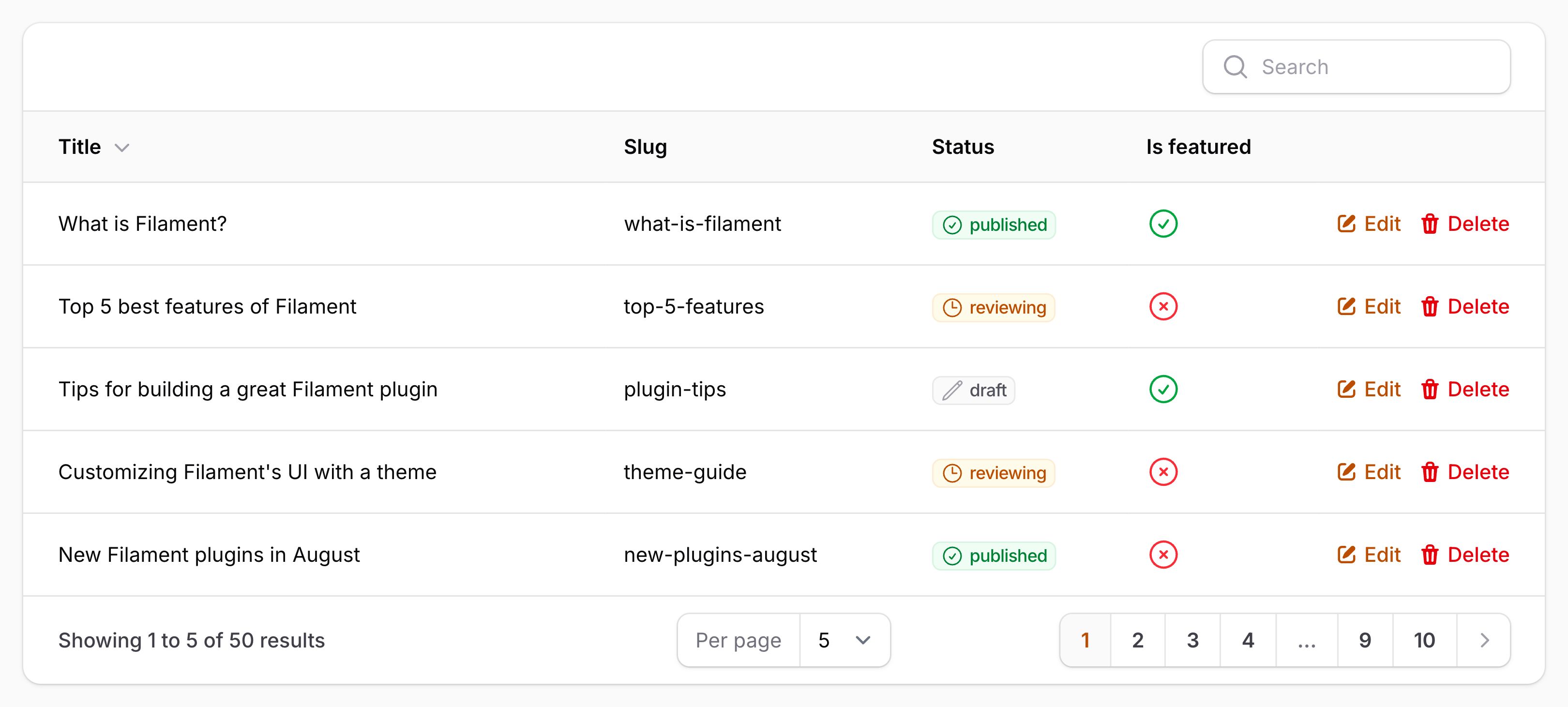
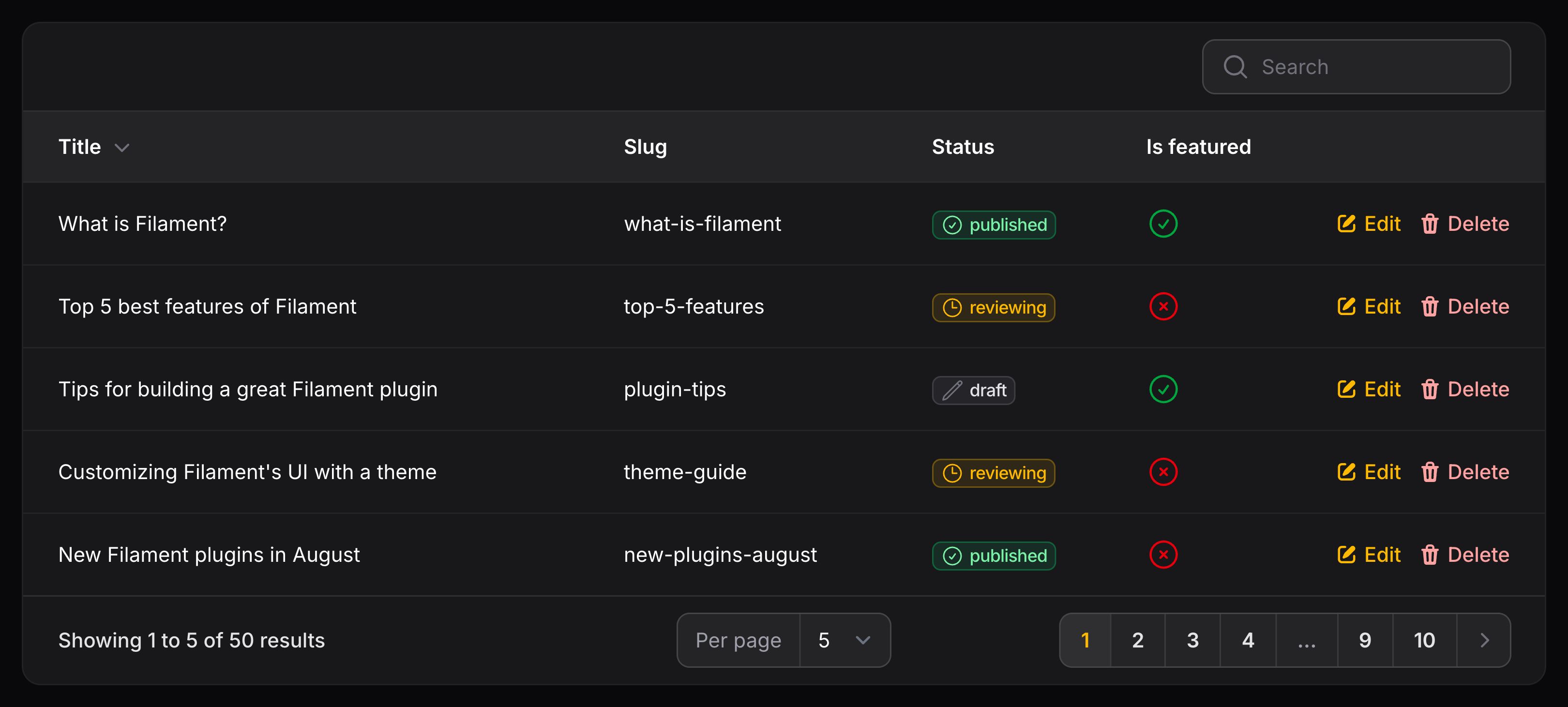
Action 按钮可以渲染在每个表格行的末尾。你可以将其放到 $table->recordActions() 方法中:
use Filament\Tables\Table;

public function table(Table $table): Table
{
    return $table
        ->recordActions([
            // ...
        ]);
}
Action 可以使用静态的 make() 方法,传入唯一名称创建。
然后你可以传入函数到 action() 中执行任务,或者传入函数到 url() 中创建链接:
use App\Models\Post;
use Filament\Actions\Action;

Action::make('edit')
    ->url(fn (Post $record): string => route('posts.edit', $record))
    ->openUrlInNewTab()

Action::make('delete')
    ->requiresConfirmation()
    ->action(fn (Post $record) => $record->delete())
Action 上的所有方法都接受回调函数,在回调函数中你可以访问当前表格的 $record 记录:
将记录操作放到列前
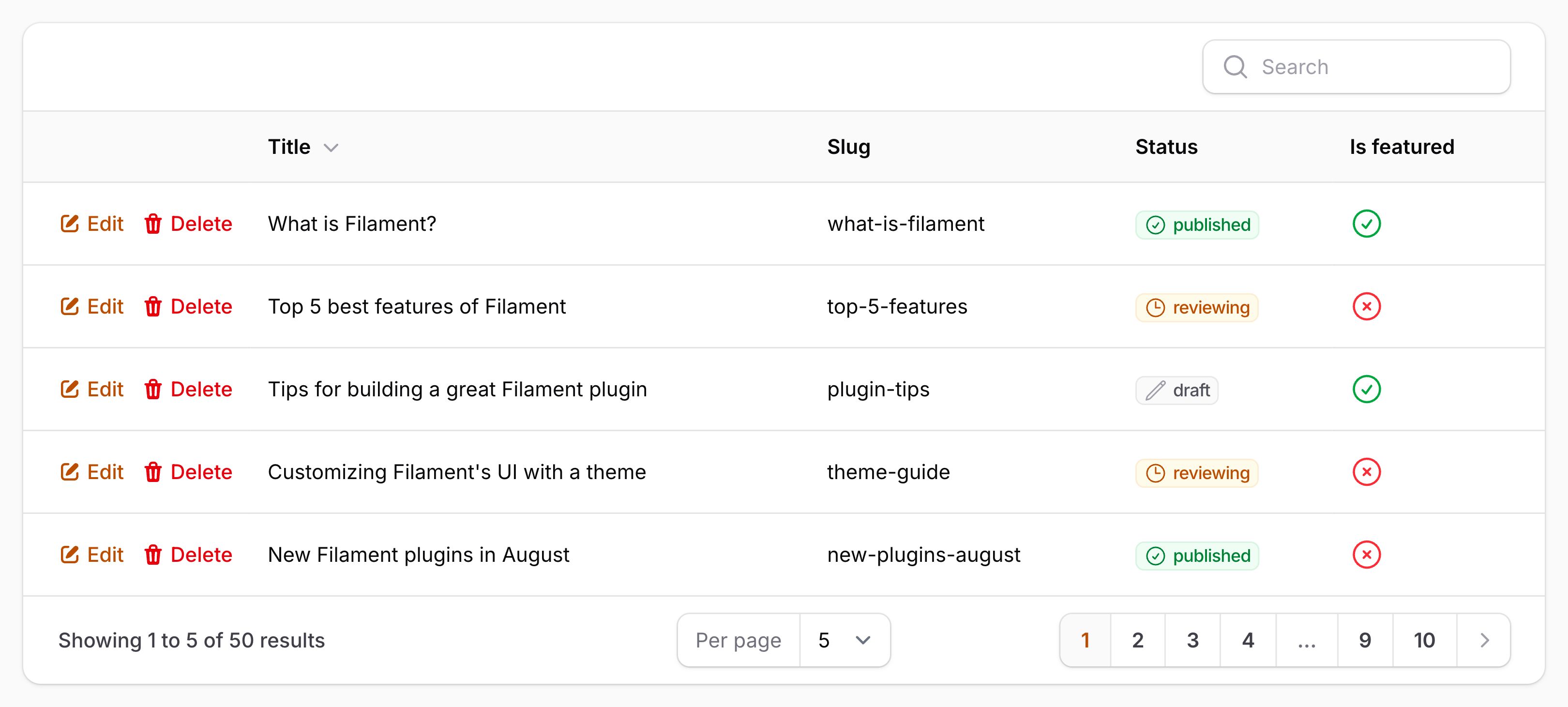
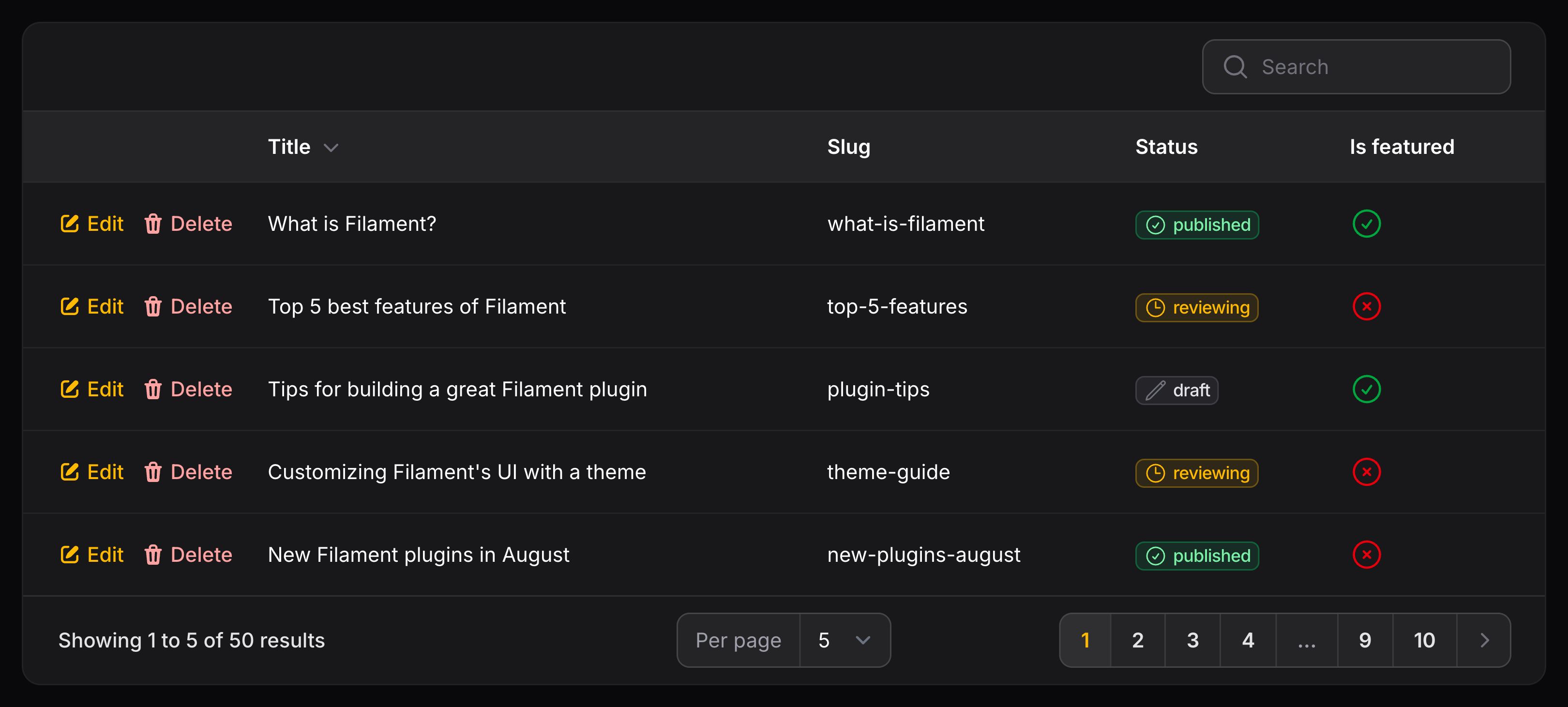
默认情况下,表格中的记录操作会在每行的最后一个单元格中渲染。可以使用 position 参数将它们移动到列之前:
use Filament\Tables\Enums\RecordActionsPosition;
use Filament\Tables\Table;

public function table(Table $table): Table
{
    return $table
        ->recordActions([
            // ...
        ], position: RecordActionsPosition::BeforeColumns);
}
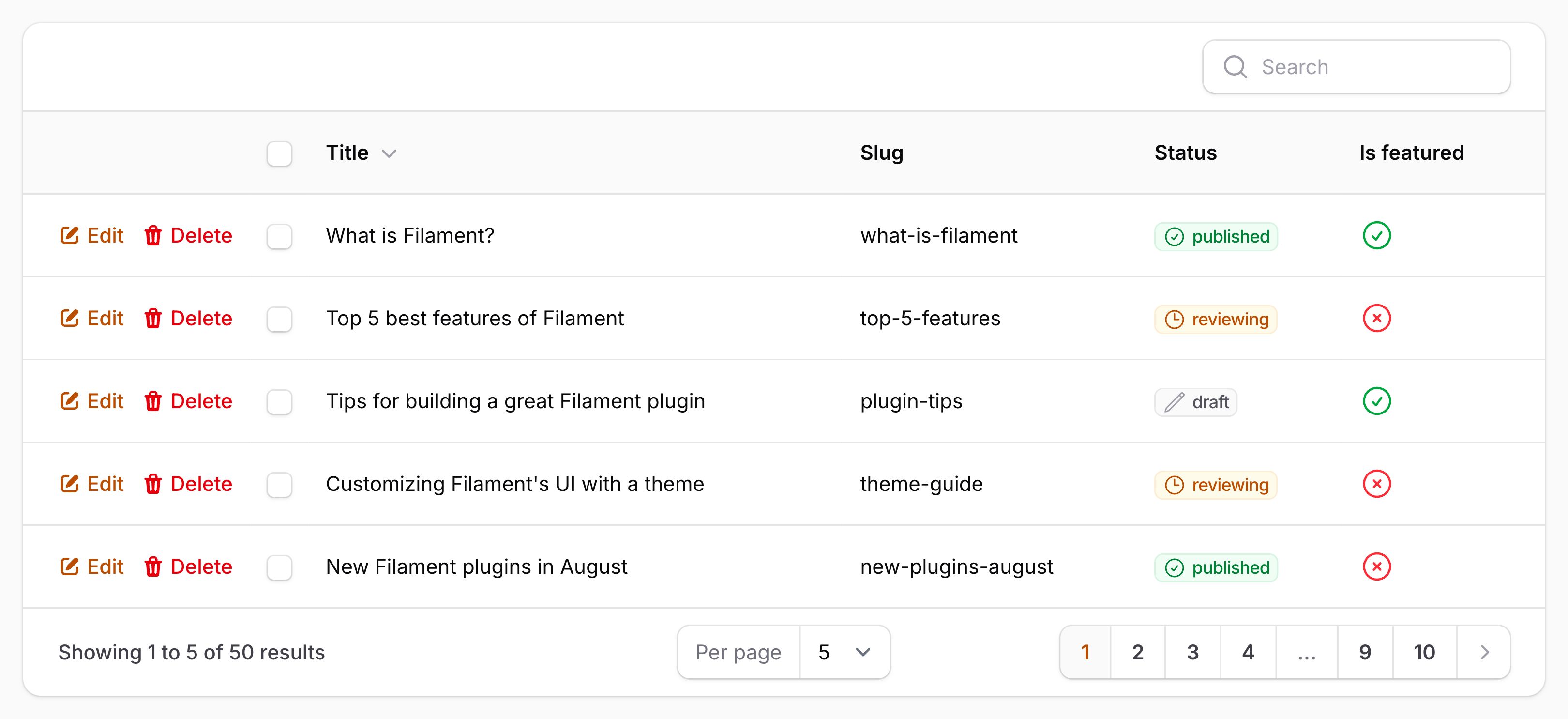
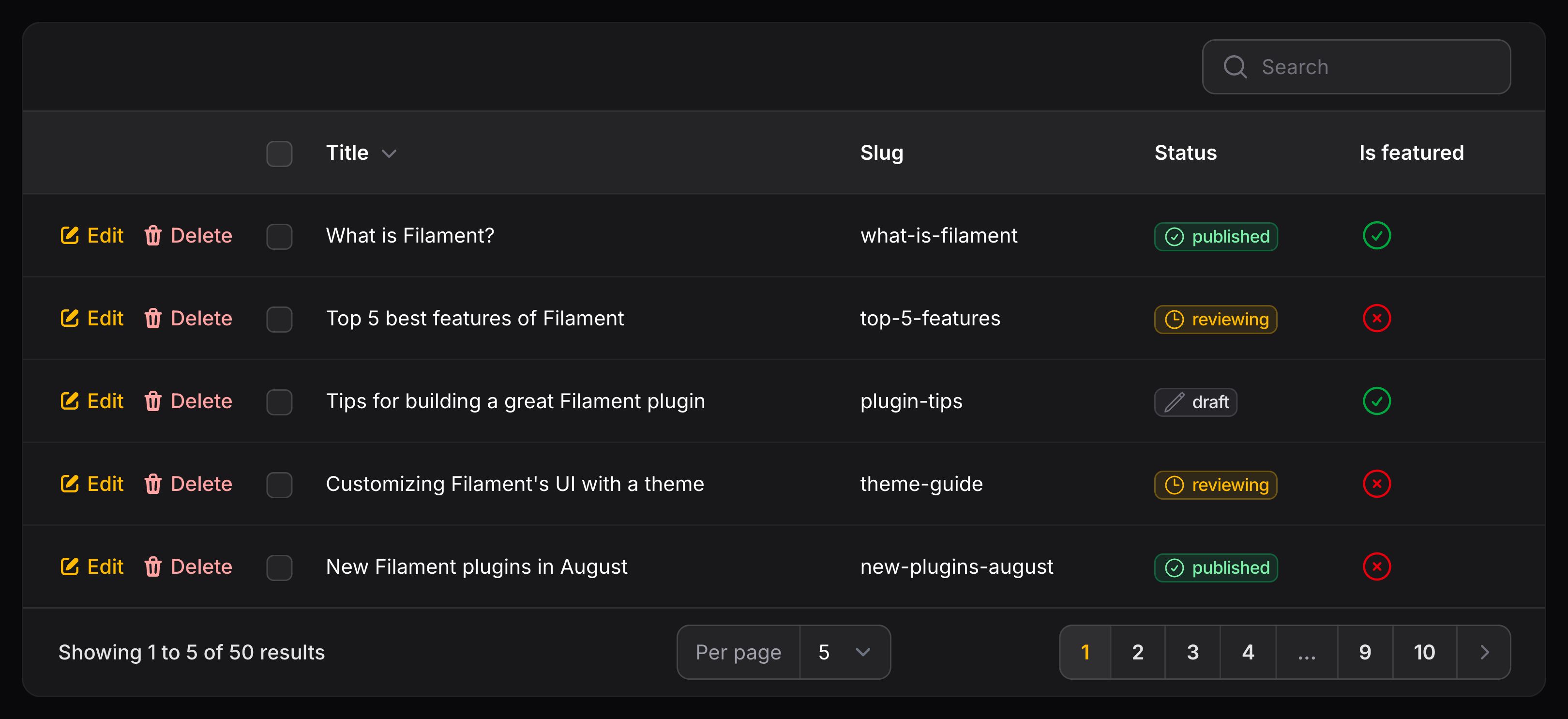
将记录操作放到复选框列前
默认情况下,表格中的记录操作会在每行的最后一个单元格中渲染。可以使用 position 参数将它们移动到复选框列之前:
use Filament\Tables\Enums\RecordActionsPosition;
use Filament\Tables\Table;

public function table(Table $table): Table
{
    return $table
        ->recordActions([
            // ...
        ], position: RecordActionsPosition::BeforeCells);
}
Global record action settings
To customize the default configuration used for ungrouped record actions, you can use modifyUngroupedRecordActionsUsing() from a Table::configureUsing() function in the boot() method of a service provider:
use Filament\Actions\Action;
use Filament\Tables\Table;

Table::configureUsing(function (Table $table): void {
    $table
        ->modifyUngroupedRecordActionsUsing(fn (Action $action) => $action->iconButton());
});
访问选中的表格行
你可能希望某个操作能够访问表中所有选定的行。通常,这可以通过表头中的批量操作来实现。不过,你可能希望使用行操作来实现,其中选定的行会为该操作提供上下文。
例如,你可能希望有一个行操作将行数据复制到所有选定的记录。即使没有定义批量操作,要强制表可选,也需要使用 selectable() 方法。要允许操作访问选定的记录,你需要使用 accessSelectedRecords() 方法。然后,你可以在操作中使用 $selectedRecords 参数来访问选定的记录:
use Filament\Actions\Action;
use Filament\Tables\Table;
use Illuminate\Database\Eloquent\Collection;
use Illuminate\Database\Eloquent\Model;

public function table(Table $table): Table
{
    return $table
        ->selectable()
        ->recordActions([
            Action::make('copyToSelected')
                ->accessSelectedRecords()
                ->action(function (Model $record, Collection $selectedRecords) {
                    $selectedRecords->each(
                        fn (Model $selectedRecord) => $selectedRecord->update([
                            'is_active' => $record->is_active,
                        ]),
                    );
                }),
        ]);
}
批量操作
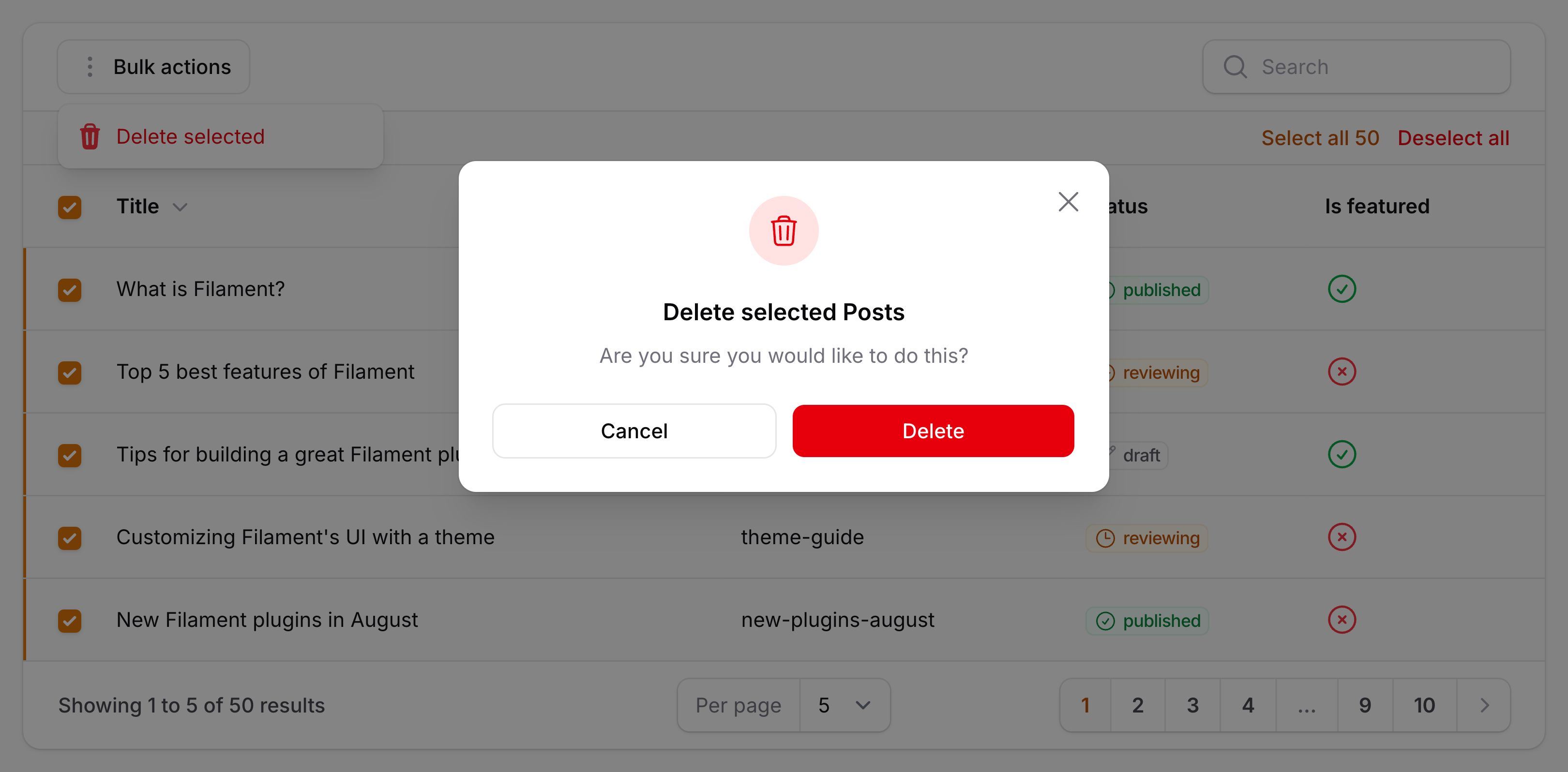
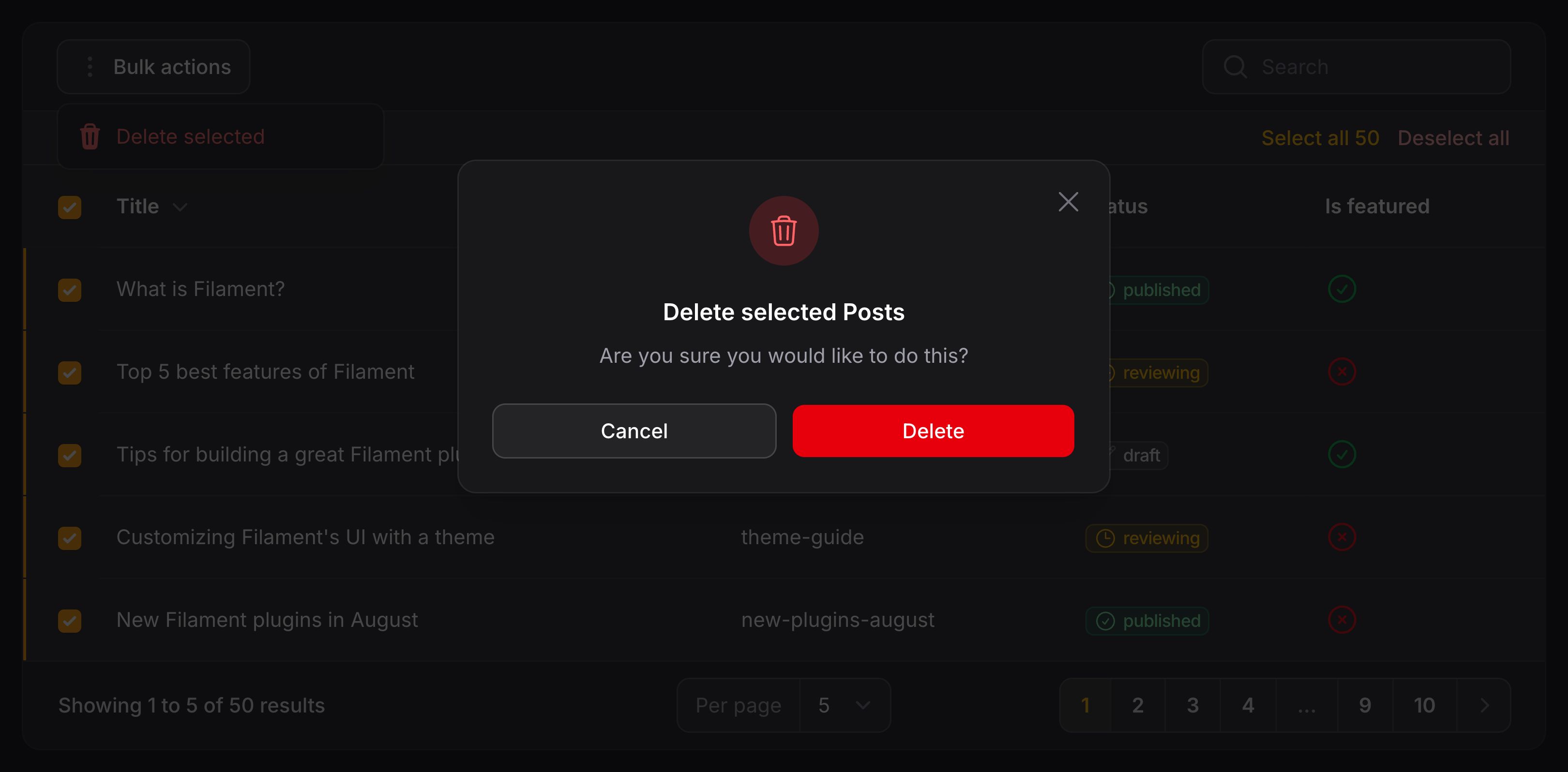
表格也支持“批量操作”。当用户选择表格中的行时,可以使用这些操作。通常,选择行时会显示一个“批量操作”按钮。用户点击此按钮后,会显示一个下拉菜单,其中包含可供选择的操作。你可以将这些操作放入 $table->toolbarActions() 或 $table->headerActions() 方法中:
use Filament\Tables\Table;

public function table(Table $table): Table
{
    return $table
        ->toolbarActions([
            // ...
        ]);
}
批量操作使用静态的 make() 方法,并传入其唯一名称创建。然后,你可以传入一个回调函数到 action() 中,使之执行任务:
use Filament\Actions\BulkAction;
use Illuminate\Database\Eloquent\Collection;

BulkAction::make('delete')
    ->requiresConfirmation()
    ->action(fn (Collection $records) => $records->each->delete())
该函数允许你访问当前表格选中的 $records。它是模型的 Eloquent 集合。
授权批量操作
使用批量操作时,你可以检查所选每条记录的策略方法。这对于检查用户是否有权对每条记录执行相应操作非常有用。你可以使用 authorizeIndividualRecords() 方法,并传递策略方法的名称,该方法将针对每条记录调用。如果策略拒绝授权,则该记录将不会出现在批量操作的 $records 参数中:
use Filament\Actions\BulkAction;
use Illuminate\Database\Eloquent\Collection;

BulkAction::make('delete')
    ->requiresConfirmation()
    ->authorizeIndividualRecords('delete')
    ->action(fn (Collection $records) => $records->each->delete())
批量操作通知
批量操作完成后,你可能希望向用户发送一条通知,其中包含操作成功的摘要。如果你对单个记录使用授权,则此功能尤其有用,因为用户可能不知道实际影响了多少条记录。
要在批量操作完成后发送通知,你应该设置 successNotificationTitle() 和 failureNotificationTitle():
- 当所有记录均已成功处理时,
successNotificationTitle()将用作通知的标题。 - 当部分或全部记录处理失败时,
failureNotificationTitle()将用作通知的标题。通过将函数传递给此方法,你可以注入$successCount和$failureCount参数,以将此信息提供给用户。
比如:
use Filament\Actions\BulkAction;
use Illuminate\Database\Eloquent\Collection;

BulkAction::make('delete')
    ->requiresConfirmation()
    ->authorizeIndividualRecords('delete')
    ->action(fn (Collection $records) => $records->each->delete())
    ->successNotificationTitle('Deleted users')
    ->failureNotificationTitle(function (int $successCount, int $totalCount): string {
        if ($successCount) {
            return "{$successCount} of {$totalCount} users deleted";
        }

        return 'Failed to delete any users';
    })
你也可以在策略方法中使用特殊的授权响应对象来提供有关授权失败原因的自定义消息。这个特殊对象名为 DenyResponse,它取代了 Response::deny(),允许开发者传递一个函数作为消息,该函数可以接收有关该授权检查拒绝了多少条记录的信息:
use App\Models\User;
use Filament\Support\Authorization\DenyResponse;
use Illuminate\Auth\Access\Response;

class UserPolicy
{
    public function delete(User $user, User $model): bool | Response
    {
        if (! $model->is_admin) {
            return true;
        }

        return DenyResponse::make('cannot_delete_admin', message: function (int $failureCount, int $totalCount): string {
            if (($failureCount === 1) && ($totalCount === 1)) {
                return 'You cannot delete an admin user.';
            }

            if ($failureCount === $totalCount) {
                return 'All users selected were admin users.';
            }

            if ($failureCount === 1) {
                return 'One of the selected users was an admin user.';
            }

            return "{$failureCount} of the selected users were admin users.";
        });
    }
}
make() 方法的第一个参数是一个唯一的键,用于标识失败类型。如果检测到多个与该键对应的错误,则将它们分组,并仅生成一条消息。如果策略方法中存在多个故障点,则每个响应对象都可以拥有自己的键,并且这些消息将在通知中串联在一起。
报告批量操作处理中的失败
除了 单个记录授权 消息外,你还可以报告批量操作处理本身的失败情况。如果你想为每条因特定原因而处理失败的记录提供一条消息,即使授权通过后仍然如此,这非常有用。具体方法是将 Action 实例注入 action() 函数,并对其调用 reportBulkProcessingFailure() 方法,并传递一个类似于传入 DenyResponse 的键和消息函数:
use Filament\Actions\BulkAction;
use Illuminate\Database\Eloquent\Collection;

BulkAction::make('delete')
    ->requiresConfirmation()
    ->authorizeIndividualRecords('delete')
    ->action(function (BulkAction $action, Collection $records) {
        $records->each(function (Model $record) use ($action) {
            $record->delete() || $action->reportBulkProcessingFailure(
                'deletion_failed',
                message: function (int $failureCount, int $totalCount): string {
                    if (($failureCount === 1) && ($totalCount === 1)) {
                        return 'One user failed to delete.';
                    }

                    if ($failureCount === $totalCount) {
                        return 'All users failed to delete.';
                    }

                    if ($failureCount === 1) {
                        return 'One of the selected users failed to delete.';
                    }

                    return "{$failureCount} of the selected users failed to delete.";
                },
            );
        });
    })
    ->successNotificationTitle('Deleted users')
    ->failureNotificationTitle(function (int $successCount, int $totalCount): string {
        if ($successCount) {
            return "{$successCount} of {$totalCount} users deleted";
        }

        return 'Failed to delete any users';
    })
如果删除失败,Eloquent 模型中的 delete() 方法会返回 false,因此你可以使用它来判断记录是否已成功删除。reportBulkProcessingFailure() 方法会将一条失败消息添加到通知中,该消息将在操作完成后显示。
reportBulkProcessingFailure() 方法可以在操作执行过程中因不同原因多次调用,但每个记录只能调用一次。调用该方法后,请勿继续执行该记录的操作。
批量操作分组
你可以使用 BulkActionGroup 对象在下拉菜单中将多个批量操作分组在一起。任何不在 BulkActionGroup 中的批量操作都将渲染在下拉菜单的触发按钮旁边:
use Filament\Actions\BulkAction;
use Filament\Actions\BulkActionGroup;
use Filament\Tables\Table;

public function table(Table $table): Table
{
    return $table
        ->toolbarActions([
            BulkActionGroup::make([
                BulkAction::make('delete')
                    ->requiresConfirmation()
                    ->action(fn (Collection $records) => $records->each->delete()),
                BulkAction::make('forceDelete')
                    ->requiresConfirmation()
                    ->action(fn (Collection $records) => $records->each->forceDelete()),
            ]),
            BulkAction::make('export')->button()->action(fn (Collection $records) => ...),
        ]);
}
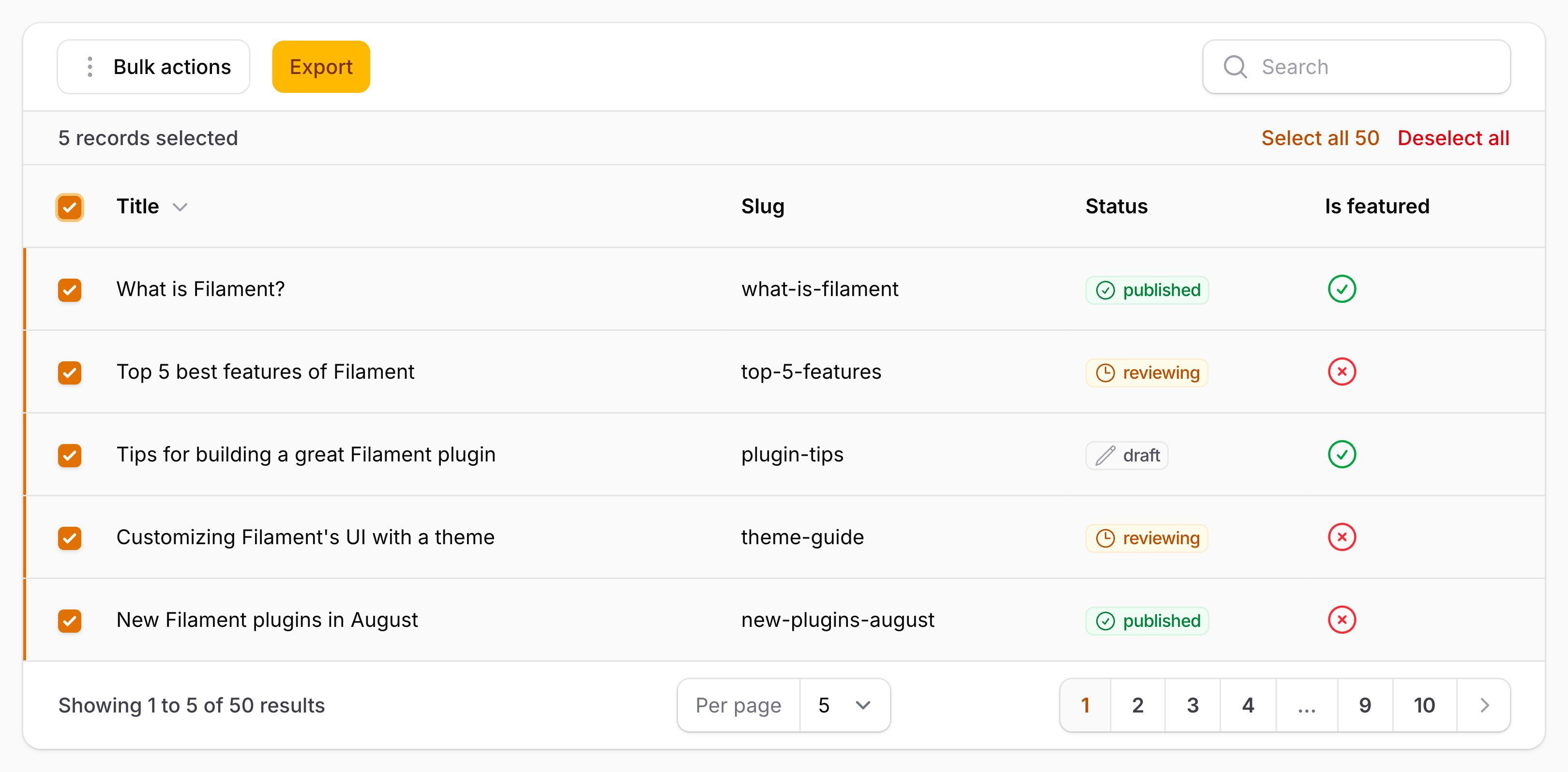
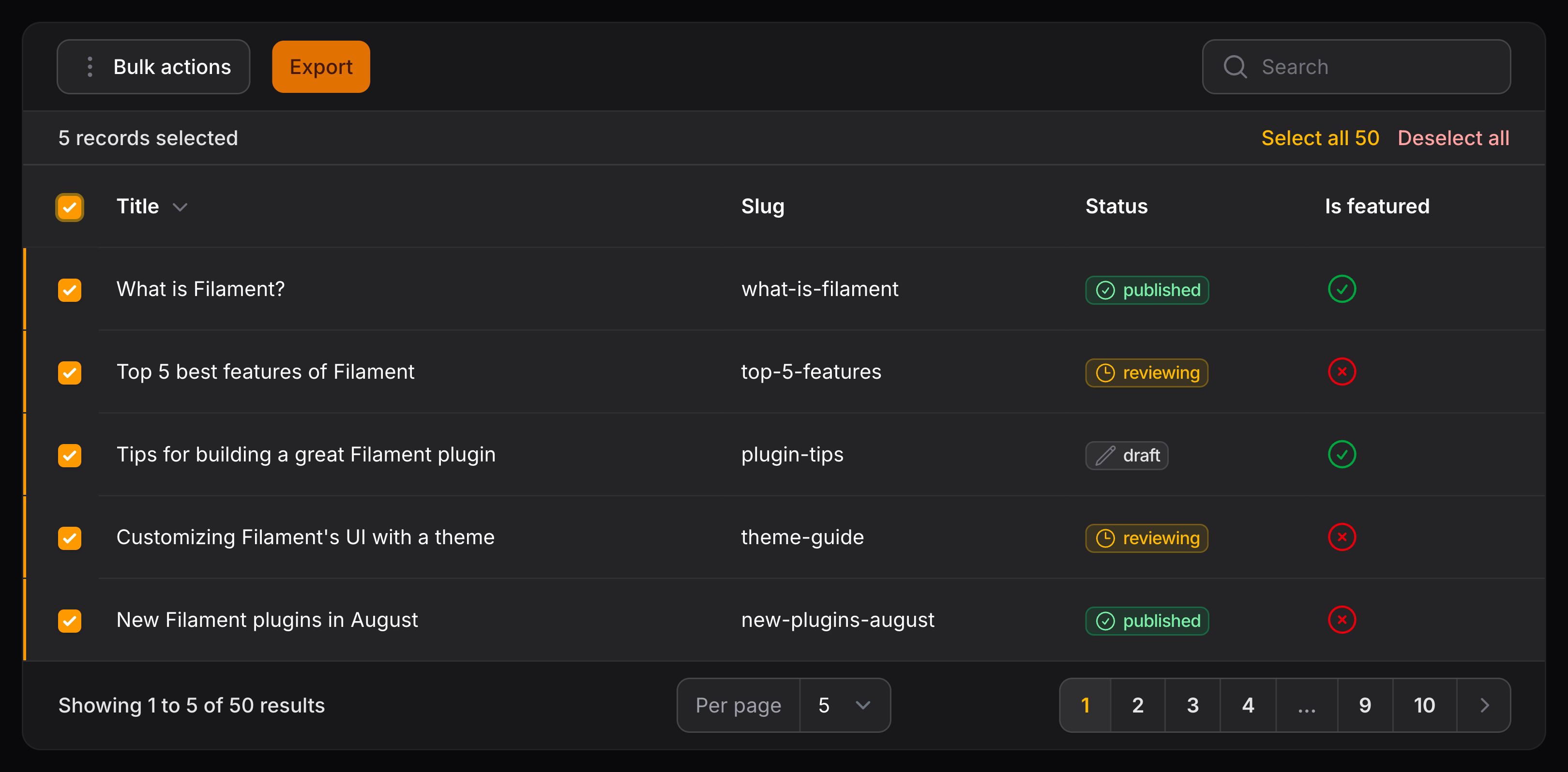
或者,如果所有批量操作都已分组,则可以使用简写 groupedBulkActions() 方法:
use Filament\Actions\BulkAction;
use Filament\Tables\Table;

public function table(Table $table): Table
{
    return $table
        ->groupedBulkActions([
            BulkAction::make('delete')
                ->requiresConfirmation()
                ->action(fn (Collection $records) => $records->each->delete()),
            BulkAction::make('forceDelete')
                ->requiresConfirmation()
                ->action(fn (Collection $records) => $records->each->forceDelete()),
        ]);
}
批量操作完成后取消选择
使用 deselectRecordsAfterCompletion() 方法,你可以在批量操作执行后取消记录选择:
use Filament\Actions\BulkAction;
use Illuminate\Database\Eloquent\Collection;

BulkAction::make('delete')
    ->action(fn (Collection $records) => $records->each->delete())
    ->deselectRecordsAfterCompletion()
禁用某些行的批量操作
你可以条件性地禁用指定的记录的批量操作:
use Filament\Tables\Table;
use Illuminate\Database\Eloquent\Model;

public function table(Table $table): Table
{
    return $table
        ->toolbarActions([
            // ...
        ])
        ->checkIfRecordIsSelectableUsing(
            fn (Model $record): bool => $record->status === Status::Enabled,
        );
}
Limiting the number of selectable records
You may restrict how many records the user can select in total:
use Filament\Tables\Table;
use Illuminate\Database\Eloquent\Model;

public function table(Table $table): Table
{
    return $table
        ->toolbarActions([
            // ...
        ])
        ->maxSelectableRecords(4);
}
阻止批量选择所有页面
selectCurrentPageOnly() 可用于阻止用户一次性批量选择表格中的所有记录,而是只允许一次选择一个页面:
use Filament\Tables\Table;

public function table(Table $table): Table
{
    return $table
        ->toolbarActions([
            // ...
        ])
        ->selectCurrentPageOnly();
}
Restricting bulk selection to groups only
The selectGroupsOnly() method can be used to restrict bulk selection to only records within the same group, preventing bulk selection across multiple groups at once:
use Filament\Tables\Table;

public function table(Table $table): Table
{
    return $table
        ->toolbarActions([
            // ...
        ])
        ->selectGroupsOnly();
}
改进批量操作性能
默认情况下,批量操作将会在将记录传入到 action() 函数前,将所有 Eloquent 记录都加载到内存中。
如果你处理的是大体量记录,你可以使用 chunkSelectedRecords() 方法,一次只获取少量数据。这将能减少应用的内存消耗:
use Filament\Actions\BulkAction;
use Illuminate\Support\LazyCollection;

BulkAction::make()
    ->chunkSelectedRecords(250)
    ->action(function (LazyCollection $records) {
        // Process the records...
    })
你仍然可以像平时一样循环迭代 $records 集合,不过,该集合将会是 LazyCollection 而非通常的集合。
你可以阻止 Filament 第一时间获取 Eloquent 模型,而只是将所选记录的 ID 传递给 action() 函数即可。如果你要处理大量记录,并且不需要将它们加载到内存中,这将非常有用:
use Filament\Actions\BulkAction;
use Illuminate\Support\Collection;

BulkAction::make()
    ->fetchSelectedRecords(false)
    ->action(function (Collection $records) {
        // Process the records...
    })
Header actions
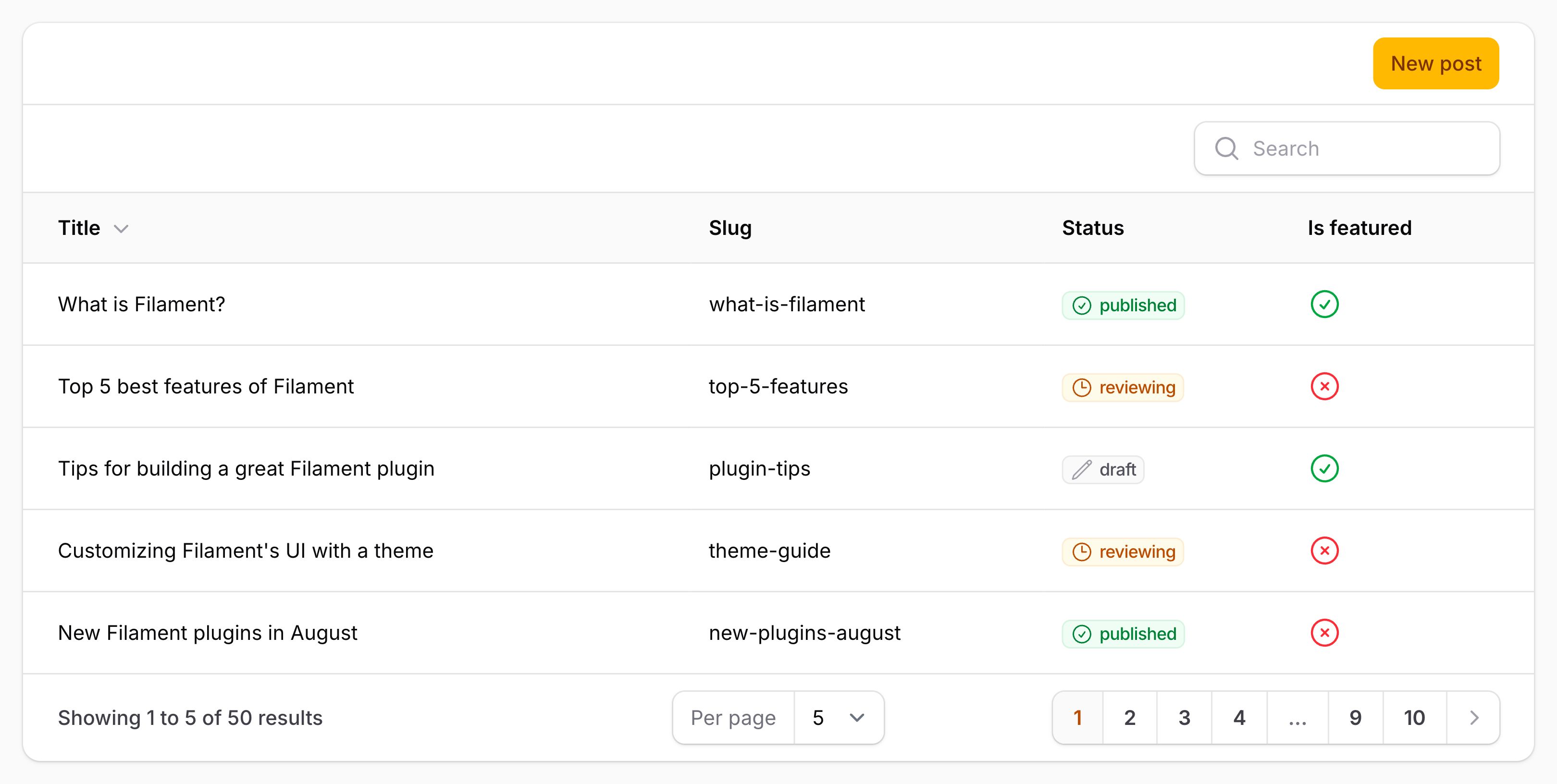
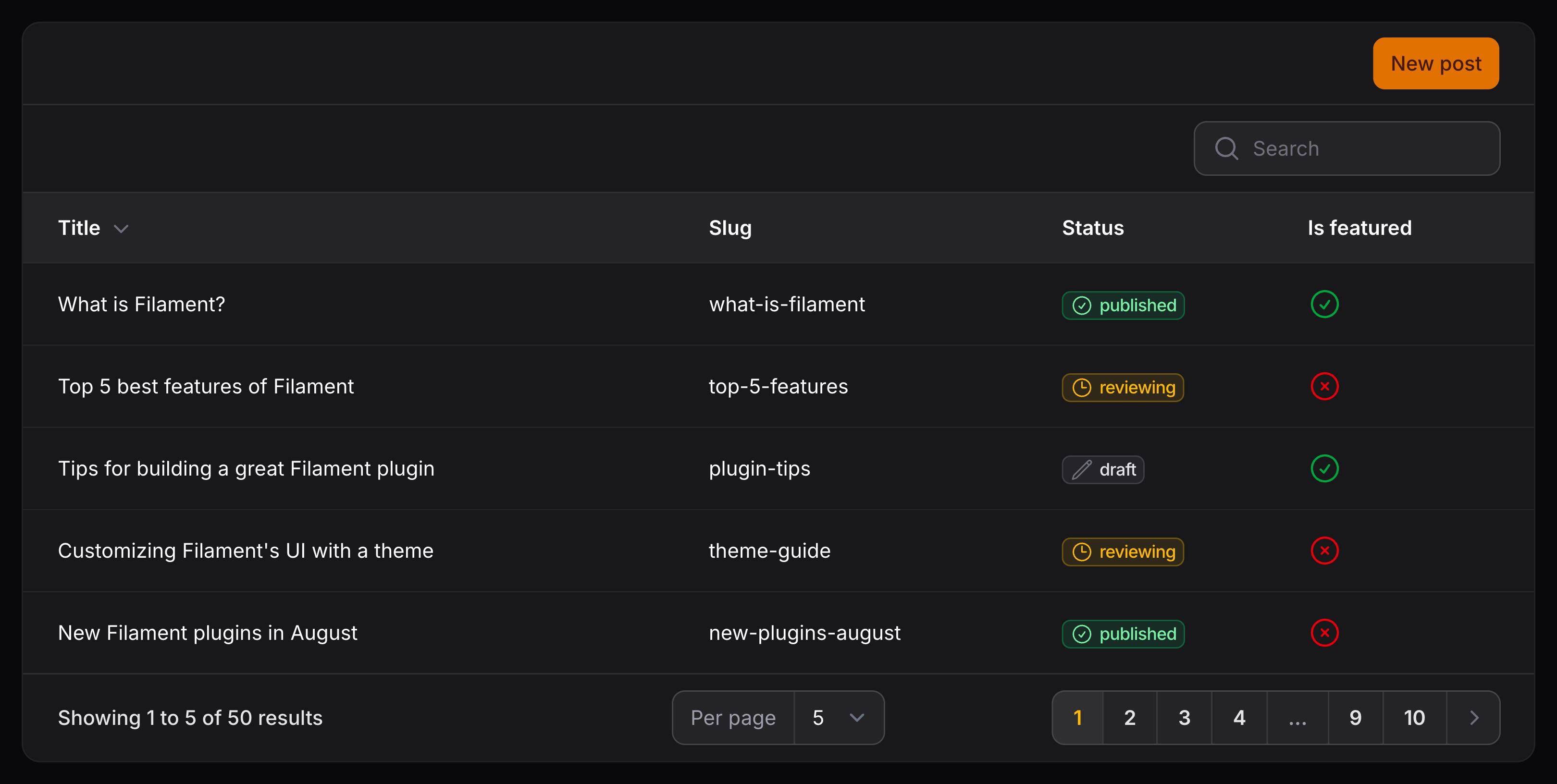
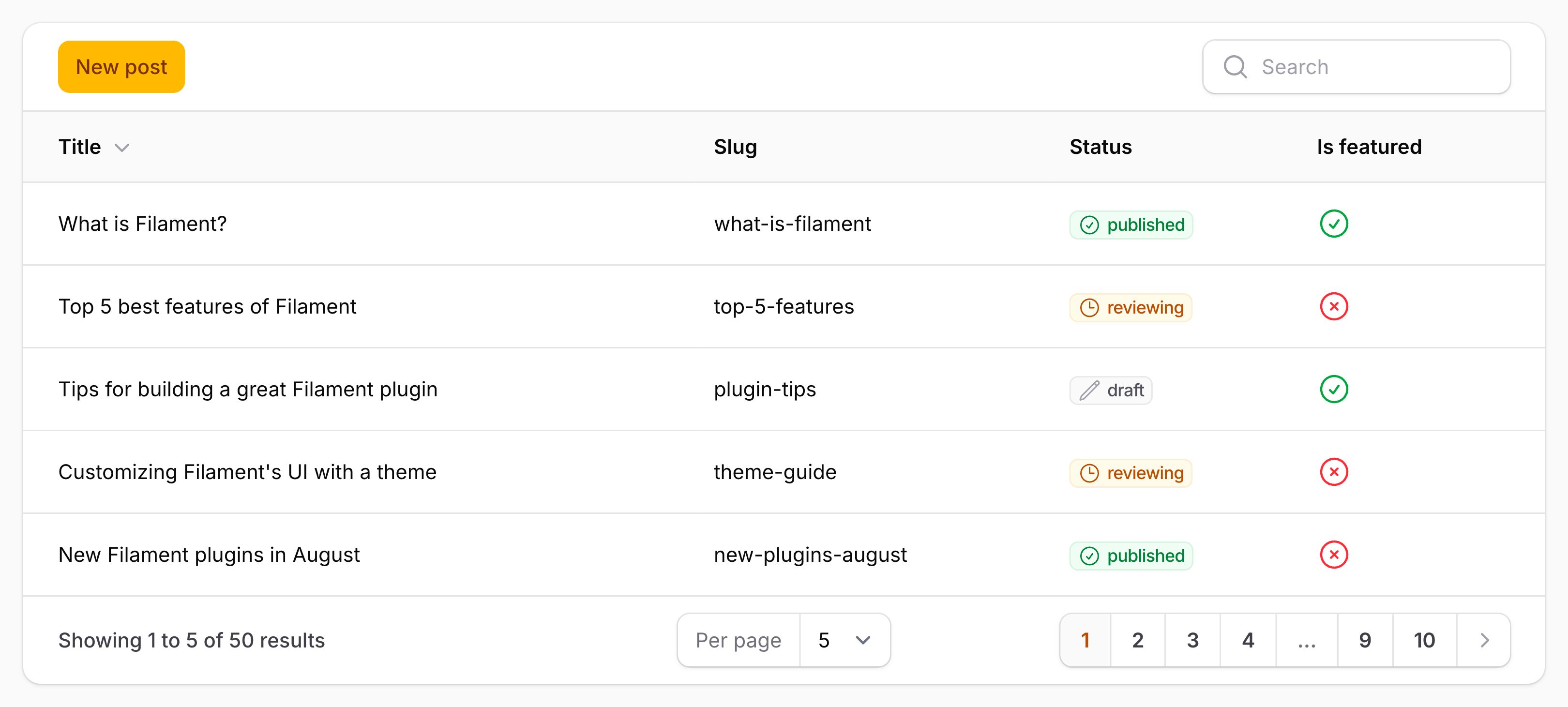
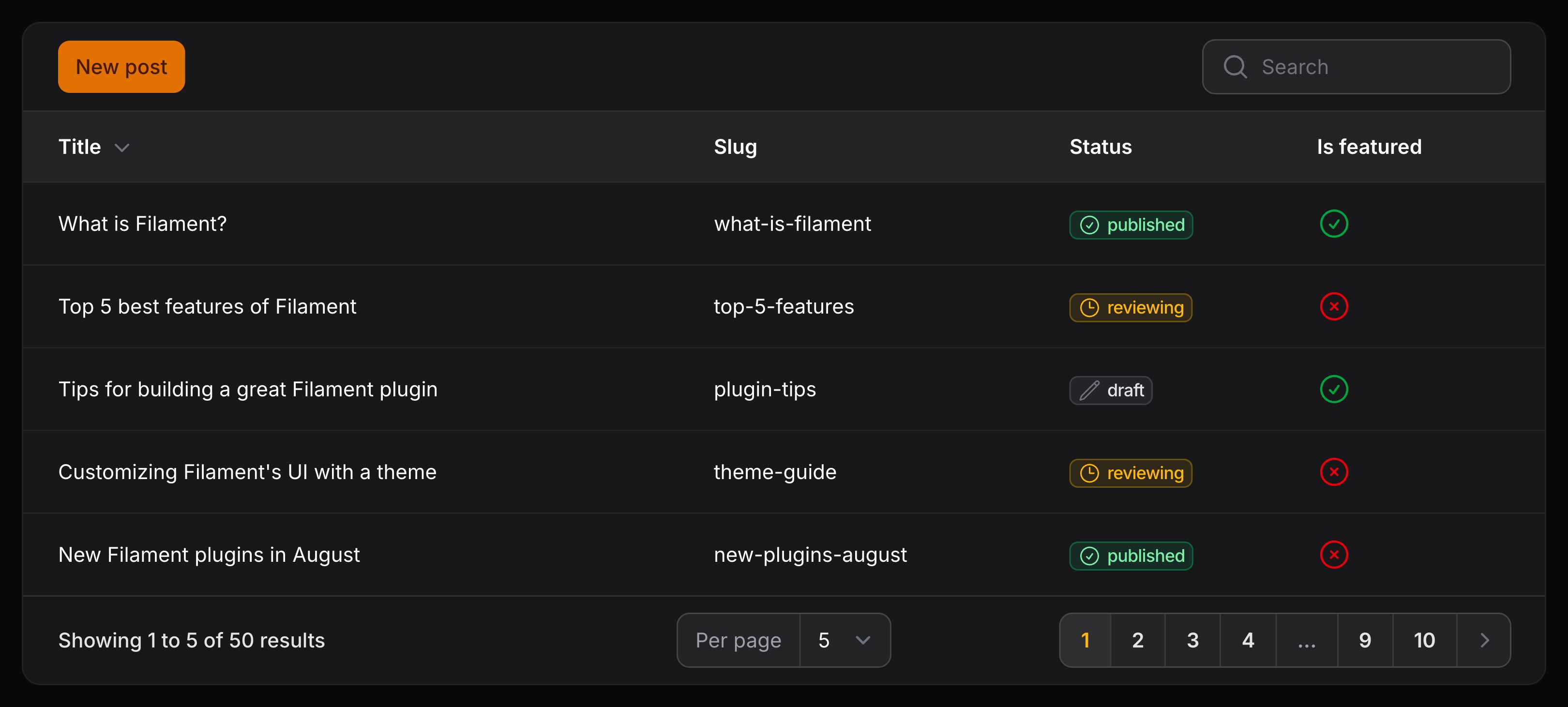
操作和批量操作都可以在表格标题(header)中渲染。你可以将它们放在 $table->headerActions() 方法中:
use Filament\Tables\Table;

public function table(Table $table): Table
{
    return $table
        ->headerActions([
            // ...
        ]);
}
这对于与任何特定表行无关的操作(比如,“新建” 操作)或需要更明显的批量操作很有用。
Toolbar actions
操作和批量操作都可以在表格的工具栏(toolbar)中渲染。你可以将它们放在 $table->toolbarActions() 方法中:
use Filament\Tables\Table;

public function table(Table $table): Table
{
    return $table
        ->toolbarActions([
            // ...
        ]);
}
这对于与任何特定表行无关的操作(比如,“新建” 操作)或需要更明显的批量操作很有用。
Column actions
你可以向列添加操作,这样当点击该列中的单元格时,该单元格就会触发相应的操作。你可以在文档中了解更多关于列操作的信息。
Action 分组
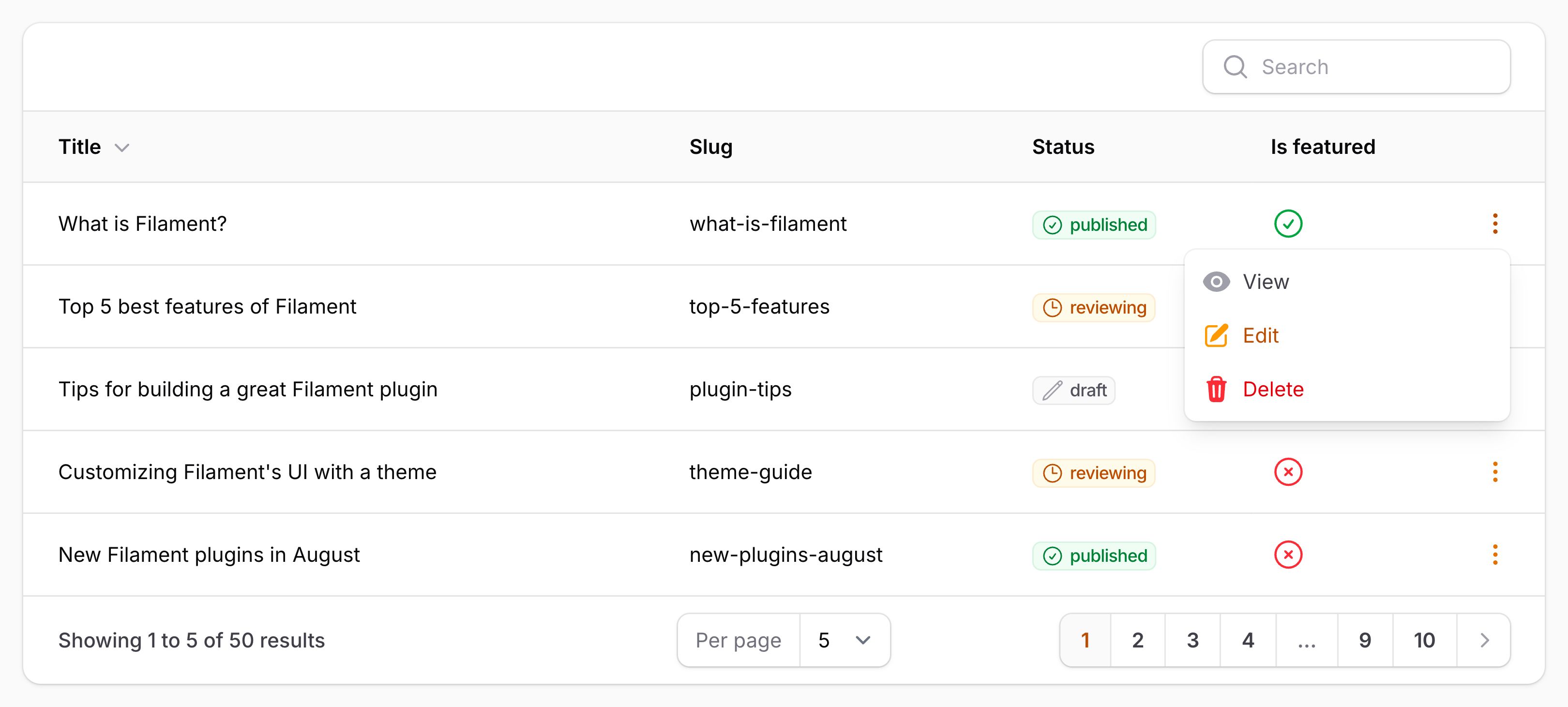
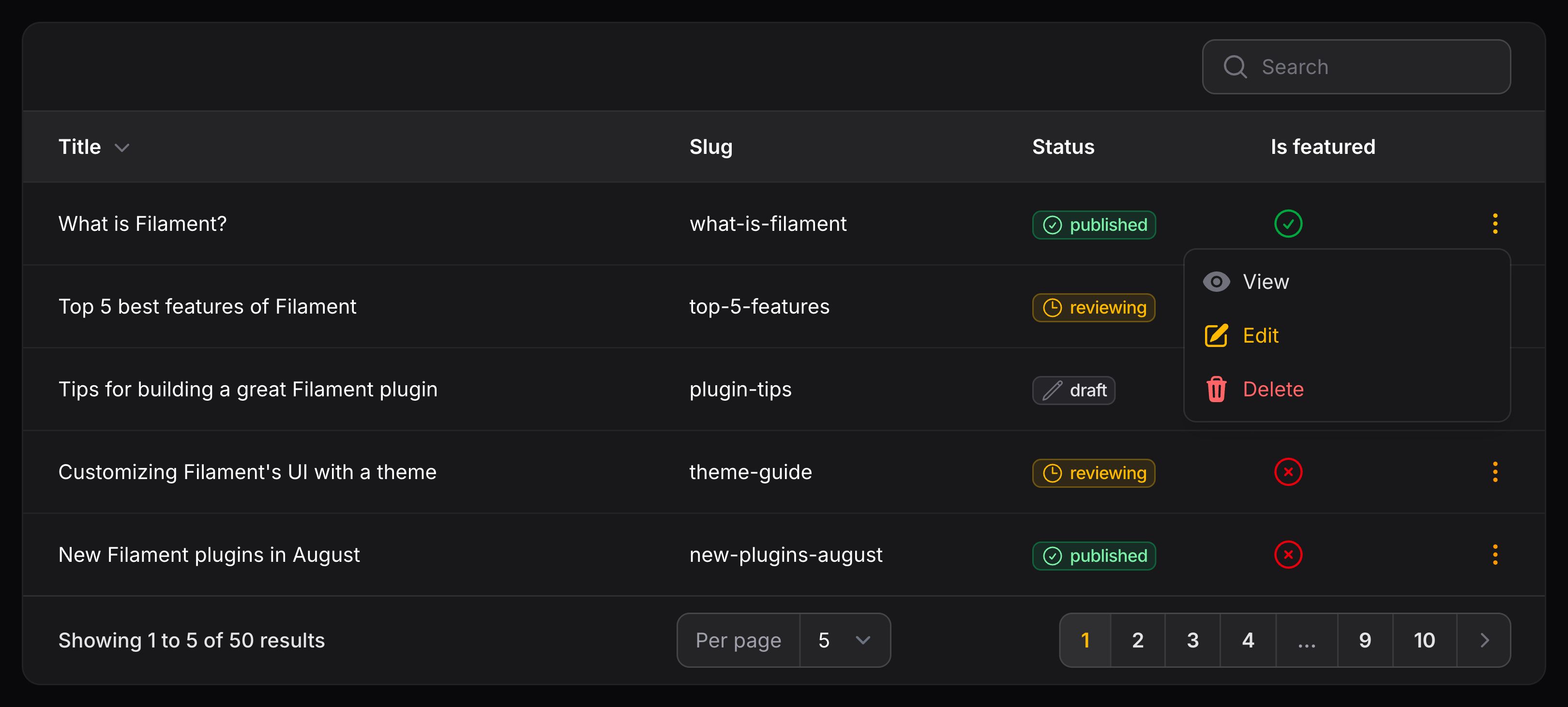
你可以使用 ActionGroup 对象,在下拉菜单中将多个表格 Action 分组到一起:
use Filament\Actions\ActionGroup;
use Filament\Actions\DeleteAction;
use Filament\Actions\EditAction;
use Filament\Actions\ViewAction;
use Filament\Tables\Table;

public function table(Table $table): Table
{
    return $table
        ->recordActions([
            ActionGroup::make([
                ViewAction::make(),
                EditAction::make(),
                DeleteAction::make(),
            ]),
            // ...
        ]);
}
你可以在 Action 文档中查看更多自定义 Action 分组的信息。
Still need help? Join our Discord community or open a GitHub discussion