
资源
Global search
介绍
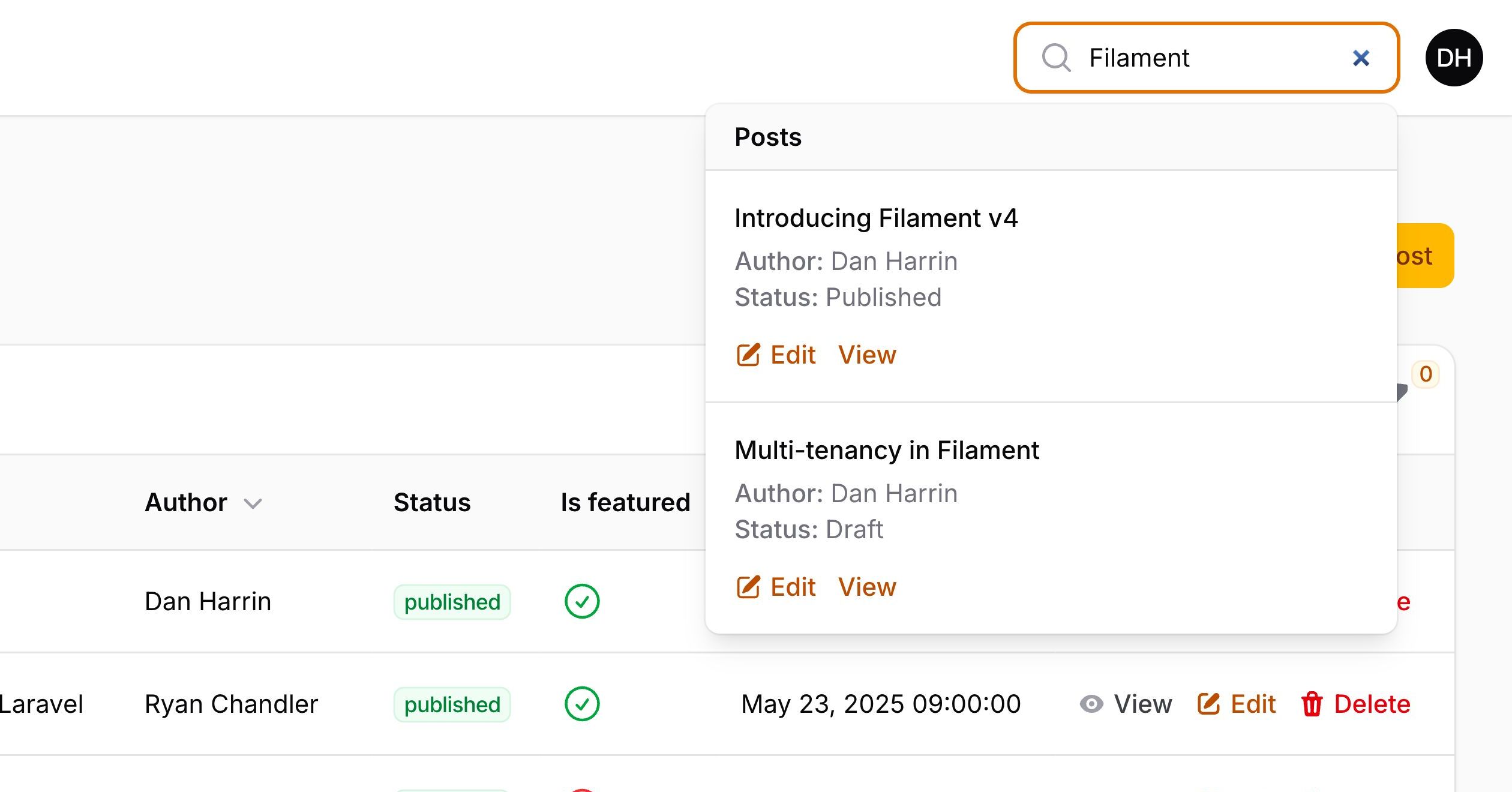
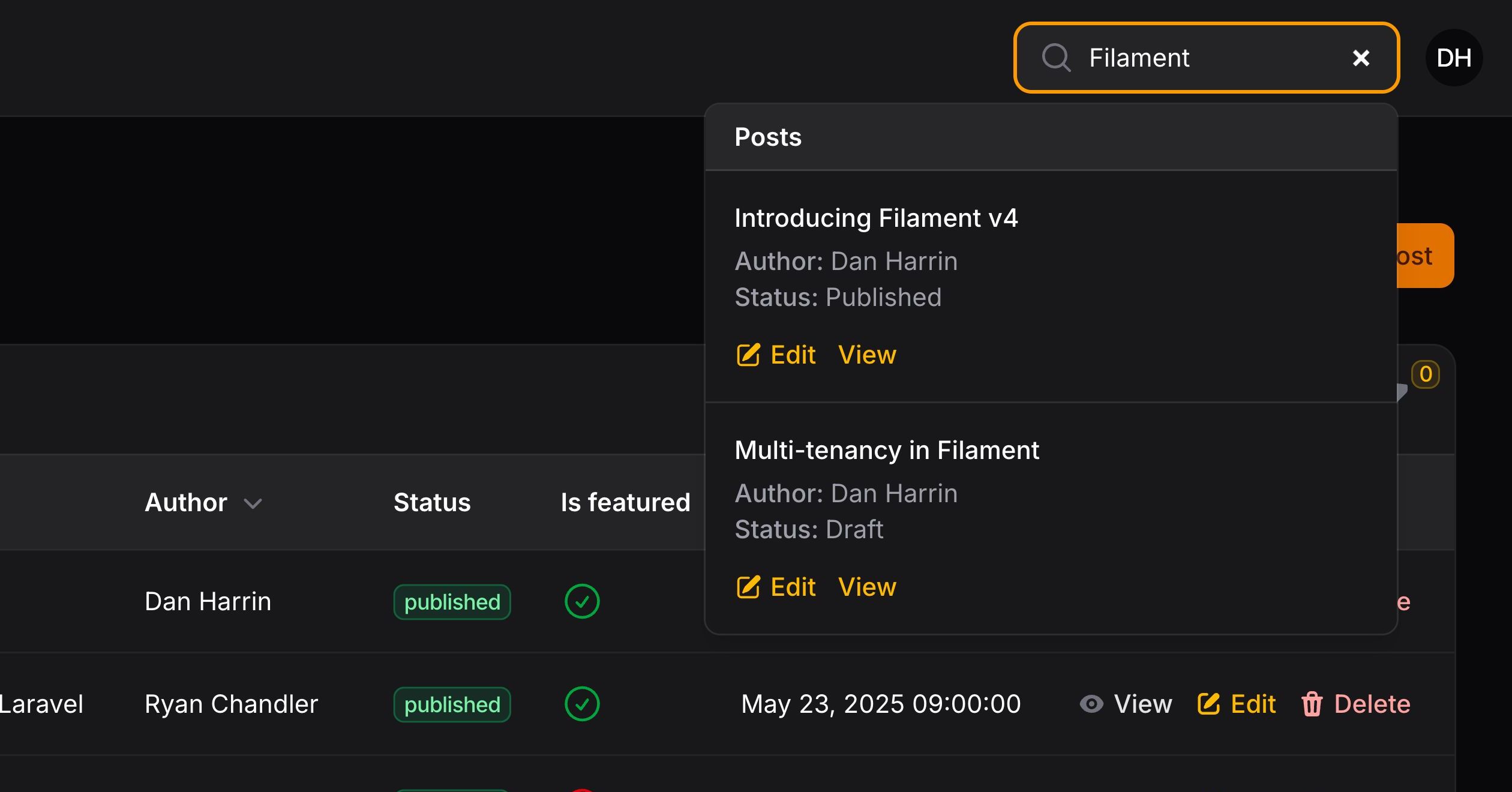
全局搜索允许你从应用中的任何位置搜索所有资源记录。
设置全局搜索结果标题
要在你的模型中启用全局搜索,你必须为你的资源设置标题(title)属性:
protected static ?string $recordTitleAttribute = 'title';
此属性用于检索该记录的搜索结果标题。
NOTE
资源需要有一个编辑或查看页面,以允许全局搜索结果链接到 URL,否则将不会返回此资源的任何结果。
你可以通过重写 getGlobalSearchResultTitle() 方法进一步自定义标题。该方法可能返回纯文本字符串,或 Illuminate\Support\HtmlString 或 Illuminate\Contracts\Support\Htmlable 的实例。这允许你在搜索结果标题中渲染 HTML 甚至 Markdown 格式:
use Illuminate\Contracts\Support\Htmlable;

public static function getGlobalSearchResultTitle(Model $record): string | Htmlable
{
    return $record->name;
}
跨多列全局搜索
如果你想在资源的多个列中进行搜索,可以重写 getGloballySearchableAttributes() 方法。“点语法”允许你在关联内进行搜索:
public static function getGloballySearchableAttributes(): array
{
    return ['title', 'slug', 'author.name', 'category.name'];
}
为全局搜索结果添加额外详情
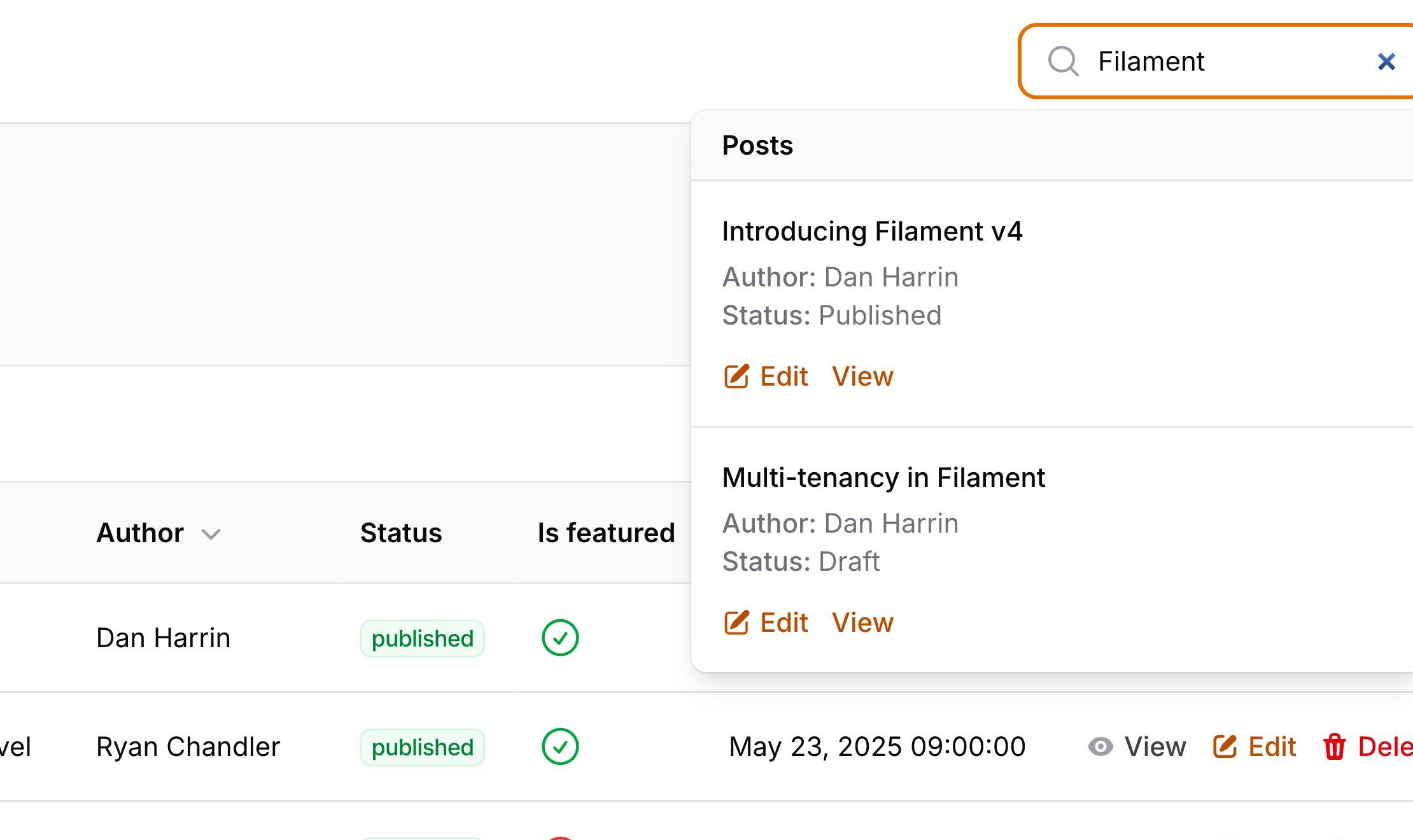
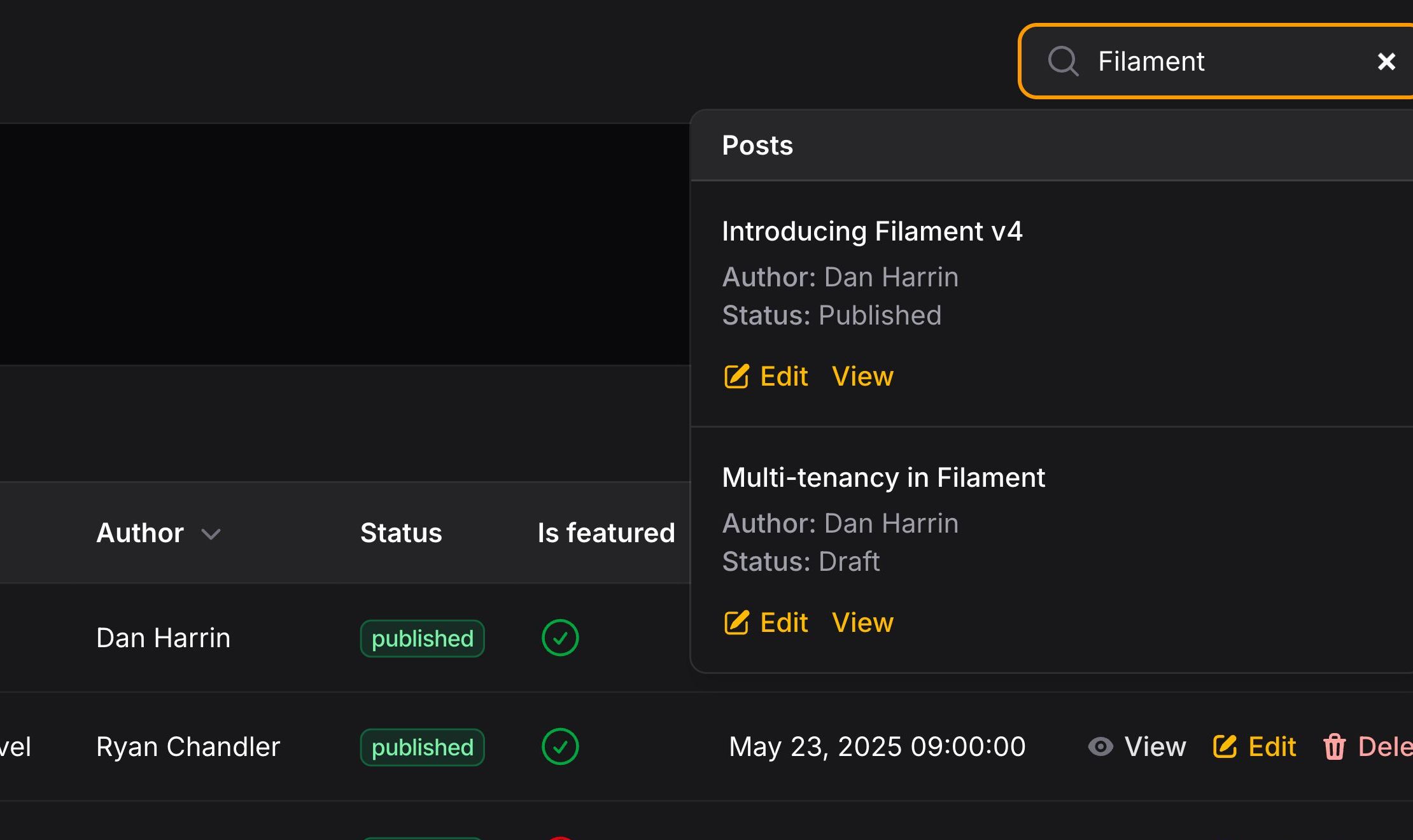
搜索结果可以在标题下方显示“详情”,以便用户查看更多相关记录的信息。要启用此功能,你必须重写 getGlobalSearchResultDetails() 方法:
public static function getGlobalSearchResultDetails(Model $record): array
{
    return [
        'Author' => $record->author->name,
        'Category' => $record->category->name,
    ];
}
本例中,记录的 category和 author 会显示在其搜索结果的标题之下。
而 category和 author 关联会被懒加载,这将导致性能不佳。为了实现 eager-load 这些关联,我们必须重写 getGlobalSearchEloquentQuery() 方法:
public static function getGlobalSearchEloquentQuery(): Builder
{
    return parent::getGlobalSearchEloquentQuery()->with(['author', 'category']);
}
自定义全局搜索结果 URL
全局搜索结果将链接到资源的编辑页面,如果用户没有编辑权限,则链接到查看页面。要自定义此功能,你可以重写 getGlobalSearchResultUrl() 方法并返回你希望使用的路由:
public static function getGlobalSearchResultUrl(Model $record): string
{
    return UserResource::getUrl('edit', ['record' => $record]);
}
向全局搜索结果添加操作
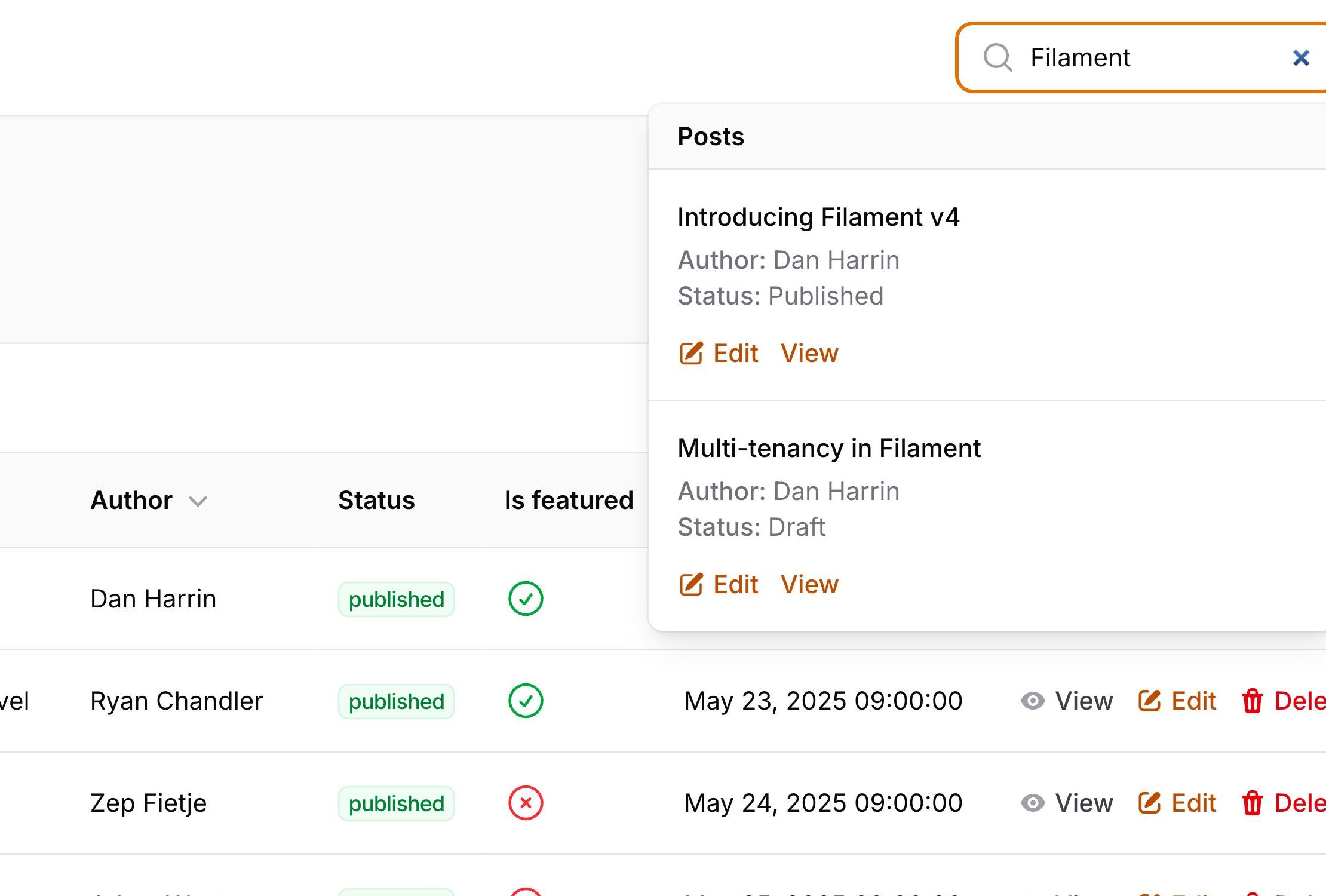
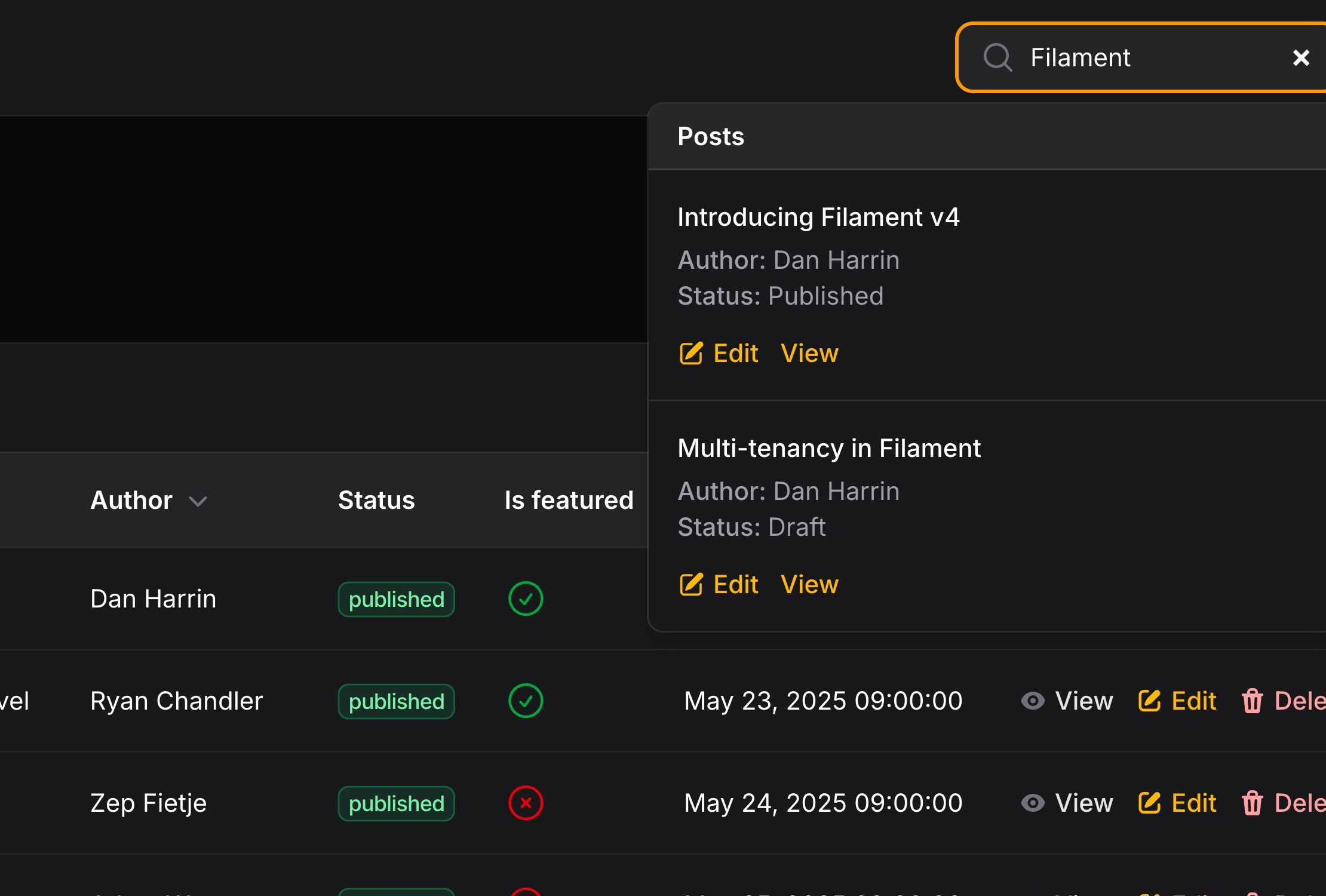
全局搜索支持操作(Action),这些操作是渲染在每个搜索结果下方的按钮。它们可以打开 URL 或调度 Livewire 事件。
操作可以定义如下:
use Filament\Actions\Action;

public static function getGlobalSearchResultActions(Model $record): array
{
    return [
        Action::make('edit')
            ->url(static::getUrl('edit', ['record' => $record])),
    ];
}
你可以在此处了解更多关于如何设置操作按钮样式的信息。
从全局搜索操作中打开 URL
点击操作时,你可以选择在新标签页中打开 URL:
use Filament\Actions\Action;

Action::make('view')
    ->url(static::getUrl('view', ['record' => $record]), shouldOpenInNewTab: true)
从全局搜索操作中派发 Livewire 事件
有时,你希望在点击全局搜索结果操作(Action)时执行额外的代码。这可以通过设置一个 Livewire 事件来实现,该事件应在点击该操作时派发。你可以选择性地传递一个数据数组,该数组将作为 Livewire 组件的事件监听器中的参数提供:
use Filament\Actions\Action;

Action::make('quickView')
    ->dispatch('quickView', [$record->id])
限制全局搜索结果数量
默认情况下,全局搜索每个资源最多返回 50 条结果。你可以通过在资源标签上重写 $globalSearchResultsLimit 属性来自定义此限制:
protected static int $globalSearchResultsLimit = 20;
Sorting global search results
By default, global search results are ordered alphabetically by resource name. You can customize this order by setting the $globalSearchSort property on your resource:
protected static ?int $globalSearchSort = 3;
Now, navigation items with a lower sort value will appear before those with a higher sort value - the order is ascending.
禁用全局搜索
如上文所述,一旦你为资源设置了 title 属性,全局搜索就会自动启用。有时你可能希望在不启用全局搜索的情况下指定 title 属性。
你可以通过在配置中禁用全局搜索来实现:
use Filament\Panel;

public function panel(Panel $panel): Panel
{
    return $panel
        // ...
        ->globalSearch(false);
}
Requiring resources to opt in to global search
By default, all resources with a title attribute are included in global search results. If you’d prefer resources to explicitly opt in, you can use the globalSearchResourceOptIn() method in the configuration:
use Filament\Panel;

public function panel(Panel $panel): Panel
{
    return $panel
        // ...
        ->globalSearchResourceOptIn();
}
Now, only resources that explicitly set $isGloballySearchable to true will be included in global search results:
protected static bool $isGloballySearchable = true;
Resources that do not declare this property will be excluded from global search, even if they have a title attribute set.
将全局搜索移动到侧边栏
By default, the global search field is positioned in the topbar. If the topbar is disabled, it is added to the sidebar.
You can choose to always move it to the sidebar by passing a position argument to the globalSearch() method in the configuration:
use Filament\Enums\GlobalSearchPosition;
use Filament\Panel;

public function panel(Panel $panel): Panel
{
    return $panel
        // ...
        ->globalSearch(position: GlobalSearchPosition::Sidebar);
}
注册全局搜索键绑定
可以使用键盘快捷键打开全局搜索字段。要配置这些快捷键,请将 globalSearchKeyBindings() 方法传递给配置:
use Filament\Panel;

public function panel(Panel $panel): Panel
{
    return $panel
        // ...
        ->globalSearchKeyBindings(['command+k', 'ctrl+k']);
}
配置全局搜索防抖动
全局搜索默认防抖动时间为 500 毫秒,用于限制用户输入时发出的请求数量。你可以使用配置中的 globalSearchDebounce() 方法更改此设置:
use Filament\Panel;

public function panel(Panel $panel): Panel
{
    return $panel
        // ...
        ->globalSearchDebounce('750ms');
}
配置全局搜索字段后缀
全局搜索字段默认不包含任何后缀。你可以使用配置中的 globalSearchFieldSuffix() 方法进行自定义。
如果你想在后缀中显示当前配置的全局搜索键绑定,可以使用 globalSearchFieldKeyBindingSuffix() 方法,该方法将显示第一个已注册的键绑定作为全局搜索字段的后缀:
use Filament\Panel;

public function panel(Panel $panel): Panel
{
    return $panel
        // ...
        ->globalSearchFieldKeyBindingSuffix();
}


要自定义后缀,你可以将字符串或函数传递给 globalSearchFieldSuffix() 方法。例如,要为每个平台手动提供自定义按键绑定后缀:
use Filament\Panel;
use Filament\Support\Enums\Platform;

public function panel(Panel $panel): Panel
{
    return $panel
        // ...
        ->globalSearchFieldSuffix(fn (): ?string => match (Platform::detect()) {
            Platform::Windows, Platform::Linux => 'CTRL+K',
            Platform::Mac => '⌘K',
            default => null,
        });
}
禁用搜索词拆分
默认情况下,全局搜索会将搜索词拆分为单个字词,并分别搜索每个字。这允许更灵活的搜索查询。但是,当涉及大型数据集时,这可能会对性能产生负面影响。你可以通过将资源上的 $shouldSplitGlobalSearchTerms 属性设置为 false 来禁用此行为:
protected static ?bool $shouldSplitGlobalSearchTerms = false;
Still need help? Join our Discord community or open a GitHub discussion