
Action
导入操作
简介
Filament 引入了一个可以从 CSV 导入行数据的 Action。点击触发按钮后,模态框向用户请求文件。文件上传后,可以将 CSV 中的每一列映射到数据库的列字段中。如果有任何一行验证失败,这些行数据将会在其他行导入后,被编译到一个可下载的 CSV 中,供用户进行查阅。用户也可以下载包含可被导入的所有列信息的 CSV 示例文件。
该特性使用了队列批量操作及数据库通知,因此你需要发布这些迁移到 Laravel 中。同时,也需要发布 Filament 用于存储导入数据的迁移表:
php artisan make:queue-batches-table
php artisan make:notifications-table
php artisan vendor:publish --tag=filament-actions-migrations
php artisan migrate
如果你想在面板中接收导入通知,可以在面板配置中启用。
NOTE
如果你使用的是 PostgreSQL,请确保通知迁移中的 data 字段使用 json(): $table->json('data')。
NOTE
如果 User 模型使用了 UUID,请确保通知迁移的 notifiable 字段使用 uuidMorphs(): $table->uuidMorphs('notifiable')
ImportAction 可以像这样使用:
use App\Filament\Imports\ProductImporter;
use Filament\Actions\ImportAction;

ImportAction::make()
    ->importer(ProductImporter::class)
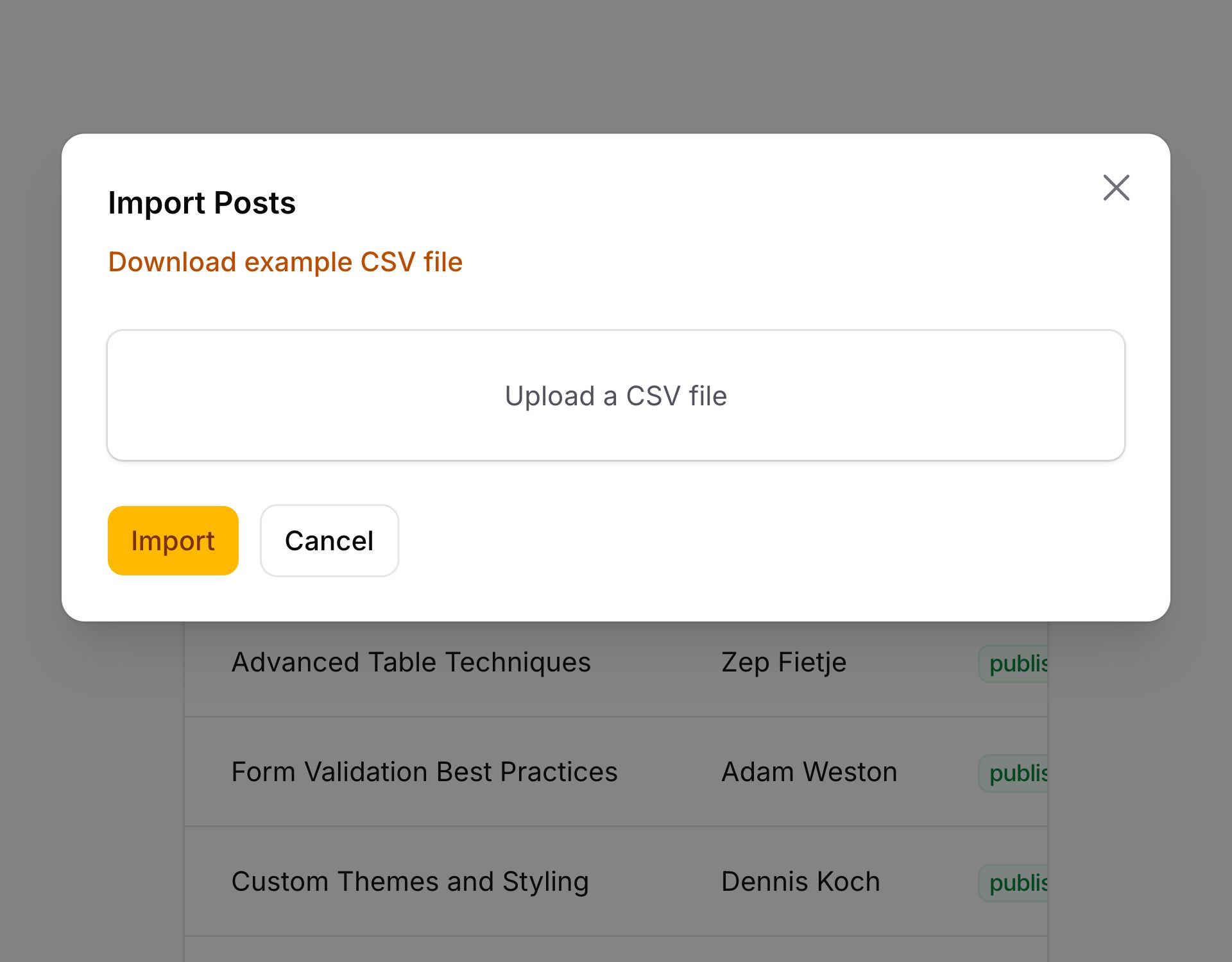
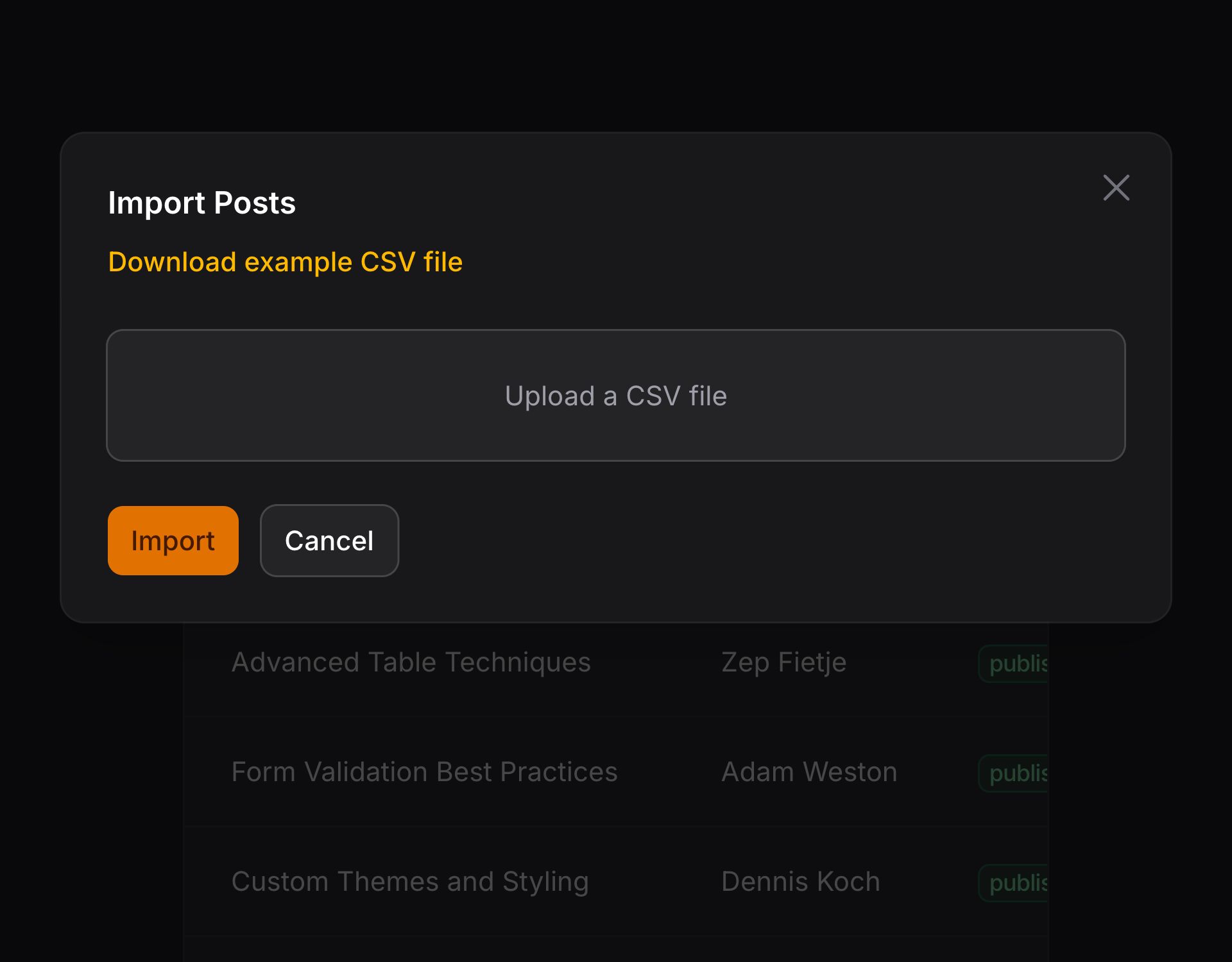
如果你想将该 Action 添加到表头,可以这样使用:
use App\Filament\Imports\ProductImporter;
use Filament\Actions\ImportAction;
use Filament\Tables\Table;

public function table(Table $table): Table
{
    return $table
        ->headerActions([
            ImportAction::make()
                ->importer(ProductImporter::class)
        ]);
}
需要创建 “importer” 类,以告知 Filament 如何导入 CSV 的每一行。
如果在同一个地方有多个 ImportAction,你需要在 make() 方法中为每个 Action 都指定一个唯一的名称:
use Filament\Actions\ImportAction;

ImportAction::make('importProducts')
    ->importer(ProductImporter::class)

ImportAction::make('importBrands')
    ->importer(BrandImporter::class)
创建导入器
要为模型创建 importer 类,可以使用 make:filament-importer 命令,并传入模型名称:
php artisan make:filament-importer Product
该命令将在 app/Filament/Imports 目录下创建一个新类。你需要定义可被导入的列字段。
自动生成导入器字段
如果你想节省时间,可以使用 --generate,将Filament 基于模型的数据库字段,为你自动生成列字段:
php artisan make:filament-importer Product --generate
定义导入器列字段
要定义可被导入的列,你需要在导入器类中重写 getColumns() 方法,并使其返回 ImportColumn 对象数组:
use Filament\Actions\Imports\ImportColumn;

public static function getColumns(): array
{
    return [
        ImportColumn::make('name')
            ->requiredMapping()
            ->rules(['required', 'max:255']),
        ImportColumn::make('sku')
            ->label('SKU')
            ->requiredMapping()
            ->rules(['required', 'max:32']),
        ImportColumn::make('price')
            ->numeric()
            ->rules(['numeric', 'min:0']),
    ];
}
自定义导入列标签
每个列的标签将由该列名称自动生成,不过你也可以调用 label() 方法对其进行重写:
use Filament\Actions\Imports\ImportColumn;

ImportColumn::make('sku')
    ->label('SKU')
要求导入器列映射到 CSV 字段
你可以调用 requiredMapping() 方法,使得列字段映射到 CSV 中的变成必需。数据库中必需的字段也应该是映射时必需的:
use Filament\Actions\Imports\ImportColumn;

ImportColumn::make('sku')
    ->requiredMapping()
如果字段在数据库中是必需项,你也需要确保它的验证规则有 [‘required’] 验证规则。
如果某个字段没有映射到,它就不会进行验证,因为没有数据可供验证。
如果你允许导入创建记录以及更新已有记录,但在创建记录时只需要映射一列,因为这是必填字段,你可以使用 requiredMappingForNewRecordsOnly() 方法而不是 requiredMapping();
use Filament\Actions\Imports\ImportColumn;

ImportColumn::make('sku')
    ->requiredMappingForNewRecordsOnly()
如果 resolveRecord() 方法返回一个尚未保存在数据库中的模型实例,那么需要映射该列,但仅针对该行。如果用户没有映射该列,并且导入中的一行在数据库中尚不存在,则只有该行将失败,并且在分析完每一行后,将向失败的 CSV 行添加一条消息。
验证 CSV 数据
你可以调用 rules() 方法以将验证规则添加到字段中。这些规则将在 CSV 中的每一行中的数据保存到数据库之前对其进行检查:
use Filament\Actions\Imports\ImportColumn;

ImportColumn::make('sku')
    ->rules(['required', 'max:32'])
任何未通过验证的行都不会被导入。相反,它们将被编译到一个包含 “失败记录” 新 CSV,用户可以在导入完成后下载。用户将看到验证失败的每一行的错误列表。
除了允许静态值之外,rules() 方法也可以接受函数动态计算其值。你可以将各种 utility 作为参数注入到函数中。
| Utility | 类型 | 参数 | 描述 |
|---|---|---|---|
| Import column | Filament\Actions\Imports\ImportColumn | $column | The current import column instance. |
| Data | array<string, mixed> | $data | The processed data for the record that is currently being imported. |
| Importer | ?Filament\Actions\Imports\Importer | $importer | The instance of the importer class that is currently being used for importing data. |
| Options | array<string, mixed> | $options | The options that were defined when the import started. |
| Original data | array<string, mixed> | $originalData | The original data for the record that is currently being imported, before it was processed. |
| Eloquent record | ?Illuminate\Database\Eloquent\Model | $record | The Eloquent record that is currently being imported. |
强制转换状态
在验证之前,CSV 数据可以被转换。这对于将字符串强制转换为正确的数据类型很有用,否则验证可能会失败。比如,如果你的 CSV 中有一个 price 字段,你可能想将其强制转换成浮点型:
use Filament\Actions\Imports\ImportColumn;

ImportColumn::make('price')
    ->castStateUsing(function (string $state): ?float {
        if (blank($state)) {
            return null;
        }

        $state = preg_replace('/[^0-9.]/', '', $state);
        $state = floatval($state);

        return round($state, precision: 2);
    })
除了 $state之外,castStateUsing() 方法允许你将各种 utility 作为参数注入到函数中。
| Utility | 类型 | 参数 | 描述 |
|---|---|---|---|
| Import column | Filament\Actions\Imports\ImportColumn | $column | The current import column instance. |
| Data | array<string, mixed> | $data | The processed data for the record that is currently being imported. |
| Importer | ?Filament\Actions\Imports\Importer | $importer | The instance of the importer class that is currently being used for importing data. |
| Options | array<string, mixed> | $options | The options that were defined when the import started. |
| Original data | array<string, mixed> | $originalData | The original data for the record that is currently being imported, before it was processed. |
| Original state | mixed | $originalState | The state to cast, before it was processed by other casting methods. |
| Eloquent record | ?Illuminate\Database\Eloquent\Model | $record | The Eloquent record that is currently being imported. |
| State | mixed | $state | The state to cast, after it has been processed by other casting methods. |
本例中,我们传入一个用于强制转换 $state 的函数。此函数从字符串中删除任何非数字字符,将其强制转换为浮点值,并将其四舍五入到小数点后两位。
NOTE
请注意,如果字段在验证中不是必需的,且字段为空,它不会被转换。
Filament 也同时附带了一些内置的转换方法:
use Filament\Actions\Imports\ImportColumn;

ImportColumn::make('price')
    ->numeric() // Casts the state to a float.

ImportColumn::make('price')
    ->numeric(decimalPlaces: 2) // Casts the state to a float, and rounds it to 2 decimal places.

ImportColumn::make('quantity')
    ->integer() // Casts the state to an integer.

ImportColumn::make('is_visible')
    ->boolean() // Casts the state to a boolean.
强制转换后修改状态
如果你使用了内置强制转换方法或者数组强制转换,你可以传入一个函数到 castStateUsing() 方法,在转换后改变其状态:
use Filament\Actions\Imports\ImportColumn;

ImportColumn::make('price')
    ->numeric()
    ->castStateUsing(function (float $state): ?float {
        if (blank($state)) {
            return null;
        }

        return round($state * 100);
    })
通过在函数中定义一个 $originalState 参数,你甚至可以访问强制转换之前原始状态:
use Filament\Actions\Imports\ImportColumn;

ImportColumn::make('price')
    ->numeric()
    ->castStateUsing(function (float $state, mixed $originalState): ?float {
        // ...
    })
除了 $state之外,castStateUsing() 方法允许你将各种 utility 作为参数注入到函数中。
| Utility | 类型 | 参数 | 描述 |
|---|---|---|---|
| Import column | Filament\Actions\Imports\ImportColumn | $column | The current import column instance. |
| Data | array<string, mixed> | $data | The processed data for the record that is currently being imported. |
| Importer | ?Filament\Actions\Imports\Importer | $importer | The instance of the importer class that is currently being used for importing data. |
| Options | array<string, mixed> | $options | The options that were defined when the import started. |
| Original data | array<string, mixed> | $originalData | The original data for the record that is currently being imported, before it was processed. |
| Original state | mixed | $originalState | The state to cast, before it was processed by other casting methods. |
| Eloquent record | ?Illuminate\Database\Eloquent\Model | $record | The Eloquent record that is currently being imported. |
| State | mixed | $state | The state to cast, after it has been processed by other casting methods. |
在单列中处理多个值
你可以使用 multiple() 方法,将一个列的值强制转换成一个数组。它接受分隔符作为第一个参数,用于将列中的值拆分为数组。例如,如果你的 CSV 中有一个 documentation_urls 列,你可能希望将其强制转换为 URL 数组:
use Filament\Actions\Imports\ImportColumn;

ImportColumn::make('documentation_urls')
    ->multiple(',')
除了允许静态值之外,multiple() 方法也可以接受函数动态计算其值。你可以将各种 utility 作为参数注入到函数中。
| Utility | 类型 | 参数 | 描述 |
|---|---|---|---|
| Import column | Filament\Actions\Imports\ImportColumn | $column | The current import column instance. |
| Data | array<string, mixed> | $data | The processed data for the record that is currently being imported. |
| Importer | ?Filament\Actions\Imports\Importer | $importer | The instance of the importer class that is currently being used for importing data. |
| Options | array<string, mixed> | $options | The options that were defined when the import started. |
| Original data | array<string, mixed> | $originalData | The original data for the record that is currently being imported, before it was processed. |
| Eloquent record | ?Illuminate\Database\Eloquent\Model | $record | The Eloquent record that is currently being imported. |
本例中,我们传入一个逗号作为分隔符,因此列中的值将用逗号分隔,并强制转换为数组。
在数组中强制转换每一项
如果想在数组将每一项强制转换成不同的数据类型,你可以链式调用内置强制转换方法:
use Filament\Actions\Imports\ImportColumn;

ImportColumn::make('customer_ratings')
    ->multiple(',')
    ->integer() // Casts each item in the array to an integer.
验证数组中的每一项
如果你想验证数组中的每一项,你可以链式调用 nestedRecursiveRules() 方法:
use Filament\Actions\Imports\ImportColumn;

ImportColumn::make('customer_ratings')
    ->multiple(',')
    ->integer()
    ->rules(['array'])
    ->nestedRecursiveRules(['integer', 'min:1', 'max:5'])
除了允许静态值之外,nestedRecursiveRules() 方法也可以接受函数动态计算其值。你可以将各种 utility 作为参数注入到函数中。
| Utility | 类型 | 参数 | 描述 |
|---|---|---|---|
| Import column | Filament\Actions\Imports\ImportColumn | $column | The current import column instance. |
| Data | array<string, mixed> | $data | The processed data for the record that is currently being imported. |
| Importer | ?Filament\Actions\Imports\Importer | $importer | The instance of the importer class that is currently being used for importing data. |
| Options | array<string, mixed> | $options | The options that were defined when the import started. |
| Original data | array<string, mixed> | $originalData | The original data for the record that is currently being imported, before it was processed. |
| Eloquent record | ?Illuminate\Database\Eloquent\Model | $record | The Eloquent record that is currently being imported. |
导入关联
你可以使用 relationship() 方法导入关联。目前只支持 BelongsTo 和 BelongsToMany 关联。比如,你的 CSV 中有一个 category 字段,你可能希望导入 category 的 BelongsTo 关联:
use Filament\Actions\Imports\ImportColumn;

ImportColumn::make('author')
    ->relationship()
本例中,CSV 中的 author 列映射到数据库中的 author_id 字段。该 CSV 中应该包含 author 的主键,通常为 id。
如果李忠有值,但找不到作者(author),则导入将无法通过验证。Filament 会自动向所有关联列添加验证,以确保关联在必需时不为空。
如果你想导入 BelongsToMany 关联,请确保该列设置了 multiple(),并且使用了正确的分隔符分隔值:
use Filament\Actions\Imports\ImportColumn;

ImportColumn::make('authors')
    ->relationship()
    ->multiple(',')
自定义关联导入解析
如果你想使用不同的列查询关联记录,你可以将列名作为 resolveUsing 参数传入:
use Filament\Actions\Imports\ImportColumn;

ImportColumn::make('author')
    ->relationship(resolveUsing: 'email')
你可以将多个列传给 resolveUsing 中,这些列使用 “or” 方式查找作者。比如,如果你传入 ['email', 'username'],将通过邮箱(email)或用户名(username)查询记录:
use Filament\Actions\Imports\ImportColumn;

ImportColumn::make('author')
    ->relationship(resolveUsing: ['email', 'username'])
你也可以传入函数到 resolveUsing 参数自定义解析过程,该函数返回带有关联的记录:
use App\Models\Author;
use Filament\Actions\Imports\ImportColumn;

ImportColumn::make('author')
    ->relationship(resolveUsing: function (string $state): ?Author {
        return Author::query()
            ->where('email', $state)
            ->orWhere('username', $state)
            ->first();
    })
传入到 resolveUsing 函数允许你将各种 utility 作为参数注入到函数中。
| Utility | 类型 | 参数 | 描述 |
|---|---|---|---|
| Import column | Filament\Actions\Imports\ImportColumn | $column | The current import column instance. |
| Data | array<string, mixed> | $data | The processed data for the record that is currently being imported. |
| Importer | ?Filament\Actions\Imports\Importer | $importer | The instance of the importer class that is currently being used for importing data. |
| Options | array<string, mixed> | $options | The options that were defined when the import started. |
| Original data | array<string, mixed> | $originalData | The original data for the record that is currently being imported, before it was processed. |
| Eloquent record | ?Illuminate\Database\Eloquent\Model | $record | The Eloquent record that is currently being imported. |
| State | mixed | $state | The state to resolve into a record. |
如果你使用了 BelongsToMany 关联, $state 将为一个数组,这种情况下,你应该返回已经解析的记录集合:
use App\Models\Author;
use Filament\Actions\Imports\ImportColumn;
use Illuminate\Database\Eloquent\Collection;

ImportColumn::make('authors')
    ->relationship(resolveUsing: function (array $state): Collection {
        return Author::query()
            ->whereIn('email', $state)
            ->orWhereIn('username', $state)
            ->get();
    })
你甚至可以使用该函数,动态确定哪个列用于解析记录:
use App\Models\Author;
use Filament\Actions\Imports\ImportColumn;

ImportColumn::make('author')
    ->relationship(resolveUsing: function (string $state): ?Author {
        if (filter_var($state, FILTER_VALIDATE_EMAIL)) {
            return 'email';
        }

        return 'username';
    })
将列数据标记为敏感
当行数据导入验证失败时,它们会以日志的形式被记录到数据库中,以便在导入完成时导出。你可能希望从此日志记录中排除某些特定的列,以避免以纯文本存储敏感数据。为了实现这一点,你可以在 ImportColumn 上使用 sensitive() 方法来防止其数据被日志记录:
use Filament\Actions\Imports\ImportColumn;

ImportColumn::make('ssn')
    ->label('Social security number')
    ->sensitive()
    ->rules(['required', 'digits:9'])
自定义列数据填入记录的方式
如果你想自定义列状态填入记录的方式,你可以传入一个函数到 fillRecordUsing() 方法:
use App\Models\Product;
use Filament\Actions\Imports\ImportColumn;

ImportColumn::make('sku')
    ->fillRecordUsing(function (Product $record, string $state): void {
        $record->sku = strtoupper($state);
    })
The function passed to the fillRecordUsing() 方法允许你将各种 utility 作为参数注入到函数中。
| Utility | 类型 | 参数 | 描述 |
|---|---|---|---|
| Import column | Filament\Actions\Imports\ImportColumn | $column | The current import column instance. |
| Data | array<string, mixed> | $data | The processed data for the record that is currently being imported. |
| Importer | ?Filament\Actions\Imports\Importer | $importer | The instance of the importer class that is currently being used for importing data. |
| Options | array<string, mixed> | $options | The options that were defined when the import started. |
| Original data | array<string, mixed> | $originalData | The original data for the record that is currently being imported, before it was processed. |
| Eloquent record | ?Illuminate\Database\Eloquent\Model | $record | The Eloquent record that is currently being imported. |
| State | mixed | $state | The state to fill into the record. |
在导入列下面添加帮助文本
有时,你可能希望在验证之前提供额外的信息给用户。你可以使用 helperText() 方法添加帮助文本,这些文本将在映射的下拉列表下方显示
use Filament\Actions\Imports\ImportColumn;

ImportColumn::make('skus')
    ->multiple(',')
    ->helperText('A comma-separated list of SKUs.')
导入时更新现有记录
生成导入类时,你将会看到其中有一个 resolveRecord() 方法:
use App\Models\Product;

public function resolveRecord(): ?Product
{
    // return Product::firstOrNew([
    //     // Update existing records, matching them by `$this->data['column_name']`
    //     'email' => $this->data['email'],
    // ]);

    return new Product();
}
该方法在 CSV 的每一行中调用,负责返回要从 CSV 中填入的数据的模型实例,并保存到数据库中。默认情况下,它将为每一行创建一个新记录。不过,你可以自定义该行为,用以更新现有已有记录。比如,如果一个产品已经存在,你可能想对其进行更新;如果不存在,则新建一条记录。为此,你可以取消 firstOrNew() 的行注释,并且传入你想匹配的列名。对于产品,你可能会匹配 sku 字段:
use App\Models\Product;

public function resolveRecord(): ?Product
{
    return Product::firstOrNew([
        'sku' => $this->data['sku'],
    ]);
}
导入时只更新已有记录
如果你要编写一个只更新现有记录的导入器,而不希望它创建新记录,你可以在未找到记录时返回 null:
use App\Models\Product;

public function resolveRecord(): ?Product
{
    return Product::query()
        ->where('sku', $this->data['sku'])
        ->first();
}
如果你希望在没有找到记录时让导入失败,你可以抛出 RowImportFailedException 并显示消息:
use App\Models\Product;
use Filament\Actions\Imports\Exceptions\RowImportFailedException;

public function resolveRecord(): ?Product
{
    $product = Product::query()
        ->where('sku', $this->data['sku'])
        ->first();

    if (! $product) {
        throw new RowImportFailedException("No product found with SKU [{$this->data['sku']}].");
    }

    return $product;
}
导入完成后,用户能够下载失败记录的 CSV,其中包也含错误消息。
让导入列忽视空状态
默认情况下,如果 CSV 中的某个列是空的,并且由用户映射,同时该列的验证为非必需,则该列将以 null 导入数据库。如果想忽略空状态,而使用数据库中的现有值,可以调用 ignoreBlankState() 方法:
use Filament\Actions\Imports\ImportColumn;

ImportColumn::make('price')
    ->ignoreBlankState()
使用导入选项
导入操作可以渲染额外的表单组件,用户可以在导入 CSV 时与之交互。这对于允许用户自定义导入器的行为非常有用。例如,你可能希望用户能够选择是在导入时更新现有记录,还是只创建新记录。为此,你可以在导入类的 getOptionsFormComponents() 方法中返回选项表单组件:
use Filament\Forms\Components\Checkbox;

public static function getOptionsFormComponents(): array
{
    return [
        Checkbox::make('updateExisting')
            ->label('Update existing records'),
    ];
}
此外,你也可以通过该 Action 的 options() 方法将一组静态选项传递给导入器:
use App\Filament\Imports\ProductImporter;
use Filament\Actions\ImportAction;

ImportAction::make()
    ->importer(ProductImporter::class)
    ->options([
        'updateExisting' => true,
    ])
现在,你可以通过调用 $this->options 在导入器类中访问这些选项中的数据。比如,你可能想在 resolveRecord() 中使用它来更新现有产品:
use App\Models\Product;

public function resolveRecord(): ?Product
{
    if ($this->options['updateExisting'] ?? false) {
        return Product::firstOrNew([
            'sku' => $this->data['sku'],
        ]);
    }

    return new Product();
}
改进导入字段映射猜想
默认情况下,Filament 会尝试猜测 CSV 中的那一列匹配数据库中的哪一个字段,以节约用户时间。它通过尝试查找字段名的不同组合来做到这一点,这些组合包括空格、-、_,大小写不敏感。但是,如果想改进猜测,可以调用 guess() 方法,并提供 CSV 中可能存在的列名的更多示例:
use Filament\Actions\Imports\ImportColumn;

ImportColumn::make('sku')
    ->guess(['id', 'number', 'stock-keeping unit'])
提供示例 CSV 数据
在用户上传 CSV 之前,他们可以选择下载一个 CSV 示例文件,其中包含可以导入的所有可用字段。这很有用,因为它允许用户将此文件直接导入到他们的电子表格软件中并填写。
你也可以添加一个示例行到 CSV 中,向用户展示数据应该是怎么样的。要填入示例行,你可以传递示例字段的值到 example() 方法中:
use Filament\Actions\Imports\ImportColumn;

ImportColumn::make('sku')
    ->example('ABC123')
或者如果你想添加不止一个示例行,你可以传递一个数组给 examples() 方法:
use Filament\Actions\Imports\ImportColumn;

ImportColumn::make('sku')
    ->examples(['ABC123', 'DEF456'])
默认情况下,列名用在示例 CSV 的头部。你可以使用 examplerHeader() 自定义每一列的标题:
use Filament\Actions\Imports\ImportColumn;

ImportColumn::make('sku')
    ->exampleHeader('SKU')
使用自定义用户模型
默认情况下,imports 表有一个 user_id 字段。该字段约束到 users 表:
$table->foreignId('user_id')->constrained()->cascadeOnDelete();
在 Import 模型中,user() 关联定义为 App\Models\User 的 BelongsTo 关联。如果 App\Models\User 模型不存在,或者你想使用其他模型,你可以在服务提供者的 register() 方法中将新的 Authenticatable 模型绑定到容器中:
use App\Models\Admin;
use Illuminate\Contracts\Auth\Authenticatable;

$this->app->bind(Authenticatable::class, Admin::class);
如果你的 authenticatable 模型使用的不是 users 表,你应该将表格名传入到 constrained():
$table->foreignId('user_id')->constrained('admins')->cascadeOnDelete();
使用多态用户关联
使用多态 MorphTo 关联,你可以将导入与多个用户模型关联。为此,你需要在 imports 表格中替换 user_id 字段:
$table->morphs('user');
然后,在服务提供者的 boot() 模型,调用 Import::polymorphicUserRelationship(),以将 Import 模型中的 user() 关联换成 MorphTo 关联:
use Filament\Actions\Imports\Models\Import;

Import::polymorphicUserRelationship();
限制可被导入的最大行数
为避免服务器过载,你可能希望限制从 CSV 文件导入的最大行数。你可以在 Action 上调用 maxRows() 方法来完成此操作:
use App\Filament\Imports\ProductImporter;
use Filament\Actions\ImportAction;

ImportAction::make()
    ->importer(ProductImporter::class)
    ->maxRows(100000)
除了允许静态值之外,maxRows() 方法也可以接受函数动态计算其值。你可以将各种 utility 作为参数注入到函数中。
了解更多 utility 注入详情。 | Utility | 类型 | 参数 | 描述 |
|---|---|---|---|
| Action | Filament\Actions\Action | $action | The current action instance. |
| Arguments | array<string, mixed> | $arguments | The array of arguments passed to the action when it was triggered. |
| Data | array<string, mixed> | $data | The array of data submitted from form fields in the action's modal. It will be empty before the modal form is submitted. |
| Livewire | Livewire\Component | $livewire | The Livewire component instance. |
| Eloquent model FQN | ?string<Illuminate\Database\Eloquent\Model> | $model | The Eloquent model FQN for the current action, if one is attached. |
| Mounted actions | array<Filament\Actions\Action> | $mountedActions | The array of actions that are currently mounted in the Livewire component. This is useful for accessing data from parent actions. |
| Eloquent record | ?Illuminate\Database\Eloquent\Model | $record | The Eloquent record for the current action, if one is attached. |
| Schema | Filament\Schemas\Schema | $schema | [Actions in schemas only] The schema object that this action belongs to. |
| Schema component | Filament\Schemas\Components\Component | $schemaComponent | [Actions in schemas only] The schema component that this action belongs to. |
| Schema component state | mixed | $schemaComponentState | [Actions in schemas only] The current value of the schema component. |
| Schema get function | Filament\Schemas\Components\Utilities\Get | $schemaGet | [Actions in schemas only] A function for retrieving values from the schema data. Validation is not run on form fields. |
| Schema operation | string | $schemaOperation | [Actions in schemas only] The current operation being performed by the schema. Usually create, edit, or view. |
| Schema set function | Filament\Schemas\Components\Utilities\Set | $schemaSet | [Actions in schemas only] A function for setting values in the schema data. |
| Selected Eloquent records | Illuminate\Support\Collection | $selectedRecords | [Bulk actions only] The Eloquent records selected in the table. |
| Table | Filament\Tables\Table | $table | [Actions in tables only] The table object that this action belongs to. |
更改导入分块大小
Filament 将对 CSV 进行分块(chunk),并在不同的队列作业中处理每个分块。默认情况下,每个块是 100 行。你可以在 Action 上调用 chunkSize() 方法来修改:
use App\Filament\Imports\ProductImporter;
use Filament\Actions\ImportAction;

ImportAction::make()
    ->importer(ProductImporter::class)
    ->chunkSize(250)
除了允许静态值之外,chunkSize() 方法也可以接受函数动态计算其值。你可以将各种 utility 作为参数注入到函数中。
了解更多 utility 注入详情。 | Utility | 类型 | 参数 | 描述 |
|---|---|---|---|
| Action | Filament\Actions\Action | $action | The current action instance. |
| Arguments | array<string, mixed> | $arguments | The array of arguments passed to the action when it was triggered. |
| Data | array<string, mixed> | $data | The array of data submitted from form fields in the action's modal. It will be empty before the modal form is submitted. |
| Livewire | Livewire\Component | $livewire | The Livewire component instance. |
| Eloquent model FQN | ?string<Illuminate\Database\Eloquent\Model> | $model | The Eloquent model FQN for the current action, if one is attached. |
| Mounted actions | array<Filament\Actions\Action> | $mountedActions | The array of actions that are currently mounted in the Livewire component. This is useful for accessing data from parent actions. |
| Eloquent record | ?Illuminate\Database\Eloquent\Model | $record | The Eloquent record for the current action, if one is attached. |
| Schema | Filament\Schemas\Schema | $schema | [Actions in schemas only] The schema object that this action belongs to. |
| Schema component | Filament\Schemas\Components\Component | $schemaComponent | [Actions in schemas only] The schema component that this action belongs to. |
| Schema component state | mixed | $schemaComponentState | [Actions in schemas only] The current value of the schema component. |
| Schema get function | Filament\Schemas\Components\Utilities\Get | $schemaGet | [Actions in schemas only] A function for retrieving values from the schema data. Validation is not run on form fields. |
| Schema operation | string | $schemaOperation | [Actions in schemas only] The current operation being performed by the schema. Usually create, edit, or view. |
| Schema set function | Filament\Schemas\Components\Utilities\Set | $schemaSet | [Actions in schemas only] A function for setting values in the schema data. |
| Selected Eloquent records | Illuminate\Support\Collection | $selectedRecords | [Bulk actions only] The Eloquent records selected in the table. |
| Table | Filament\Tables\Table | $table | [Actions in tables only] The table object that this action belongs to. |
TIP
如果你在导入大型 CSV 文件时遇到内存问题或者出现超时,缩减分块大小或许就是一个不错的方案。
修改 CSV 分隔符
默认的 CSV 分隔符是逗号(,)。如果你的导入使用了其他分隔符,你可以在 Action 上调用 csvDelimiter() 方法,并传入新的分隔符:
use App\Filament\Imports\ProductImporter;
use Filament\Actions\ImportAction;

ImportAction::make()
    ->importer(ProductImporter::class)
    ->csvDelimiter(';')
除了允许静态值之外,csvDelimiter() 方法也可以接受函数动态计算其值。你可以将各种 utility 作为参数注入到函数中。
了解更多 utility 注入详情。 | Utility | 类型 | 参数 | 描述 |
|---|---|---|---|
| Action | Filament\Actions\Action | $action | The current action instance. |
| Arguments | array<string, mixed> | $arguments | The array of arguments passed to the action when it was triggered. |
| Data | array<string, mixed> | $data | The array of data submitted from form fields in the action's modal. It will be empty before the modal form is submitted. |
| Livewire | Livewire\Component | $livewire | The Livewire component instance. |
| Eloquent model FQN | ?string<Illuminate\Database\Eloquent\Model> | $model | The Eloquent model FQN for the current action, if one is attached. |
| Mounted actions | array<Filament\Actions\Action> | $mountedActions | The array of actions that are currently mounted in the Livewire component. This is useful for accessing data from parent actions. |
| Eloquent record | ?Illuminate\Database\Eloquent\Model | $record | The Eloquent record for the current action, if one is attached. |
| Schema | Filament\Schemas\Schema | $schema | [Actions in schemas only] The schema object that this action belongs to. |
| Schema component | Filament\Schemas\Components\Component | $schemaComponent | [Actions in schemas only] The schema component that this action belongs to. |
| Schema component state | mixed | $schemaComponentState | [Actions in schemas only] The current value of the schema component. |
| Schema get function | Filament\Schemas\Components\Utilities\Get | $schemaGet | [Actions in schemas only] A function for retrieving values from the schema data. Validation is not run on form fields. |
| Schema operation | string | $schemaOperation | [Actions in schemas only] The current operation being performed by the schema. Usually create, edit, or view. |
| Schema set function | Filament\Schemas\Components\Utilities\Set | $schemaSet | [Actions in schemas only] A function for setting values in the schema data. |
| Selected Eloquent records | Illuminate\Support\Collection | $selectedRecords | [Bulk actions only] The Eloquent records selected in the table. |
| Table | Filament\Tables\Table | $table | [Actions in tables only] The table object that this action belongs to. |
你只能指定单个字符,否则会抛出异常。
更改列标题偏移量
如果你的列标题不在 CSV 文件的第一行,你可以在 Action 上调用 headerOffset() 方法,并传递要跳过的行数:
use App\Filament\Imports\ProductImporter;
use Filament\Actions\ImportAction;

ImportAction::make()
    ->importer(ProductImporter::class)
    ->headerOffset(5)
除了允许静态值之外,headerOffset() 方法也可以接受函数动态计算其值。你可以将各种 utility 作为参数注入到函数中。
了解更多 utility 注入详情。 | Utility | 类型 | 参数 | 描述 |
|---|---|---|---|
| Action | Filament\Actions\Action | $action | The current action instance. |
| Arguments | array<string, mixed> | $arguments | The array of arguments passed to the action when it was triggered. |
| Data | array<string, mixed> | $data | The array of data submitted from form fields in the action's modal. It will be empty before the modal form is submitted. |
| Livewire | Livewire\Component | $livewire | The Livewire component instance. |
| Eloquent model FQN | ?string<Illuminate\Database\Eloquent\Model> | $model | The Eloquent model FQN for the current action, if one is attached. |
| Mounted actions | array<Filament\Actions\Action> | $mountedActions | The array of actions that are currently mounted in the Livewire component. This is useful for accessing data from parent actions. |
| Eloquent record | ?Illuminate\Database\Eloquent\Model | $record | The Eloquent record for the current action, if one is attached. |
| Schema | Filament\Schemas\Schema | $schema | [Actions in schemas only] The schema object that this action belongs to. |
| Schema component | Filament\Schemas\Components\Component | $schemaComponent | [Actions in schemas only] The schema component that this action belongs to. |
| Schema component state | mixed | $schemaComponentState | [Actions in schemas only] The current value of the schema component. |
| Schema get function | Filament\Schemas\Components\Utilities\Get | $schemaGet | [Actions in schemas only] A function for retrieving values from the schema data. Validation is not run on form fields. |
| Schema operation | string | $schemaOperation | [Actions in schemas only] The current operation being performed by the schema. Usually create, edit, or view. |
| Schema set function | Filament\Schemas\Components\Utilities\Set | $schemaSet | [Actions in schemas only] A function for setting values in the schema data. |
| Selected Eloquent records | Illuminate\Support\Collection | $selectedRecords | [Bulk actions only] The Eloquent records selected in the table. |
| Table | Filament\Tables\Table | $table | [Actions in tables only] The table object that this action belongs to. |
自定义完成通知
导入完成后,Filament 会发送通知给启动该导航的用户。通过重写导入器中的 getCompletedNotificationTitle() 和 getCompletedNotificationBody() 自定义通知的标题和正文:
use Filament\Actions\Imports\Models\Import;

public static function getCompletedNotificationTitle(Import $import): string
{
    return 'Your product import has finished';
}

public static function getCompletedNotificationBody(Import $import): string
{
    return $import->successful_rows . ' products were imported.';
}
对于标题和正文之外的任何内容,例如更改通知颜色、添加额外操作或替换图标,请重写 modifyCompletedNotifications()。你也可以修改传入的 Notification 并返回它,也可以构建并返回一个全新的通知:
use Filament\Actions\Action;
use Filament\Actions\Imports\Models\Import;
use Filament\Notifications\Notification;

public static function modifyCompletedNotification(Notification $notification, Import $import): Notification
{
    $notification->icon('heroicon-o-shopping-bag');

    if ($import->getOptions()['sendWelcomeEmails'] ?? false) {
        $notification->actions([
            ...$notification->getActions(),
            Action::make('viewWelcomeEmails')
                ->url(route('emails.sent')),
        ]);
    }

    return $notification;
}
Import 模型通过 $import->getColumnMap() 和 $import->getOptions() 暴露列映射及用户选择的选项,因此你可以根据用户导入的内容定制通知。
自定义导入失败行的下载方式
默认情况下,导入失败的行被编译成 CSV,并作为流式响应返回。你可以通过重写 getFailedRowsDownloader() 方法来自定义如何让导入器下载它们:
use App\Filament\Imports\Downloaders\CustomFailedRowsDownloader;
use Filament\Actions\Imports\Downloaders\Contracts\Downloader;

public static function getFailedRowsDownloader(): Downloader
{
    return app(CustomFailedRowsDownloader::class);
}
下载器(Downloader)是一个可调用的类,它接收 Import 模型并返回一个 Symfony Response 对象。该响应既可以流式传输下载内容或直接返回文件,也可以将用户重定向到远程文件系统上的临时 URL。
如果你的自定义下载器仅需更改生成内容的交付方式,可以使用 CsvImportFailureContentGenerator 将失败的行写入 League CSV Writer。Filament 会从容器中解析该类,以便您能够复用内置的内容生成逻辑。
自定义导入任务
处理导入的默认 job 是 Filament\Actions\imports\Jobs\ImportCsv。如果想继承该类并重写它的方法,你可以在服务提供者的 register() 方法中替换掉原来的类:
use App\Jobs\ImportCsv;
use Filament\Actions\Imports\Jobs\ImportCsv as BaseImportCsv;

$this->app->bind(BaseImportCsv::class, ImportCsv::class);
或者,也可以将新的 Job 类传入到 Action 的 job() 方法中,以自定义特定导入任务:
use App\Filament\Imports\ProductImporter;
use App\Jobs\ImportCsv;
use Filament\Actions\ImportAction;

ImportAction::make()
    ->importer(ProductImporter::class)
    ->job(ImportCsv::class)
自定义导入队列与连接
默认情况下,导入系统将使用默认队列和连接。如果你想自定义用于特定导入器的 Job 队列,你可以在你的导入器类中重写 getJobQueue() 方法:
public function getJobQueue(): ?string
{
    return 'imports';
}
重写你的导入类中的 getJobConnection() 方法,你也可以自定义用于特定导入器 Job 的连接:
public function getJobConnection(): ?string
{
    return 'sqs';
}
自定义导入 Job 中间件
默认情况下,导入系统每次导入时只会处理一个任务。这是为了防止服务器过载,也为了防止其他任务因大量导入而延迟。该功能在导入类的 WithoutOverlapping 中间件中定义:
use Illuminate\Queue\Middleware\WithoutOverlapping;

public function getJobMiddleware(): array
{
    return [
        (new WithoutOverlapping("import{$this->import->getKey()}"))->expireAfter(600),
    ];
}
如果你想自定义应用于某个导入器的 Job 所应用的中间件,你可以在导入类中重写此方法。更多关于 Job 中间件的信息,请查阅 Laravel 文档。
自定义导入 Job 的重试
默认情况下,导入系统会在 24 小时内重试任务,或者重试任务直到因未处理异常而失败 5 次时(以先发生为准)。这是为了解决临时问题,比如数据库不可用。你可以修改 Job 的重试时间周期,它在导入器类的 getJobRetryUntil() 方法中定义:
use Carbon\CarbonInterface;

public function getJobRetryUntil(): ?CarbonInterface
{
    return now()->addHours(12);
}
更多关于 Job 重试的信息,请查阅 Laravel 文档。
自定义导入任务退避策略
默认情况下,导入系统在重试之前会等待 1 分钟,然后等待 2 分钟,随后是 5 分钟,最后是 10 分钟。这是为了防止服务器因任务反复失败而过载。此功能在导入器类的 getJobBackoff() 方法中定义:
/**
* @return int | array<int> | null
 */
public function getJobBackoff(): int | array | null
{
    return [60, 120, 300, 600];
}
你可以在 Laravel 文档中阅读有关任务退避的更多信息,包括如何配置指数退避。
自定义导入任务标签
默认情况下,导入系统会使用导入的 ID 来标记每个任务。这是为了方便轻你松找到与特定导入相关的所有任务。此功能在导入器类的 getJobTags() 方法中定义:
public function getJobTags(): array
{
    return ["import{$this->import->getKey()}"];
}
如果你想自定义应用于特定导入器作业的标签,你可以在导入器类中重写此方法。
自定义导入作业批次名
默认情况下,导入系统不会为作业批次定义任何名称。如果你想自定义应用于特定导入器作业批次的名称,可以在导入器类中重写 getJobBatchName() 方法:
public function getJobBatchName(): ?string
{
    return 'product-import';
}
自定义导入验证消息
导入系统会在导入 CSV 文件之前自动验证其内容。如果出现任何错误,系统会向用户显示错误列表,并且导入操作将不会被处理。如果你想重写默认验证消息,可以通过重写导入器类中的 getValidationMessages() 方法来实现:
public function getValidationMessages(): array
{
    return [
        'name.required' => 'The name column must not be empty.',
    ];
}
要了解有关自定义验证消息的更多信息,请阅读 Laravel 文档。
自定义导入验证属性
当列未通过验证时,其标签将用于错误消息。要自定义字段错误消息中使用的标签,请使用 validationAttribute() 方法:
use Filament\Actions\Imports\ImportColumn;

ImportColumn::make('name')
    ->validationAttribute('full name')
自定义导入文件验证
、使用 fileRules() 方法,你可以为导入文件添加新的 Laravel 验证规则:
use Filament\Actions\ImportAction;
use Illuminate\Validation\Rules\File;

ImportAction::make()
    ->importer(ProductImporter::class)
    ->fileRules([
        'max:1024',
        // or
        File::types(['csv', 'txt'])->max(1024),
    ]),
除了允许静态值之外,fileRules() 方法也可以接受函数动态计算其值。你可以将各种 utility 作为参数注入到函数中。
了解更多 utility 注入详情。 | Utility | 类型 | 参数 | 描述 |
|---|---|---|---|
| Action | Filament\Actions\Action | $action | The current action instance. |
| Arguments | array<string, mixed> | $arguments | The array of arguments passed to the action when it was triggered. |
| Data | array<string, mixed> | $data | The array of data submitted from form fields in the action's modal. It will be empty before the modal form is submitted. |
| Livewire | Livewire\Component | $livewire | The Livewire component instance. |
| Eloquent model FQN | ?string<Illuminate\Database\Eloquent\Model> | $model | The Eloquent model FQN for the current action, if one is attached. |
| Mounted actions | array<Filament\Actions\Action> | $mountedActions | The array of actions that are currently mounted in the Livewire component. This is useful for accessing data from parent actions. |
| Eloquent record | ?Illuminate\Database\Eloquent\Model | $record | The Eloquent record for the current action, if one is attached. |
| Schema | Filament\Schemas\Schema | $schema | [Actions in schemas only] The schema object that this action belongs to. |
| Schema component | Filament\Schemas\Components\Component | $schemaComponent | [Actions in schemas only] The schema component that this action belongs to. |
| Schema component state | mixed | $schemaComponentState | [Actions in schemas only] The current value of the schema component. |
| Schema get function | Filament\Schemas\Components\Utilities\Get | $schemaGet | [Actions in schemas only] A function for retrieving values from the schema data. Validation is not run on form fields. |
| Schema operation | string | $schemaOperation | [Actions in schemas only] The current operation being performed by the schema. Usually create, edit, or view. |
| Schema set function | Filament\Schemas\Components\Utilities\Set | $schemaSet | [Actions in schemas only] A function for setting values in the schema data. |
| Selected Eloquent records | Illuminate\Support\Collection | $selectedRecords | [Bulk actions only] The Eloquent records selected in the table. |
| Table | Filament\Tables\Table | $table | [Actions in tables only] The table object that this action belongs to. |
生命周期钩子
钩子(Hook)被用于导入器生命周期内的各个节点执行代码,比如在记录保存之前。要设置钩子,请在导入器类中使用钩子名创建一个 protected 方法:
protected function beforeSave(): void
{
    // ...
}
本例中,beforeSave() 方法中的代码将会在经验证的 CSV 数据保存到数据库之前调用。
导入器中有多个可用钩子:
use Filament\Actions\Imports\Importer;

class ProductImporter extends Importer
{
    // ...

    protected function beforeValidate(): void
    {
        // Runs before the CSV data for a row is validated.
    }

    protected function afterValidate(): void
    {
        // Runs after the CSV data for a row is validated.
    }

    protected function beforeFill(): void
    {
        // Runs before the validated CSV data for a row is filled into a model instance.
    }

    protected function afterFill(): void
    {
        // Runs after the validated CSV data for a row is filled into a model instance.
    }

    protected function beforeSave(): void
    {
        // Runs before a record is saved to the database.
    }

    protected function beforeCreate(): void
    {
        // Similar to `beforeSave()`, but only runs when creating a new record.
    }

    protected function beforeUpdate(): void
    {
        // Similar to `beforeSave()`, but only runs when updating an existing record.
    }

    protected function afterSave(): void
    {
        // Runs after a record is saved to the database.
    }

    protected function afterCreate(): void
    {
        // Similar to `afterSave()`, but only runs when creating a new record.
    }

    protected function afterUpdate(): void
    {
        // Similar to `afterSave()`, but only runs when updating an existing record.
    }
}
在 trait 中定义生命周期挂钩
要在 Trait 中定义生命周期钩子,需在钩子名称后加上该 Trait 的名称作为后缀。这种做法遵循了 Eloquent 的 boot{TraitName}() 和 Livewire 的 mount{TraitName}() 约定,使得可复用的 Trait 能够挂载到导入器(importer)的生命周期中,同时又不会与导入器自身定义的钩子发生冲突:
use Filament\Actions\Imports\Importer;

trait LogsImports
{
    protected function afterSaveLogsImports(): void
    {
        // Runs after a record is saved to the database, in addition to the
        // hook on the importer.
    }
}

class ProductImporter extends Importer
{
    use LogsImports;

    protected function afterSave(): void
    {
        // Both lifecycle hooks are called.
    }
}
首先调用导入器自身的钩子(hook),随后依次调用各个 trait 的钩子。由其他 trait 所使用的 trait 的钩子也会被调用。由于 trait 钩子是自动调用的,因此你无需在导入器自身的钩子中再次调用它们。
在这些钩子中,你可以使用 $this->data 访问当前行数据。还可以使用 $this->originalData 访问强制转换或者映射之前的 CSV 的原始行数据。
当前记录(如果已存在)可以通过 $this->record 访问,导入表单选项可以通过 $this->options 访问。
授权
默认情况下,只有开启导入的用户才能访问导入失败时生成的失败 CSV 文件。如果你想自定义授权逻辑,可以创建一个 ImportPolicy 类,并在 AuthServiceProvider 中注册它:
use App\Policies\ImportPolicy;
use Filament\Actions\Imports\Models\Import;

protected $policies = [
    Import::class => ImportPolicy::class,
];
该策略的 view() 方法将用于授权访问失败的 CSV 文件。
请注意,如果你定义了策略,现有的逻辑(即只有开启导入的用户才可以访问失败的 CSV 文件)将被移除。如果你要保留该逻辑,你需要将其添加到策略中:
use App\Models\User;
use Filament\Actions\Imports\Models\Import;

public function view(User $user, Import $import): bool
{
    return $import->user()->is($user);
}
安全
按记录授权
导入系统在创建或更新记录时,不会执行针对单条记录的授权检查。CSV 中的每一行数据都会由导入器的 resolveRecord()、fillRecord() 和 saveRecord() 方法进行处理,而不会调用你应用程序中的 Laravel 策略 (Policies)。这意味着,只要用户有权触发导入操作,他们就能创建或更新该导入器支持的任何记录,而无需考虑他们是否通常有权通过应用程序的用户界面(UI)执行这些操作。
如果你要在导入过程中进行单条记录的授权检查,应在导入器的生命周期钩子(例如 beforeCreate() 或 beforeUpdate())中添加相应的检查逻辑,以验证当前用户针对该记录的操作权限。
NOTE
如果你的应用允许不受信任的用户触发导入操作,则应实施针对单条记录的授权检查,以防止未经授权创建或修改记录。
CSV 公式注入
当导入过程中的某些行未通过验证时,Filament 会将这些行汇总生成一个可供用户下载查看的 CSV 文件。该“失败记录 CSV”包含上传文件中原始提交的数据,且未经过任何转换。如果上传的 CSV 中包含以 =、+、- 或 @ 等字符开头的数值,这些数值在失败记录 CSV 中将保持原样。当使用 Microsoft Excel 或 Google Sheets 等电子表格软件打开这些文件时,此类数值可能会被识别为公式;如果原始 CSV 文件来自不可信来源,这可能会带来安全风险。因此,你应确保用户在查看失败记录 CSV 时了解这一风险,或者在导入器的生命周期钩子(lifecycle hooks)中实施数据清洗,以便在将数据存储为失败行之前消除潜在的危险数值。
此外,你也可以选择启用 Filament 内置的失败记录 CSV 保护功能。启用后,任何以公式触发字符(如 =、+、-、@、制表符或回车符)开头的单元格,其内容前都会被添加一个单引号('),从而确保电子表格软件将其视为纯文本处理。由于失败记录 CSV 包含了上传文件中的所有列(即使是那些未映射到 ImportColumn 的列),因此该保护机制适用于整个文件,而非仅针对特定列。
要再单个导入器中启用它,请再你导入器类中设置 $shouldPreventFormulaInjection 属性:
use Filament\Actions\Imports\Importer;

class ProductImporter extends Importer
{
    protected static bool $shouldPreventFormulaInjection = true;
}
若要让应用中的所有导入器都启用此功能,请在服务提供者的 boot() 方法中调用 preventFormulaInjection() 方法:
use Filament\Actions\Imports\Importer;

Importer::preventFormulaInjection();
NOTE
此保护是**选择加入(opt in)**并默认禁用,因为失败的 CSV 旨在进行更正并重新上传。添加单引号前缀会更改合法数据 - 例如,诸如 -5之类的值或诸如 +44 1234 567890 之类的电话号码是有效的公式触发器,将被重写为 '-5 和 '+44 1234 567890,然后将在导入时保持前导引号不变。仅当上传的文件可能来自不受信任的来源时才启用它。
Still need help? Join our Discord community or open a GitHub discussion